
1. Uvod
This instruction manual provides essential information for the safe and effective use of your Hubble Connected View Pro Twin 5-inch Video Baby Monitor. Please read this manual thoroughly before operating the device and retain it for future reference.
The Hubble Connected View Pro Twin is designed to help you monitor your baby with its dual camera system, 5-inch color display, and various features including two-way talk, night vision, and room temperature monitoring. This device operates on a secure, non-WiFi connection for enhanced privacy.
2. Postavljanje
2.1. Sadržaj paketa
Provjerite jesu li svi artikli prisutni u paketu:
- 1 x Nursery View Pro Parent Unit
- 2 x Nursery Cameras
- 2 x adapter za napajanje
- Kratki vodič za početak
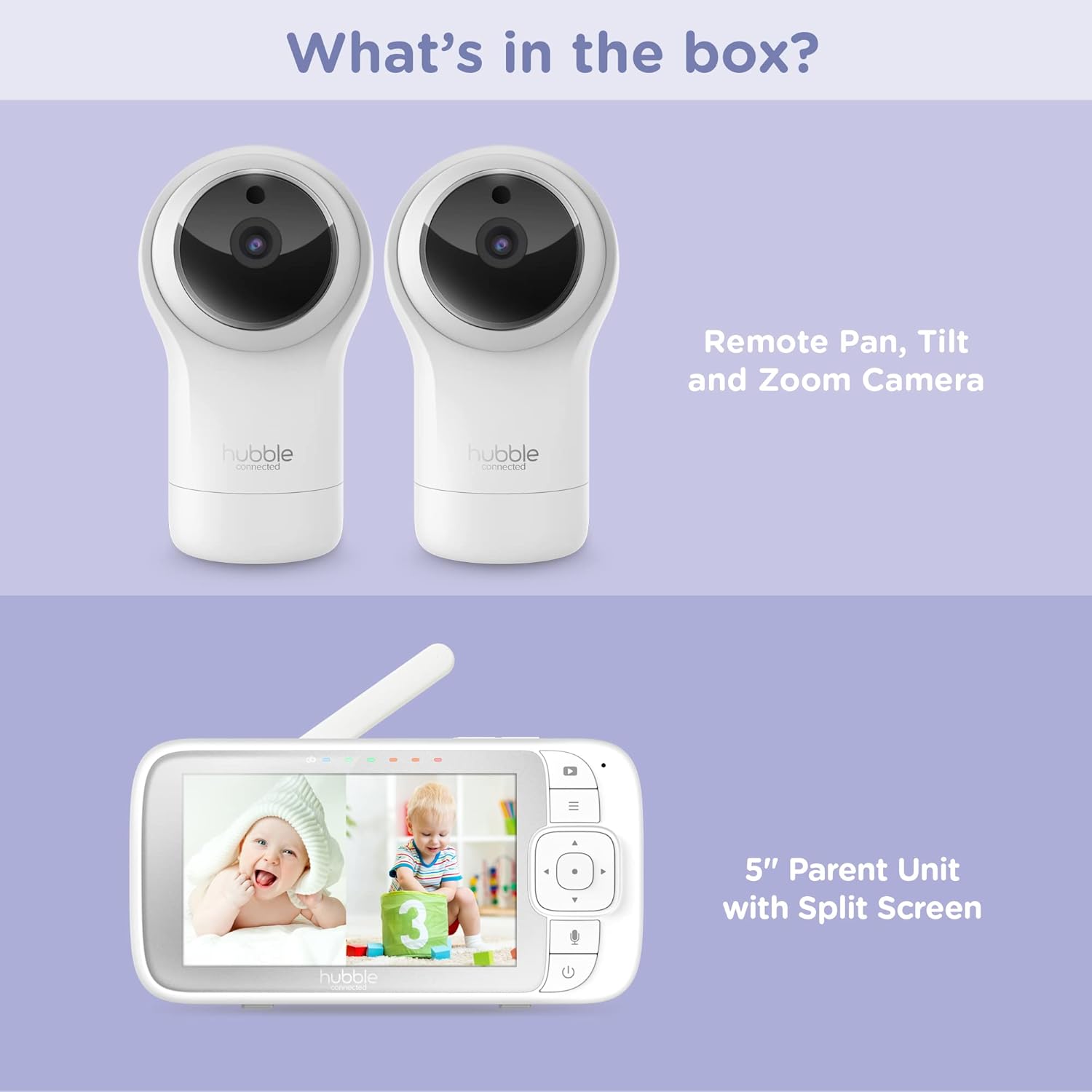
Figure 2.1: Package Contents - Parent Unit and Two Cameras
2.2. Powering On and Initial Placement
- Connect each camera to a power outlet using the provided power adapters.
- Connect the Parent Unit to a power outlet using its dedicated power adapter. The Parent Unit contains a rechargeable battery for portable use.
- Press and hold the Power button on the Parent Unit until the screen turns on.
- Place the cameras in a secure location within the baby's room, ensuring a clear view of the crib or play area. Avoid placing cameras within reach of children or near heat sources.

Figure 2.2: Hubble Connected View Pro Twin Monitor and Cameras
3. Rukovanje monitorom
3.1. Kontrole roditeljske jedinice
The Parent Unit features a 5-inch color display and intuitive buttons for navigation and control:
- Usmjerivačka ploča: Used to navigate menus and control camera pan/tilt/zoom.
- Gumb izbornika: Pristupa postavkama i značajkama.
- Talk Button (Microphone icon): Activates two-way talk.
- Gumb za napajanje: Uključuje/isključuje uređaj.
- Tipke za glasnoću (+/-): Podešava glasnoću zvuka.

Figure 3.1: Parent Unit Displaying Split Screen
3.2. ViewNačini rada
Your monitor supports multiple viewing opcije:
- Jedna kamera View: Displays the feed from one camera at a time. Use the menu to switch between cameras.
- Split-Screen View: Simultaneously displays feeds from both cameras on the 5-inch screen. This allows for monitoring two areas at once.
- Način skeniranja: The monitor can automatically cycle through the camera feeds periodically.
3.3. Camera Control (Pan, Tilt, Zoom)
Use the directional pad on the Parent Unit to remotely adjust the camera's view:
- Pan: Pomičite kameru vodoravno (lijevo/desno).
- Nagib: Pomičite kameru okomito (gore/dolje).
- Zum: Enlarge or reduce the image.
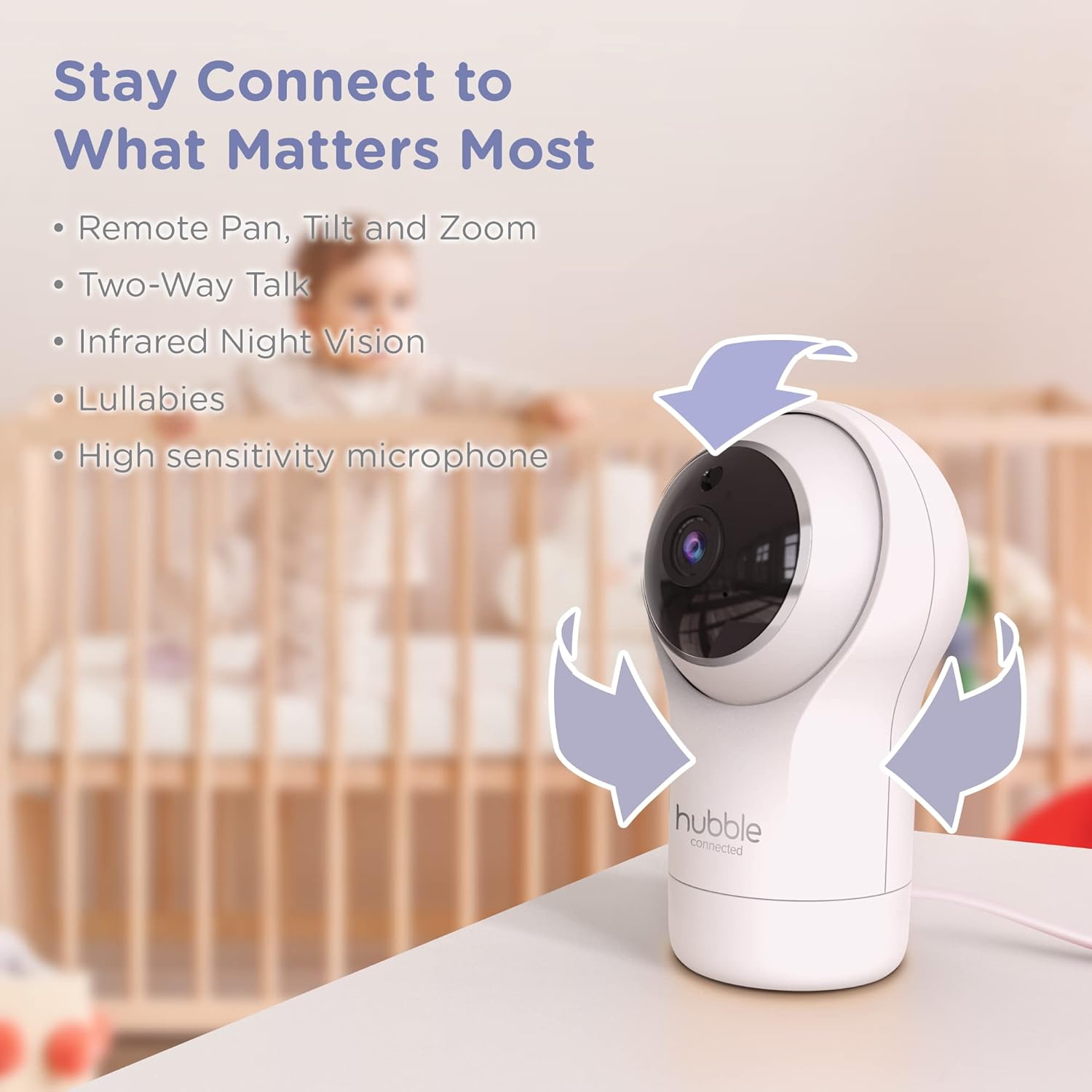
Figure 3.2: Camera Pan, Tilt, and Zoom Functionality
3.4. Dvosmjerni razgovor
To communicate with your baby, press and hold the microphone button on the Parent Unit and speak. Release the button to hear your baby's response.
3.5. Noćni vid
The cameras are equipped with infrared night vision, which automatically activates in low-light conditions, providing a clear black-and-white image of your baby.

Figure 3.3: Infrared Night Vision in Operation
3.6. Lullabies and Room Temperature Monitoring
The monitor includes preloaded lullabies to soothe your baby. Access these through the Parent Unit's menu. The system also continuously monitors the room temperature, displayed on the Parent Unit, to ensure a comfortable environment for your child.

Slika 3.4: Ključne značajke iznadview
3.7. Službeni video proizvoda
Video 3.1: Krajview of the Nursery View Pro Twin features, including split screen, pan/tilt/zoom, two-way talk, night vision, and lullabies.
4. Održavanje
4.1. Čišćenje
To clean the monitor and cameras, use a soft, dry cloth. Do not use abrasive cleaners or solvents. Ensure the devices are unplugged before cleaning.
4.2. Skladištenje
When not in use for extended periods, store the monitor and cameras in a cool, dry place, away from direct sunlight and extreme temperatures.
5. Rješavanje problema
5.1. No Signal/Poor Image
- Ensure both the Parent Unit and cameras are powered on and within range.
- Check for obstructions between the Parent Unit and cameras that might interfere with the signal.
- Relocate the Parent Unit or cameras to improve reception.
5.2. Battery Not Charging/Low Battery Alert
- Verify that the power adapter is securely connected to the Parent Unit and a working power outlet.
- Ostavite dovoljno vremena da se baterija napuni.
- Ako se problem nastavi, obratite se korisničkoj podršci.
6. Specifikacije
| Značajka | Detalj |
|---|---|
| Naziv modela | Rasadnik View Pro Twin |
| Broj modela | HCNVPRO2 |
| Veličina zaslona | 5-inch Diagonal Color Screen |
| Tehnologija povezivanja | Wireless (Non-WiFi) |
| Raspon | Do 1,000 stope / 300 m |
| Rezolucija video snimanja | 720 p |
| Posebne značajke | Night Vision, Two-Way Talk, Soothing Nature Sounds, Room Temperature Monitoring |
| Izvor napajanja | Battery Powered (Parent Unit), AC Adapter (Cameras) |
| Baterije | Potrebne su 3 litij-ionske baterije (uključene) |
| Težina artikla | 2 funti |
| Dimenzije proizvoda | 2.8 x 2.7 x 4.8 inča |
7. Jamstvo i podrška
7.1. Informacije o jamstvu
Your Hubble Connected View Pro Twin is covered by a One (1) year Limited Warranty from the date of purchase. Please retain your proof of purchase for warranty claims.
7.2. Korisnička podrška
For technical assistance, troubleshooting, or warranty inquiries, please contact Hubble Connected customer support. Visit the official Hubble Connected Store za više informacija i resurse podrške.