
1. Uvod
Thank you for choosing the iGPsport iGS50S Wireless GPS Bicycle Computer. This device is designed to provide cyclists with accurate and comprehensive data tracking for their rides. Featuring advanced GPS and Beidou positioning, ANT+ and Bluetooth connectivity, a clear 2.2-inch LCD display, and an IPX7 waterproof rating, the iGS50S is built for reliable performance in various cycling conditions. This manual will guide you through the setup, operation, and maintenance of your new bicycle computer.
2. Proizvod je gotovview
The iGS50S is a compact and lightweight bicycle computer that offers a wide range of features for tracking your cycling performance. Its intuitive button interface and large display ensure ease of use during your rides.
2.1 Uključene komponente
- iGPsport iGS50S Bicycle Computer x 1
- USB kabel x 1
- Mount Base x 2
- Rubber Mounting Ring x 2
- Korisnički priručnik x 1
2.2 Ključne značajke
- Dual Satellite Positioning: Supports GPS and Beidou for fast and accurate location tracking.
- Veliki 2.2-inčni LCD zaslon: Provides clear visibility of up to 24 data points.
- Smart Backlight: Automatic adjustment based on sunrise and sunset for optimal readability.
- ANT+ i Bluetooth povezivost: Allows pairing with various external sensors (speed, cadence, heart rate) and data synchronization with the iGPSPORT app.
- Dugo trajanje baterije: Over 40 hours of typical use with a 1200mAh battery.
- IPX7 Vodootporno: Designed to withstand rain and splashes.

Slika 1: Gotovoview of iGS50S features including GPS+Beidou, quick boot, large screen, 40-hour battery life, Bluetooth 5.0, ANT+ connectivity, auto lap, IPX7 waterproof rating, tracking, warning functions, app settings, and web integracija.
3. Postavljanje
3.1 Montaža uređaja
The iGS50S can be mounted on your bicycle's handlebar or stem using the provided mount bases and rubber rings.
- Select a suitable location on your handlebar or stem that provides clear visibility and easy access.
- Place a rubber mounting ring around the handlebar/stem.
- Position the mount base over the rubber ring.
- Secure the mount base firmly with the remaining rubber ring, ensuring it is tight and stable.
- Twist the iGS50S device onto the mount base until it locks securely into place.
3.2 Početno uključivanje i GPS akvizicija
To power on the device, press and hold the power button. For initial GPS acquisition, ensure you are in an open outdoor area with a clear view of the sky. The device will automatically search for GPS and Beidou satellite signals. This process may take a few minutes for the first use. Once connected, the time and date will be automatically calibrated.
3.3 Osnovne postavke
Access the device settings to configure preferences such as:
- jedinice: Switch between KMH (kilometers per hour) and MPH (miles per hour).
- vremenska zona: Adjust your local time zone.
- Pozadinsko osvjetljenje: Adjust backlight brightness or enable/disable automatic backlight.
3.4 Sensor Pairing (ANT+/Bluetooth)
The iGS50S supports pairing with external ANT+ and Bluetooth sensors (e.g., speed, cadence, heart rate monitors) to enhance data accuracy. Sensors are sold separately.
- Ensure your external sensor is awake and in pairing mode.
- On the iGS50S, navigate to the sensor pairing menu.
- Select the type of sensor you wish to pair (e.g., Speed, Cadence, Heart Rate).
- The device will search for available sensors. Select your sensor from the list to pair.
- Once paired, the sensor icon will appear on the display, indicating a successful connection.

Figure 2: The iGS50S can be paired with ANT+ sensors such as heart rate, cadence, and speed sensors. These sensors are sold separately.
4. Rukovanje uređajem
4.1 Display Modes and Data Fields
The iGS50S features a 2.2-inch LCD display capable of showing up to 24 different types of cycling data. The smart backlight automatically adjusts for optimal visibility in varying light conditions, turning on before sunset and off after sunrise.

Figure 3: The iGS50S displays up to 24 types of data, including speed, mileage, cadence, heart rate, temperature, altitude, and more. The speed unit can be selected between KMH or MPH.
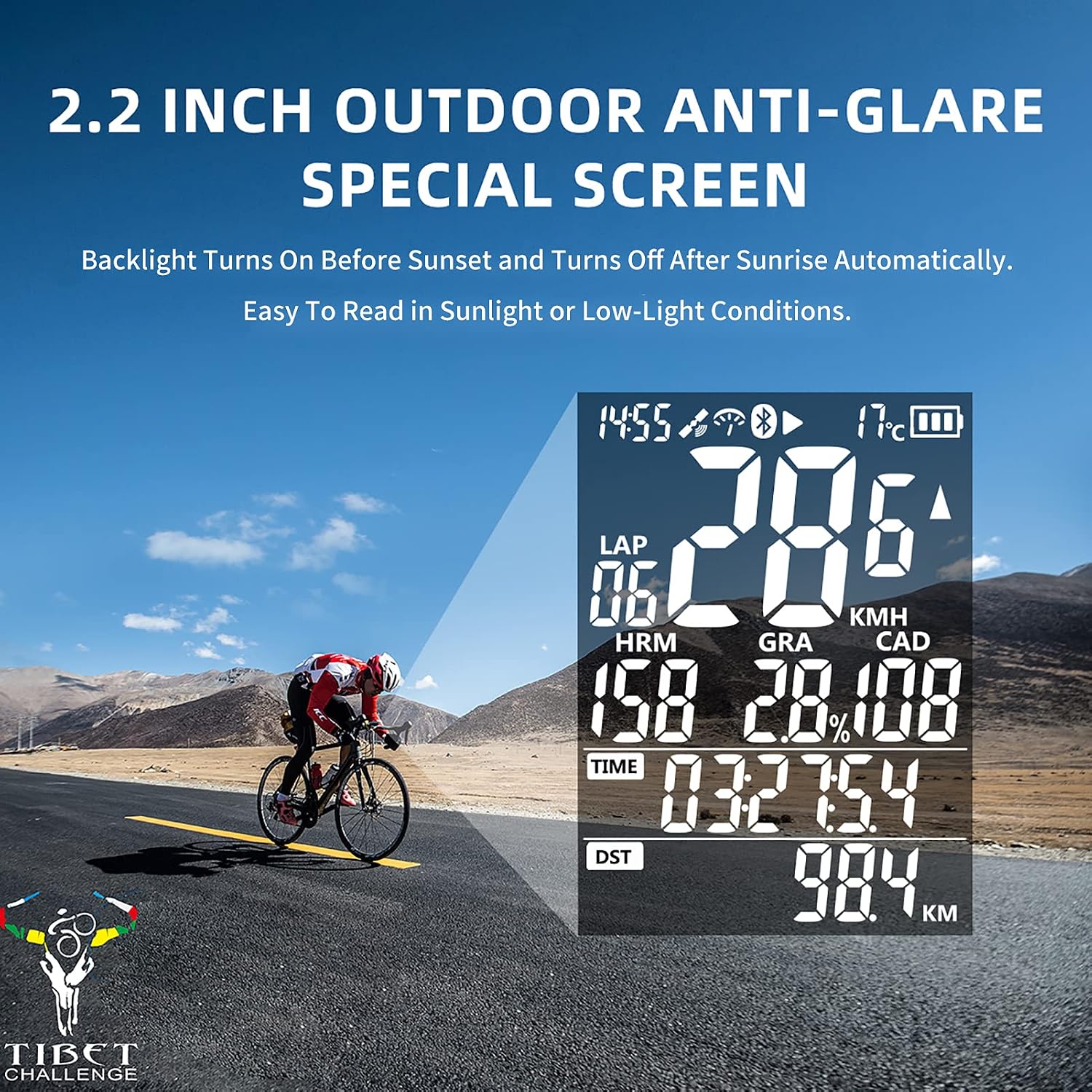
Figure 4: The 2.2-inch large screen ensures all your cycling data is clearly visible at a glance.

Figure 5: The 2.2-inch outdoor anti-glare screen with automatic backlight provides excellent readability in both bright sunlight and low-light conditions.
4.2 Snimanje vožnje
To start recording your ride data, ensure the device has a GPS signal. Press the appropriate button (usually the 'Start' or 'Record' button) to begin. Press it again to pause or stop the recording. The device will save your ride data automatically.
4.3 Auto Lap Function
The iGS50S includes an auto lap function, which can be configured in the settings. This feature automatically marks laps based on predefined distance or time intervals, allowing for detailed analysis of specific segments of your ride.
4.4 Sinkronizacija podataka
After your ride, you can synchronize your data to the iGPSPORT app on your smartphone via Bluetooth. The iGPSPORT app allows you to review your ride statistics and can integrate with third-party platforms like TrainingPeaks and Strava for further analysis and sharing. Please note that direct data upload to a computer is not supported.

Figure 6: Upload your cycling routes and data by syncing the iGS50S with the iGPSPORT app on your smartphone, which can then integrate with Strava and TrainingPeaks.
5. Baterija i punjenje
The iGS50S is equipped with a 1200mAh rechargeable battery, providing over 40 hours of typical usage thanks to its automatic sleep function. To charge the device, connect it to a USB power source using the provided USB cable. A full charge typically takes approximately two hours. The device supports charging while in use, allowing for uninterrupted tracking on extended rides.
6. Vodootpornost
The iGS50S has an IPX7 waterproof rating. This means it is protected against temporary immersion in water (up to 1 meter for 30 minutes). It is resistant to rain, splashes, and dust, making it suitable for use in various weather conditions. However, it is not recommended for prolonged submersion or high-pressure water jets.
7. Održavanje
7.1 Čišćenje
To clean your iGS50S, wipe it with a soft, damp cloth. Avoid using abrasive cleaners, solvents, or harsh chemicals, as these can damage the device's casing ili zaslon.
7.2 Skladištenje
When not in use for extended periods, store the device in a cool, dry place away from direct sunlight and extreme temperatures. It is recommended to charge the battery to about 50% before long-term storage to preserve battery health.
8. Rješavanje problema
- Uređaj se ne uključuje: Provjerite je li baterija napunjena. Spojite na USB izvor napajanja i pokušajte ponovno.
- Nema GPS signala: Premjestite se na otvoreno vanjsko područje s čistim view of the sky. Wait a few minutes for the device to acquire signals.
- Senzor se ne uparuje: Ensure the sensor is awake, has a fresh battery, and is within range. Re-enter pairing mode on both the iGS50S and the sensor.
- Data not syncing to app: Ensure Bluetooth is enabled on your smartphone and the iGS50S. Make sure the iGPSPORT app is open and updated. Try restarting both devices.
- Netočni podaci: Ensure GPS is locked and any external sensors are properly paired and calibrated (if applicable).
9. Specifikacije
| Značajka | Detalj |
|---|---|
| Marka | iGPsport |
| Broj modela | iGS50S |
| Boja | Crna |
| Veličina zaslona | 2.2 inča |
| Vrsta zaslona | LCD |
| Trajanje baterije | 40 sati (tipična upotreba) |
| Kapacitet baterije | 1200 mAh |
| Vrijeme punjenja | Approx. 2 hours (USB) |
| Vrsta senzora | GPS Sensor, Speed Sensor (internal); supports external ANT+ sensors |
| Tehnologija povezivanja | GPS, Beidou, ANT+, Bluetooth |
| Međunarodna ocjena zaštite | IPX7 |
| Vrsta nosača | Handlebar Mount or Stem Mount |
| Unos ljudskog sučelja | Gumbi |
10. Jamstvo i podrška
10.1 Informacije o jamstvu
For specific warranty details, please refer to the warranty card included with your product or visit the official iGPsport webstranica. Jamstveni uvjeti obično pokrivaju proizvodne nedostatke za određeno razdoblje od datuma kupnje.
10.2 Korisnička podrška
If you encounter any issues or have questions regarding your iGPsport iGS50S, please contact iGPsport customer support through their official website or the contact information provided in your product packaging. You can also find FAQs and additional resources on the iGPsport webmjesto.


