
Qubo 2MP
Qubo Smart CCTV Camera 360° 2MP User Manual
Model: 2MP
Uvod
The Qubo Smart Cam 360 is an advanced AI-powered wireless security camera designed to provide comprehensive surveillance for your home or office. It offers 24/7 monitoring with features like 360-degree pan and tilt, AI person detection, motion tracking, and two-way audio communication. This manual provides detailed instructions for setting up, operating, and maintaining your Qubo Smart Cam 360 to ensure optimal performance and security.
Što je u kutiji
Please check the package contents carefully. If any items are missing or damaged, contact Qubo customer support.
- Qubo Smart Cam 360 Camera
- Adapter napajanja
- USB kabel za napajanje
- Kratki vodič za početak
- Mounting Screws and Wall Plugs (for wall mounting)

Image: The Qubo Smart Cam 360, a white dome-shaped camera with a black lens, standing upright.
Vodič za postavljanje
Follow these steps to set up your Qubo Smart Cam 360.
- Preuzmite Qubo aplikaciju: Tražiti "Qubo" in the Apple App Store (for iOS) or Google Play Store (for Android) and download the official Qubo application.
- Napravi račun: Open the Qubo App and follow the on-screen instructions to create a new user account or log in if you already have one.
- Uključite kameru: Connect the provided USB power cable to the camera's power port and plug the power adapter into a wall outlet. The camera will power on and indicate its status (e.g., blinking LED).
- Dodaj uređaj u aplikaciju: In the Qubo App, tap on the "Add Device" or "+" icon. Select "Smart Cam 360" from the list of devices.
- Spojite se na Wi-Fi: Follow the app's instructions to connect your camera to your 2.4GHz Wi-Fi network. Ensure your Wi-Fi password is correct. The camera will confirm successful connection.
- Plasman: Place the camera on a flat surface or mount it on a wall using the provided screws. Ensure it has a clear view područja koje želite nadzirati.
- Umetnite SD karticu (opcionalno): For local storage, insert a compatible MicroSD card (up to 1TB, not included) into the camera's SD card slot. Refer to the "Expandable Storage" section for supported card types.

Image: A smartphone displaying the Qubo app interface, showing a live monitor view of a room and a list of detected events.
Upute za rad
Understand the key features and how to operate your Qubo Smart Cam 360.
360° Pan & Tilt Motion Tracking
The camera features a motorized head allowing for 360° horizontal and 90° vertical movement. Use the Qubo App to remotely control the camera's viewing angle. The motion tracking feature automatically follows detected movement within its field of view.

Image: The Qubo Smart Cam 360 with arrows indicating its 360-degree pan and tilt capabilities, highlighting its full room coverage.

Image: An illustration demonstrating the camera's motion tracking ability, showing a figure moving across the frame with the camera following.
AI-Powered Person Detection & Intruder Alarm
The camera's advanced AI can differentiate between human movement and other motion, reducing false alerts. When a person is detected, you will receive instant smart notifications on your Qubo App. You can also configure the system to trigger a loud intruder alarm directly from the camera.

Image: A screenshot showing the Qubo app interface with a "Person detected" alert overlaying a live view of a person in a room, indicating the AI detection feature.
NightPulse Vision (Night Vision)
Equipped with high-performance IR LEDs, the Qubo Smart Cam 360 provides clear and sharp visibility even in complete darkness, ensuring continuous 24x7 monitoring.

Image: A comparison showing a scene in normal lighting and the same scene in low light with the camera's enhanced night vision, demonstrating clear visibility in darkness.
Two-Way Talk with Noise Reduction
The built-in speaker and noise-reducing microphone allow for clear two-way communication. You can speak to family members, pets, or visitors through the camera using the Qubo App, no matter your location.

Image: A split image showing a child playing and an adult using a smartphone, illustrating the two-way talk functionality of the camera.
Recording Options (Continuous & Event-Based)
The camera supports both continuous recording (with an SD card or cloud subscription) and event-based capture. You can configure recording settings via the Qubo App to record only when motion or a person is detected.

Image: A smartphone screen displaying the recording settings within the Qubo app, showing options for continuous recording and event-triggered recording.
Storage Options (SD Card & Cloud)
Store your video footage locally on an SD card (up to 1TB, not included) or securely back it up to cloud servers (cloud subscription sold separately). The Qubo App provides access to your stored footage.

Image: A diagram illustrating various supported and unsupported SD card brands and capacities for the Qubo Smart Cam 360, highlighting storage compatibility.
Kompatibilnost glasovnog asistenta
The Qubo Smart Cam 360 is compatible with Amazon Alexa and Google Assistant, allowing for hands-free voice control and live view na podržanim pametnim zaslonima.

Image: Logos for "Works with Alexa" and "Works with Ok Google", indicating compatibility with popular voice assistants.
Održavanje
Proper maintenance ensures the longevity and optimal performance of your Qubo Smart Cam 360.
- Čišćenje: Use a soft, dry cloth to clean the camera lens and body. Do not use liquid cleaners or abrasive materials, as they may damage the device.
- Plasman: Avoid placing the camera in direct sunlight, near heat sources, or in areas with high humidity. Ensure it is placed on a stable surface or securely mounted.
- Ažuriranja softvera: Regularly check for and install firmware updates through the Qubo App. Updates often include performance improvements and security enhancements.
- Napajanje: Always use the original power adapter and cable provided with the camera to prevent damage.
- Skladištenje: If storing the camera for an extended period, disconnect it from power, remove the SD card (if inserted), and store it in a cool, dry place.
Rješavanje problema
This section addresses common issues you might encounter with your Qubo Smart Cam 360.
| Problem | Mogući uzrok | Otopina |
|---|---|---|
| Kamera se ne uključuje | Power adapter or cable issue; power outlet problem. | Check power connections. Try a different power outlet. Ensure the adapter and cable are not damaged. |
| Ne mogu se spojiti na Wi-Fi | Netočna lozinka za Wi-Fi; kamera je previše udaljena od usmjerivača; odabrana je mreža od 5 GHz. | Verify Wi-Fi password. Move camera closer to router. Ensure you are connecting to a 2.4GHz Wi-Fi network. Restart router and camera. |
| Loša kvaliteta videa | Weak Wi-Fi signal; dirty lens. | Improve Wi-Fi signal strength. Clean the camera lens with a soft, dry cloth. |
| Nema primljenih obavijesti | App notification settings disabled; camera offline; incorrect detection settings. | Check Qubo App notification settings and phone's system notification settings. Ensure camera is online. Adjust detection sensitivity and areas in the app. |
| SD kartica ne snima | Incompatible SD card; card full or corrupted; recording settings incorrect. | Use a supported SD card (up to 1TB). Format the SD card in the app. Check recording settings (continuous/event-based). |
Tehnički podaci
Detailed technical specifications for the Qubo Smart Cam 360.
| Značajka | Detalj |
|---|---|
| Naziv modela | 2 MP |
| Rezolucija | 2MP Full HD (1080p) |
| Pokrivenost panoramiranja/nagiba | 360° horizontalno panoramiranje, 90° vertikalni nagib |
| Povezivost | 2.4GHz Wi-Fi (Wireless) |
| Noćni vid | NightPulse Vision (High-performance IR LEDs) |
| Audio | Two-Way Talk with Noise Reduction |
| AI značajke | AI-Powered Person Detection, Motion Tracking, Intruder Alarm |
| Mogućnosti pohrane | Local (up to 1TB MicroSD card, not included), Cloud Backup (subscription sold separately) |
| Kompatibilni uređaji | Pametni telefon (iOS/Android) |
| Podrška za glasovnog pomoćnika | Amazon Alexa, Google pomoćnik |
| Izvor napajanja | Električni na kabel |
| Unutarnja/vanjska upotreba | Zatvoreni |
| Dimenzije proizvoda | 10.4 x 7 x 7 cm |
| Težina artikla | 180 g |
| Zemlja podrijetla | Kina |
| Proizvođač | Hero Electronix d.o.o. |
Jamstvo i podrška
Qubo products are backed by a commitment to quality and customer satisfaction.
Informacije o jamstvu
The Qubo Smart Cam 360 typically comes with a 1-godišnje jamstvo proizvođača from the date of purchase, covering defects in materials and workmanship. Please retain your purchase receipt as proof of warranty. For specific warranty terms and conditions, refer to the warranty card included with your product or visit the official Qubo webmjesto.
Korisnička podrška
For any technical assistance, troubleshooting, or warranty claims, please contact Qubo customer support:
- Mrežna podrška: Visit the official Qubo website for FAQs, support articles, and online chat options.
- Podrška e-poštom: Refer to your Quick Start Guide or the Qubo webstranicu za namjensku adresu e-pošte za podršku.
- Telefonska podrška: Contact the Qubo customer service hotline, details of which can be found on the official Qubo webweb-mjestu ili u dokumentaciji vašeg proizvoda.
Qubo also offers guided DIY installation support and has a wide after-sales service network.
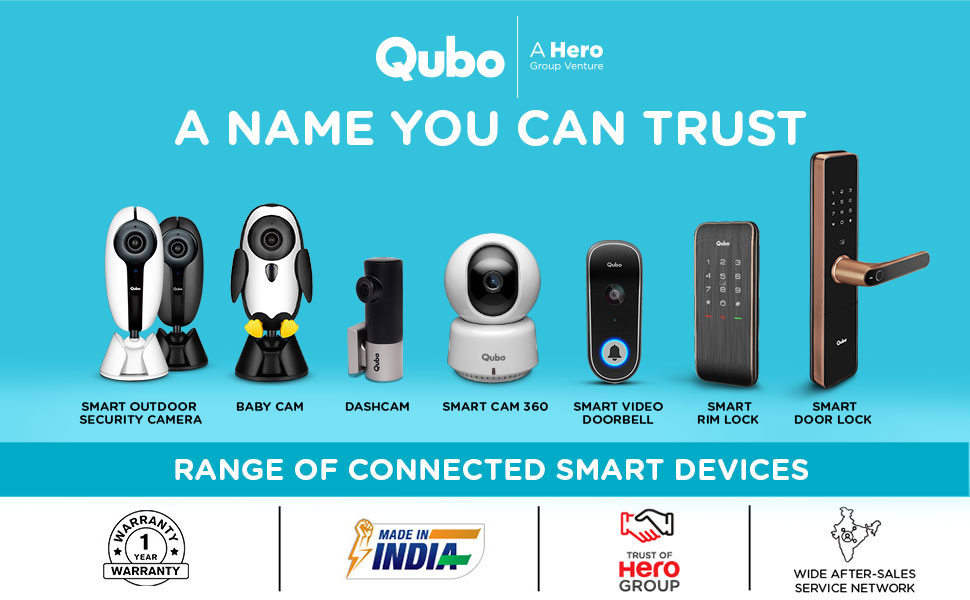
Slika: Izložba kolažaasing various Qubo smart home devices, including cameras, doorbells, and locks, emphasizing the brand's range and reliability.
Ask a question about this manual
Ask about setup, troubleshooting, compatibility, parts, safety, or missing instructions. Manuals+ will review the question and use this page’s manual context to help answer it.