
Uvod
Thank you for choosing the Perel VTBAL206 Smart Body Scale. This manual will guide you through the proper use and care of your new smart scale, designed to help you monitor your body composition with ease through the Tuya Smart app.
Sigurnosne informacije
- Ne koristite ovaj uređaj ako imate pacemaker ili neki drugi unutarnji medicinski uređaj.
- Nemojte koristiti ovaj uređaj ako ste trudni.
- Keep the scale dry. Avoid placing it in wet environments.
- Površina vage može biti skliska kada je mokra. Pažljivo stajte i silazite.
- Ne skačite na vagu.
- Ova vaga je namijenjena samo za kućnu upotrebu i nije za medicinsku dijagnozu ili liječenje.
Sadržaj paketa
- Perel VTBAL206 Smart Body Scale
- Upute za uporabu (ovaj dokument)
- Batteries (if included, check packaging)
Postavljanje
1. Ugradnja baterije
Locate the battery compartment on the underside of the scale. Open the cover and insert the required batteries, ensuring correct polarity. Close the battery compartment cover securely.
2. Preuzimanje i instalacija aplikacije
The Perel VTBAL206 Smart Body Scale works with the Tuya Smart app. Download the app from the Apple App Store (for iOS devices) or Google Play Store (for Android devices).
- Tražiti "Tuya Smart" in your device's app store.
- Preuzmite i instalirajte aplikaciju.
- Registrirajte se za novi račun ili se prijavite ako ga već imate.
3. Pairing the Scale with the App
- Provjerite je li Bluetooth omogućen na vašem pametnom telefonu.
- Otvorite aplikaciju Tuya Smart.
- Step onto the scale briefly to activate it. The display should light up.
- In the Tuya Smart app, tap "Add Device" or the "+" icon in the top right corner.
- Select "Fitness Equipment" or "Scale" from the device list.
- Follow the on-screen instructions to connect the scale. The app should automatically detect the scale via Bluetooth.
- Once connected, you may be prompted to enter personal information such as gender, age, height, and activity level. This information is crucial for accurate body composition analysis.

Image: The Perel VTBAL206 Smart Body Scale shown alongside a smartphone displaying the Tuya Smart app, illustrating the connection process.
Upute za rad
Obavljanje mjerenja
- Postavite vagu na tvrdu, ravnu površinu. Izbjegavajte tepihe ili neravne podove.
- Pobrinite se da su vam stopala čista i suha.
- Open the Tuya Smart app on your smartphone and ensure it's connected to the scale.
- Step onto the scale barefoot, placing your feet on the metal electrodes. Stand still until the measurement is complete.
- The scale display will show your weight. The app will then display a comprehensive analysis of your body composition data.
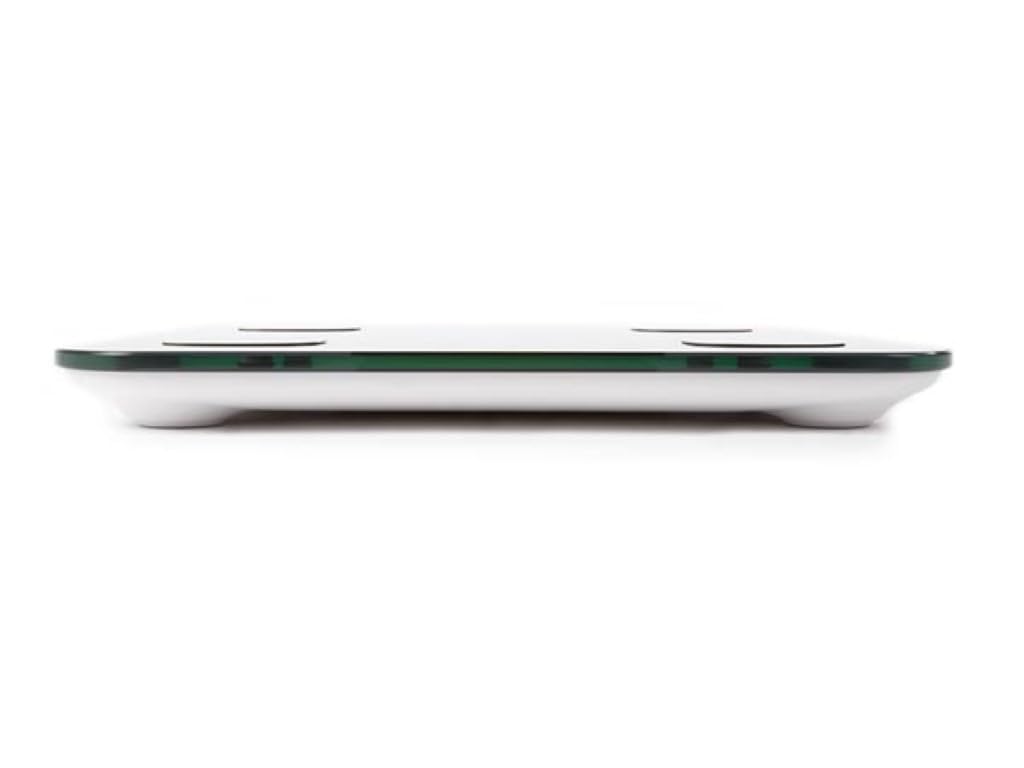
Image: The scale's LED display showing a weight measurement of 49.7 kg.

Slika: Detaljna view of the Tuya Smart app interface, displaying various body metrics after a measurement.

Image: Further details from the Tuya Smart app, including water content, muscle, calorie, and other health indicators.
Razumijevanje vaših podataka
The Tuya Smart app provides various metrics to help you understand your body composition:
- Težina: Vaša ukupna tjelesna težina.
- BMI (indeks tjelesne mase): Mjera tjelesne masti na temelju visine i težine.
- Tjelesna masnoća: Postotaktage masti u vašem tijelu.
- Sadržaj vode: Postotaktage vode u vašem tijelu.
- Mišićna masa: Ukupna težina mišića u vašem tijelu.
- Koštana masa: Ukupna težina kostiju u vašem tijelu.
- Visceralna mast: Fat stored around your organs.
- Protein: Postotaktage proteina u vašem tijelu.
- BMR (bazalna stopa metabolizma): Broj kalorija koje su vašem tijelu potrebne u mirovanju.
Consult a healthcare professional for personalized advice based on your body composition data.
Održavanje
Čišćenje
- Obrišite površinu vage mekom,amp tkanina.
- Ne koristite abrazivna sredstva za čišćenje niti uranjajte vagu u vodu.
- Prije skladištenja ili sljedeće upotrebe provjerite je li vaga potpuno suha.
Skladištenje
Vagu čuvajte na hladnom i suhom mjestu, dalje od izravne sunčeve svjetlosti i ekstremnih temperatura. Izbjegavajte stavljanje teških predmeta na vagu kada se ne koristi.
Rješavanje problema
| Problem | Mogući uzrok | Otopina |
|---|---|---|
| Vaga se ne uključuje. | Slabe ili prazne baterije; nepravilna ugradnja baterija. | Zamijenite baterije; pazite na ispravan polaritet. |
| App cannot connect to the scale. | Bluetooth is off; scale not activated; app not open; interference. | Ensure Bluetooth is on; step on scale to activate; open app; try pairing again. Move closer to the scale. |
| Netočna očitanja težine. | Scale on uneven surface; scale not calibrated; user movement. | Place scale on a hard, flat surface. Step on and off quickly to calibrate to zero. Stand still during measurement. |
| Podaci o sastavu tijela nisu prikazani. | Not standing barefoot; feet not on electrodes; personal info not entered in app. | Ensure bare feet are on all four electrodes. Verify personal information in the Tuya Smart app. |
Tehnički podaci
| Značajka | Detalj |
|---|---|
| Broj modela | VTBAL206 |
| Marka | Perel |
| Materijal | Kaljeno staklo |
| Vrsta zaslona | LED |
| Dimenzije (D x Š x V) | Otprilike 33 cm x 31 cm x 4.5 cm |
| Povezivost | Bluetooth (Tuya Smart App compatible) |
| Mjerne jedinice | kg (kilograms) |

Image: The Perel VTBAL206 Smart Body Scale with its physical dimensions indicated.
Jamstvo i podrška
Perel products are designed for quality and reliability. For warranty information or technical support, please refer to the warranty card included with your purchase or contact your retailer. You can also visit the official Perel webmjesto za daljnju pomoć.
For general inquiries, please contact Perel customer service.