1. Uvod
Thank you for choosing the VOYZ Dynamic Karaoke Microphone VZ-638G. This manual provides essential information for the proper setup, operation, and maintenance of your new microphone. Please read these instructions carefully before use to ensure optimal performance and longevity of the product.
2. Sadržaj paketa
Provjerite jesu li sve dolje navedene stavke uključene u vaš paket:
- VOYZ Dynamic Karaoke Microphone (VZ-638G)
- 15ft XLR to 1/4'' Audio Cable

Image: The VOYZ VZ-638G Dynamic Karaoke Microphone shown with its included 15ft XLR to 1/4 inch audio cable.
3. Proizvod je gotovview
The VOYZ VZ-638G is a handheld dynamic microphone designed for vocal applications, particularly karaoke. It features a durable metal body and an integrated ON/OFF switch for convenient control during use.
Ključne karakteristike:
- Jednosmjerni polarni uzorak: Fokusira se na zvuk sprijeda, smanjujući pozadinsku buku.
- Dinamički mikrofon: Robust and suitable for various vocal performances.
- ON/OFF prekidač: Provides immediate control over audio output.
- Metal Body: Ensures extended durability and a professional feel.
- XLR konektor: Standardna profesionalna audio veza.

Slika: Detaljna view of the VOYZ VZ-638G microphone, highlighting the ON/OFF switch located on the microphone body.

Image: A close-up of the microphone's grille, which protects the internal components and contributes to its sound capture.
4. Postavljanje
Follow these steps to connect your VOYZ VZ-638G microphone to your audio system:
- Spojite XLR kabel: Take the provided 15ft XLR to 1/4'' audio cable. Connect the XLR (3-pin) end of the cable firmly into the XLR port at the base of the microphone. Ensure it clicks into place securely.
- Connect to Audio Input: Plug the 1/4'' (6.35mm) jack end of the cable into the microphone input port of your karaoke machine, mixer, or audio interface. This port is typically labeled "Mic In" or has a microphone icon.
- Power On Your Audio Device: Ensure your connected audio device (karaoke machine, mixer) is powered on and its volume is set to a low level before testing the microphone.
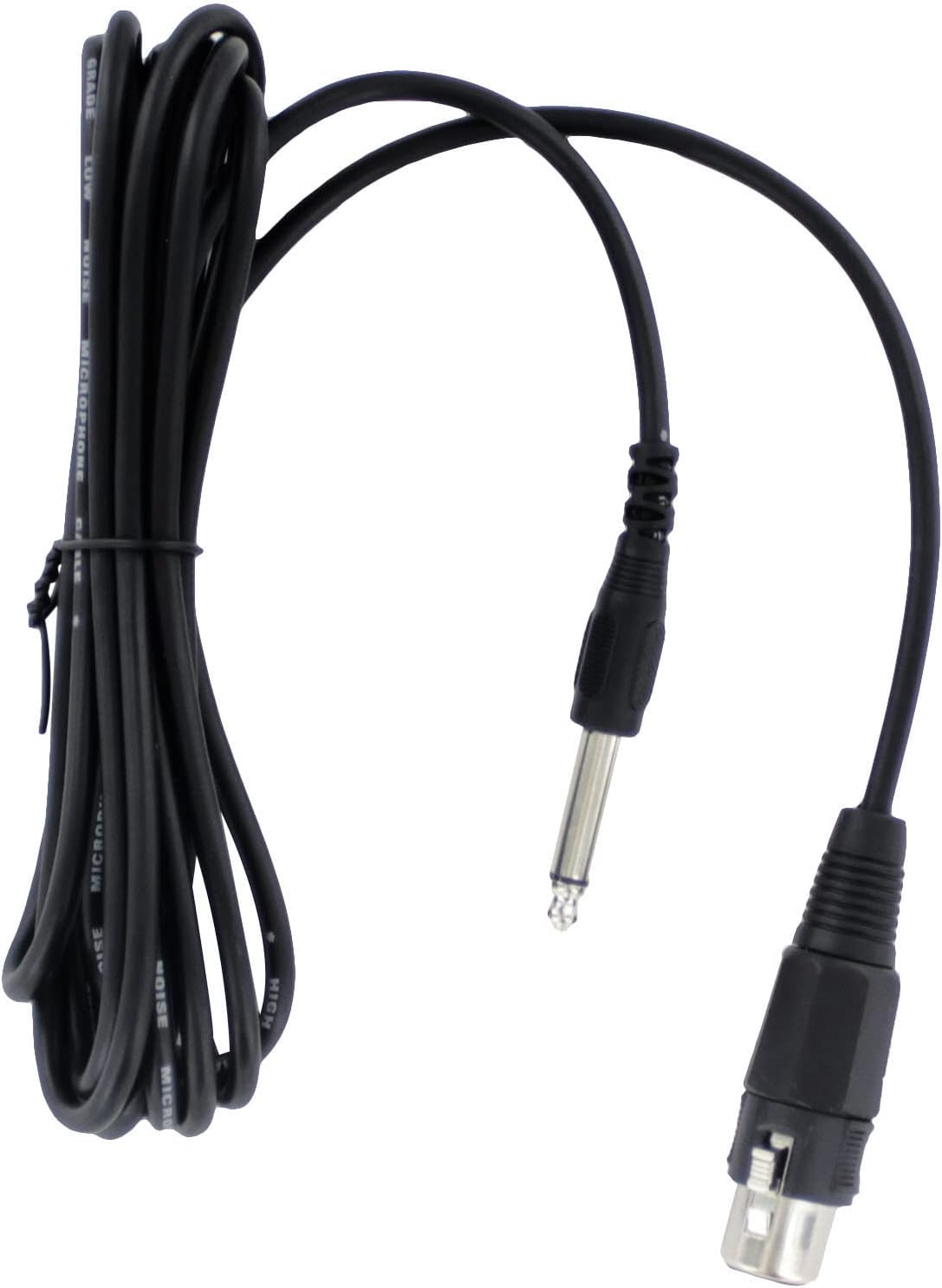
Image: The 15ft XLR to 1/4 inch audio cable, showing both connector types for proper identification during setup.

Image: The VOYZ VZ-638G microphone shown connected to an audio cable and mounted on a microphone stand, illustrating a typical setup.
5. Upute za rad
Using your VOYZ VZ-638G microphone is straightforward:
- Turn On the Microphone: Locate the ON/OFF switch on the microphone body. Slide the switch to the "ON" position.
- Podešavanje glasnoće: Gradually increase the volume on your connected audio device until the desired sound level is achieved. Avoid setting the volume too high initially to prevent feedback or damage to speakers.
- Optimalna upotreba: For best vocal performance, hold the microphone approximately 2-6 inches (5-15 cm) from your mouth. Speak or sing directly into the grille. The unidirectional pattern helps to capture your voice clearly while minimizing ambient noise.
- Isključite nakon upotrebe: When finished, slide the ON/OFF switch to the "OFF" position before disconnecting the microphone or turning off your audio equipment. This prevents sudden loud noises and protects your equipment.

Image: A hand demonstrating the proper grip for holding the VOYZ VZ-638G microphone during use.
6. Održavanje
Pravilna njega će produžiti vijek trajanja vašeg mikrofona:
- Čišćenje: Use a soft, dry cloth to wipe the microphone body. For the grille, a soft brush can be used to gently remove dust or debris. Do not use liquid cleaners directly on the microphone.
- Skladištenje: Store the microphone in a cool, dry place away from direct sunlight and extreme temperatures. Keep it protected from dust and physical impact.
- Održavanje kabela: Avoid sharp bends or kinks in the cable. Coil it loosely when storing to prevent damage to the internal wiring.
7. Rješavanje problema
Ako imate problema s mikrofonom, pogledajte sljedeće uobičajene probleme i rješenja:
| Problem | Mogući uzrok | Otopina |
|---|---|---|
| Nema zvuka |
|
|
| Loša kvaliteta zvuka / Povratne informacije |
|
|
8. Specifikacije
Technical specifications for the VOYZ VZ-638G Dynamic Karaoke Microphone:
- Model: VZ-638G
- Vrsta mikrofona: Dinamičan
- Polarni uzorak: Jednosmjerno
- Frekvencijski odziv: 80-12500 Hz
- Osjetljivost: -73 ± 3 dB
- Impedancija: 600 oma
- Vrsta priključka: XLR (microphone end), 1/4'' (cable end)
- Duljina kabela: 15 stopa
- Materijal: Metalno tijelo
- Dimenzije (D x Š x V): 12 x 5.5 x 3 inča (dimenzije proizvoda)
- Težina artikla: 10.5 unci
9. Jamstvo i podrška
For warranty information or technical support, please contact VOYZ customer service through their official channels. Retain your proof of purchase for any warranty claims.
UPOZORENJE: This product can expose you to lead, which is known to the State of California to cause birth defects or other reproductive harm. For more information, please visit the official California Proposition 65 Warnings Webmjesto.