
1. Uvod
This manual provides detailed instructions for the setup, operation, and maintenance of your Odokee Digital Dual Alarm Clock, Model UE218-Wood-1. Please read this manual thoroughly before using the product to ensure proper function and longevity.

Figure 1: Odokee Digital Dual Alarm Clock (Model UE218-Wood-1)
2. Značajke proizvoda
- Easy Setup & Dimmable Display: Intuitive controls with clearly labeled buttons. Large 1.6-inch white LED digits with 0-100% adjustable brightness via a dimmer dial.
- Customizable Dual Alarms: Set two independent alarms with 7-5-2 alarm modes (every day, weekdays, or weekends).
- 5 zvukova alarma: Choose from Beep, Birds Chirping, Buzzer, Soft Music, or Siren. Alarm volume is adjustable from 30dB to 110dB.
- Easy Snooze: A large, accessible snooze button provides an additional 9 minutes of rest.
- USB priključak za punjenje: Integrated USB port for charging mobile devices.
- Sigurnosna kopija baterije: Potrebne su 3 AAA baterije (nisu uključene) za održavanje postavki vremena i alarma tijekom nestanka struje.tages.
- Prikaz vremena: Supports both 12-hour and 24-hour time formats.
3. Postavljanje
3.1 Priključak za napajanje
- Connect the provided AC adapter to the DC 5V input port on the back of the alarm clock.
- Plug the AC adapter into a standard wall outlet. The display will light up.

Figure 2: Powering the Alarm Clock
3.2 Ugradnja rezervne baterije
For battery backup functionality, install 3 AAA batteries (not included) into the battery compartment located on the bottom of the clock. This ensures time and alarm settings are retained during a power outage. Note that the display will not remain continuously lit and the USB charging port will not function when operating solely on battery backup.
4. Upute za rad

Figure 3: Rear Controls Overview
4.1 Postavljanje vremena
- Pritisnite i držite POSTAVLJENO VRIJEME button on the back of the clock. The hour digits will begin to flash.
- Koristite SAT i MIN buttons on the top of the clock to adjust the hour and minute respectively.
- Pritisnite POSTAVLJENO VRIJEME ponovo za potvrdu vremena.
- To set the day of the week, press the DAN U TJEDNU button repeatedly until the correct day is displayed.
4.2 12/24 satni format
Pritisnite tipku 12/24HR button on the back of the clock to switch between 12-hour (with AM/PM indicator) and 24-hour time formats.

Figure 4: 12-Hour vs. 24-Hour Display
4.3 Postavljanje alarma (Alarm 1 i Alarm 2)
The clock features two independent alarms. The setup process is identical for both.
- Pritisnite i držite ALARM 1 SET or ALARM 2 SET gumb. Znamenke sati alarma će bljeskati.
- Koristite SAT i MIN tipke za postavljanje željenog vremena alarma.
- Pritisnite odgovarajući SET ALARMA ponovno pritisnite gumb za potvrdu vremena.
- Next, the alarm mode will flash. Use the ZVUK ALARMA button to cycle through the 7-5-2 alarm modes:
- SUB-NED: Weekend alarm (Saturday and Sunday only).
- PON-PET: Weekday alarm (Monday to Friday only).
- PON-NED: All 7 days alarm.
- Pritisnite odgovarajući SET ALARMA button again to confirm the alarm mode.
- Za aktiviranje ili deaktiviranje alarma pritisnite UKLJUČENO/ISKLJUČENO button located on the front side of the clock corresponding to Alarm 1 or Alarm 2. An alarm icon (1 or 2) will appear on the display when active.

Figure 5: Dual Alarms with 7-5-2 Modes

Figure 6: Alarm 1 and Alarm 2 Indicators
4.4 Selecting Alarm Sounds
After setting the alarm time and mode, you can select one of five alarm sounds:
- During alarm setting, after confirming the alarm mode, the current alarm sound will flash.
- Pritisnite tipku ZVUK ALARMA button repeatedly to cycle through the available sounds: Beep, Birds Chirping, Buzzer, Soft Music, or Siren.
- Pritisnite odgovarajući SET ALARMA gumb za potvrdu odabira.

Figure 7: Selectable Alarm Sounds
4.5 Podešavanje glasnoće alarma
The alarm volume can be adjusted from 30dB (low) to 110dB (high) using the VOLUMEN dial located on the left side of the clock.
4.6 Funkcija odgode
Kada se oglasi alarm, pritisnite veliki DRIJEMEŽ gumb na vrhu sata za privremeno utišavanje alarma na 9 minuta. Alarm će se ponovno oglasiti nakon 9 minuta.
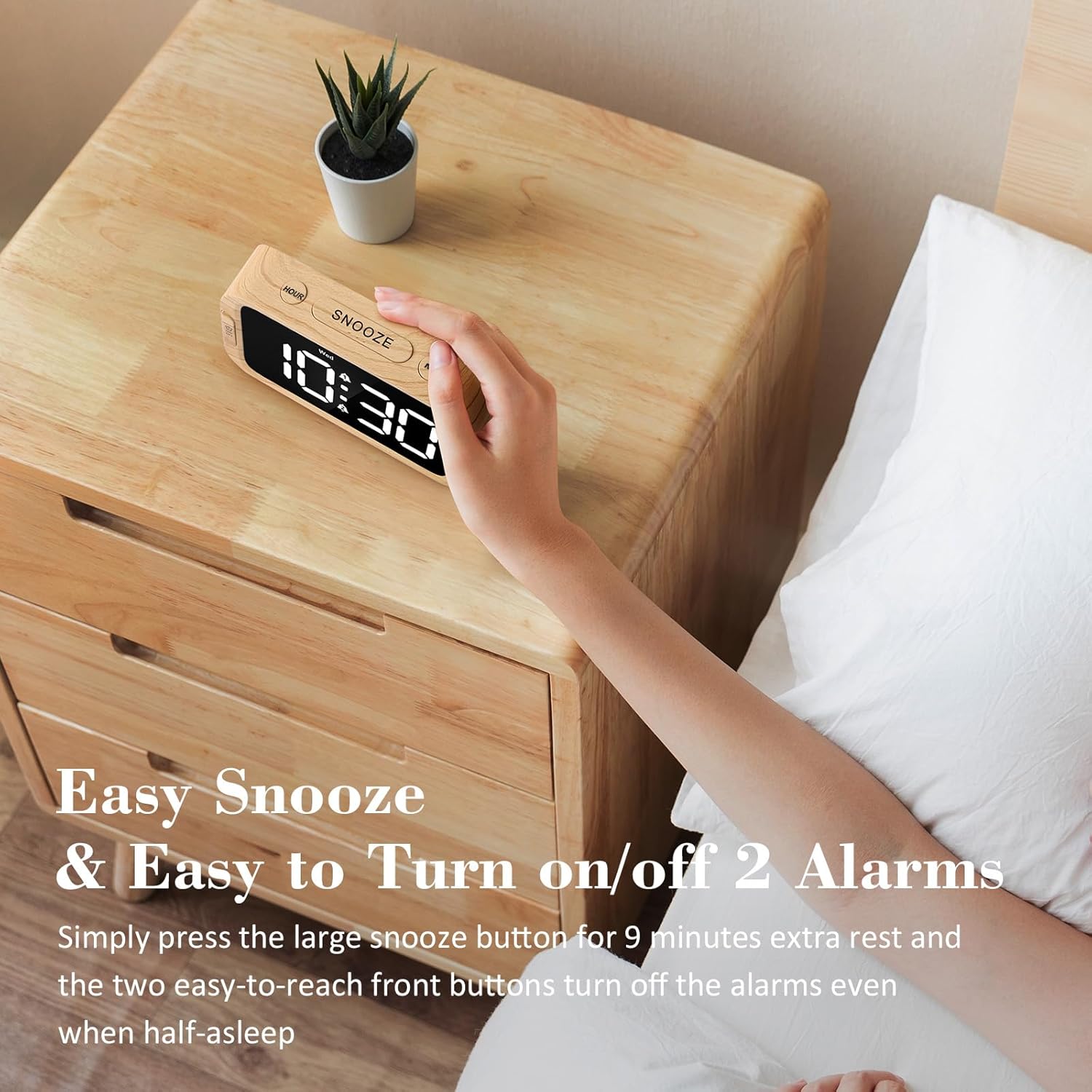
Figure 8: Using the Snooze Function
4.7 Adjusting Display Brightness (Dimmer)
The display brightness can be adjusted from 0% (fully dark) to 100% (very bright) using the DIMER dial located on the right side of the clock.

Figure 9: Display Brightness Adjustment
4.8 USB priključak za punjenje
A USB charging port is located on the back of the clock. Connect your mobile device's USB cable to this port to charge it. This port is active only when the clock is powered by the AC adapter.

Slika 10: USB priključak za punjenje u upotrebi
5. Battery Backup Functionality
The battery backup feature requires 3 AAA batteries (not included). When AC power is interrupted, the batteries will preserve the time and alarm settings. The display will turn off to conserve battery power, but the internal clock will continue to run, and alarms will still activate at the set time. The USB charging port will not function during battery backup mode. It is recommended to use the battery backup only for power outage situations, as continuous use on batteries will drain them quickly.
6. Rješavanje problema
| Problem | Mogući uzrok | Otopina |
|---|---|---|
| Zaslon je prazan ili se ne pali. | Nema struje, nestalo strujetage, or dimmer set to 0%. | Ensure AC adapter is securely plugged in. Check power outlet. Adjust the DIMMER dial. If on battery backup, press any button to briefly illuminate the display. |
| Alarm se ne oglašava. | Alarm not activated, volume too low, or incorrect alarm mode. | Ensure the alarm is activated (alarm icon visible). Adjust the VOLUME dial. Verify the alarm mode (7-5-2) is set correctly for the current day. |
| Vrijeme je netočno. | Time not set correctly, or power interruption without battery backup. | Re-set the time using the TIME SET button. Install fresh AAA batteries for backup. |
| Punjenje putem USB-a ne radi. | Clock is on battery backup, or cable/device issue. | Ensure the clock is connected to AC power. Try a different USB cable or device to rule out external issues. |
7. Specifikacije
- Marka: Odokee
- Broj modela: UE218-Wood-1
- Vrsta zaslona: Digitalni LED (bijeli)
- Veličina zaslona: 1.6 inča (visina znamenki)
- Dimenzije proizvoda: 5.3"W x 2.9"H x 1.95"D (approximate, based on image a7e9cdcf-2bbb-4f2d-b58e-081cedcaeaaa)
- Izvor napajanja: Corded Electric (AC adapter included), 3x AAA batteries for backup (not included)
- Zvukovi alarma: 5 selectable (Beep, Birds Chirping, Buzzer, Soft Music, Siren)
- Glasnoća alarma: Adjustable (30dB-110dB)
- Svjetlina zaslona: 0-100% adjustable dimmer
- Trajanje odgode: 9 minuta
- Format vremena: 12/24 sata po izboru
- Materijal: Plastika (akrilonitril butadien stiren)
- Težina artikla: 6.3 unci (178.6 grama)

Slika 11: Dimenzije proizvoda
8. Jamstvo i podrška
Odokee products come with a hassle-free 18-month warranty. For any questions, issues, or warranty claims, please contact Odokee customer service. Odokee is dedicated to providing functional and stylish products and values customer feedback.
You can visit the official Odokee store for more information: Odokee Store on Amazon.