
Uvod
The LEVOIT Air Purifiers (Core 300 / Core300-P and Core Mini) are designed to improve indoor air quality by effectively removing airborne particles, odors, and allergens. These purifiers utilize advanced filtration systems to create a cleaner and healthier living environment, suitable for various room sizes.
Ključne značajke uključuju:
- The Core 300 / Core300-P features a 45W long-life high-torque motor, 8.7" x 8.7" x 14.2" size, 7.48 lb weight, 141CFM CADR and covers up to 1095 sq.ft. The Core Mini features 360° VortexAir Technology 3.0 and quiet operation at 25dB.
- Both air purifiers use a 3-stage filtration system to remove dust, pollen, smoke, odors and airborne particles down to 0.3 microns.
- The Core 300 / Core300-P can purify rooms up to 1095 sq. ft. once per hour. The Core Mini keeps personal spaces fresh.
- The Core Mini includes an aromatherapy pad to add essential oils for great smells. Core 300 / Core300-P is compatible with multiple Levoit filter types including Toxin Absorber, Smoke Remover and Pet Allergy filters.
- Use only genuine Levoit replacement filters to maintain performance.

Image: The Levoit Core 300 and Core Mini air purifiers, showcasing njihovim kompaktnim i modernim dizajnom.
Postavljanje
Setting up your LEVOIT Air Purifier is quick and easy. Follow these steps to get started:
- Raspakiranje: Carefully remove the air purifier from its packaging. Ensure all components, including the main unit, power adapter, and filter, are present.
- Instalacija filtra:
- Okrenite pročišćivač zraka naopako.
- Okrenite poklopac baze u smjeru suprotnom od kazaljke na satu kako biste ga otključali i uklonili.
- Uklonite plastičnu ambalažu s HEPA filtera.
- Umetnite filtar natrag u jedinicu.
- Replace the base cover and twist clockwise to secure it.
- Plasman: Place the air purifier on a flat, stable surface. Ensure there is at least 6 inches (15 cm) of clearance on all sides for optimal air circulation.
- Priključak za napajanje: Uključite adapter za napajanje u pročišćivač zraka, a zatim u standardnu električnu utičnicu.

Image: Components of the Levoit air purifier, illustrating the filter's placement within the unit.
Upute za rad
Your LEVOIT Air Purifier features intuitive controls for easy operation:
- Uključivanje/isključivanje: Pritisnite gumb napajanja (⑂) on the top panel to turn the unit on or off.
- Brzina ventilatora: Pritisnite gumb za brzinu ventilatora (☸) repeatedly to cycle through three fan speeds: Low (I), Medium (II), and High (III).
- Stanje mirovanja: Activate Sleep Mode (☽) for quiet operation during the night. In this mode, the fan runs at its lowest speed, and display lights are dimmed or turned off.
- Funkcija mjerača vremena: Koristite gumb timera (⏱) to set the purifier to operate for a specific duration (2, 4, 6, or 8 hours) before automatically turning off.
- Zaslon isključen: Press the display button (☀) to turn off the display lights for undisturbed sleep.
- Zaključavanje zaslona: Pritisnite gumb za zaključavanje (🔒) to prevent accidental changes to settings, useful for households with children or pets.
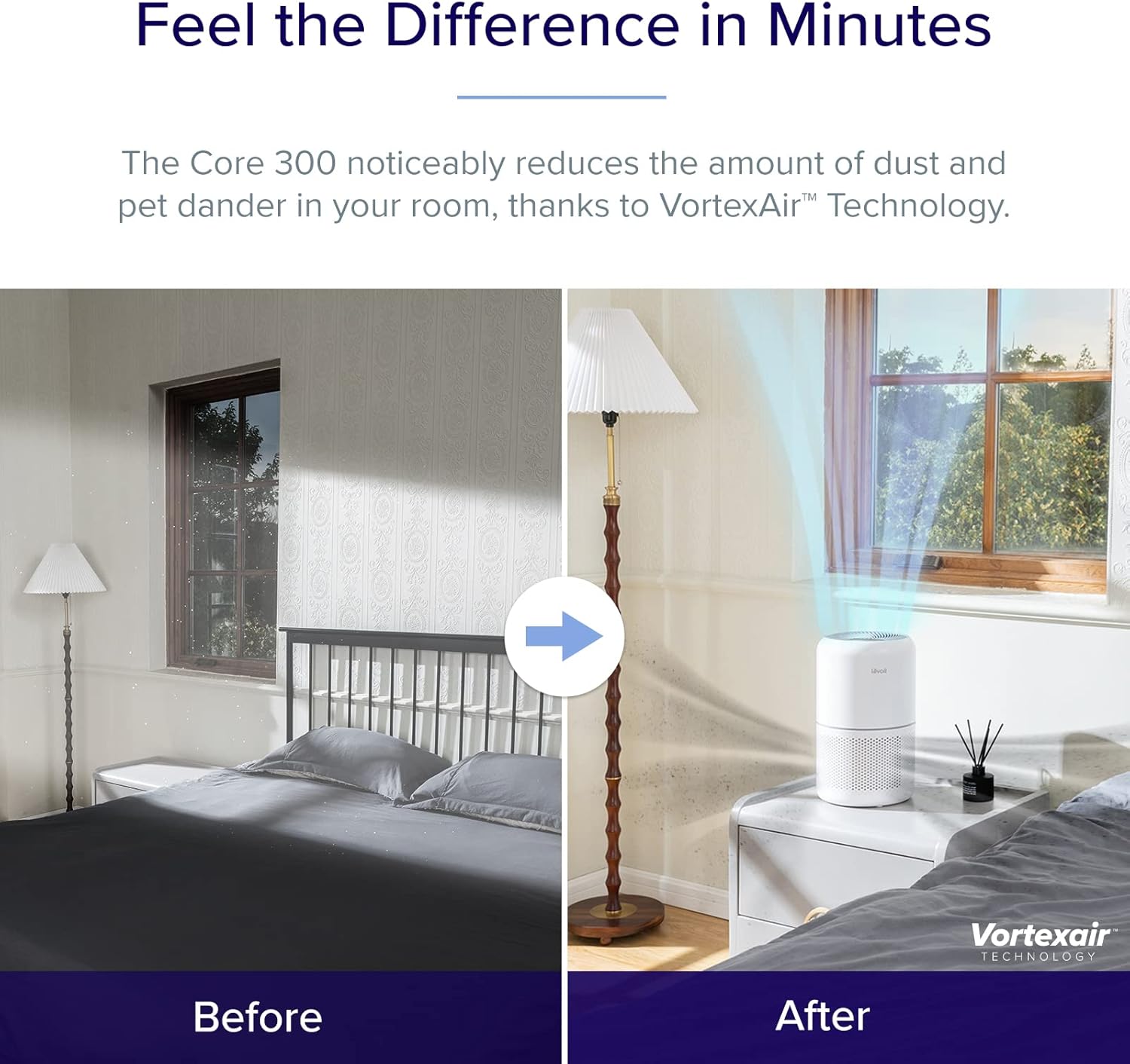
Image: Close-up of the control panel on the Levoit air purifier, showing touch-sensitive buttons for power, fan speed, sleep mode, timer, display, and lock.
Održavanje
Redovito održavanje osigurava optimalne performanse i dugotrajnost vašeg pročišćivača zraka.
Zamjena filtera
The filter should be replaced every 6-8 months, or when the filter indicator light illuminates. Using genuine LEVOIT replacement filters is crucial for maintaining performance.
- Isključite pročišćivač zraka iz utičnice.
- Turn the unit upside down and remove the base cover.
- Remove the old filter. You may gently vacuum the outside of the filter periodically to extend its life, but do not wash it.
- Insert a new genuine LEVOIT filter (search for B07RSZSYNC for Core 300 and Core Mini-RF or B09FK5PN4H for Core Mini).
- Replace the base cover and twist clockwise to secure.
- Plug in the air purifier. Press and hold the filter indicator button (🗑) for 3 seconds to reset the filter life indicator.
Čišćenje jedinice
Po potrebi obrišite vanjski dio pročišćivača zraka mekom, suhom krpom. Nemojte koristiti abrazivna sredstva za čišćenje ili otapala.

Image: Illustration of the 3-stage filtration system, detailing how the pre-filter, HEPA filter, and activated carbon filter work together to purify air.
Rješavanje problema
If you encounter any issues with your air purifier, refer to the following common troubleshooting tips:
| Problem | Mogući uzrok | Otopina |
|---|---|---|
| Jedinica se ne uključuje. | Nije uključeno; problem s utičnicom; filter nije ispravno instaliran. | Ensure power cord is securely plugged in. Try a different outlet. Check if the filter is unwrapped and the base cover is securely twisted on. |
| Protok zraka je znatno smanjen. | Začepljen filter. | Check the filter indicator light. Replace the filter if necessary. |
| Neuobičajena buka tijekom rada. | Zapreka u ventilatoru; uređaj nije na stabilnoj površini. | Unplug and check for any foreign objects. Ensure the unit is on a flat, stable surface. |
| Odor persists or is stronger. | Filter saturation; new filter odor. | Zamijenite filter. Novi filteri u početku mogu imati blagi miris koji će se raspršiti. |
Tehnički podaci
| Specifikacija | Detalj |
|---|---|
| Marka | LEVOIT |
| Broj modela | Core300, CoreMini |
| Boja | Bijela |
| Dimenzije proizvoda | 6.5"D x 6.5"Š x 10.4"V |
| Vrsta kontrolera | Kontrola gumba |
| Wattage | 7 vata |
| Noise Level (Core Mini) | 25-44dB |
| CADR (Core 300 / Core300-P) | 141CFM |
| Coverage Area (Core 300 / Core300-P) | Up to 1095 sq. ft. (1 air change per hour) |
Jamstvo i podrška
For warranty information or technical support, please refer to the official LEVOIT website or contact their customer service directly. The product typically comes with a standard manufacturer's warranty. You can also find the User Manual in PDF format via this link.