
1. Uvod
Thank you for choosing the SHARP KCP70UW Smart Air Purifier with Humidifier Combo. This device is designed to improve your indoor air quality by combining advanced air purification with effective humidification. It features a triple filtration system, Plasmacluster Ion Technology, and smart home compatibility for convenient control.
Please read this manual thoroughly before operating the unit to ensure safe and optimal performance. Keep this manual for future reference.

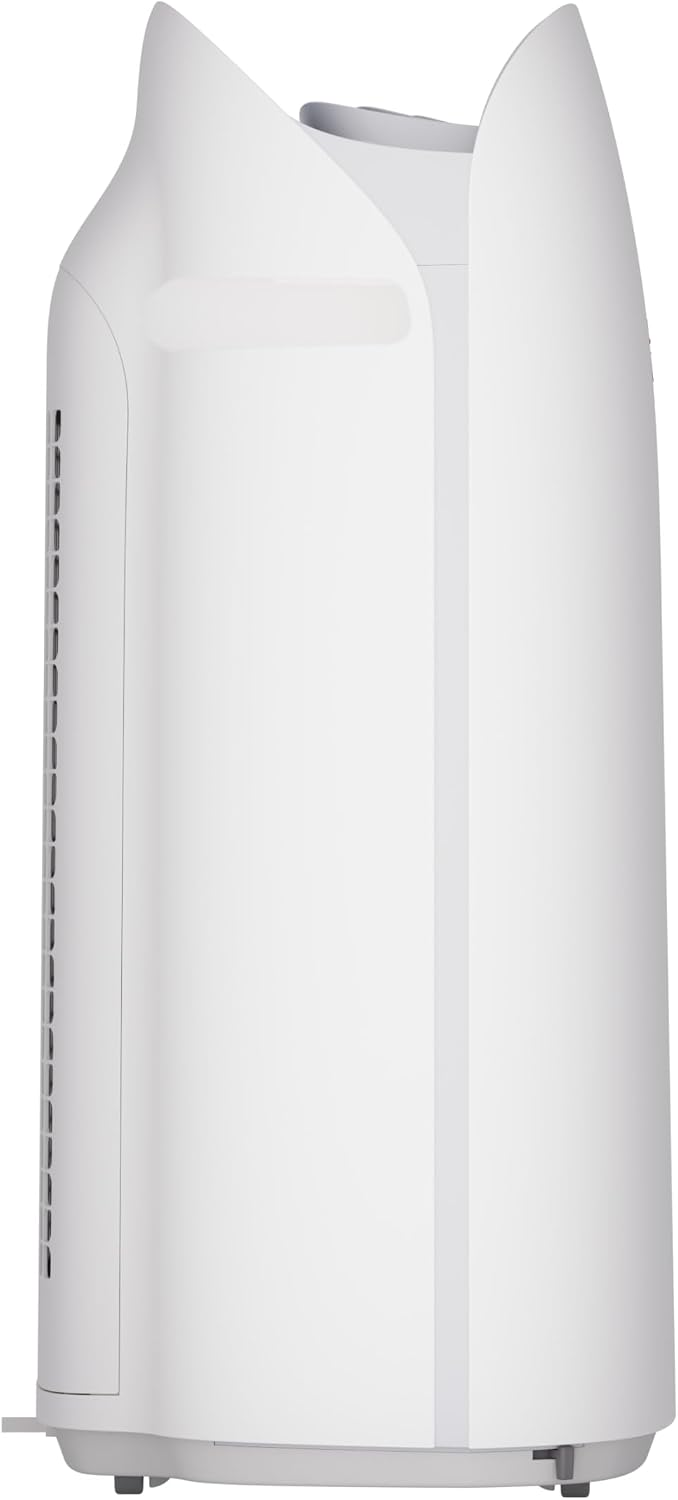
Slika 1: Prednja strana view of the SHARP KCP70UW unit, illustrating its key features.
2. Sigurnosne informacije
Uvijek se pridržavajte osnovnih sigurnosnih mjera opreza prilikom korištenja električnih uređaja kako biste smanjili rizik od požara, strujnog udara i ozljeda osoba.
- Nemojte blokirati ulaze ili izlaze zraka.
- Ne koristiti u blizini vode ili u vlažnim okruženjima.
- Isključite jedinicu iz utičnice prije čišćenja ili održavanja.
- Čuvati izvan dohvata djece i kućnih ljubimaca.
- Koristite samo s navedenim voltage.
3. Postavljanje
3.1 Raspakiranje i priprema filtera
Before first use, it is crucial to remove all protective plastic bags from the air filters. Operating the unit with filters still in plastic bags will prevent proper air purification and may cause unusual noises.
- Carefully open the back panel of the air purifier.
- Remove the air filters from their compartments.
- Cut and remove all plastic packaging from both the True HEPA filter and the Activated Carbon deodorizing filter.
- Vratite filtere u uređaj, pazeći da su ispravno orijentirani.
- Close the back panel securely.
Video 1: Instructions on how to properly set up the air purifier by removing plastic bags from filters.

Figure 2: The air purifier with its back panel open, showing the filters being removed for plastic bag removal.
3.2 Postavljanje
Place the air purifier on a flat, stable surface in the room where air purification is desired. Ensure there is adequate space around the unit for proper airflow. The KCP70UW is effective for rooms up to 1,913 sq. ft. at one air change per hour, or 396 sq. ft. with 4.8 air changes per hour (AHAM Suggested Room Size).

Figure 3: The air purifier positioned in a spacious living area, highlighting its capacity for large rooms.
3.3 Priključak za napajanje
Uključite kabel za napajanje u standardnu električnu utičnicu. Uređaj je sada spreman za rad.
4. Upute za rad
4.1 Kontrolna ploča prekoview
The control panel is located on the top of the unit and features various buttons and indicators for easy operation.
Slika 4: Detaljno view of the control panel with its intuitive buttons and digital display.
4.2 Osnovni rad
- Uključivanje/isključivanje: Pritisnite tipku UKLJUČENO/ISKLJUČENO gumb za uključivanje ili isključivanje jedinice.
- Brzina ventilatora: Cycle through fan speeds (Low, Medium, Max) using the Ventilator dugme.
- Automatski način rada: Pritisnite tipku AUTO button. In Auto mode, the unit automatically adjusts fan speed and humidification based on detected air quality and humidity levels.
4.3 Smart Features (SHARP AIR App, Alexa, Google Assistant)
The SHARP KCP70UW is compatible with the SHARP AIR App (available for Apple and Android devices), Amazon Alexa, and Google Assistant for enhanced control and monitoring.
- Udaljena operacija: Use the SHARP AIR App to adjust settings, monitor air quality, and set schedules from your smartphone.
- Glasovno upravljanje: Connect your unit to Amazon Alexa or Google Assistant-enabled devices (sold separately) to use voice commands for operation.
- Dodatni načini rada: Access modes like Sleep, Pollen, and Express Clean exclusively through the SHARP AIR App.

Figure 5: The SHARP AIR App provides comprehensive control and monitoring features for your air purifier.
Video 2: Krajview of the SHARP KCP70UW Smart Air Purifier with Humidifier, highlighting its smart features and filtration system.
5. Održavanje
5.1 Održavanje i zamjena filtera
The KCP70UW features long-life filters designed to last up to 2 years, depending on the environment and usage. Regular cleaning and timely replacement are essential for maintaining optimal performance.
- Predfilter: The washable microscreen pre-filter traps large particles. Clean it regularly by vacuuming or rinsing with water.
- Filter za dezodoriranje s aktivnim ugljenom: Helps reduce common household odors. Replace every 2 years or as indicated by the filter replacement indicator.
- Pravi HEPA filter: Captures 99.97% of particles 0.3 microns and larger. Replace every 2 years or as indicated by the filter replacement indicator.
- Filter za ovlaživanje: This filter is also designed for long life and can be cleaned. Refer to the app for replacement status.

Slika 6: Eksplodirano view of the triple filtration system, showing each filter component.

Figure 7: The True HEPA filter, designed for extended use up to 2 years.
5.2 Humidifier Maintenance
The humidifier function requires regular attention to ensure clean and effective humidification.
- Spremnik za vodu: Refill the water tank with clean tap water as needed. Avoid using distilled water as the unit is designed for tap water.
- Humidifying Filter Cleaning: Periodically clean the humidifying filter to prevent mineral buildup. Refer to the full instruction manual for detailed cleaning steps.

Figure 8: The humidifying filter and its tray, easily accessible for maintenance.
6. Rješavanje problema
If you encounter issues with your SHARP KCP70UW, refer to the following common problems and solutions:
| Problem | Mogući uzrok | Otopina |
|---|---|---|
| Loud flapping sound / Poor air purification | Air filters still in plastic bags. | Remove all plastic packaging from filters before use (refer to Section 3.1). |
| Humidifier not increasinvlažnost zraka | Water tank empty; Humidifying filter dirty or calcified. | Refill water tank; Clean or replace humidifying filter. |
| Unit not responding to app/voice commands | Wi-Fi connection issue; App not properly configured; Device not linked to Alexa/Google Assistant. | Check Wi-Fi connection; Reconfigure app settings; Ensure proper linking with smart assistant. |
| Auto mode not adjusting fan speed | Dust/odor sensors are obstructed or dirty. | Clean the dust and odor sensors. |
7. Specifikacije
Key technical specifications for the SHARP KCP70UW:
| Značajka | Detalj |
|---|---|
| Broj modela | KCP70UW |
| Boja | Bijela |
| Dimenzije proizvoda (D x Š x V) | 12.4 cm x 15.8 cm x 28.6 cm |
| Težina artikla | 22.3 funti |
| Pokrivenost podne površine | 1913 Square Feet (1x/hr air change) / 396 Square Feet (4.8x/hr AHAM) |
| Razina buke | 21 Decibels (Low Fan Speed) |
| Klasa filtra | HEPA i aktivni ugljen |
| Veličina zadržavanja čestica | 0.3 Micrometer (True HEPA) |
| Vrsta kontrolera | Amazon Alexa, Android, Google asistent |
| Posebna značajka | Programabilan |
| Certifikati | AHAM certificirano, CARB certificirano, Energy Star certificirano |
| UPC | 074000701663 |

Figure 9: The unit's quiet operation makes it suitable for bedrooms.

Figure 10: AHAM Verifide CADR ratings for effective pollutant removal.

Slika 11: Dimenzije proizvoda za planiranje smještaja.
8. Jamstvo i podrška
Za informacije o jamstvu i korisničku podršku, molimo pogledajte jamstveni list koji ste dobili s proizvodom ili posjetite službenu Sharpovu website. You can also contact Sharp customer service for assistance with product registration, troubleshooting, or replacement parts.
Mrežni resursi: For additional information, FAQs, and support, visit the Sharp website or the SHARP AIR App support section.