
Uvod
The SanDisk Ultra Curve 32GB USB 3.2 Flash Drive is a portable storage device designed for reliable and efficient data transfer. Featuring a compact design and USB 3.2 interface, it offers read speeds of up to 100MB/s, making it suitable for storing and transferring documents, photos, music, and other digital files. This manual provides essential information for setting up, operating, maintaining, and troubleshooting your flash drive.
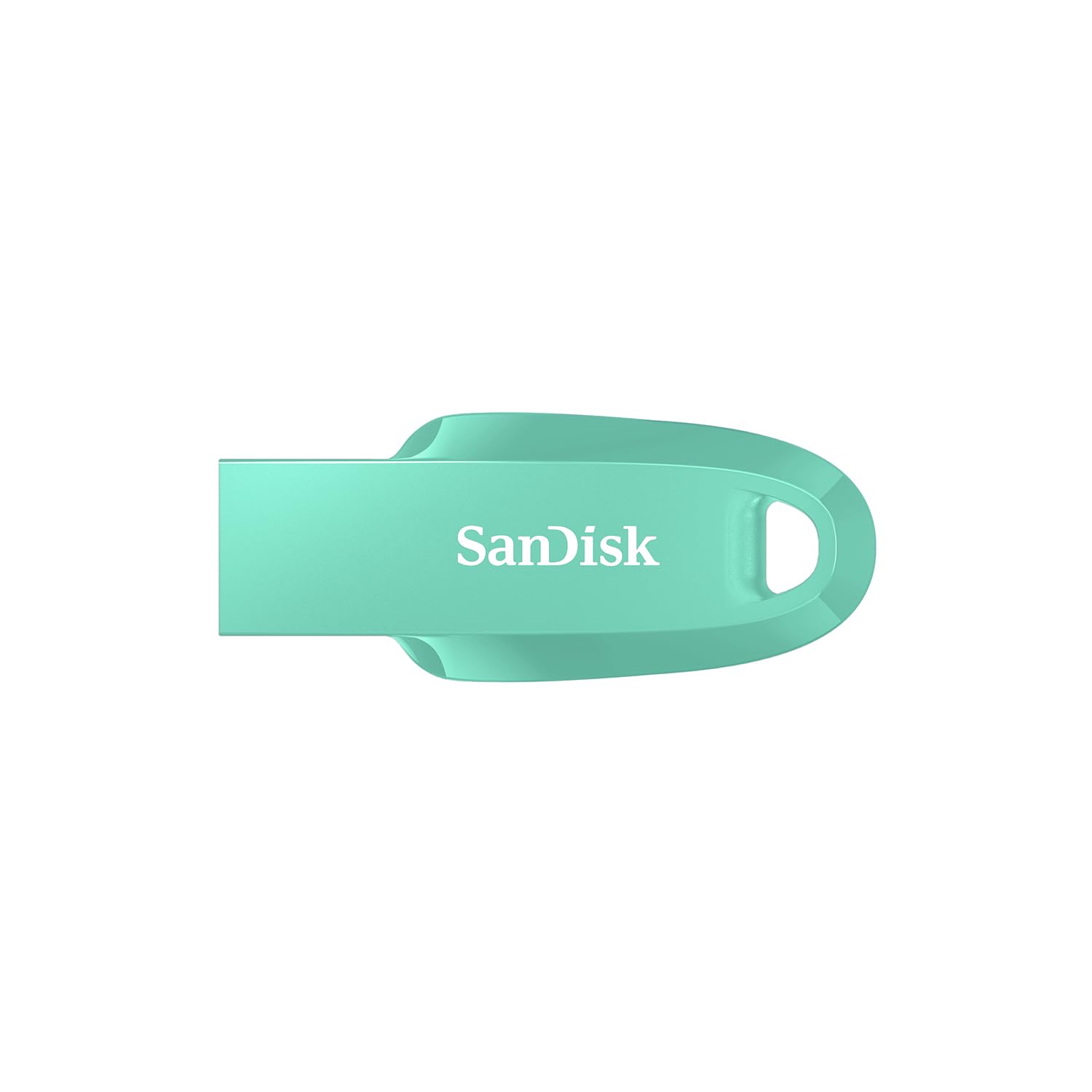
Image: SanDisk Ultra Curve 32GB USB 3.2 Flash Drive in Green. This image displays the compact, curved design of the flash drive, highlighting its portability.
Postavljanje
- Zahtjevi sustava: Ensure your computer or device has a compatible USB port (USB 3.2, USB 3.0, or USB 2.0). The drive is compatible with most operating systems, including Windows, macOS, and Linux.
- Spajanje pogona: Carefully insert the SanDisk Ultra Curve flash drive into an available USB port on your computer. The drive is designed for easy insertion.
- Automatsko prepoznavanje: Your operating system should automatically detect and install the necessary drivers for the flash drive. A new removable disk drive will appear in 'My Computer' (Windows) or 'Finder' (macOS).
- Početno formatiranje (nije obavezno): The drive comes pre-formatted and ready for use. If you wish to reformat the drive, right-click on the drive icon and select 'Format'. Choose your preferred file system (e.g., FAT32 for broad compatibility, NTFS for Windows-specific use, exFAT for large files and cross-platform use).
Operativni
Prijenos Files
- Kopiranje Files To the Drive: Pronađite files or folders you wish to transfer on your computer. Drag and drop them into the SanDisk Ultra Curve drive folder, or right-click and select 'Send To' > [Drive Letter].
- Kopiranje Files From the Drive: Open the SanDisk Ultra Curve drive folder. Select the files or folders you wish to copy. Drag and drop them to your desired location on your computer, or right-click and select 'Copy', then 'Paste' to the destination.
Using SanDisk SecureAccess Software
The SanDisk Ultra Curve flash drive is compatible with SanDisk SecureAccess software, which helps protect your private files with password protection and 128-bit AES encryption. This software is typically pre-loaded on the drive or available for download from the SanDisk webmjesto.
- Montaža: If not already installed, locate the SecureAccess installer on your drive or download it. Follow the on-screen instructions to install.
- Postavljanje: Launch SecureAccess. You will be prompted to create a password and a private vault.
- Osiguravanje Files: Povucite i ispustite fileu SecureAccess trezor kako bi ih šifrirao. Ovi files will be protected and require your password to access.
Sigurno uklanjanje pogona
Always safely remove the flash drive to prevent data corruption. Do not simply pull the drive out while it is in use.
- Windows: Click the 'Safely Remove Hardware and Eject Media' icon in the system tray (bottom-right corner). Select the SanDisk drive and wait for the 'Safe to Remove Hardware' message.
- MacOS: Drag the drive icon from the desktop to the Trash, or right-click the drive icon and select 'Eject'.
Održavanje
- Fizička njega: Keep the flash drive clean and free from dust and debris. Avoid exposing it to extreme temperatures, direct sunlight, or moisture.
- Raspon temperature: The operating temperature range is 0°C to 45°C. The storage temperature range is -10°C to 70°C. Operating outside these ranges may affect performance or damage the drive.
- Sigurnosna kopija podataka: Regularly back up important data stored on the flash drive to another storage medium to prevent data loss.
- Izbjegavajte udar: While durable, avoid dropping or subjecting the drive to strong impacts, as this can cause internal damage.
Rješavanje problema
- Pogon nije prepoznat:
- Pokušajte umetnuti pogon u drugi USB priključak na računalu.
- Testirajte pogon na drugom računalu kako biste isključili problem specifičan za računalo.
- Provjerite je li pogon potpuno umetnut u USB priključak.
- Check your computer's Device Manager (Windows) or System Information (macOS) to see if the drive is listed.
- Male brzine prijenosa:
- Ensure you are using a USB 3.0 or USB 3.2 port for optimal performance. USB 2.0 ports will result in slower speeds.
- Prijenos mnogih malih filemože biti sporije od prijenosa nekoliko velikih files.
- Zatvorite ostale aplikacije koje možda koriste sistemske resurse.
- Drive Becomes Warm During Use:
- It is normal for flash drives to generate some heat during intensive data transfer operations. This is generally not a cause for concern unless the drive becomes excessively hot to touch or performance is severely impacted.
- Ensure adequate airflow around the drive if possible.
- Korupcija podataka:
- Always use the 'Safely Remove Hardware' option before disconnecting the drive.
- If data appears corrupted, you may attempt to run a disk check utility (e.g., 'Error Checking' in Windows) on the drive.
Tehnički podaci
| Marka | SanDisk |
| Naziv modela | Cruzer Force (SDCZ550-032G-I35G) |
| Kapacitet pohrane memorije | 32 GB |
| Hardversko sučelje | USB 3.2 Gen 2 |
| Brzina čitanja | 100 megabajta u sekundi |
| Brzina pisanja | 20 MB u sekundi |
| Kompatibilni uređaji | Computers, Laptops, Tablets, Smartphones (with USB connectivity) |
| Boja | zelena |
| UPC | 619659196707 |
| Zemlja podrijetla | Malezija |
Jamstvo i podrška
Informacije o jamstvu
This SanDisk Ultra Curve Flash Drive comes with a 5-godišnje ograničeno jamstvo. Please retain your proof of purchase for warranty claims. The warranty covers defects in materials and workmanship under normal use. It does not cover damage caused by misuse, accident, modification, or unauthorized repair.
Korisnička podrška
For technical assistance, warranty claims, or further inquiries, please contact SanDisk customer support. You can find contact information and support resources on the official SanDisk website. For manufacturing and packing inquiries, the manufacturer contact information is: Plot 301A Persiaran Cassia Selatan 1 Taman Perindustrian Batu Kawan, MK13 Batu Kawan Seberang Perai Selatan 14100 Penang Malaysia.
Importer Contact Information: RASHI PERIPHERALS PVT LTD.,RASHI COMPLEX A BLDG, SURVEY 186, DONGARIPADA, POMAN, VASAI-E,THANE, MAHARASHTRA-401208.