
Uvod
The Keychron C2 is a full-size (104-key) wired mechanical keyboard designed for both Mac and Windows operating systems. It features durable Red mechanical switches and retro-colored ABS keycaps, providing a comfortable and responsive typing experience. This manual provides essential information for setting up, operating, maintaining, and troubleshooting your Keychron C2 keyboard.

Image: The Keychron C2 Full Size Wired Mechanical Keyboard connected to a computer setup.
Sadržaj paketa
Provjerite jesu li svi artikli prisutni u paketu:
- Keychron C2 Full Size Wired Mechanical Keyboard
- USB-C na USB-A kabel
- Izvlakač ključeva
- Dodatne tipke za Mac i Windows operativne sustave
Postavljanje
- Spojite tipkovnicu: Plug the USB-C end of the provided cable into the keyboard's USB-C port and the USB-A end into an available USB port on your computer. The keyboard is a wired-only device and does not require batteries.
- Select Operating System Mode: Locate the operating system switch on the back or side of the keyboard. Slide the switch to the appropriate position for your computer (Mac or Windows). This ensures correct function key mapping.
- Podesite kut tipkovnice: The keyboard features 2-level adjustable feet. Flip out the feet on the underside of the keyboard to achieve your preferred typing angle for ergonomic comfort.
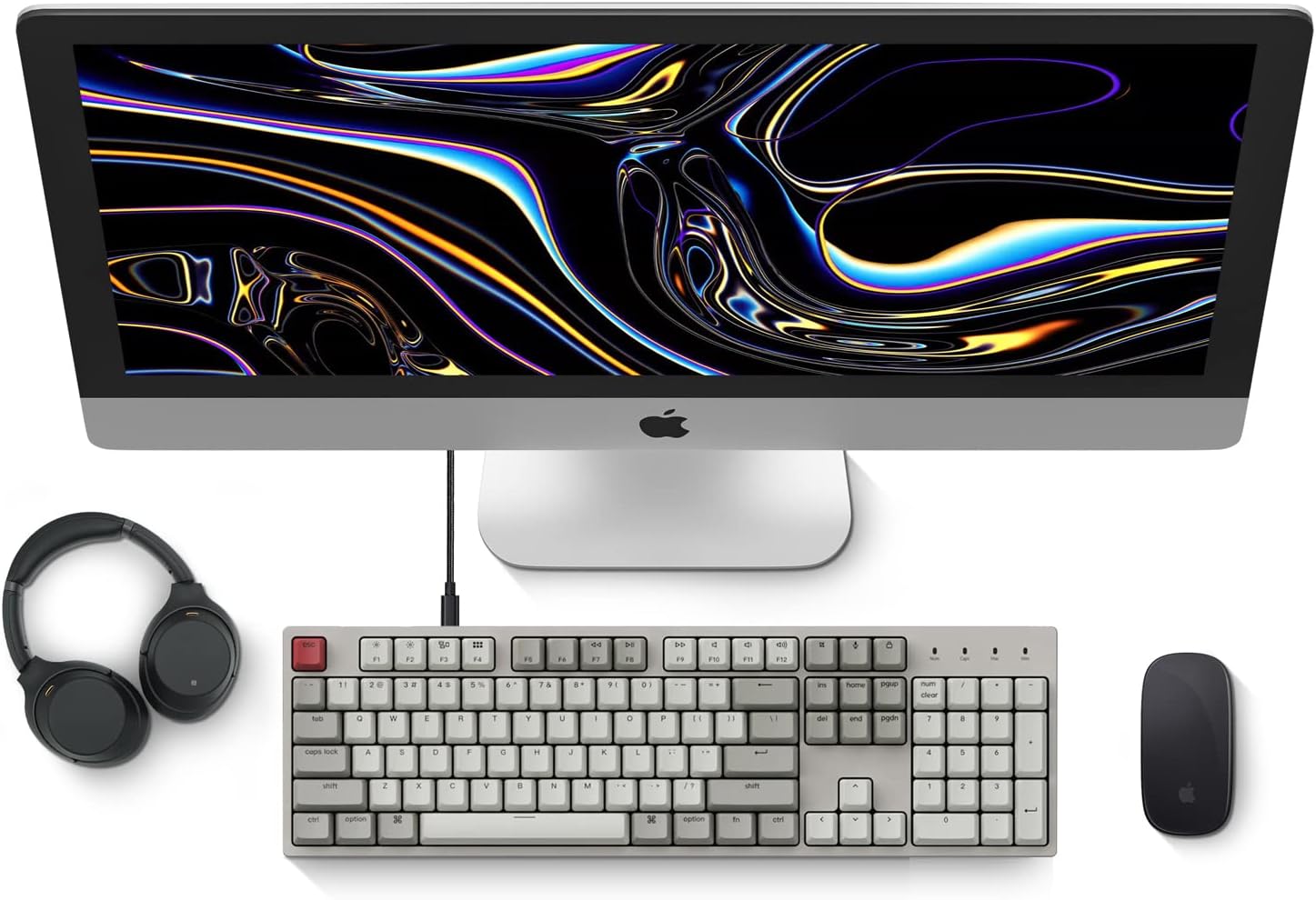
Image: Diagram showing compatibility with Mac and Windows operating systems.

Slika: Bočno view of the Keychron C2 keyboard illustrating the adjustable feet for angle customization.
Upute za rad
Osnovne funkcije
- Upisivanje: The keyboard features a standard 104-key full-size layout.
- Multimedijske tipke: The top row of function keys (F1-F12) includes multimedia controls. These functions are optimized for Mac but are also compatible with Windows.
- Siri/Cortana Key: A dedicated key is provided for activating Siri (on Mac) or Cortana (on Windows).
Zamjena tipki
The Keychron C2 comes with extra keycaps for both Mac and Windows layouts. To replace keycaps:
- Use the provided keycap puller to gently remove the desired keycap by hooking it onto the keycap and pulling upwards.
- Align the new keycap with the switch stem and press down firmly until it clicks into place.

Slika: Krupni plan view of the Keychron Red mechanical switches beneath removed keycaps.
Održavanje
- Čišćenje: Redovito čistite tipkovnicu kako biste spriječili nakupljanje prašine i nečistoća. Za uklanjanje čestica između tipki koristite meku četku ili komprimirani zrak. Za čišćenje površine koristite laganoamp, krpa koja ne ostavlja dlačice. Izbjegavajte jake kemikalije.
- Njega tipki: While durable, avoid excessive force when removing or installing keycaps to prevent damage to the keycap stems or switches.
- Uprava za kabele: Ensure the USB-C cable is not bent sharply or placed under heavy objects to prolong its lifespan.

Image: Close-up of the ABS keycaps on the Keychron C2 keyboard.
Rješavanje problema
- Tipkovnica ne reagira:
- Check the USB-C cable connection at both the keyboard and the computer. Ensure it is securely plugged in.
- Pokušajte spojiti tipkovnicu na drugi USB priključak na računalu.
- Verify that the operating system switch on the keyboard is set correctly (Mac/Windows).
- Ponovno pokrenite računalo.
- Određene tipke ne rade:
- Carefully remove the non-functional keycap using the keycap puller. Inspect the mechanical switch for any visible damage or debris.
- Clean around the switch with compressed air.
- Re-seat the keycap firmly.
- Neispravan izlaz tipke:
- Ensure the operating system switch is set to the correct mode for your computer.
- Check your computer's keyboard settings to ensure the correct layout is selected.
Tehnički podaci
| Značajka | Detalj |
|---|---|
| Marka | Keychron |
| Naziv modela | Keychron C2 |
| Broj modela | HS-C2K1Z |
| Tehnologija povezivanja | USB-C (žični) |
| Kompatibilni uređaji | Laptop, PC |
| Kompatibilna obitelj operativnih sustava | MacOS, Windows |
| Broj tipki | 104 |
| Tip prekidača | Linear (Red Switch) |
| Materijal ključa | ABS (akrilonitril butadien stiren) |
| Raspored tipkovnice | QWERTY |
| Posebna značajka | Pozadinsko osvjetljenje (jedna boja) |
| Težina artikla | 5390 gram |
| Izvor napajanja | Električni na kabel |
Jamstvo i podrška
For warranty information, technical support, or further assistance, please visit the official Keychron website or contact Keychron customer service. Details regarding product registration and specific warranty terms can be found through official Keychron channels.