
1. Uvod
This manual provides essential information for the proper use and care of your Microsoft Surface Go 2 LTE Tablet. Please read these instructions thoroughly before using your device to ensure optimal performance and longevity.
2. Postavljanje
2.1 Raspakiranje i početni pregled
Carefully remove the Surface Go 2 LTE Tablet from its packaging. Inspect the device for any signs of damage. Ensure all components are present.
2.2 Punjenje uređaja
Before first use, connect the included power adapter to the charging port on your Surface Go 2 LTE Tablet and then to a power outlet. Allow the device to charge fully. The battery provides up to 9 hours of unplugged power under typical usage conditions.
2.3 Početno uključivanje i postavljanje sustava Windows
Press and hold the power button located on the side of the tablet until the Microsoft logo appears. Follow the on-screen prompts to complete the Windows 10 Pro setup process. This includes selecting your language, connecting to a Wi-Fi network (802.11ac supported), and setting up your user account.
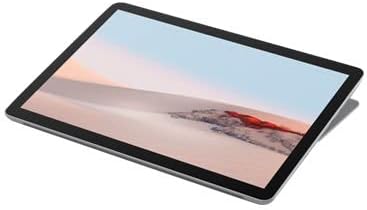
Slika 2.3.1: Kutno view of the Microsoft Surface Go 2 LTE Tablet.
3. Upute za rad
3.1 Touch Display Interaction
The Surface Go 2 features a 10.5-inch PixelSense 10-Point Touch Display. Use multi-touch gestures for navigation, zooming, and interacting with applications. Refer to Windows 10 documentation for detailed touch gesture information.
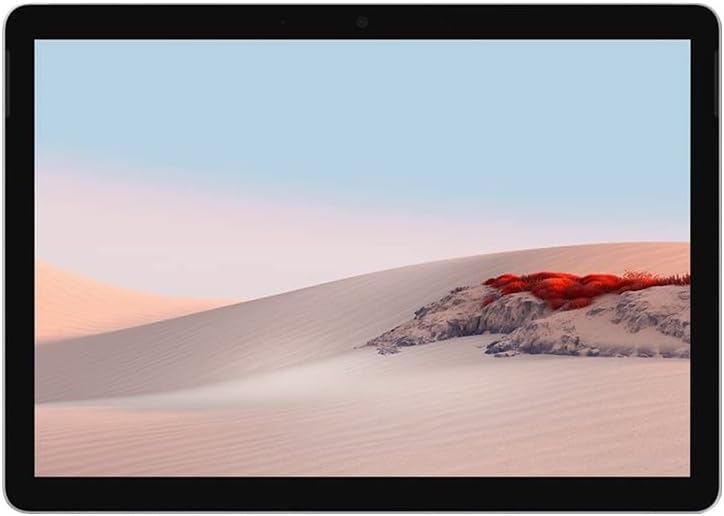
Slika 3.1.1: Prednja strana view of the Microsoft Surface Go 2 LTE Tablet.
3.2 Korištenje kamere
The tablet is equipped with an 8MP rear camera and a 5MP front camera. Access the Camera application in Windows 10 to capture photos and videos or for video conferencing.
3.3 Povezivost
- Wi-Fi: Connect to wireless networks using the integrated Wi-Fi 5 (802.11ac) module.
- Bluetooth: Pair with Bluetooth 4.1 compatible devices such as headphones or keyboards.
- LTE: Insert a compatible SIM card to utilize LTE mobile data connectivity.
3.4 Ports and Expansion
- USB Type-C: For data transfer, charging, and connecting compatible peripherals.
- 3.5 mm priključak za slušalice: Za audio izlaz na slušalice ili vanjske zvučnike.
- MicroSD Media Card Reader: Insert a microSD card to expand storage capacity.
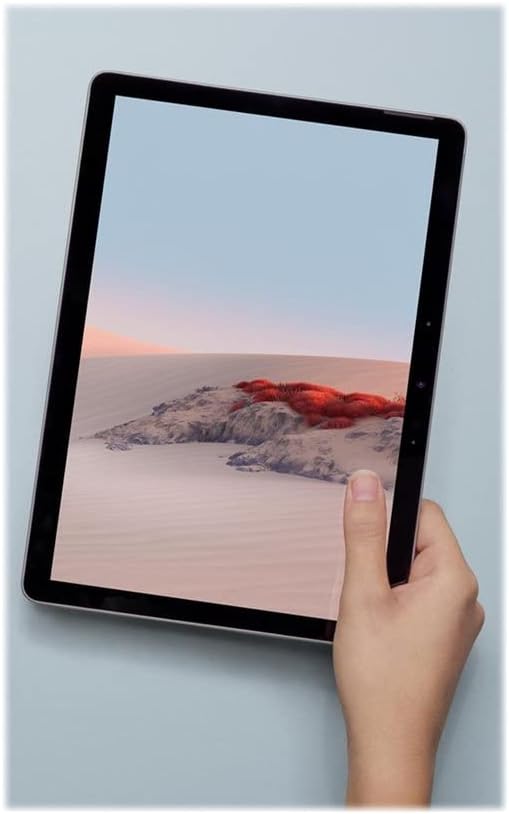
Figure 3.4.1: Microsoft Surface Go 2 LTE Tablet held in hand, demonstrating its portability.
4. Održavanje
4.1 Čišćenje uređaja
To clean your Surface Go 2, use a soft, lint-free cloth slightly dampened with water or an approved screen cleaner. Avoid harsh chemicals, abrasive materials, or excessive moisture. Ensure the device is powered off before cleaning.
4.2 Njega baterija
To maximize battery life, avoid exposing the device to extreme temperatures. For long-term storage, charge the battery to approximately 50% and store in a cool, dry place. Regular software updates can also optimize battery performance.
4.3 Ažuriranja softvera
Regularly check for and install Windows updates to ensure your device has the latest security patches and performance improvements. Go to Postavke > Ažuriranje i sigurnost > Windows Update.
5. Rješavanje problema
5.1 Uređaj ne reagira
If the device becomes unresponsive, press and hold the power button for approximately 30 seconds to perform a force shutdown. Then, press the power button again to restart the device.
5.2 Spore performanse
If the tablet is operating slowly, try the following:
- Zatvorite nepotrebne aplikacije koje rade u pozadini.
- Ponovno pokrenite uređaj.
- Provjerite je li Windows ažuriran.
- Provjerite ima li dovoljno slobodnog prostora za pohranu.
5.3 Pregrijavanje
It is normal for the device to become warm during extended use or when performing intensive tasks. If the device feels excessively hot, close demanding applications, ensure proper ventilation, and allow it to cool down. Avoid using the device on soft surfaces that may block vents.
5.4 Connectivity Issues (Wi-Fi/Bluetooth/LTE)
If you experience issues with Wi-Fi, Bluetooth, or LTE connectivity:
- Toggle the respective wireless feature off and on.
- Ponovno pokrenite uređaj.
- Ensure drivers are up to date via Windows Update or Microsoft's support webmjesto.
- For LTE, verify the SIM card is correctly inserted and activated with your carrier.
6. Specifikacije
| Značajka | Specifikacija |
|---|---|
| Veličina zaslona | 10.5 Inches PixelSense |
| Razlučivost zaslona | 1920 x 1280 piksela (216 ppi) |
| Procesor | Intel Core m3 M3-8100Y (1.1 GHz) |
| OVAN | 8 GB LPDDR3 |
| Skladištenje | SSD od 128 GB |
| Grafika | Intel HD Graphics 615 |
| Operativni sustav | Windows 10 Pro |
| Bežično povezivanje | Wi-Fi 5 (802.11ac), Bluetooth 4.1, LTE |
| Fotoaparati | Stražnja od 8 MP, prednja od 5 MP |
| luke | USB Type-C, 3.5 mm Headphone Jack, MicroSD Card Reader |
| Trajanje baterije | Do 9 sati (prosječno) |
| Dimenzije (DxŠxV) | 9.6 x 6.9 x 1.2 inča |
| Težina | 2 pounds (approx. 1.15 lbs for tablet only) |
| Broj modela | SUF-00001 |
7. Informacije o jamstvu
The Microsoft Surface Go 2 LTE Tablet is covered by a limited hardware warranty. For specific details regarding the warranty period, coverage, and terms, please refer to the warranty documentation included with your purchase or visit the official Microsoft support website. Warranty claims typically require proof of purchase.
8. Podrška
For further assistance, technical support, or to access additional resources, please visit the official Microsoft Support website. You can find comprehensive guides, FAQs, and contact options there.
Microsoftova podrška Webstranica: support.microsoft.com
Također možete posjetiti Microsoft Store za informacije o proizvodu i priboru.