
1. Uvod
This manual provides comprehensive instructions for the installation, operation, maintenance, and troubleshooting of your Dngbymx 8.4-inch Uconnect 4C UAQ LCD Monitor Touch Screen replacement. Please read this manual thoroughly before beginning any procedures to ensure proper function and longevity of the product.
2. Proizvod je gotovview
The Dngbymx 8.4-inch Uconnect 4C UAQ LCD Monitor Touch Screen is designed as a direct replacement for original equipment screens that may experience issues such as bubbling, layering, or unresponsiveness due to viscous liquid leakage. This replacement unit offers high resolution and precise touch performance, restoring full functionality to your vehicle's infotainment system.

Figure 2.1: The Dngbymx 8.4-inch Uconnect Touch Screen replacement unit.
3. Kompatibilnost
This 8.4-inch Uconnect 4C UAQ LCD Monitor Touch Screen is compatible with specific Uconnect 4, 4C, UAQ, and UAS radio systems found in the following vehicle models and years. It is suitable for both GPS-equipped and non-GPS radios. Please verify your vehicle's radio model and screen size before purchase.
- RAM 1500 2500 3500 Chassis Cab: 2018-2021
- Chrysler 200 300: 2017-2022
- Dodge Challenger: 2017.-2021.
- Dodge Durango: 2018.-2021.
- Dodge Charger: 2017-2021
- Wrangler JL body style only: 2018-2021
- Compass: 2018-2021
- Gladiator: 2019-2022
- Grand Cherokee Summit Limited Trailhawk SRT & Cherokee: 2018-2021
The replacement part number is LA084X01(SL)(02).

Figure 3.1: Visual representation of compatible vehicle models.
4. Instalacija
Professional installation is recommended for this product. The installation process typically involves removing the vehicle's dashboard trim, detaching the existing radio unit, and carefully replacing the old screen with the new Dngbymx unit. Ensure all ribbon cables are properly seated and secured before reassembling the dashboard components.
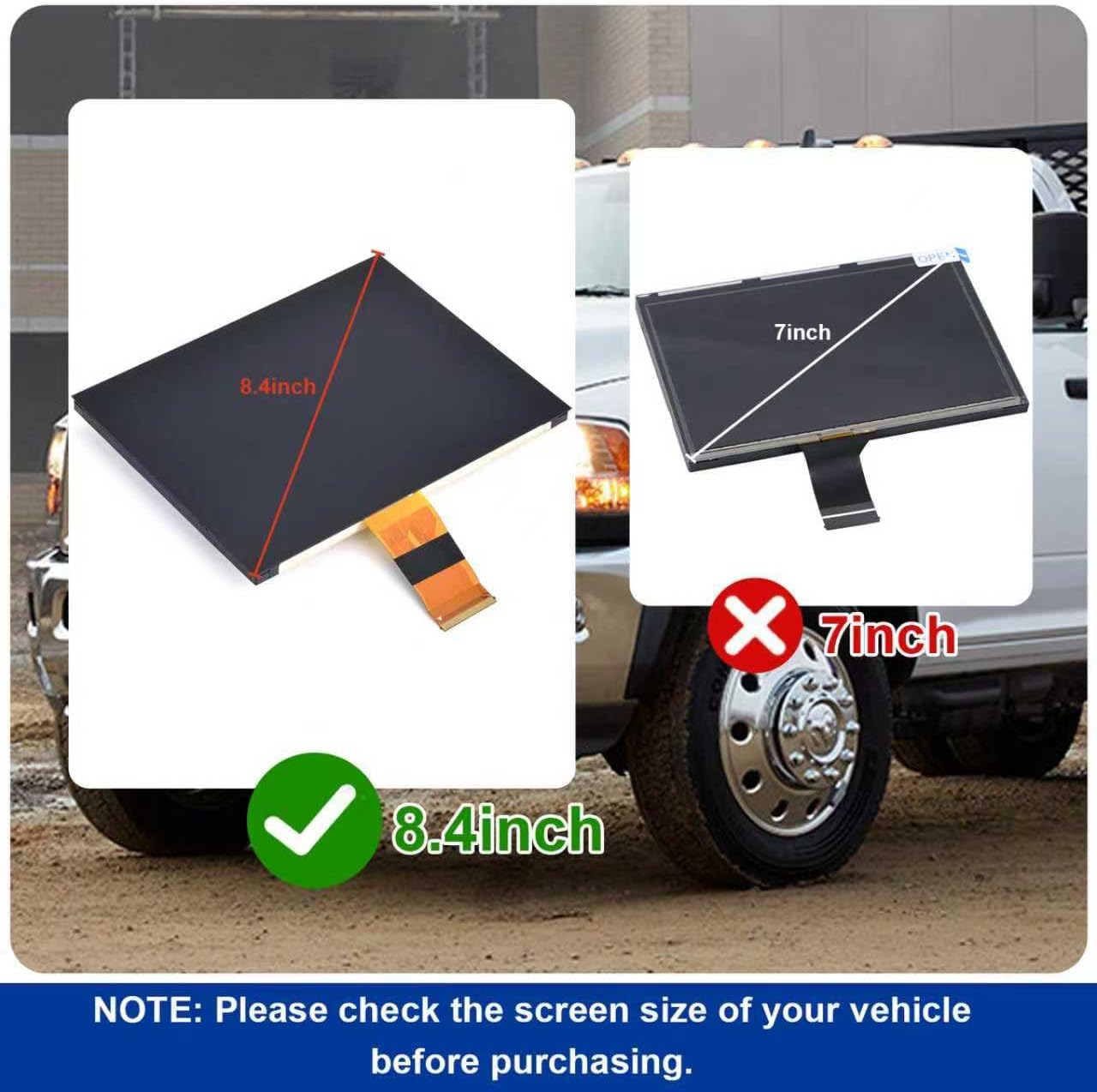
Figure 4.1: Ensure your vehicle's screen is 8.4 inches, not 7 inches, for proper fitment.

Figure 4.2: The rear of the screen unit, highlighting the ribbon cable connection points.

Figure 4.3: The back of the screen, displaying the model number LA084X01(SL)(02).
5. Operacija
Once installed, the Dngbymx 8.4-inch Uconnect Touch Screen operates identically to the original equipment. Its high-resolution display and precise touch performance ensure a seamless user experience. All functions, including navigation, radio, climate controls, and media playback, are accessible via the touchscreen interface.

Figure 5.1: The screen's appearance before replacement (cracked) and after installation (functional).
6. Održavanje
To maintain the clarity and responsiveness of your Dngbymx Uconnect Touch Screen, follow these guidelines:
- Čišćenje: Koristite mekanu krpu koja ne ostavlja dlačice dampened with a screen-safe cleaner or distilled water. Avoid harsh chemicals, abrasive materials, or excessive moisture.
- Zaštita: Avoid placing heavy objects on the screen or applying excessive pressure, which could cause damage.
- Temperatura: While designed for automotive environments, extreme temperatures can affect electronic components. Avoid prolonged exposure to direct sunlight in very hot conditions when possible.
7. Rješavanje problema
This section addresses common issues you might encounter with your Uconnect Touch Screen replacement.
7.1. Unresponsive Touch Screen / 'Ghost Touches'
If the screen is unresponsive to touch or registers touches without physical interaction (often called 'ghost touches'), this replacement screen is designed to resolve such issues caused by original equipment delamination or viscous liquid leakage. If the problem persists after installation, ensure all ribbon cable connections are secure and properly seated.
7.2. Black Screen / No Display
If the screen remains black after installation or during operation, but the radio unit appears to be functioning (e.g., audio is present), consider the following:
- Provjera veze: Power off the vehicle, open the door to allow the system to reset, and then re-check all cable connections to the screen and radio unit. A loose connection is a common cause.
- Vehicle Reset: Sometimes, a full vehicle power cycle is needed. Turn off the car, remove the key, open and close the driver's door, wait a few minutes, then restart the vehicle.
- Čimbenici okoliša: In rare cases, extreme temperature changes (very hot to very cold) might temporarily affect display initialization. Allow the vehicle's interior temperature to stabilize.
7.3. Incorrect Display or Colors
If the display shows incorrect colors or is shifted, verify that the screen is correctly installed and that the ribbon cables are not damaged or improperly connected. While the replacement aims for OEM quality, minor variations in color calibration compared to the original screen may occur.
8. Specifikacije
| Težina artikla | 1.08 funti |
| Dimenzije proizvoda | 9.76 x 7.72 x 1.54 inča |
| Veličina zaslona | 8.4 inča |
| Naziv modela | Uconnect 4C UAQ |
| Posebna značajka | Touchscreen, With LCD |
| Tehnologija povezivanja | USB |
| Proizvođač | Dngbymx Auto Parts |
9. Jamstvo i podrška
For any questions regarding your Dngbymx 8.4-inch Uconnect Touch Screen, before or after purchase, please contact Dngbymx Auto Parts directly. They are committed to providing satisfactory answers and support as quickly as possible.
This product is designed to meet or exceed OEM quality standards, ensuring reliable performance and a long service life.