
Uvod
This manual provides detailed instructions for the installation, operation, and maintenance of your Tiandy TC-C38XS 8MP IR Turret Camera. Please read this manual thoroughly before using the product to ensure correct usage and to prevent damage.
Sigurnosne informacije
- Ensure the power supply meets the camera's requirements (DC 12V or PoE).
- Ne izlažite kameru ekstremnim temperaturama, vlazi ili korozivnim okruženjima.
- Izbjegavajte dulje usmjeravanje kamere izravno prema jakim izvorima svjetlosti.
- Pažljivo rukujte fotoaparatom kako biste spriječili fizička oštećenja.
- Instalaciju treba izvršiti kvalificirano osoblje u skladu s lokalnim električnim propisima.
Sadržaj paketa
Provjerite jesu li sve komponente prisutne u paketu:
- Tiandy TC-C38XS IR Turret Camera
- Vijci za montažu i zidni tiplovi
- Vodootporni konektor za Ethernet kabel
- Vodič za brzi početak (ako je primjenjivo)
- Predložak za bušenje (ako je primjenjivo)
Proizvod gotovview
The Tiandy TC-C38XS is an 8MP IR Turret Camera designed for outdoor surveillance, featuring a full metal housing and advanced imaging capabilities.
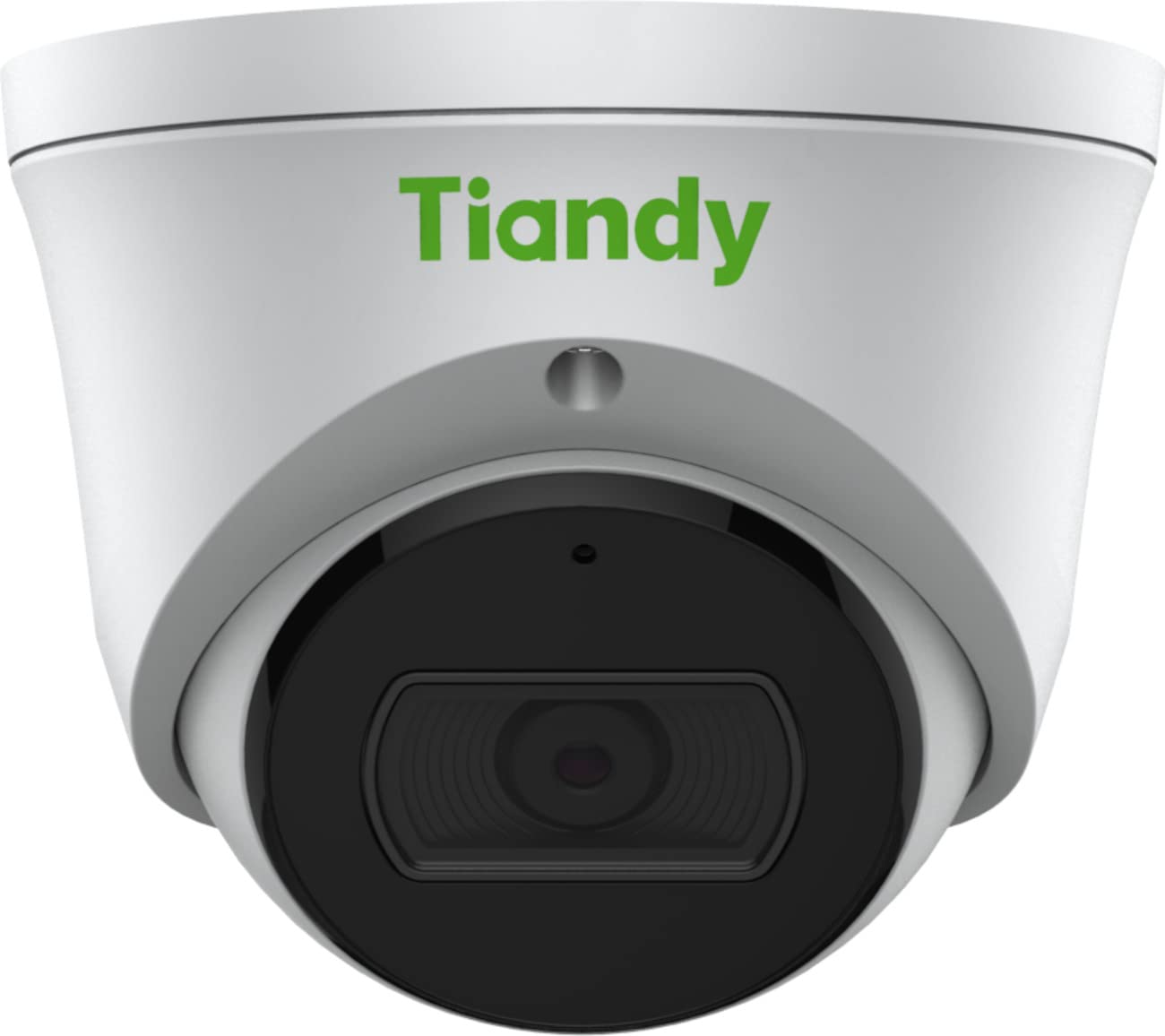
Slika 1: Ispred view of the Tiandy TC-C38XS IR Turret Camera, showing the lens and IR illuminators.

Slika 2: Pod kutom view of the Tiandy TC-C38XS IR Turret Camera, highlighting its compact turret design.

Slika 3: Technical drawing showing the dimensions of the Tiandy TC-C38XS IR Turret Camera (approx. 116.6mm diameter, 96mm height).
Ključne karakteristike:
- Rezolucija od 8 megapiksela: Captures video at up to 3840x2160 at 20fps.
- 1/2.8" CMOS Sensor: Provides clear images even in low-light conditions.
- Pametni IR: Infrared illumination up to 30 meters (98.42 feet) for night vision.
- 120dB WDR: Wide Dynamic Range for balanced images in high-contrast scenes.
- Ugrađeni mikrofon: Za audio nadzor.
- Ugrađena pohrana: Supports MicroSD cards up to 512 GB.
- Potpuno metalno kućište: Izdržljiva konstrukcija za vanjsku upotrebu.
Postavljanje
1. Montaža kamere
The TC-C38XS is designed for wall mounting. Choose a suitable location that provides the desired field of view and is within reach of network and power cables.
- Use the provided drill template (if included) to mark the screw holes on the mounting surface.
- Drill pilot holes and insert wall plugs if mounting on masonry or drywall.
- Pričvrstite bazu kamere na površinu za montažu pomoću priloženih vijaka.
- Adjust the camera's angle: The camera supports pan 0 to 340°, tilt 0 to 75°, and rotate 0 to 360° for optimal positioning. Loosen the adjustment screws, position the camera, and then tighten the screws to secure it.
2. Ožičenje i priključak napajanja
The camera supports Power over Ethernet (PoE) or a DC 12V power supply.
- PoE veza: Connect a standard Ethernet cable from a PoE-enabled switch or NVR to the camera's RJ45 port. This provides both power and data connectivity. Ensure the waterproof connector is properly installed to protect the Ethernet port from moisture.
- DC 12V Connection: If PoE is not used, connect a DC 12V power adapter (not included) to the camera's power input port. Then, connect a standard Ethernet cable from your network to the camera's RJ45 port for data.
After connecting, the camera will power on and begin its startup sequence.
Operativni
1. Početna konfiguracija mreže
Za pristup kameri web interface for configuration, you will need to find its IP address on your network. This can typically be done using a manufacturer-provided IP search tool or by checking your router's connected devices list.
- Spojite svoje računalo na istu mrežu kao i fotoaparat.
- Otvori a web preglednik i unesite IP adresu kamere.
- Log in using the default username and password (refer to the Quick Start Guide or manufacturer's documentation for default credentials). It is highly recommended to change the default password immediately for security.
2. Osnovne funkcije
- Živjeti View: Pristupite prijenosu videa uživo putem web interface or compatible NVR/VMS software.
- Snimanje: Configure recording schedules and methods (continuous, motion-triggered) to the on-board MicroSD card (up to 512 GB) or a connected NVR.
- Detekcija pokreta: Set up motion detection zones and sensitivity. The camera can trigger alarms (e.g., email notifications) upon detection.
- Pametni IR: The camera automatically adjusts IR intensity to prevent overexposure in night vision, ensuring clear images up to 30 meters.
- Postavke slike: Adjust saturation, brightness, contrast, and sharpness via the client software or web browser to optimize image quality.
- Audio: Utilize the built-in microphone for audio monitoring.
Održavanje
1. Čišćenje
Redovito čišćenje pomaže u održavanju optimalne kvalitete slike.
- Gently wipe the camera lens with a soft, clean cloth. If necessary, use a mild lens cleaning solution.
- Do not use harsh chemicals or abrasive materials, as they can damage the lens coating or housing.
- Periodically clean the camera housing to remove dust and debris.
2. Ažuriranja firmvera
Povremeno provjerite proizvođačeve webstranica za ažuriranja firmvera. Ažuriranja firmvera mogu poboljšati performanse, dodati nove značajke i poboljšati sigurnost. Pažljivo slijedite upute koje ste dobili s paketom ažuriranja firmvera.
3. Upravljanje MicroSD karticama
If using on-board storage, regularly check the status of the MicroSD card. Format the card periodically to maintain performance and prevent data corruption. Back up important recordings before formatting.
Rješavanje problema
| Problem | Mogući uzrok | Otopina |
|---|---|---|
| No image/No power | Incorrect power supply; Loose cable connection; PoE issue. | Check power adapter (DC 12V) or PoE switch. Ensure all cables are securely connected. |
| Nije moguće pristupiti kameri putem mreže | Incorrect IP address; Network configuration error; Firewall blocking. | Verify IP address. Check network cable. Disable temporary firewall for testing. Ensure camera and computer are on the same subnet. |
| Loša kvaliteta slike | Dirty lens; Insufficient lighting; Incorrect image settings. | Clean the lens. Adjust image settings (brightness, contrast, WDR). Ensure IR is functioning correctly at night. |
| Detekcija pokreta ne radi | Incorrect sensitivity settings; Detection zone not configured; Obstructions. | Review postavke detekcije pokreta u web interface. Adjust sensitivity and redraw detection zones. Clear any obstructions in the camera's view. |
| MicroSD kartica ne snima | Card full; Card not formatted; Card faulty; Recording schedule not set. | Check card capacity. Format the MicroSD card via the camera's interface. Replace card if faulty. Verify recording schedule. |
Tehnički podaci
| Značajka | Detalj |
|---|---|
| Model | TC-C38XS |
| Senzor slike | 1/2.8" CMOS |
| Maks. Rezolucija | 3840x2160 (8MP) |
| Frame Rate | Up to 20fps (3840x2160), 30fps (1080p) |
| Min. Osvjetljenje | Color: 0.003Lux@ (F1.6, AGC ON), B/W: 0Lux with IR |
| Objektiv | Fiksni 2.8 mm |
| Polje od View (FOV) | Vodoravno: 100.1° |
| IR raspon | Up to 30m (98.42 feet) with Smart IR |
| Široki dinamički raspon (WDR) | 120 dB |
| Video kompresija | S+265/H.265/H.264/M-JPEG |
| Audio | Ugrađeni mikrofon |
| Ugrađena pohrana | MicroSD kartica do 512 GB |
| Mrežno sučelje | 1 RJ45 10M / 100M samoprilagodljivi Ethernet priključak |
| Napajanje | DC 12V, PoE (802.3af) |
| Materijal | Potpuno metalno kućište |
| Dimenzije | Approx. 4.59 x 4.59 x 3.77 inches (116.6mm diameter, 96mm height) |
| Težina | Cca. 0.88 funti (0.4 kg) |
| Radni uvjeti | Vanjska upotreba |
| Protokoli | TCP/IP, HTTP, HTTPS, DHCP, DNS, RTP, RTSP, etc. |
| Okidač alarma | Motion Detection, Mask Alarm, Disk Full, etc. |
| Video analitika | Tripwire, Perimeter |
Informacije o jamstvu
Tiandy products typically come with a limited manufacturer's warranty. For specific warranty terms and conditions, please refer to the warranty card included with your product or visit the official Tiandy webstranicu. Sačuvajte račun kao dokaz o kupnji za slučaj reklamacije.
podrška
If you encounter any issues or have questions regarding your Tiandy TC-C38XS camera that are not covered in this manual, please contact your authorized Tiandy reseller or visit the official Tiandy support website for further assistance. You may also find FAQs and additional resources online.
- Proizvođač: Tiandy
- Broj modela: TC-C38XS
- UPC: 785249841675


