
1. Uvod i krajview
The Humanscale eFloat Go is an electric height-adjustable desk designed for both home and commercial office environments. It features innovative anti-collision technology, quiet motors, and a programmable hand switch, allowing users to seamlessly adjust their working position throughout the day.
Ključne značajke uključuju:
- Electric Height-Adjustable Table for dynamic work postures.
- Programmable hand switch to store and recall preferred height settings.
- Spacious 30" Depth by 60" Width top (for this specific model).
- Dizajnirano za brzo i jednostavno postavljanje.
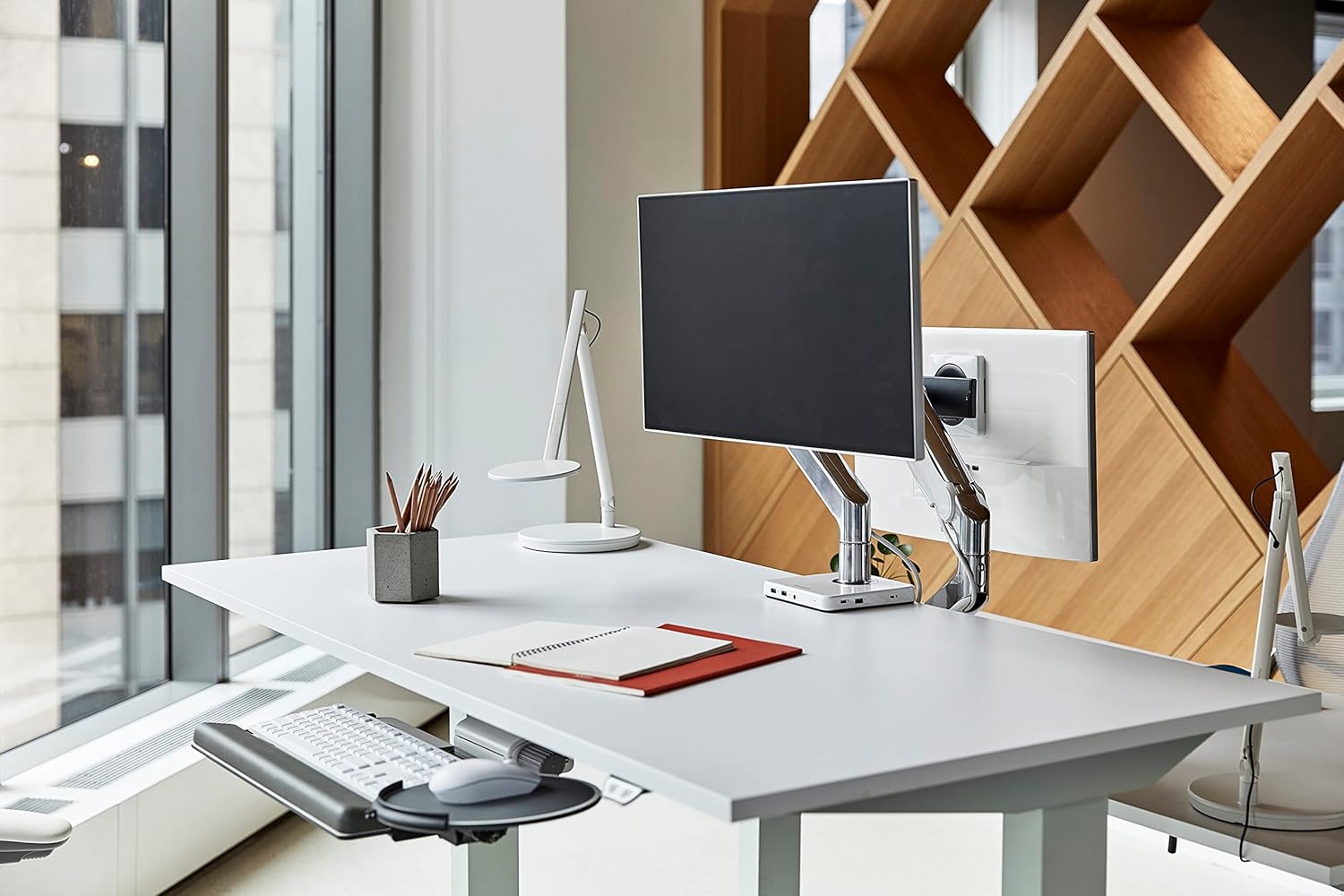
Image 1.1: The Humanscale eFloat Go desk in a modern office environment, showcasing its design and functionality with a monitor and accessories.
2. Sigurnosne informacije
Please read and understand all safety instructions before operating the eFloat Go desk. Failure to follow these instructions may result in injury or damage to the product.
- Always keep hands and objects clear of all moving parts during height adjustments.
- Ne prekoračujte preporučenu maksimalnu težinu 250 funti (113 kg) on the desk surface to ensure stability and safe operation.
- Ensure the power cord is properly routed to prevent tripping hazards or damage.
- Ne dopustite djeci da rukuju stolom bez nadzora odrasle osobe.
- Avoid placing liquids directly on the desk surface without proper coasters or protection.
3. Postavljanje i sastavljanje
The Humanscale eFloat Go desk is designed for straightforward assembly, typically taking under 5 minutes with the recommended tools. Assembly requires at least one person.
3.1 Potrebni alati
- Odvijač (nije uključen)
3.2 Koraci montaže
- Raspakirajte komponente: Carefully remove all parts from the packaging and lay them out on a clean, soft surface to prevent scratches. Verify all components are present according to the packing list.
- Attach Legs to Top: Position the desk top upside down. Align the desk legs with the pre-drilled holes on the underside of the desk top. Secure the legs using the provided screws and a screwdriver.
- Connect Control Box and Hand Switch: Locate the control box and connect the motor cables from each leg. Connect the hand switch cable to the designated port on the control box.
- Usmjerite kabele: Use the included cable management clips to neatly route all cables, ensuring they do not interfere with the desk's movement.
- Priključite napajanje: Plug the power cord into the control box, then into a standard electrical outlet.
- Initial Power-On and Reset: After connecting power, the desk may require an initial reset. Refer to Section 4.1 for first-time use and reset procedures.

Image 3.1: Dimensional diagram of the eFloat Go desk, illustrating its 29" depth, 58" width, and 26.5" height.
4. Upute za rad
The eFloat Go desk features an intuitive programmable hand switch for easy height adjustment and memory settings.
4.1 First-Time Use and Reset
Upon initial power-on or after a power interruption, the desk may need to be reset:
- Pritisnite i držite DOLJE arrow button until the desk reaches its lowest position and then slightly rises. Release the button.
- The desk is now calibrated and ready for use.
4.2 Podešavanje visine stola
- Za podizanje stola pritisnite i držite UP gumb sa strelicom.
- Za spuštanje stola pritisnite i držite DOLJE gumb sa strelicom.
- Release the button at your desired height.
4.3 Programming Memory Presets
The hand switch allows you to save up to three preferred height settings:
- Adjust the desk to your desired height using the UP/DOWN arrow buttons.
- Pritisnite tipku M (Memory) button. The display will show 'S-'.
- Unutar 3 sekunde pritisnite jednu od numeriranih tipki unaprijed postavljenih postavki (1, 2, ili 3). The display will show 'S-1', 'S-2', or 'S-3' to confirm the setting is saved.
- Repeat for other desired height settings.
4.4 Korištenje memorijskih unaprijed postavljenih postavki
Za pomicanje stola na spremljenu visinu:
- Jednostavno pritisnite odgovarajući numerirani gumb za unaprijed postavljene postavke (1, 2, ili 3). Stol će se automatski pomaknuti na spremljenu visinu.
4.5 Tehnologija protiv sudara
The eFloat Go desk is equipped with anti-collision technology. If the desk encounters an obstruction during height adjustment, it will automatically stop and reverse slightly to prevent damage. Clear any obstructions before resuming adjustment.

Slika 4.1: Krupni plan view of the programmable hand switch, showing the up/down arrows, memory button (M), and three preset buttons (1, 2, 3).
5. Održavanje
Proper care will ensure the longevity and optimal performance of your Humanscale eFloat Go desk.
- Čišćenje: Wipe the desk surface and frame with a dry, soft cloth. For stubborn marks, a slightly damp cloth with mild soap can be used, followed by drying thoroughly. Avoid abrasive cleaners or harsh chemicals.
- Uvjeti okoliša: Avoid direct sunlight exposure for extended periods, as this may affect the laminate finish.
- Raspodjela težine: Do not place heavy objects exclusively on the edges of the desk. Distribute weight evenly across the surface.
- Uprava za kabele: Periodically check that all cables are securely routed and not pinched or damaged.
6. Rješavanje problema
If you encounter issues with your eFloat Go desk, refer to the following common troubleshooting steps:
6.1 Desk Not Moving
- Provjerite snagu: Ensure the power cord is securely plugged into both the desk's control box and a functioning wall outlet.
- Postupak resetiranja: Perform the reset procedure described in Section 4.1.
- Zaštita od preopterećenja: If the desk has been overloaded (exceeding 250 lbs), the motor may have temporarily shut off. Remove excess weight and wait a few minutes before attempting to operate again.
6.2 Uneven Movement or Noise
- Provjerite ima li prepreka: Ensure there are no objects impeding the legs or frame during movement.
- Ravna površina: Verify the desk is placed on a level floor. Adjust the leveling feet if necessary.
- Ponovno zategnite vijke: Over time, some assembly screws may loosen. Carefully re-tighten all assembly screws.
6.3 Anti-Collision System Triggering Frequently
- Čist put: Ensure the desk's path of movement is completely clear of any objects, cables, or walls.
- Osjetljivost: If the issue persists without clear obstructions, contact Humanscale support for potential sensitivity adjustments or further diagnostics.
7. Specifikacije
| Značajka | Detalj |
|---|---|
| Broj modela | FTR3060BL_FG1230DS |
| Dimenzije proizvoda (D x Š x V) | 73.66 cm x 147.32 cm x 67.31 cm |
| Gornja veličina | 30" D x 60" W (76.2 cm x 152.4 cm) |
| Preporuka za maksimalnu težinu | 250 funti (113 kg) |
| Težina artikla | 164 funti (74.39 kg) |
| Vrsta gornjeg materijala | Laminat od drveta |
| Osnovni materijal | Metal |
| Boja | Silver on Black |
| Mehanizam za podizanje | Električni |
| Obavezna montaža | Da |
| Preporučeni broj ljudi za okupljanje | 1 |
| Alati preporučeni za montažu | Vijak |
8. Jamstvo i podrška
Humanscale stands behind the quality of its products.
8.1 Informacije o jamstvu
The Humanscale eFloat Go desk is covered by a 10-Year, 24/7 Humanscale Warranty. This comprehensive warranty covers parts and labor for manufacturing defects under normal use. Please retain your proof of purchase for warranty claims.
8.2 Korisnička podrška
For technical assistance, warranty claims, or further inquiries, please contact Humanscale customer support. You can find more information and contact details by visiting the official Humanscale store: