
Uvod
Hvala na kupnjiasing the ION Audio Power Glow 300. This powerful, portable, and versatile Bluetooth speaker system is designed to deliver high-quality audio with dynamic LED lighting, perfect for any event. With its built-in handles and wheels, it offers exceptional portability. Please read this manual carefully to ensure proper use and to maximize your experience with the Power Glow 300.
Značajke
- Bluetooth 5.0 Compatible: Stream your favorite music wirelessly from any Bluetooth-enabled device up to 100 feet.
- ION Sound XP APP: Control audio settings and lighting effects directly from your smartphone or tablet.
- Dvo-Amplified 300-Watt Sound System: Features a 10-inch (254mm) woofer and a 1-inch (25.4mm) tweeter for lifelike sound reproduction.
- One-Touch User Interface: A simple control knob for all sound adjustments.
- Punjiva baterija: Pruža dugotrajnu snagu za dulju upotrebu.
- Wireless Stereo-Link: Connects wirelessly with additional compatible ION speakers for a wider soundstage.
- Ugrađene ručke i kotačići: Designed for easy transportation.
- Multi-Colored Lights: The woofer glows in multiple colors, synchronizing with the music.
- Multi-Channel Mixer: Includes a mixer with main volume control and XLR inputs.
- Aux Inputs: Easily connect non-Bluetooth devices.
- Echo Effect on Microphone: Enhance your karaoke performances.
- Reprodukcija USB/SD kartice: Conveniently play audio material recorded on other devices.
- Ulazi za mikrofon: Connect your microphone for endless fun.
Što je u kutiji
- Power Glow 300 Speaker
- Kabel za napajanje
- korisnički priručnik
Postavljanje
1. Punjenje baterije
Before first use, fully charge the Power Glow 300's internal rechargeable battery. Connect the included power cable to the speaker's power input on the rear panel and plug it into a standard electrical outlet. The charging indicator light will show the charging status.
2. Uključivanje/isključivanje
Locate the power switch on the rear control panel. Flip the switch to the 'ON' position to power on the speaker. Flip it to 'OFF' to power down.
3. Bluetooth uparivanje
- Ensure the Power Glow 300 is powered on.
- Na svom Bluetooth uređaju (pametnom telefonu, tabletu itd.) omogućite Bluetooth i potražite dostupne uređaje.
- Select 'ION Audio Power Glow 300' from the list of devices.
- Once paired, the speaker will indicate a successful connection (e.g., a chime or a steady Bluetooth indicator light).
For advanced control and settings, download the ION Sound XP APP iz trgovine aplikacija na vašem uređaju.
4. Physical Setup and Portability
The Power Glow 300 features built-in handles and wheels for easy transport. Simply extend the retractable handle located on the top of the unit and tilt the speaker to roll it to your desired location. The robust design ensures durability for outdoor and indoor use.

Slika: Bočno view demonstrating the retractable handle and wheels for easy transport.
Upute za rad
1. Kontrolna ploča završenaview
The main control panel is located on the rear of the speaker. It includes controls for playback, volume, inputs, and lighting.

Slika: Detaljna view stražnje upravljačke ploče.
2. Reprodukcija zvuka
- Bluetooth: Once paired, play audio from your connected Bluetooth device. Use the speaker's play/pause, next, and previous track buttons, or control directly from your device.
- USB/SD kartica: Insert a USB drive or SD card into the respective slots on the control panel. The speaker will automatically detect and play compatible audio files. Za navigaciju pjesmama koristite kontrole reprodukcije.
- Pomoćni ulaz: Connect non-Bluetooth devices using a standard 3.5mm audio cable or RCA cables to the Aux Inputs on the rear panel.
- Ulaz za mikrofon: Plug a microphone into the XLR or 1/4-inch input. Adjust the microphone volume using the dedicated knob. The echo effect can be applied for vocal enhancement.

Image: USB/SD Card Playback Interface.
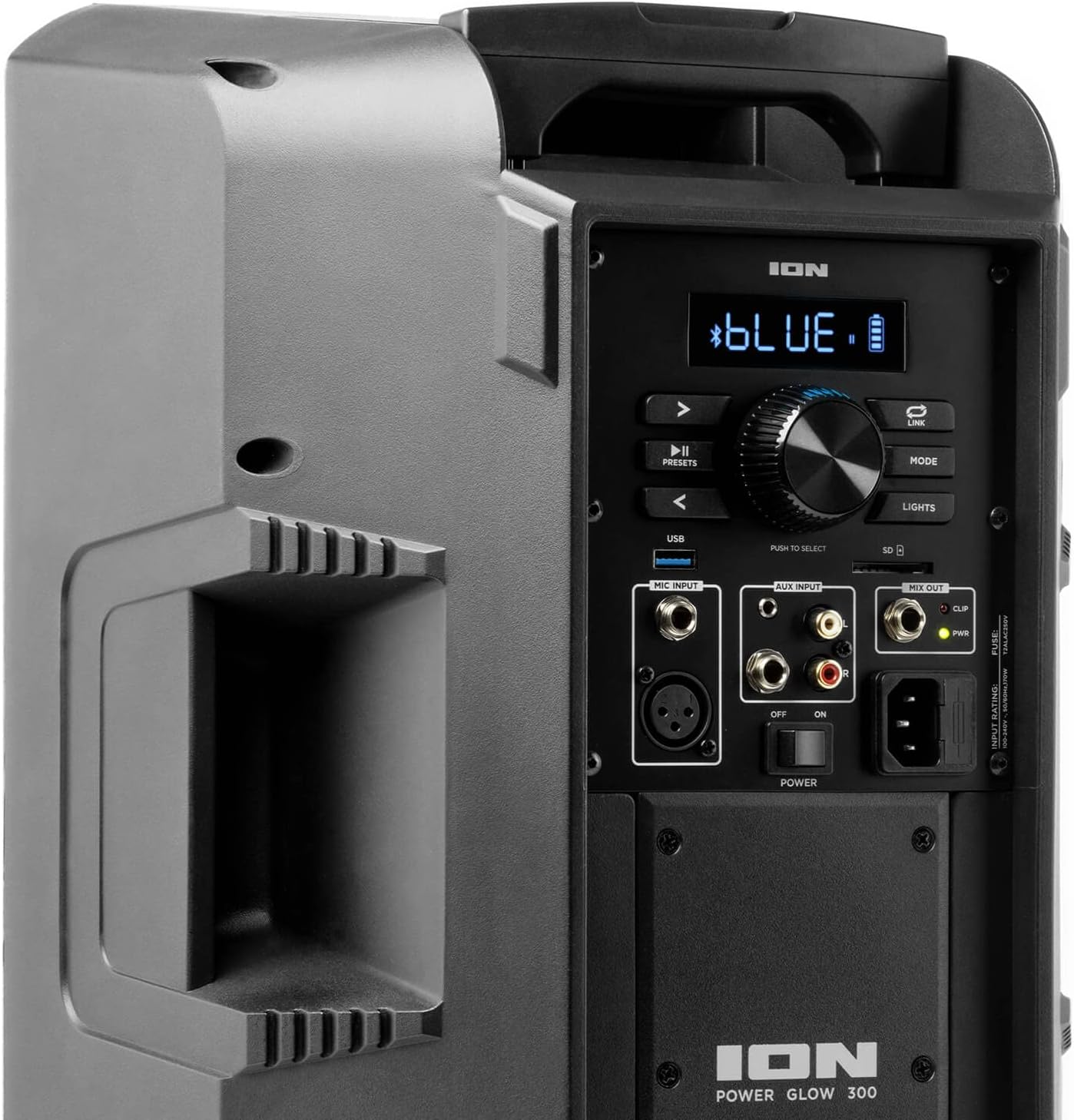
Image: Aux Inputs for external devices.
3. LED Lighting Effects
The Power Glow 300 features dynamic multi-colored LED lights on the woofer that can pulse and change with the beat of the music. Use the 'LIGHTS' button on the control panel or the ION Sound XP APP to cycle through different lighting modes or turn them off.

Image: Speaker with green LED lighting.
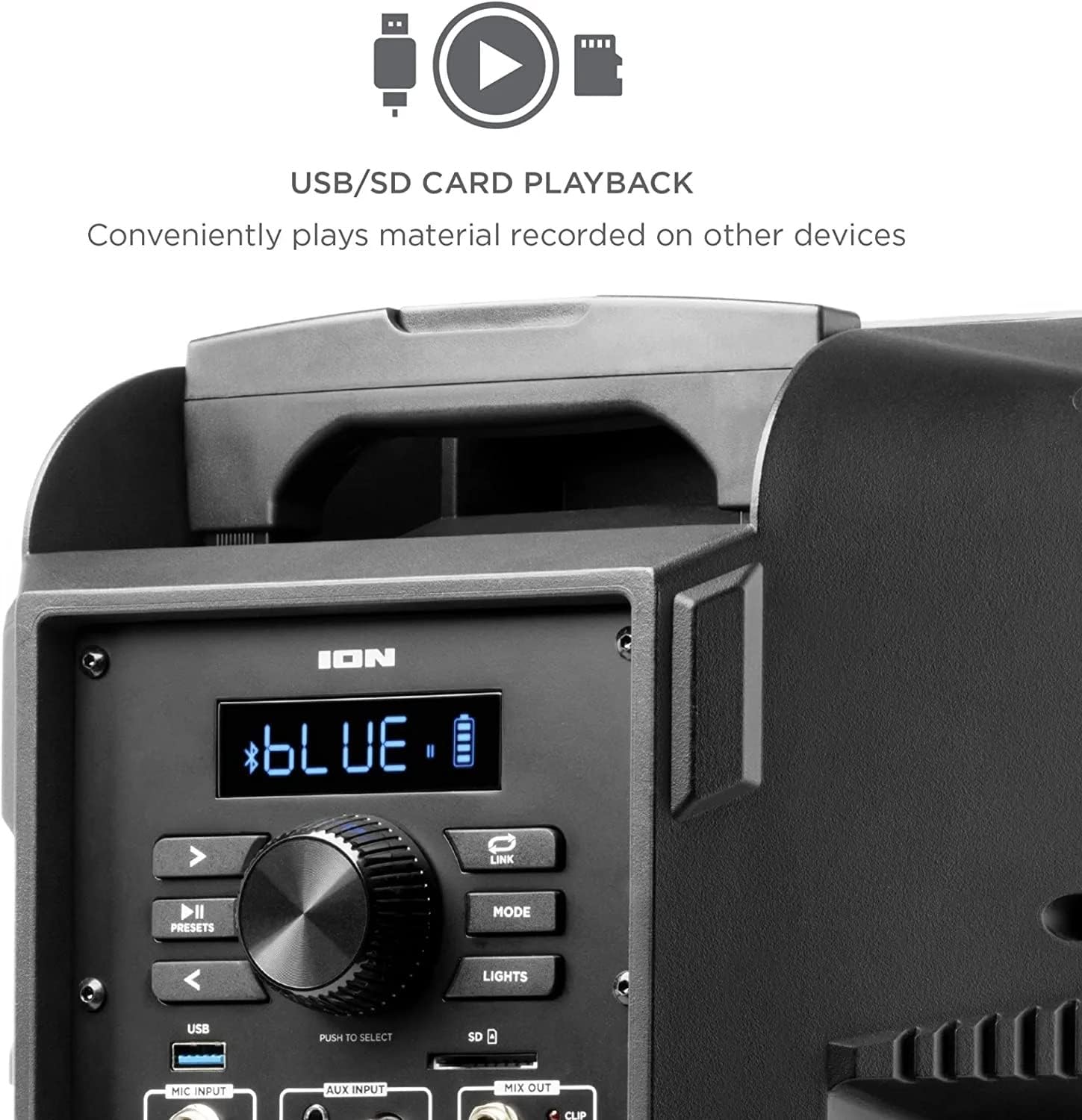
Image: Speaker with blue LED lighting.
4. Bežična stereo veza
To connect two Power Glow 300 speakers wirelessly for stereo sound, follow the instructions provided in the ION Sound XP APP or refer to the full product manual for detailed pairing steps.
Održavanje
- Čišćenje: Za čišćenje vanjske strane zvučnika koristite meku, suhu krpu. Nemojte koristiti jake kemikalije ili abrazivna sredstva za čišćenje.
- Njega baterije: For optimal battery life, avoid fully discharging the battery frequently. Recharge the speaker regularly, especially if it will be stored for an extended period.
- Skladištenje: Zvučnik čuvajte na hladnom i suhom mjestu, dalje od izravne sunčeve svjetlosti i ekstremnih temperatura.
Rješavanje problema
- Bez napajanja: Ensure the power cable is securely connected and the power switch is in the 'ON' position. Check the power outlet.
- Nema zvuka: Verify that the volume is turned up on both the speaker and your audio source. Check all cable connections for auxiliary inputs. Ensure Bluetooth is properly paired.
- Isključivanje Bluetooth veze: Move your Bluetooth device closer to the speaker. Ensure no other devices are interfering with the Bluetooth signal. Try unpairing and re-pairing the device.
- Izobličen zvuk: Reduce the volume on both the speaker and your audio source. Check for proper input levels.
- Svjetla ne rade: Check the 'LIGHTS' button on the control panel or within the ION Sound XP APP to ensure they are enabled.
If issues persist, please refer to the comprehensive troubleshooting guide on the ION Audio webstranicu ili se obratite korisničkoj podršci.
Tehnički podaci
| Naziv modela | Power Glow 300 |
| Vrsta zvučnika | Woofer |
| Maksimalna izlazna snaga zvučnika | 300 vata |
| Promjer niskotonca | 10 inča |
| Promjer visokotonca | 25.4 milimetara |
| Tehnologija povezivanja | Bluetooth |
| Bežična komunikacijska tehnologija | Bluetooth |
| Bluetooth domet | 100 stopa (30.48 metar) |
| Izvor napajanja | Napajanje na baterije |
| Vrsta baterije | 1 litij-ionski (uključen) |
| Težina artikla | 26.3 funti |
| Dimenzije paketa | 22 x 14.8 x 14.8 inča |
| Uključene komponente | Speaker, Power cable, User manual |
| UPC | 657768184574 |
| Vrsta jamstva | ograničeno |
Jamstvo i podrška
The ION Audio Power Glow 300 comes with a Limited Warranty. For detailed warranty information, product registration, and technical support, please visit the official ION Audio webweb-mjesto ili se obratite njihovoj službi za korisnike. Sačuvajte račun kao dokaz o kupnji za slučaj zahtjeva za jamstvo.