
1. Uvod
The SIIG Thunderbolt 4 Docking Station (Model: JU-DK0U11-S1) is designed to expand the connectivity of your laptop, providing a comprehensive workstation solution. This docking station offers 15 ports, enabling connections for multiple displays, peripherals, network, and power through a single Thunderbolt 4 cable. It supports high-speed data transfer and versatile display configurations for both Mac and Windows systems.

Image 1.1: SIIG Thunderbolt 4 Docking Station (JU-DK0U11-S1) overview.
2. Sadržaj paketa
Provjerite jesu li svi artikli prisutni u vašem paketu:
- SIIG Thunderbolt 4 Docking Station (JU-DK0U11-S1)
- Snažni adapter od 150 W
- Thunderbolt 4 kabel
- korisnički priručnik

Image 2.1: Contents included in the SIIG Thunderbolt 4 Docking Station package.
3. Proizvod je gotovview
3.1 Priključci na prednjoj ploči
- 3.5mm Stereo Out: Za slušalice ili vanjske zvučnike.
- SD 3.0 Card Slot: Supports SD 3.0 UHS-1 memory cards up to 2TB.
- USB-A 3.2 Gen 1 (5Gbps) Ports (x2): For connecting USB-A peripherals, supporting 5V/0.9A charging.
- Priključak Thunderbolt 4: For connecting Thunderbolt 4 devices or displays.
- Gumb za napajanje: Za uključivanje ili isključivanje priključne stanice.

Slika 3.1: Detaljno view of the front panel ports.
3.2 Priključci na stražnjoj ploči
- DC Power Jack (20V/7.5A): Connects to the included 150W power adapter.
- Thunderbolt 4 Port (Host PD 60W): Connects to your laptop via the Thunderbolt 4 cable, providing up to 60W power delivery.
- 3.5mm Mic In: Za spajanje vanjskog mikrofona.
- Micro SD (TF) 3.0 Card Slot: Supports Micro SD (TF) 3.0 UHS-1 memory cards up to 2TB.
- USB-A 2.0 (480Mbps) Ports (x2): For connecting USB-A peripherals, supporting 5V/1.5A charging.
- Gigabitni Ethernet priključak: Za žičanu mrežnu povezivost.
- DisplayPort izlaz: Za spajanje vanjskog zaslona.
- HDMI izlaz: Za spajanje vanjskog zaslona.
- Thunderbolt 4 Ports (x2): For connecting additional Thunderbolt 4 devices or displays, providing 45W power delivery.

Slika 3.2: Detaljno view of the rear panel ports.
4. Upute za postavljanje
- Priključite napajanje: Plug the included 150W power adapter into the DC Power Jack on the rear of the docking station, then connect it to a power outlet.
- Spajanje na glavno prijenosno računalo: Use the provided Thunderbolt 4 cable to connect the Thunderbolt 4 Host port (60W PD) on the rear of the docking station to your laptop's Thunderbolt 4 or USB-C port.
- Uključivanje: Press the power button on the front panel of the docking station. The power indicator LED should illuminate.
- Spoji zaslone: Connect your monitors to the available DisplayPort, HDMI, and Thunderbolt 4 output ports on the docking station. Refer to the 'Display Configuration' section for supported setups.
- Povežite periferne uređaje: Connect your USB devices, Ethernet cable, and audio devices to the corresponding ports on the docking station.
5. Upute za rad
5.1 Konfiguracija zaslona
The docking station supports various display setups, including single 8K or quad 4K displays, utilizing Thunderbolt 4 and DisplayLink technology. Ensure DisplayLink drivers are installed for optimal performance, especially for additional displays beyond native Thunderbolt outputs.
- Izlaz za jedan zaslon: Supports up to 8K resolution.
- Izlaz za dva zaslona: Supports up to 2x 4K resolution via two Thunderbolt 4 ports.
- Quad Display Output: Achieved by combining two Thunderbolt 4 ports with the DisplayPort and HDMI ports, enabling four 4K displays.

Slika 5.1: Primjerample of a quad display setup using the docking station.

Image 5.2: Display compatibility and resolution matrix for Windows and Mac M1/M2 systems.
5.2 Isporuka energije
The docking station provides power to your connected devices:
- Punjenje laptopa: Up to 60W Power Delivery (PD) to the host laptop via the Thunderbolt 4 host port.
- Thunderbolt 4 priključci: Each of the three downstream Thunderbolt 4 ports provides up to 45W of power.
- USB-A Fast Charging: Two USB-A 5Gbps ports support 5V/0.9A charging, and two USB-A 2.0 ports support 5V/1.5A charging.

Image 5.3: Power delivery capabilities of the docking station.
5.3 Prijenos podataka
Experience high-speed data transfer for efficient workflow:
- Thunderbolt 4: Up to 40Gbps data transfer speed, 8 times faster than USB 3.0.
- USB-A 3.2 Gen 1: Up to 5Gbps data transfer speed.
- Čitač memorijskih kartica: Supports SD 3.0 UHS-1 and Micro SD (TF) 3.0 UHS-1 with data transfer rates up to 104MB/s.
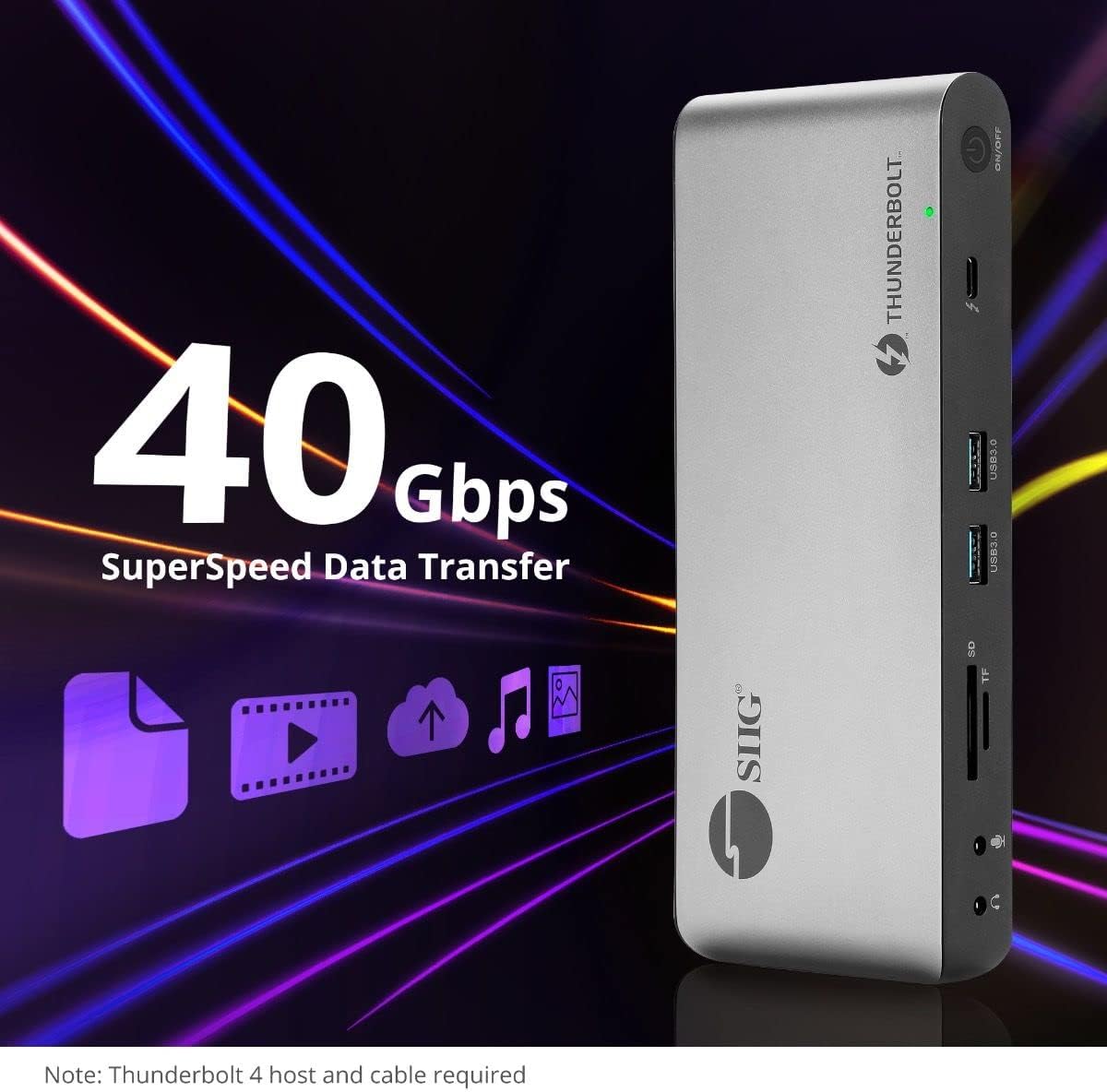
Image 5.4: High-speed data transfer capabilities.
6. Kompatibilnost
The SIIG Thunderbolt 4 Docking Station is broadly compatible with various systems:
- Operativni sustavi: Mac M1/M2/M3 Pro & Max, Intel chip Macs, Windows PCs (Intel/AMD/Snapdragon), and Chromebooks.
- Kompatibilnost s prethodnim verzijama: Fully compatible with Thunderbolt 3, USB4, and USB-C equipped computers.
7. Održavanje
Kako biste osigurali dugotrajnost i optimalne performanse svoje priključne stanice, slijedite ove smjernice za održavanje:
- Čišćenje: Za čišćenje vanjske strane uređaja koristite meku, suhu krpu. Izbjegavajte tekuća sredstva za čišćenje ili otapala.
- Ventilacija: Osigurajte da je priključna stanica postavljena u dobro prozračenom prostoru kako biste spriječili pregrijavanje. Ne blokirajte ventilacijske otvore.
- Skladištenje: Uređaj čuvajte na hladnom i suhom mjestu, dalje od izravne sunčeve svjetlosti i ekstremnih temperatura.
- Rukovanje: Izbjegavajte ispuštanje ili izlaganje uređaja jakim udarcima.
8. Rješavanje problema
If you encounter issues with your SIIG Thunderbolt 4 Docking Station, refer to the following common problems and solutions:
- Bez napajanja:
- Ensure the power adapter is securely connected to both the docking station and a working power outlet.
- Verify the power button on the docking station is pressed and the power indicator LED is on.
- Display Issues (No Signal/Incorrect Resolution):
- Check all display cables (HDMI, DisplayPort, Thunderbolt) are securely connected to both the docking station and the monitors.
- Ensure your laptop's display settings are configured correctly to detect and extend/mirror displays.
- For multi-display setups, especially beyond two monitors, ensure DisplayLink drivers are installed and up to date on your operating system.
- Verify your monitors support the selected resolution and refresh rate.
- Periferni uređaji nisu otkriveni:
- Ensure USB devices are properly connected to the docking station's USB ports.
- Try connecting the peripheral directly to your laptop to confirm it is functional.
- Restart the docking station and your laptop.
- Pregrijavanje:
- Ensure the docking station is placed in an area with adequate airflow and not covered.
- Reduce the number of high-power devices connected if possible, or consider using a cooling pad if persistent.
- Spori prijenos podataka:
- Ensure you are using Thunderbolt 4 certified cables for Thunderbolt connections.
- Verify the connected device supports the expected transfer speeds.
9. Specifikacije
| Značajka | Detalj |
|---|---|
| Broj modela | JU-DK0U11-S1 |
| Dimenzije proizvoda | 3.27 x 7.8 x 1.14 inča |
| Težina artikla | 15.4 unce (0.96 funta) |
| Ukupno portova | 15 (including 7 USB ports) |
| Veza s domaćinom | Thunderbolt 4 (USB-C) |
| Video izlazi | 1x HDMI, 1x DisplayPort, 3x Thunderbolt 4 (USB-C) |
| Maksimalna razlučivost zaslona | Single 8K@30Hz, Quad 4K@60Hz |
| Isporuka napajanja (domaćin) | Do 60W |
| Power Delivery (Downstream TB4) | Do 45 W po priključku |
| Brzina prijenosa podataka | Thunderbolt 4: 40Gbps, USB-A 5Gbps: 5Gbps |
| Ethernet | Gigabit Ethernet |
| Čitač kartica | SD 3.0 UHS-1, Micro SD (TF) 3.0 UHS-1 (up to 2TB) |
| Audio priključci | 3.5mm Stereo Out, 3.5mm Mic In |
| Kompatibilan OS | Mac M1/M2/M3 Pro & Max, Intel Macs, Windows, Chromebooks |
| Boja | Crna |
| UPC | 662774045689 |
10. Jamstvo i podrška
SIIG products are designed for reliability and performance. For warranty information and technical support, please refer to the documentation included with your product or visit the official SIIG webmjesto. Čuvajte račun za jamstvene zahtjeve.