
1. Uvod
This manual provides essential information for the safe installation, operation, and maintenance of your CREATE WIND CLEAR Ceiling Fan. Please read these instructions thoroughly before installation and retain them for future reference.
The CREATE WIND CLEAR Ceiling Fan is a quiet ceiling fan featuring a 40W DC brushless motor and a winter-summer reversal function. Its compact and versatile design includes retractable blades. It is suitable for small to medium-sized rooms and bedrooms, offering a built-in LED light with three adjustable color temperatures. The fan body is constructed from steel, and the blades are made of ABS. It provides 6 speed settings and a programmable timer up to 8 hours, all controllable via the included remote control and WiFi connectivity.
2. Sigurnosne upute
- Prije instalacije, održavanja ili čišćenja uvijek isključite glavni prekidač iz strujnog kruga.
- Instalaciju mora izvršiti kvalificirani električar u skladu sa svim lokalnim i nacionalnim električnim propisima.
- Ensure the mounting structure can support the weight of the fan (refer to specifications for weight).
- Ne stavljajte predmete u putanju lopatica ventilatora.
- Provjerite jesu li svi spojevi sigurni i pravilno izolirani.
- Ovaj uređaj nije namijenjen za korištenje od strane osoba (uključujući djecu) sa smanjenim fizičkim, osjetilnim ili mentalnim sposobnostima, ili nedostatkom iskustva i znanja, osim ako nisu pod nadzorom ili su dobili upute o korištenju uređaja od strane osobe odgovorne za njihovu sigurnost.
3. Uključene komponente
Prije početka instalacije provjerite jesu li sve komponente prisutne:
- CREATE WIND CLEAR Ceiling Fan Unit
- Daljinski upravljač
- Baterija za daljinski upravljač
- Mounting Hardware (screws, brackets, etc. - specific items may vary)
- Priručnik s uputama
For a visual reference of the product and its components, please see the image below:

4. Postavljanje i instalacija
Professional installation is highly recommended for this ceiling fan. Ensure the power supply is disconnected before starting any installation work.
4.1 Fizička instalacija
- Nosač: Securely attach the mounting bracket to a ceiling joist or a suitable electrical junction box rated for fan support.
- Ožičenje: Connect the fan's electrical wires to the household wiring according to the wiring diagram provided in the full installation guide (not included in this summary). Ensure proper grounding.
- Sklop ventilatora: Carefully lift and attach the fan motor assembly to the mounting bracket.
- Instalacija oštrice: The fan features retractable blades that deploy automatically when the fan operates. No manual blade installation is typically required after the main unit is mounted.
- Instalacija kompleta svjetala: Attach the LED light kit to the fan housing as per the detailed instructions.
Refer to the following images for visual guidance on the fan's appearance and dimensions:


4.2 Postavljanje WiFi-ja
The fan supports WiFi connectivity for control via a smartphone application. Refer to the specific instructions provided with the fan for pairing the device with your home WiFi network and the CREATE smart home app.
5. Upute za rad
Your CREATE WIND CLEAR Ceiling Fan can be operated using the included remote control or via the dedicated smartphone application.
5.1 Funkcije daljinskog upravljača
- Uključivanje/isključivanje: Pritisnite gumb za napajanje kako biste uključili ili isključili ventilator i svjetlo.
- Brzina ventilatora: Adjust between 6 fan speeds using the designated speed buttons.
- Kontrola svjetla: Turn the LED light on/off and cycle through three adjustable color temperatures (warm, neutral, cold).
- Odbrojavanje: Postavite ventilator da se automatski isključi nakon 1, 2, 4 ili 8 sati.
- Winter/Summer Mode: Switch between forward (summer) and reverse (winter) rotation modes.

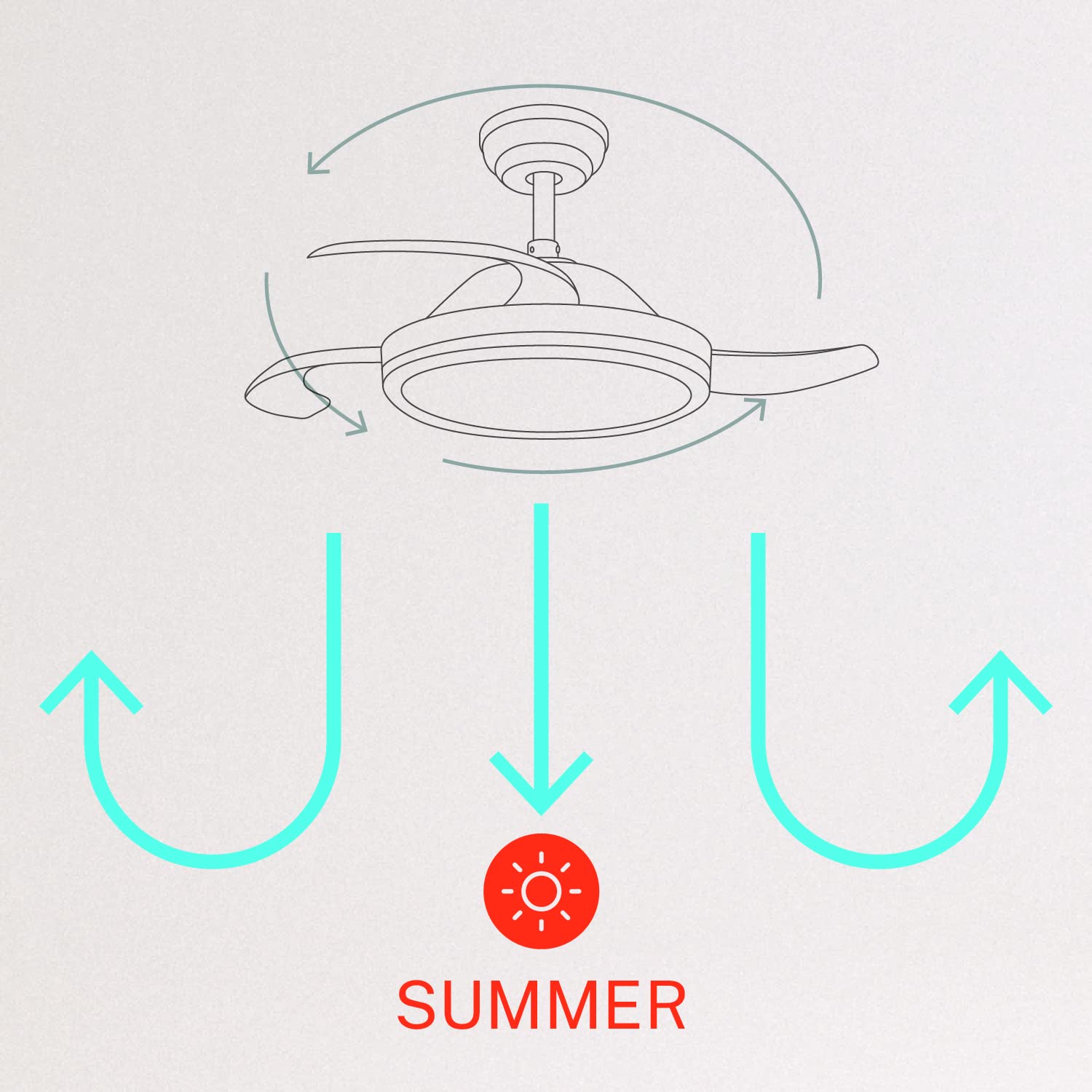
5.2 Zimski i ljetni način rada
Ventilator ima reverzibilni motor za optimizaciju cirkulacije zraka za različita godišnja doba:
- Ljetni način rada (rotacija suprotno od kazaljke na satu): The fan blades rotate counter-clockwise, pushing air downwards to create a cooling breeze.
- Zimski način rada (rotacija u smjeru kazaljke na satu): The fan blades rotate clockwise, drawing air upwards to circulate warm air trapped near the ceiling, helping to distribute heat more evenly.

6. Održavanje
Redovito održavanje osigurava optimalne performanse i dugotrajnost vašeg stropnog ventilatora.
- Čišćenje: Povremeno čistite lopatice ventilatora i kućište motora mekom krpomamp krpu. Ne koristite abrazivna sredstva za čišćenje ili otapala. Prije čišćenja provjerite je li ventilator isključen i napajanje isključeno.
- Zatezni vijci: Check all mounting screws and blade attachment screws annually to ensure they are properly tightened.
- Izvor svjetla: The LED light source is integrated. If it requires service, contact qualified personnel.
7. Rješavanje problema
Ako naiđete na probleme s ventilatorom, pogledajte sljedeće uobičajene probleme i rješenja:
| Problem | Mogući uzrok | Otopina |
|---|---|---|
| Ventilator se ne pokreće | No power supply; Loose wiring; Remote control battery depleted | Provjerite osigurač; Provjerite sve spojeve ožičenja; Zamijenite bateriju daljinskog upravljača. |
| Ventilator se ljulja | Loose mounting screws; Unbalanced blades | Ensure mounting bracket and fan assembly screws are tight; Check for any obstructions to blade movement. |
| Svjetlo ne radi | Loose wiring; LED module fault | Provjerite spojeve ožičenja rasvjetnog kompleta; ako je LED modul neispravan, obratite se korisničkoj podršci. |
| Daljinski upravljač ne radi | Depleted battery; Remote not paired | Replace remote control battery; Refer to pairing instructions in the full manual. |
| WiFi control issues | Poor WiFi signal; Incorrect app setup | Ensure strong WiFi signal; Reconfigure WiFi connection in the app. |
8. Specifikacije
| Značajka | Detalj |
|---|---|
| Marka | STVORITI |
| Broj modela | 120760_254772 |
| Boja | Bijela |
| Dizajn električnog ventilatora | Ceiling Fan |
| Izvor napajanja | Električni na kabel |
| Stil | With WiFi |
| Dimenzije proizvoda | 107 D x 107 Š x 39 V centimetara |
| Tip sobe | Spavaća soba |
| Posebna značajka | Odbrojavanje vremena |
| Preporučena upotreba | Ventiliranje |
| Wattage | 40 vata |
| Uključene komponente | Remote, Battery |
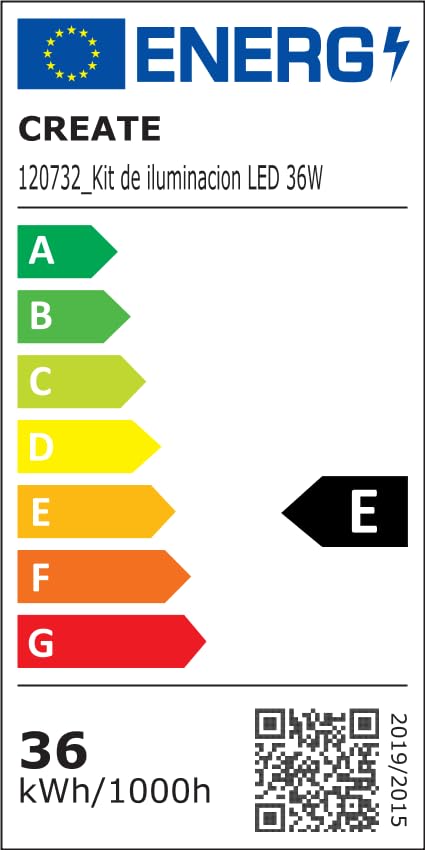
For detailed product data and energy efficiency information, please refer to the following documents:

9. Jamstvo i podrška
For warranty information, technical support, or service inquiries, please contact CREATE customer service or refer to the official CREATE webstranicu. Sačuvajte račun kao dokaz o kupnji.