
1. Uvod
The HOGA W10 Advanced Window Cleaning Robot is designed to provide intelligent and efficient automatic cleaning for various smooth surfaces, including windows, doors, walls, and mirrors. This manual provides essential information for the safe and effective operation, maintenance, and troubleshooting of your device.
2. Sigurnosne upute
Read all safety instructions carefully before using the HOGA W10 Window Cleaning Robot. Failure to follow these instructions may result in electric shock, fire, or serious injury.
- Priključak za napajanje: Always ensure the robot is connected to a power source during operation. The internal battery is for backup during power outages only, allowing the robot to remain on the glass for at least 30 minutes.
- Sigurnosno uže: Always attach the safety rope to a secure anchor point before placing the robot on any window, especially for high-rise cleaning. This prevents the robot from falling in case of power loss or suction failure.
- Stanje površine: Do not use the robot on cracked, damaged, or uneven glass surfaces. Ensure the surface is free from large debris that could scratch the glass or damage the robot.
- Vremenski uvjeti: Avoid using the robot in rainy, windy, or extremely cold conditions.
- Djeca i kućni ljubimci: Keep children and pets away from the operating robot.
- Otopina za čišćenje: Use only recommended cleaning solutions. Do not spray flammable liquids near the robot.
- Održavanje: Redovito održavajte uređaj kako je opisano u ovom priručniku kako biste osigurali optimalne performanse i sigurnost.
3. Sadržaj paketa
Carefully unpack your HOGA W10 Window Cleaning Robot and check that all items are present and in good condition. If any items are missing or damaged, contact customer support.

Image: The HOGA W10 Window Cleaning Robot and its accessories, including the main unit, power cord, cleaning cloths, spray bottle, remote control, safety rope, and user manual.
- Glavna robotska jedinica
- Kabel za napajanje i adapter
- 5 x krpe za čišćenje od mikrovlakana
- Spray Bottle (empty)
- Daljinski upravljač
- Sigurnosno uže s karabinerom
- korisnički priručnik
- Ultrasonic Nozzle Replacement Kit (if applicable)
4. Proizvod je gotovview
The HOGA W10 features advanced technology for efficient window cleaning.
Ključne karakteristike:
- Intelligent Automatic Cleaning: Designed for both indoor and outdoor glass, high windows, and tiled walls.
- Visoka usisna snaga: 3000 PA suction ensures secure attachment to surfaces.
- Smart Frame Detection: Automatically detects window frames to prevent collisions.
- Automatic Path Planning: Optimizes cleaning routes for thorough coverage.
- Daljinski upravljač: Praktičan rad s udaljenosti.
- Rezervna baterija: Internal battery provides power for up to 30 minutes during power interruptions.
- Sigurnosno uže: Additional safety measure for high-altitude cleaning.

Image: Illustration of the HOGA W10 robot's features including remote control, backup battery, smart frame detection, and automatic path planning.

Image: The HOGA W10 robot illustrating its strong suction power, indicated by arrows pulling it towards the glass surface.
5. Postavljanje
- Pričvrstite krpe za čišćenje: Securely attach two clean microfiber cleaning cloths to the bottom of the robot. Ensure they cover the cleaning pads completely.
- Priključite napajanje: Plug the power adapter into the robot and then into a power outlet. Ensure the connection is secure.
- Pričvrstite sigurnosno uže: Fasten the safety rope's carabiner to a sturdy object indoors, such as a heavy piece of furniture or a window frame anchor. Ensure the rope is long enough to reach the entire cleaning area but not excessively loose.
- Pripremite otopinu za čišćenje: Fill the provided spray bottle with your preferred window cleaning solution.
- Pripremite površinu: For heavily soiled windows, it is recommended to pre-clean the surface to remove large dirt particles. Lightly spray the window surface or the cleaning cloths with cleaning solution.
6. Upute za rad
Follow these steps to operate your HOGA W10 Window Cleaning Robot.
Pokretanje robota:
- Place Robot: Hold the robot firmly against the glass surface. Press the power button on the robot or the remote control to activate suction. The robot will adhere to the glass.
- Započnite čišćenje: Once the robot is securely attached, press the 'Start' button on the remote control. The robot will begin its automatic cleaning path.
Načini čišćenja:
The robot features automatic path planning. You can also manually control its direction using the remote control's arrow buttons.
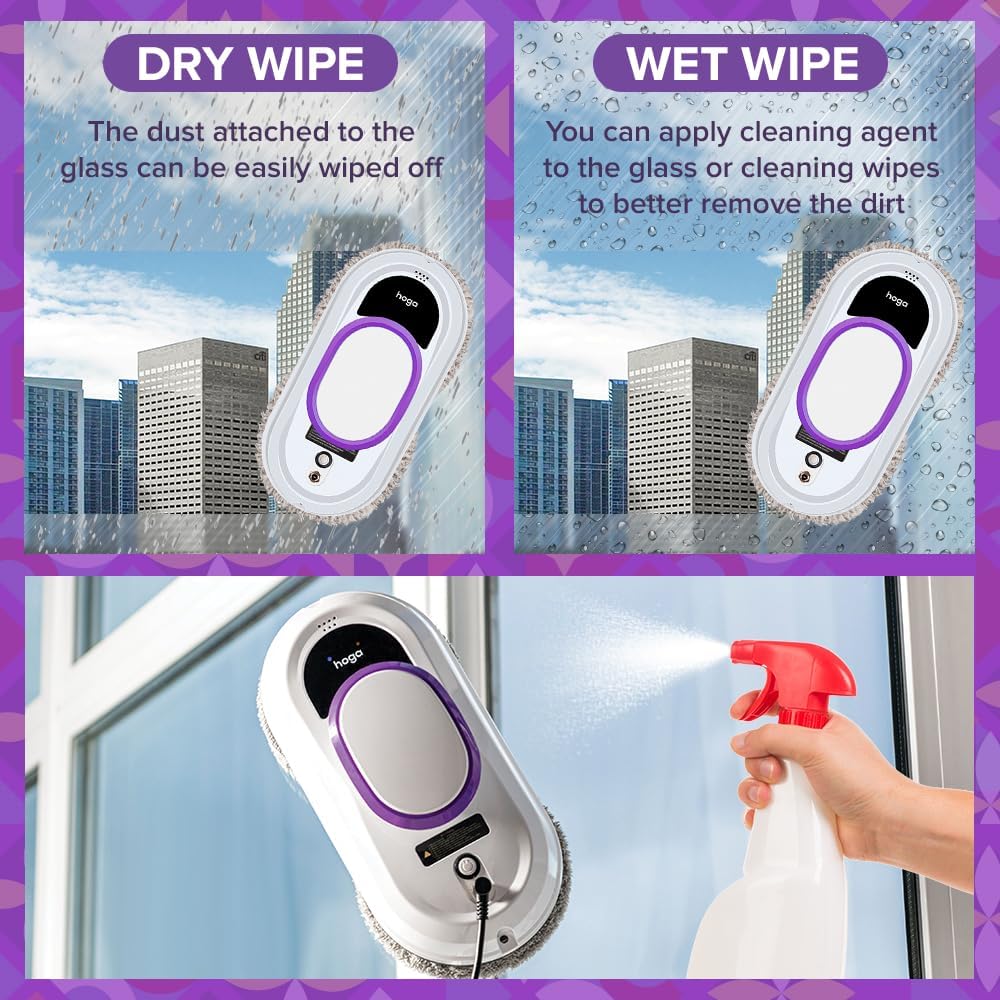
Image: The HOGA W10 robot illustrating two cleaning methods: dry wiping for dust and wet wiping with cleaning agent for dirt removal.
- Suho brisanje: For light dust, the robot can be used with dry cloths.
- Wet Wipe: For heavier dirt, lightly spray the cleaning cloths or the window surface with cleaning solution before operation.
Stopping the Robot:
Press the 'Stop' button on the remote control or the robot's power button. The robot will stop and remain attached to the surface. Carefully remove it by holding it firmly and detaching it from the glass.
7. Održavanje
Regular maintenance ensures the longevity and optimal performance of your HOGA W10 Window Cleaning Robot.
Krpe za čišćenje:

Slika: Krupni plan view of the HOGA W10 robot's microfiber cleaning pads, which are essential for effective cleaning.
- After each use, remove the microfiber cleaning cloths.
- Wash the cloths by hand or machine wash with mild detergent. Do not use bleach or fabric softener.
- Allow cloths to air dry completely before reuse or storage.
Robot Body and Sensors:
- Wipe the robot's body with a soft, dry cloth to remove any dust or residue.
- Clean the edge detection sensors and suction vents with a dry cotton swab to ensure proper function.
Skladištenje:
Store the robot and its accessories in a cool, dry place away from direct sunlight and extreme temperatures.
8. Rješavanje problema
If you encounter issues with your HOGA W10, refer to the following troubleshooting guide:
| Problem | Mogući uzrok | Otopina |
|---|---|---|
| Robot does not stick to glass | Insufficient power; Surface too dirty or wet; Suction vents blocked; Robot not placed flat. | Ensure power cord is securely connected. Clean the window surface. Clear any obstructions from suction vents. Place the robot flat against the glass. |
| Robot leaves streaks | Dirty cleaning cloths; Too much cleaning solution; Incorrect cleaning solution. | Replace or wash cleaning cloths. Use less cleaning solution. Use a suitable window cleaning solution. |
| Robot stops unexpectedly | Power interruption; Edge sensor error; Internal battery low. | Check power connection. Ensure edge sensors are clean. Allow robot to charge fully before use. |
| Daljinski upravljač ne radi | Dead batteries in remote; Obstruction between remote and robot. | Replace remote control batteries. Ensure clear line of sight to the robot. |
9. Specifikacije
| Proizvođač | Hoga |
| Broj modela | HGRWC01 |
| Dimenzije proizvoda (D x Š x V) | 29.5 x 12 x 14.8 cm |
| Težina | 2.26 kg |
| Vrsta baterije | 1 litij-polimer (uključena) |
| Sastav baterije | Litij-ionski |
| Vrsta napajanja | AC |
| Posebne značajke | Lightweight, Professional |
| Dostupnost rezervnih dijelova | 2 godina |
10. Jamstvo i podrška
HOGA provides a 2-year availability for spare parts for the W10 Window Cleaning Robot. For any product inquiries, technical support, or warranty claims, please refer to the contact information provided with your purchase or visit the official HOGA webmjesto.