
1. Uvod
Hvala na kupnjiasing the LEVOIT LTF-F361-WEU Tower Fan. This manual provides important information regarding the safe operation, maintenance, and troubleshooting of your new fan. Please read this manual thoroughly before use and retain it for future reference.
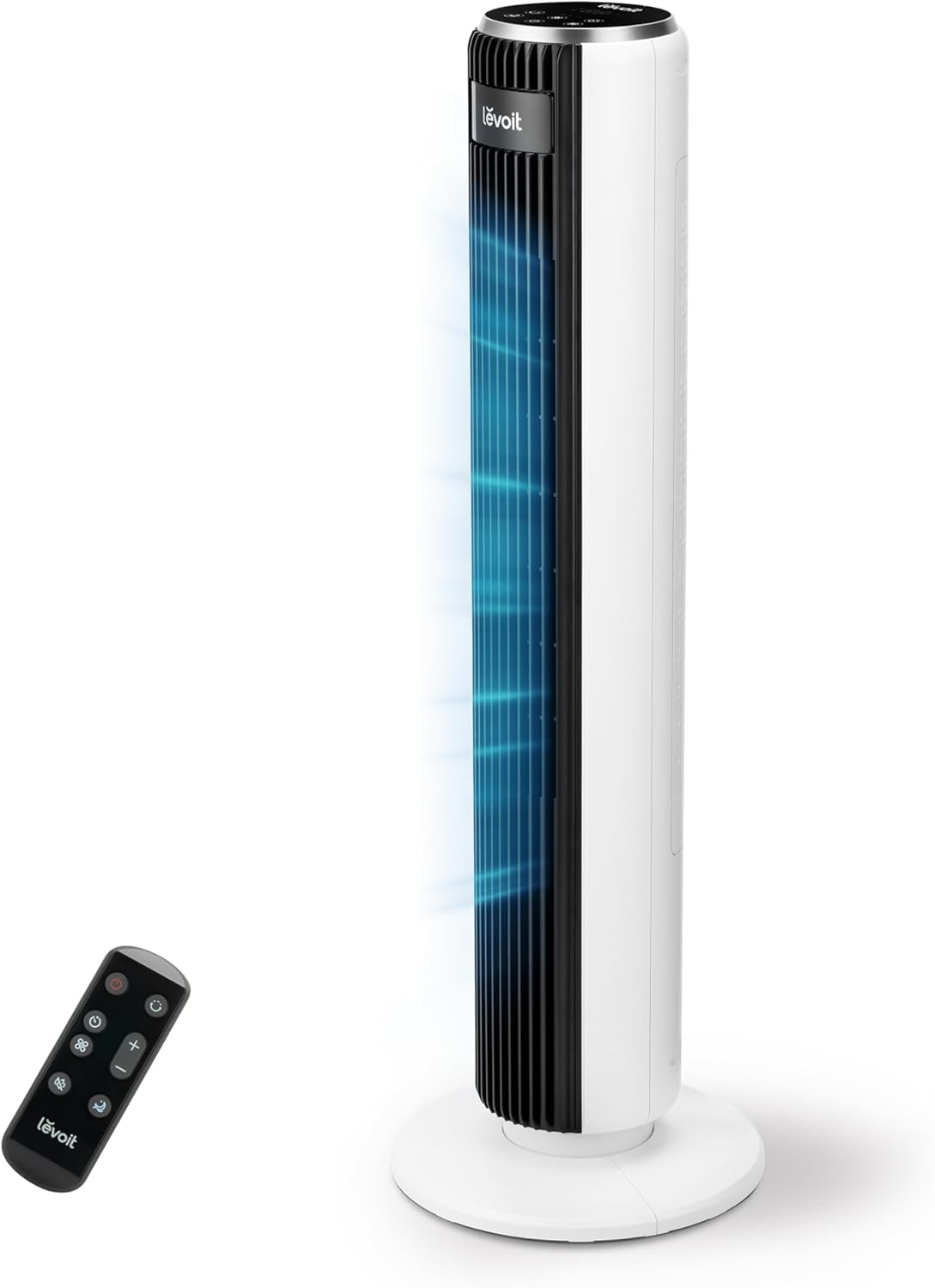
Image 1.1: The LEVOIT LTF-F361-WEU Tower Fan, a sleek and modern cooling device.
2. Važne sigurnosne upute
To reduce the risk of fire, electric shock, or injury, please read and follow all instructions and warnings in this manual.
- Always place the fan on a stable, level surface.
- Ne koristite ventilator na mokrom ili damp mjesta, kao što su kupaonice.
- Držite ventilator dalje od vode i drugih tekućina.
- Ne stavljajte prste ili strane predmete u rešetku dok ventilator radi.
- Unplug the fan from the power outlet when not in use, when moving it, or before cleaning.
- Nemojte koristiti ventilator s oštećenim kabelom ili utikačem.
- Kabel za napajanje držite dalje od zagrijanih površina.
- Ovaj uređaj nije namijenjen za korištenje od strane osoba (uključujući djecu) sa smanjenim fizičkim, osjetilnim ili mentalnim sposobnostima, ili nedostatkom iskustva i znanja, osim ako nisu pod nadzorom ili su dobili upute o korištenju uređaja od strane osobe odgovorne za njihovu sigurnost.
3. Sadržaj paketa
Molimo provjerite sadržaj paketa prilikom primitka. Ako bilo koji artikl nedostaje ili je oštećen, obratite se korisničkoj podršci.
- LEVOIT LTF-F361-WEU Tower Fan
- Daljinski upravljač
- korisnički priručnik
4. Postavljanje i sastavljanje
The LEVOIT LTF-F361-WEU Tower Fan is designed for easy assembly. Follow these steps to set up your fan:
- Raspakirajte ventilator: Pažljivo izvadite sve komponente iz pakiranja.
- Sastavite bazu: The base is designed for straightforward attachment. Align the fan body with the base and secure it according to the instructions provided in the quick start guide (if applicable).
- Priključite napajanje: Uključite kabel za napajanje u odgovarajuću električnu utičnicu.
The rear grille is detachable for easy cleaning, secured by a single nut.

Slika 4.1: Gotovoview of the fan's control panel, remote control storage, and the detachable rear cover for maintenance.
5. Upute za rad
Your LEVOIT Tower Fan offers multiple settings for personalized comfort. You can control the fan using the touch control panel on top or the included remote control.
5.1 Uključivanje/isključivanje
Pritisnite gumb za napajanje na upravljačkoj ploči ili daljinskom upravljaču za uključivanje ili isključivanje ventilatora.
5.2 brzine ventilatora
The fan features 5 adjustable speeds. Use the speed buttons on the control panel or remote to cycle through the speed settings (1-5).
5.3 načina vjetra
Select from 4 distinct wind modes to suit your preference:
- Normalni način rada: Osigurava konstantan protok zraka odabranom brzinom.
- Automatski način rada: Adjusts fan speed automatically based on ambient temperature, ensuring optimal comfort and energy efficiency.
- Stanje mirovanja: Operates at a very low noise level (as low as 23 dB) with automatic display dimming for an undisturbed night's sleep.
- Turbo način rada: Delivers the highest fan speed for rapid cooling.

Image 5.1: Illustration of the fan's Auto Mode, demonstrating how it adjusts speed based on room temperature for optimal comfort.

Image 5.2: The fan operating in Advanced Sleep Mode, providing quiet airflow (23 dB) for a comfortable night's rest.
5.4 Oscilacija
Activate the 90° oscillation feature to distribute airflow across a wider area. This ensures comprehensive room coverage with a maximum range of 7 meters.

Image 5.3: The fan's 90-degree oscillation feature, illustrating how it provides wide-ranging cool air.
5.5 Funkcija mjerača vremena
Set the fan to automatically turn off after a specified period, up to 12 hours. Use the timer button on the control panel or remote to adjust the duration.
5.6 Daljinski upravljač
The included remote control allows convenient operation from a distance. Ensure the remote has working batteries and is pointed towards the fan's receiver.
Video 5.4: Kratki uvodview demonstrating the LEVOIT Tower Fan's oscillation feature and quiet operation. This video highlights the fan's movement and low noise level.
Video 5.5: Službeni video prikaz proizvodaasing the various features and modes of the LEVOIT Tower Fan, including its quiet operation, multiple speeds, and oscillation.
6. Održavanje i čišćenje
Regular cleaning helps maintain the performance and longevity of your fan.
6.1 Vanjsko čišćenje
- Uvijek isključite ventilator prije čišćenja.
- Obrišite vanjske površine mekom, damp tkanina. Nemojte koristiti abrazivna sredstva za čišćenje ili otapala.
- Prije ponovnog uključivanja ventilatora provjerite je li potpuno suh.
6.2 Internal Cleaning (Detachable Rear Cover)
The rear cover is detachable for easy access to the internal components for cleaning.
- Isključite ventilator.
- Locate the single nut securing the rear cover and unscrew it.
- Carefully remove the rear cover.
- Use a soft brush or vacuum cleaner to remove dust and debris from the fan blades and internal components.
- The rear cover can be washed with water. Ensure it is completely dry before reattaching.
- Reattach the rear cover and secure it with the nut.

Image 6.1: Illustration of the detachable rear cover and internal fan components, highlighting the ease of cleaning.
7. Rješavanje problema
Ako naiđete na bilo kakve probleme s ventilatorom, pogledajte sljedeće uobičajene probleme i rješenja:
| Problem | Mogući uzrok | Otopina |
|---|---|---|
| Ventilator se ne uključuje. | Nema napajanja. | Provjerite je li kabel za napajanje sigurno uključen u ispravnu utičnicu. Provjerite osigurač. |
| Slab protok zraka. | Air inlet/outlet blocked or dirty. | Clean the air inlet and outlet grilles. Ensure there are no obstructions around the fan. |
| Ventilator proizvodi neobičan zvuk. | Foreign object inside or fan not on a level surface. | Unplug the fan and check for any foreign objects. Place the fan on a stable, level surface. |
| Daljinski upravljač ne radi. | Baterije su prazne ili nepravilno umetnute. | Replace the batteries with new ones, ensuring correct polarity. Point the remote directly at the fan. |
If the problem persists after trying these solutions, please contact LEVOIT customer support.
8. Specifikacije
| Značajka | Detalj |
|---|---|
| Broj modela | LTF-F361-WEU |
| Dimenzije (D x Š x V) | 16.51 x 16.51 x 91.95 cm |
| Težina | 3.6 kilogram |
| Vlast | 39 vata |
| Voltage | 220.0 V |
| Razina buke | 23 dB (lowest) - 28 dB (typical) |
| Brzina vjetra | Do 7 m/s |
| Oscilacija | 90 stupnjeva |
| Odbrojavanje vremena | 12 sata |
| Posebne značajke | Portable, Automatic Shut-off Function, Remote Control |
9. Jamstvo i korisnička podrška
9.1 Informacije o jamstvu
LEVOIT provides a Jamstvo 2 godine for this tower fan. This warranty covers defects in materials and workmanship under normal use. Please retain your proof of purchase for warranty claims.
9.2 Korisnička podrška
If you have any questions about your product, warranty, or need technical assistance, please contact LEVOIT customer support. Our professional team is ready to assist you.
For more information, visit the official LEVOIT webstranicu ili se obratite lokalnom distributeru.