
1. Uvod
Welcome to the user manual for your Havit Gaming Mouse MS1032. This document provides essential information for setting up, operating, maintaining, and troubleshooting your device. Please read it carefully to ensure optimal performance and longevity of your mouse.
The Havit MS1032 is a gaming mouse featuring six adjustable DPI settings, a comfortable ergonomic design, and a non-slip surface. It is engineered for smooth and quiet operation, aiming to reduce fatigue during extended use.
2. Postavljanje
2.1 Sadržaj paketa
- Havit Gaming Mouse MS1032
- korisnički priručnik
2.2 Zahtjevi sustava
- Operativni sustav: Windows XP, Windows 7, Linux
- Dostupan USB priključak
2.3 Spajanje miša
- Unpack the Havit Gaming Mouse MS1032 from its packaging.
- Pronađite dostupni USB priključak na vašem računalu.
- Umetnite USB konektor miša u USB port.
- Vaš operativni sustav trebao bi automatski prepoznati i instalirati potrebne upravljačke programe. Ovaj postupak može potrajati nekoliko trenutaka.
- Nakon što je instalacija završena, miš je spreman za upotrebu.
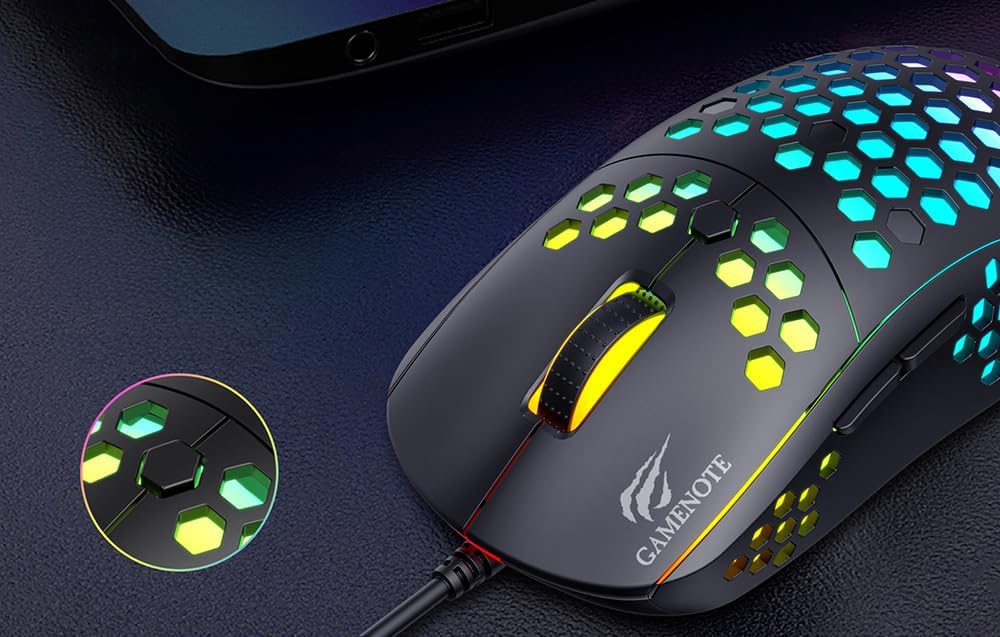
Figure 1: Havit MS1032 Gaming Mouse connected via USB.
3. Upute za rad
3.1 Osnovne funkcije
- Lijevi klik: Primarna akcija, odabir, aktivacija.
- Desni klik: Opens context menus, performs secondary actions.
- Kotačić za pomicanje: Scrolls up/down documents or web stranice. Može se pritisnuti i za funkcionalnost klika srednjom tipkom miša.
- Bočni gumbi: Typically used for forward/backward navigation in web browsers or custom functions in games.
3.2 Podešavanje DPI
The Havit MS1032 features six adjustable DPI (Dots Per Inch) settings, allowing you to change the mouse sensitivity on the fly. This is useful for adapting to different tasks, such as precise aiming in games or fast navigation across multiple monitors.
To adjust the DPI, locate the DPI button, typically positioned behind the scroll wheel. Press this button to cycle through the available DPI settings. The LED lighting on the mouse may change to indicate the current DPI level, providing visual feedback for your selection.
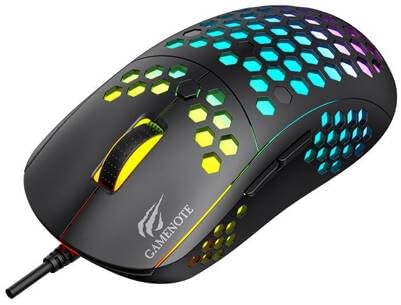
Figure 2: Location of the DPI button (behind the scroll wheel).
4. Održavanje
4.1 Čišćenje
Za održavanje optimalnih performansi i izgleda, redovito čistite miš:
- Prije čišćenja isključite miš iz računala.
- Koristite mekanu krpu koja ne ostavlja dlačice dampoprati vodom ili blagom, neabrazivnom otopinom za čišćenje.
- Gently wipe the surface of the mouse.
- For crevices and the optical sensor, use a cotton swab or compressed air to remove dust and debris.
- Avoid using harsh chemicals, abrasive cleaners, or excessive moisture, as these can damage the mouse's finish or internal components.
4.2 Skladištenje
When not in use, store the mouse in a clean, dry environment away from direct sunlight and extreme temperatures to prevent damage.
4.3 Opća briga
- Avoid dropping the mouse or subjecting it to strong impacts.
- Do not attempt to disassemble the mouse, as this will void the warranty and may cause irreparable damage.
- Keep the mouse away from liquids to prevent electrical damage.
5. Rješavanje problema
If you encounter issues with your Havit Gaming Mouse MS1032, please refer to the following common solutions:
5.1 Miš ne reagira
- Provjerite USB vezu: Provjerite je li USB kabel sigurno priključen u ispravan USB priključak na računalu. Pokušajte s drugim USB priključkom.
- Ponovno pokrenite računalo: Ponekad jednostavno ponovno pokretanje računala može riješiti probleme s povezivanjem.
- Testirajte na drugom računalu: If possible, test the mouse on another computer to determine if the issue is with the mouse or your computer's setup.
5.2 Kretanje kursora je nepravilno ili neravnomjerno
- Čisti senzor: Provjerite je li optički senzor na dnu miša čist i bez prašine ili ostataka.
- Provjerite površinu: Koristite miš na čistoj, nereflektirajućoj i ujednačenoj površini (npr. podlozi za miša). Izbjegavajte staklo ili jako reflektirajuće površine.
- Prilagodite DPI: If the cursor is too fast or too slow, adjust the DPI setting using the DPI button.
5.3 Gumbi ne rade
- Provjerite ima li prepreka: Pazite da se ispod gumba ne nakupe ostaci.
- Sukob softvera: If you have custom mouse software installed, try uninstalling it temporarily to see if it resolves the issue.
5.4 LED svjetla ne rade
- Provjerite vezu: Provjerite je li miš ispravno spojen na računalo.
- Ciklus snage: Disconnect and reconnect the mouse to reset its power.
6. Specifikacije

Figure 3: Havit MS1032 Gaming Mouse design overview.
| Značajka | Detalj |
|---|---|
| Model | MS1032 |
| Marka | Havit |
| Dimenzije | 15 x 8 x 5.2 cm |
| Težina | 200g |
| DPI postavke | 6 podesive razine |
| Operacijski sustavi | Linux, Windows 7, Windows XP |
| Povezivost | Žičani USB |
| Potrebne baterije | Ne |
7. Jamstvo i podrška
For detailed warranty information and technical support, please refer to the official Havit website or contact your local retailer where the product was purchased. It is recommended to keep your purchase receipt as proof of purchase for any warranty claims.
Proizvođač: Havit
Broj modela: MS1032