
1. Uvod
This manual provides detailed instructions for the setup, operation, maintenance, and troubleshooting of your Cosmic Byte ARES Wired Controller for PC. Designed for an enhanced gaming experience, this controller features Hall Effect joysticks and triggers, dual vibration, and customizable Turbo functions.
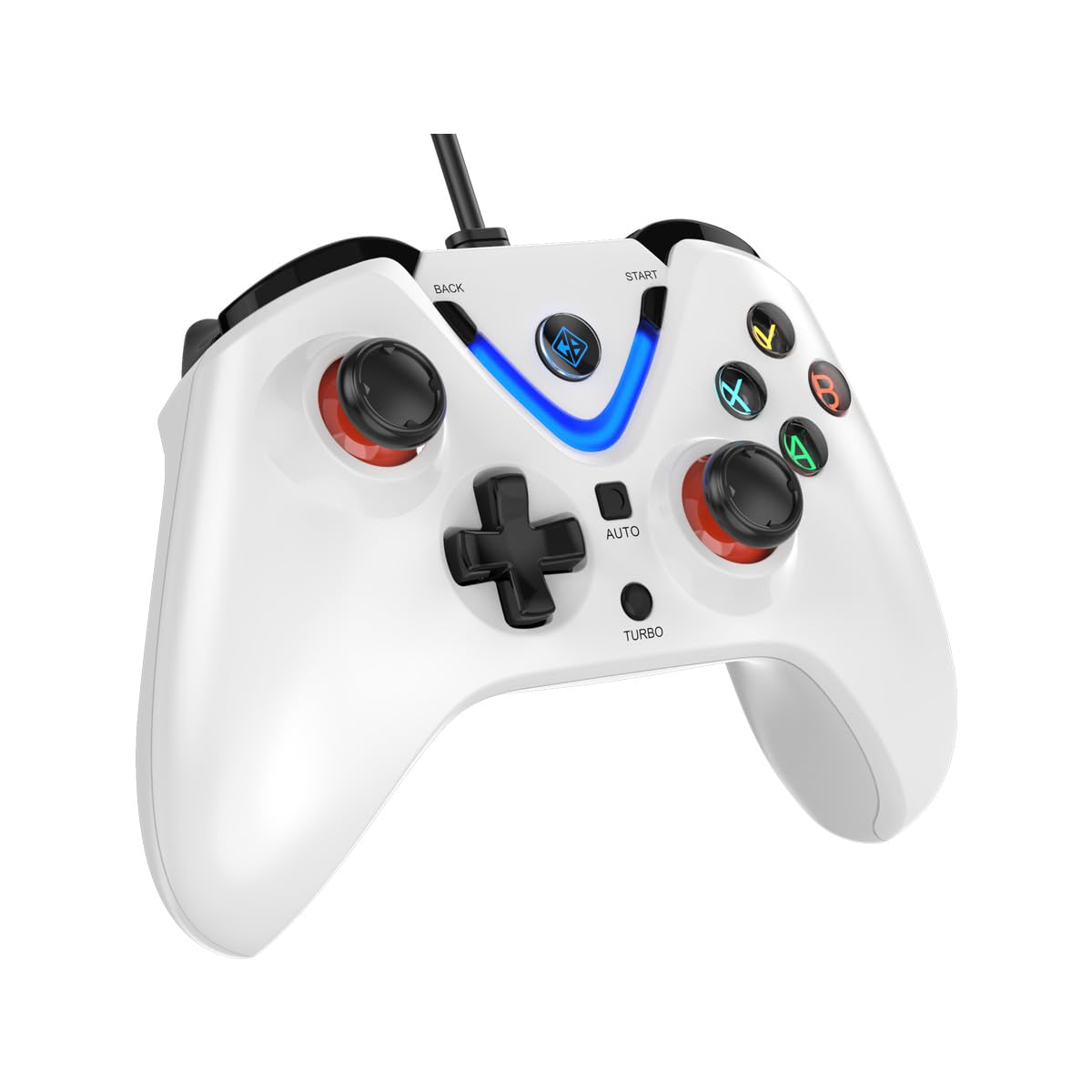
Image 1: The Cosmic Byte ARES Wired Controller in white, showcasing njegov ergonomski dizajn.
2. Upute za postavljanje
2.1 Spajanje na računalo
- Provjerite je li vaše računalo uključeno.
- Pronađite dostupni USB priključak na vašem računalu.
- Plug the USB connector of the Cosmic Byte ARES Wired Controller into the USB port.
- Operativni sustav će automatski prepoznati i instalirati potrebne upravljačke programe. Ovaj postupak može potrajati nekoliko trenutaka.
- Nakon što je instalacija završena, kontroler je spreman za upotrebu.

Image 2: The controller connected via its wired USB connection, ensuring fast response.
3. Upute za rad
3.1 Osnovne kontrole
The Cosmic Byte ARES controller features standard gamepad layouts, including:
- Left and Right Analog Joysticks: Za precizno kretanje i kontrolu kamere.
- D-pad: For directional input, often used in menus or for specific game actions.
- Akcijski gumbi (A, B, X, Y): For primary game interactions.
- Ramenski gumbi (L1, R1) i okidači (L2, R2): For various in-game functions like shooting, aiming, or accelerating.
- Start and Back Buttons: For pausing games, accessing menus, or specific in-game commands.
- Turbo gumb: For activating rapid-fire functions.
- Automatsko dugme: For activating automatic rapid-fire functions.
3.2 Džojstici i okidači s Hall efektom
The controller is equipped with Hall Effect joysticks and triggers, which use magnetic sensors instead of physical contacts. This technology provides:
- Poboljšana preciznost: More accurate and responsive input.
- Povećana izdržljivost: Reduces wear and tear, preventing stick drift over time.
- Glatki rad: Consistent and linear response for triggers, allowing for nuanced control in games.

Slika 3: Eksplodirani view illustrating the Hall Effect joystick mechanism and the Hall Effect triggers.
3.3 Dual Vibration Feedback
The controller features dual vibration motors that provide tactile feedback during gameplay, enhancing immersion by simulating in-game events such as impacts, explosions, or engine rumbling.
3.4 Backlit LED Buttons
The action buttons (A, B, X, Y) and the central V-shaped indicator feature LED backlighting, providing visibility in low-light conditions and adding to the controller's aesthetic.

Image 4: The controller with its LED buttons illuminated and visual representation of vibration effects.
3.5 Funkcije Turbo i Auto Turbo
The Turbo and Auto Turbo functions allow for rapid, repeated input of a button press without continuously pressing the button.
- Aktiviranje Turbo: Press and hold the desired action button (e.g., A) and then press the Turbo button. The button will now rapidly repeat its input as long as you hold it down.
- Activating Auto Turbo: Press and hold the desired action button (e.g., A) and then press the Auto button. The button will now rapidly repeat its input automatically without needing to be held down.
- Deactivating Turbo/Auto Turbo: To deactivate, repeat the activation steps for the specific button, or press the Jasan button (if available) or disconnect and reconnect the controller.

Image 5: Close-up of the controller showing the Turbo and Auto function buttons.
4. Održavanje
- Čišćenje: Za čišćenje kontrolera koristite meku, suhu krpu. Za tvrdokornu prljavštinu, laganoamp cloth can be used, ensuring no liquid enters the controller. Avoid harsh chemicals or abrasive cleaners.
- Skladištenje: Kontroler čuvajte na hladnom i suhom mjestu, dalje od izravne sunčeve svjetlosti i ekstremnih temperatura. Izbjegavajte stavljanje teških predmeta na kontroler.
- Održavanje kabela: Do not sharply bend or pull the USB cable. Always grasp the plug when disconnecting from the PC.
5. Rješavanje problema
- Kontroler nije prepoznat:
- Ensure the USB cable is securely connected to both the controller and the PC.
- Try plugging the controller into a different USB port.
- Ponovno pokrenite računalo.
- Check Device Manager on Windows to see if the controller is listed and if there are any driver issues.
- Gumbi/džojstici ne reagiraju:
- Verify the controller is recognized by your PC (see above).
- Test the controller in a different game or a controller testing utility to rule out game-specific issues.
- Provjerite da nema drugih ulaznih uređaja koji bi ometali rad.
- Vibracija ne radi:
- Provjerite postavke u igri kako biste bili sigurni da je vibracijska povratna informacija omogućena.
- Neke igre možda ne podržavaju vibraciju ili mogu imati ograničene efekte vibracije.
6. Specifikacije
| Značajka | Detalj |
|---|---|
| Marka | Kozmički bajt |
| Naziv modela | Ares |
| Kompatibilni uređaji | PC |
| Vrsta kontrolera | Gamepad |
| Tehnologija povezivanja | USB |
| Značajke proizvoda | Ergonomski |
| Količina gumba | 16 |
| Hardverska platforma | PC |
| Vrsta izvora napajanja | Električni, USB kabel |
| Težina artikla | 220 gram |
| Dimenzije artikla | 6 x 10 x 4 centimetara |
| Boja | Bijela |
| Zemlja podrijetla | Kina |

Image 6: A comparison table highlighting features of different ARES controller models.
7. Jamstvo i podrška
7.1 Informacije o jamstvu
The Cosmic Byte ARES Wired Controller comes with a 1 godina jamstva protiv grešaka u proizvodnji od datuma kupnje. Molimo sačuvajte dokaz o kupnji za potrebe jamstvenog zahtjeva.
7.2 Podaci o kontaktu proizvođača
For support, service, or warranty inquiries, please contact:
Kozmički bajtPrakash Warehousing, S. No.163, Hissa No 1-2-3-4-5A-5B/2/1,
Phursungi, Pune 412308, Maharashtra, India
For further assistance, please visit the official Cosmic Byte webstranicu ili se obratite njihovoj službi za korisnike.