
1. Proizvod je gotovview
The TP-Link ER707-M2 is an Omada Multi-Gigabit VPN Router designed for high-performance networking environments. It features dual 2.5 Gigabit WAN ports, a Gigabit SFP WAN/LAN port, and multiple Gigabit RJ45 WAN/LAN ports, providing flexible connectivity and high-bandwidth aggregation. This router integrates seamlessly with the Omada SDN Controller for centralized management and offers robust security features including an SPI Firewall and various VPN protocols.
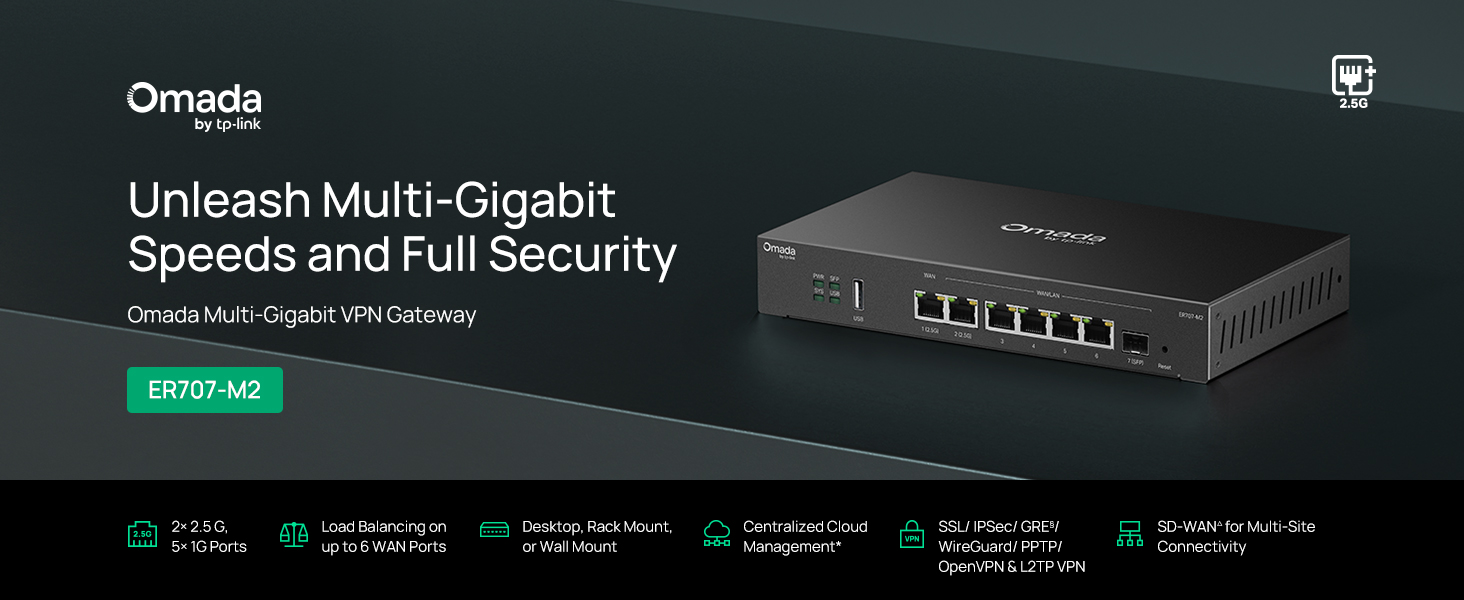
Slika 1: Prednja strana view of the ER707-M2 router, highlighting its ports and indicators.
Ključne karakteristike:
- Fleksibilna konfiguracija priključka: Includes 1x 2.5Gigabit WAN Port, 1x 2.5Gigabit WAN/LAN Port, 4x Gigabit WAN/LAN Ports, 1x Gigabit SFP WAN/LAN Port, and 1x USB 2.0 Port.
- Visokoučinkoviti mrežni kapacitet: Supports up to 500,000 concurrent sessions and over 1000 clients.
- Pristup oblaku: Centralized cloud management via Omada app and web sučelje.
- Visoko siguran VPN: Podržava do 100 LAN-LAN IPsec, 66 OpenVPN, 60 L2TP i 60 PPTP VPN veza.
- Napredna sigurnost: Features SPI Firewall, Policy-based Firewall, Static Routing, Policy Routing, Multi-net DHCP, Guest Portal, and VLAN support.
- Load Balance & Link Backup: Optimizes multi-line broadband efficiency and reliability.
- USB 2.0 priključak: Supports USB storage and LTE backup with a compatible LTE dongle.
2. Sadržaj paketa
Provjerite sadrži li vaš paket sljedeće stavke:
- TP-Link ER707-M2 Omada Multi-Gigabit VPN Router
- Adapter napajanja
- Vodič za brzu instalaciju
If any item is missing or damaged, please contact your reseller or TP-Link support.
3. Postavljanje
3.1 Instalacija hardvera
- Priključak za napajanje: Connect the provided power adapter to the router's power input and then to a power outlet.
- WAN veza: Connect your modem or internet service provider's device to one of the WAN ports (e.g., WAN1 2.5G or WAN/LAN2 2.5G) using an Ethernet cable. For fiber connections, use the SFP port with a compatible SFP module.
- LAN veza: Connect your local network devices (e.g., computers, switches, Omada Access Points) to the LAN ports (WAN/LAN2-6) using Ethernet cables.
- USB uređaj (opcionalno): If using a USB storage device or an LTE dongle for backup, insert it into the USB 2.0 port.
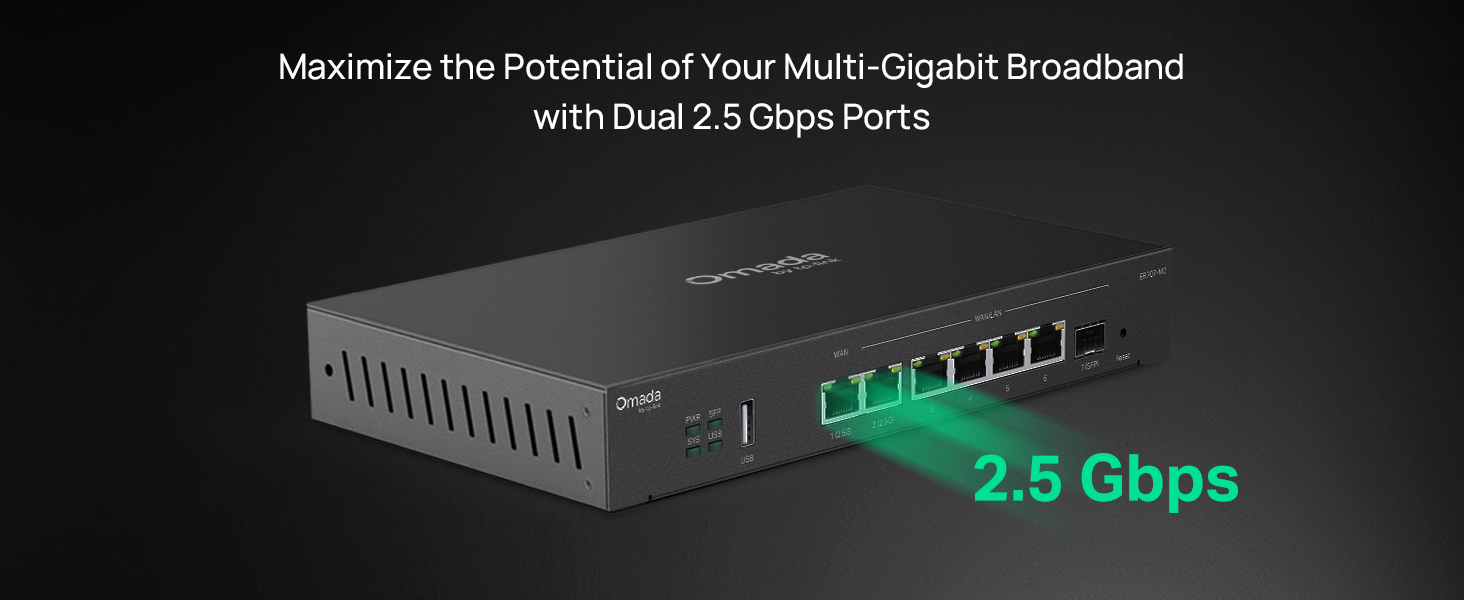
Figure 2: Illustration of the router's 2.5 Gbps ports for high-speed connectivity.
3.2 Početna konfiguracija
The ER707-M2 can be managed via the Omada SDN Controller or through its local web sučelje.
- Spojite se na ruter: Provjerite je li vaše računalo spojeno na jedan od LAN priključaka rutera.
- Pristup Web sučelje: Otvori a web preglednik i unesite zadanu IP adresu (obično
192.168.0.1or192.168.1.1) in the address bar. Refer to the Quick Installation Guide for the exact default IP and login credentials. - Slijedite čarobnjaka za postavljanje: The first time you log in, a setup wizard will guide you through basic internet connection settings, changing the default password, and configuring Wi-Fi (if applicable).
- Omada SDN Integration (Optional): For centralized management, adopt the router into your Omada SDN Controller. This allows for remote management and unified control of your network devices.
4. Upute za rad
4.1 Konfiguracija mreže
The router offers extensive configuration options for your network:
- Postavke WAN-a: Configure WAN ports for different connection types (Dynamic IP, Static IP, PPPoE).
- LAN postavke: Manage IP addresses, DHCP server, and VLANs for your local network segments.
- Uravnoteženje opterećenja više WAN mreža: Distribute internet traffic across multiple WAN connections to optimize bandwidth and provide redundancy.
- Sigurnosna kopija veze: Configure a secondary WAN connection (e.g., via LTE dongle) to automatically take over if the primary connection fails.
4.2 Funkcionalnost VPN-a
The ER707-M2 supports various VPN protocols for secure remote access and site-to-site connectivity.
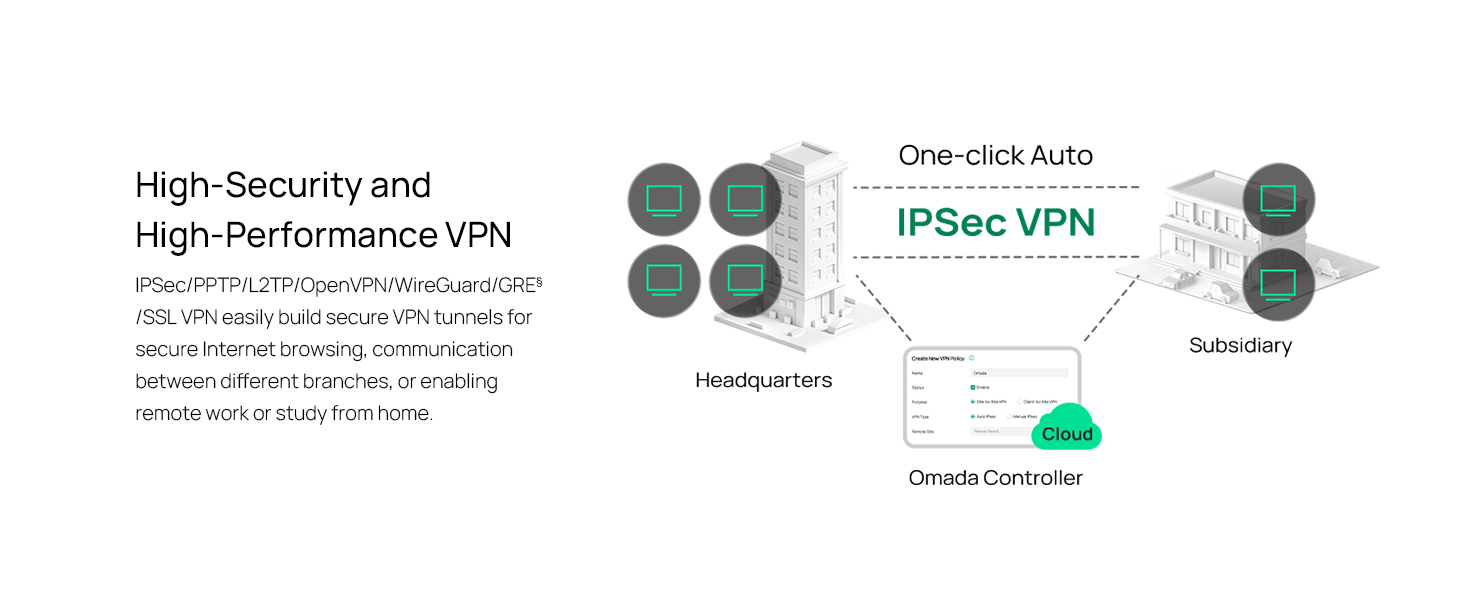
Figure 3: Visual representation of a secure VPN tunnel setup.
- IPsec VPN: Establish secure tunnels between networks (e.g., office to branch office).
- OpenVPN/SSL VPN: Provide secure remote access for individual users.
- PPTP/L2TP VPN: Legacy VPN protocols for various client connections.
4.3 Sigurnosne značajke
The router includes advanced security measures to protect your network:
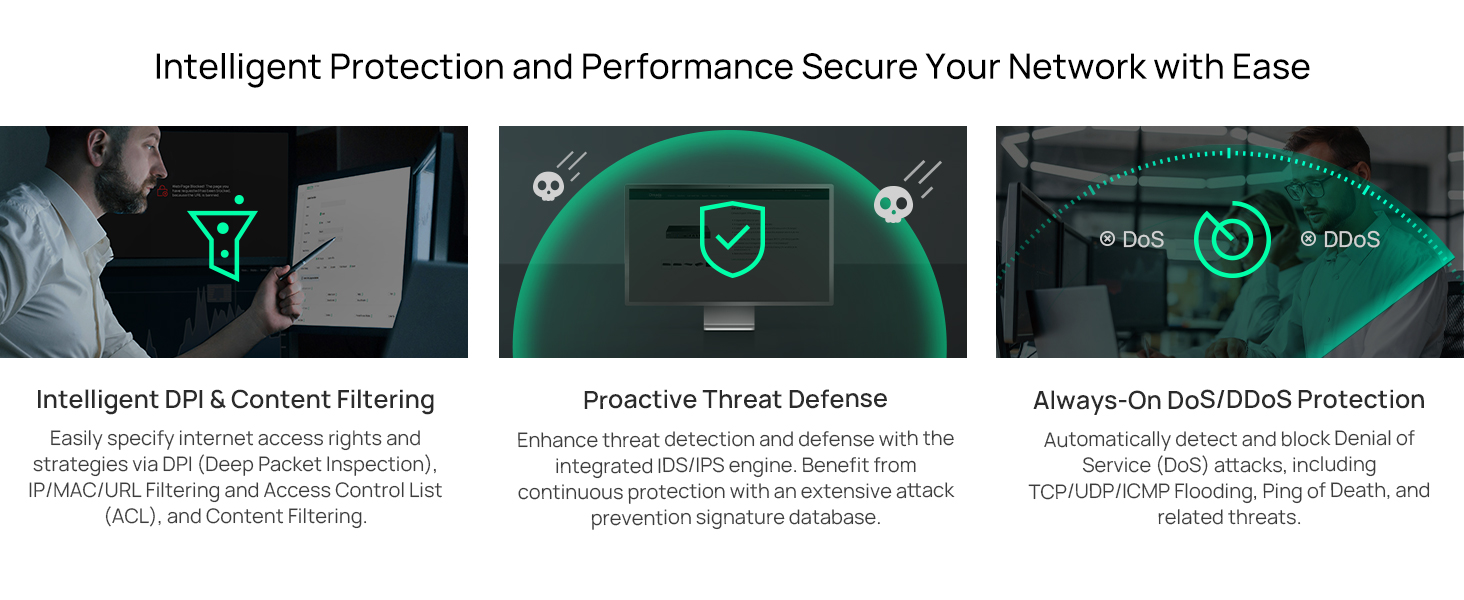
Slika 4: Gotovoview of intelligent protection and performance features.
- SPI vatrozid: Stateful Packet Inspection firewall for network protection.
- Policy-based Firewall: Define rules to control network traffic based on specific criteria.
- DoS/DDoS zaštita: Defend against Denial of Service and Distributed Denial of Service attacks.
- Popis kontrole pristupa (ACL): Manage network access for specific devices or users.
4.4 Integracija Omada SDN-a
The ER707-M2 is part of the Omada Software-Defined Networking (SDN) solution, allowing for centralized management of your entire network.

Figure 5: How the ER707-M2 integrates into an Omada SDN network.
- Centralizirano upravljanje: Manage the router, access points, and switches from a single interface via the Omada Controller (hardware or software).
- Daljinski pristup: Access and manage your network from anywhere using the Omada app or cloud portal.
- Seamless Scalability: Easily expand your network by adding more Omada devices.
5. Održavanje
To ensure optimal performance and security of your ER707-M2 router, regular maintenance is recommended:
- Ažuriranja firmvera: Povremeno provjeravajte službene podatke TP-Linka. webstranica za najnovije verzije firmvera. Ažuriranje firmvera može poboljšati performanse, dodati nove značajke i ispraviti sigurnosne ranjivosti.
- Sigurnosna kopija konfiguracije: Regularly back up your router's configuration settings. This allows for quick restoration in case of accidental changes or system issues.
- Fizička inspekcija: Ensure the router is placed in a well-ventilated area, free from dust and obstructions. Check cable connections for secure fit.
- Sigurnost Review: Povremeno review your firewall rules, VPN settings, and access control lists to ensure they meet your current security requirements.
6. Rješavanje problema
If you encounter issues with your ER707-M2 router, consider the following troubleshooting steps:
- Nema pristupa internetu:
- Check all cable connections (WAN, LAN, Power).
- Verify your modem or ISP device is working correctly.
- Confirm WAN settings in the router's web sučelje je ispravno.
- Restart the modem, then the router, and then your connected devices.
- Ne mogu pristupiti Web Upravljačka stranica:
- Provjerite je li vaše računalo spojeno na LAN priključak rutera.
- Verify your computer's IP address is in the same subnet as the router (e.g., if router is 192.168.0.1, computer should be 192.168.0.x).
- Pokušajte izbrisati predmemoriju preglednika ili upotrijebite drugi preglednik.
- If the issue persists, perform a factory reset (see below).
- Spora brzina mreže:
- Provjerite brzinu svog davatelja internetskih usluga.
- Ensure all cables are Cat5e or higher for Gigabit/2.5Gig connections.
- Monitor network usage to identify bandwidth-intensive applications or devices.
- Verify duplex settings on connected devices and router ports.
- Vraćanje na tvorničke postavke: If all else fails, you can restore the router to its factory default settings. Locate the Reset button on the router (often a small pinhole button), press and hold it for about 5-10 seconds until the system LED blinks, then release. This will erase all custom configurations.
7. Specifikacije
| Značajka | Detalj |
|---|---|
| Marka | TP-Link |
| Naziv modela | ER707-M2 |
| Tehnologija povezivanja | Ethernet |
| Broj priključaka | 6 (1x 2.5G WAN, 1x 2.5G WAN/LAN, 4x Gigabit WAN/LAN, 1x Gigabit SFP WAN/LAN, 1x USB 2.0) |
| LAN Port Bandwidth | 10/100/1000/2500 Mbps |
| Brzina prijenosa podataka | 2500 megabita u sekundi |
| Maksimalna brzina prijenosa podataka uzvodno | 5000 megabita u sekundi |
| Sigurnosni protokol | SSL, IPSec, GRE, SSH, IKEv1/v2, PPTP, L2TP, OpenVPN |
| Metoda kontrole | aplikacija, Web Sučelje |
| Operativni sustav | ZyNOS (TP-Link Omada) |
| Težina artikla | 1.1 kilogram |
| Dimenzije predmeta (D x Š x V) | 12.9 cm D x 9.5 cm Š x 3.1 cm V |
8. Informacije o jamstvu
The TP-Link ER707-M2 Omada Multi-Gigabit VPN Router is backed by an industry-leading 5-godišnje jamstvo proizvođačaOvo jamstvo pokriva nedostatke u materijalu i izradi pri normalnoj uporabi. Molimo sačuvajte dokaz o kupnji za potrebe jamstvenog zahtjeva.
9. Podrška
For technical assistance, product information, or warranty inquiries, please contact TP-Link support:
- Telefonska podrška: (866) 225-8139 (Available Monday to Friday, 6am to 6pm PST)
- Proizvod Webstranica: myproducts.tp-link.com/us
- Podrška e-poštom: support.USA@tp-link.com