
Elite Aria
Elite Aria Smart Cooling Fan User Manual
Model: Aria (Part No. 3204003750)
1. Uvod
The Elite Aria Smart Cooling Fan is an advanced device designed to enhance your indoor cycling experience by replicating outdoor ride conditions. It features intelligent airflow adjustment based on your workout intensity and data, reaching speeds up to 50 km/h. The Aria fan offers extensive compatibility with various sensors and devices, ensuring a highly immersive and effective training environment.
This manual provides essential information for the safe and efficient operation, setup, and maintenance of your Elite Aria Smart Cooling Fan. Please read it thoroughly before using the product.
2. Sigurnosne informacije
- Uvijek pazite da ventilator bude postavljen na stabilnu, ravnu površinu kako biste spriječili prevrtanje.
- Keep hands, hair, and loose clothing away from the fan blades during operation.
- Ne koristite ventilator s oštećenim kabelom za napajanje ili utikačem.
- Ne uranjajte ventilator u vodu niti ga izlažite prekomjernoj vlazi.
- Prije čišćenja ili bilo kakvog održavanja isključite ventilator iz električne utičnice.
- Ovaj uređaj nije namijenjen za korištenje od strane osoba (uključujući djecu) sa smanjenim fizičkim, osjetilnim ili mentalnim sposobnostima, ili nedostatkom iskustva i znanja, osim ako nisu pod nadzorom ili su dobili upute o korištenju uređaja od strane osobe odgovorne za njihovu sigurnost.
3. Sadržaj paketa
Provjerite jesu li svi artikli prisutni u paketu:
- Elite Aria Smart Fan Unit
- Adapter napajanja
- 2 x Activated Carbon Filters (pre-installed or separate)
- Korisnički priručnik (ovaj dokument)
4. Postavljanje
4.1 Raspakiranje i postavljanje
- Carefully remove the Elite Aria Smart Cooling Fan from its packaging.
- Place the fan on a flat, stable surface in front of your training setup.
- Adjust the fan's angle to optimize airflow. The Aria features 10 adjustable positions, ranging from 0° to 50°, to best cover a cyclist's body shape.
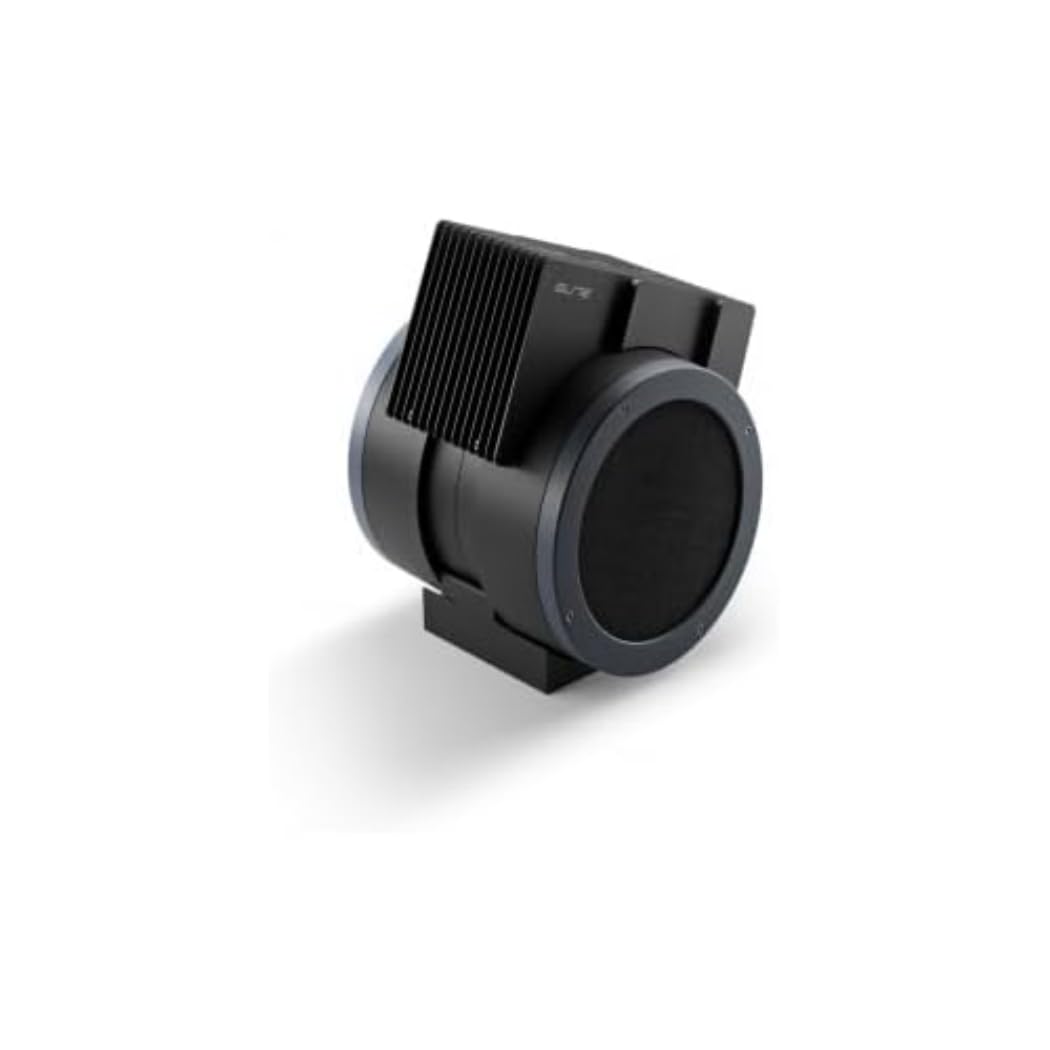
An image showing the Elite Aria Smart Cooling Fan, a black, cylindrical device with a rectangular top section containing cooling fins, designed for indoor cycling training.
4.2 Priključak za napajanje
- Connect the power adapter to the fan's power input port.
- Utaknite strujni adapter u odgovarajuću električnu utičnicu.
- The fan will power on in standby mode or manual mode, indicated by the control panel lights.
4.3 Ugradnja filtera (ako nije prethodno instaliran)
The Aria includes 2 activated carbon filters designed to filter air and remove workout odors. If not pre-installed, follow these steps:
- Locate the filter compartments on the fan (refer to the diagram in the quick start guide if available).
- Insert the activated carbon filters into their respective slots. Ensure they are securely seated.
5. Načini rada
5.1 Ručni način rada
The Aria fan can be operated manually using the small keyboard on the unit:
- Gumb za napajanje: Press to turn the fan on/off or activate standby mode.
- Podešavanje brzine: Use the dedicated buttons to cycle through 4 manual wind intensity levels.
- Stanje čekanja: Activate standby mode when not actively training.
5.2 Smart Mode (Automatic Adjustment)
The Aria fan's primary feature is its ability to automatically adjust airflow based on your workout data. It communicates wirelessly with various sensors and devices:
- ANT+ FE-C & ANT+ Speed Devices/Sensors: For speed-based airflow.
- ANT+ Power Meters: For power-based airflow.
- ANT+ & BLE Heart Rate Monitors: For heart rate-based airflow.
- ANT+ Body Temperature Sensors: For body temperature-based airflow.
To pair with a device or sensor:
- Ensure your sensor/device is active and within range.
- On the Aria's keyboard, press the button to select the desired data source (speed, power, heart rate, body temperature).
- The fan will automatically search for and connect to compatible sensors. Once connected, airflow will adjust dynamically.
5.3 My E-Training App Control
The Elite Aria fan can also be controlled via the My E-Training app, providing quick access to all main functions and advanced settings:
- Download and install the My E-Training app on your smartphone or tablet.
- Open the app and ensure Bluetooth is enabled on your device.
- Follow the in-app instructions to connect to your Elite Aria fan.
- Through the app, you can select the device/sensor to be connected, adjust wind power percentage, and customize advanced settings to suit your workout needs.
Note: You do not need a subscription to the My E-Training app to access all of Aria's features within the app.
6. Održavanje
6.1 Čišćenje
- Uvijek isključite ventilator prije čišćenja.
- Obrišite vanjske površine ventilatora mekom,amp tkanina. Nemojte koristiti abrazivna sredstva za čišćenje ili otapala.
- Pazite da voda ne uđe u unutarnje komponente.
6.2 Activated Carbon Filter Replacement
The activated carbon filters help remove workout odors. They should be replaced periodically depending on usage and air quality.
- Isključite ventilator iz utičnice.
- Locate the filter compartments.
- Carefully remove the spent filters.
- Insert new activated carbon filters, ensuring they fit snugly.
- Odgovorno odložite stare filtere.
7. Rješavanje problema
- Ventilator se ne uključuje:
- Check if the power cord is securely plugged into both the fan and the electrical outlet.
- Provjerite je li električna utičnica funkcionalna.
- No automatic airflow adjustment:
- Ensure your sensors/devices are turned on and within range of the fan.
- Verify that the correct data source (speed, power, HR, temp) is selected on the fan's control panel or via the My E-Training app.
- Check battery levels of your external sensors.
- Try restarting both the fan and your sensors/devices.
- Slab protok zraka:
- In manual mode, increase the speed level.
- In smart mode, ensure your workout intensity data is being correctly transmitted and interpreted.
- Check if the air intake or output is obstructed.
- Consider replacing the activated carbon filters if they are old or heavily used.
8. Specifikacije
| Značajka | Specifikacija |
|---|---|
| Naziv marke | Elita |
| Naziv modela | Arija |
| Broj dijela | 3204003750 |
| Materijal | Termoplastični |
| Dimenzije artikla (DxŠxV) | 12.2 x 11.81 x 14.17 inča |
| Dimenzije pakiranja (DxŠxV) | 17.72 x 17.32 x 14.76 inča |
| Težina paketa | 6.2 kilogram |
| Maksimalna brzina protoka zraka | Do 50 km / h |
| Podesivi položaji | 10 (0° do 50°) |
| Povezivost | ANT+ FE-C, ANT+ Speed, ANT+ Power, ANT+ HR, BLE HR, ANT+ Body Temperature |
| Uključene komponente | Aria Smart Fan, 2 Activated Carbon Filters |
9. Jamstvo i podrška
Elite products are manufactured to high standards and are covered by a limited warranty. For specific warranty terms and conditions, please refer to the warranty card included with your product or visit the official Elite webmjesto.
For technical support, troubleshooting assistance, or to inquire about replacement parts (such as activated carbon filters), please contact Elite customer service through their official webweb-mjesto ili kontaktne podatke navedene u pakiranju proizvoda.
Mrežni resursi:
Ask a question about this manual
Ask about setup, troubleshooting, compatibility, parts, safety, or missing instructions. Manuals+ will review the question and use this page’s manual context to help answer it.