
1. Uvod
Thank you for choosing the COUGAR MX360 RGB Mid Tower Case. This manual provides essential information for the proper installation, operation, and maintenance of your new PC case. The MX360 RGB combines a sleek design with ARGB LED strips on the front panel, offering excellent cooling performance and support for a wide range of components, including up to a 360mm radiator, 315mm graphics cards, and 170mm CPU coolers. Its compact layout and full-length PSU shroud contribute to a clean and organized build.
2. Sigurnosne informacije
- Uvijek isključite napajanje iz zidne utičnice prije ugradnje ili uklanjanja bilo kakvih komponenti.
- Handle components with care to avoid damage from static electricity. Consider using an anti-static wrist strap.
- Držite male dijelove i vijke dalje od djece.
- Osigurajte odgovarajuću ventilaciju oko kućišta kako biste spriječili pregrijavanje.
- Do not attempt to modify the case or its components, as this may void your warranty and pose safety risks.
3. Sadržaj paketa
Molimo provjerite jesu li svi sljedeći artikli uključeni u vaš paket:
- COUGAR MX360 RGB Mid Tower kućište
- Kutija s priborom (sadrži vijke, odstojnike, kabelske vezice itd.)
- Korisnički priručnik (ovaj dokument)
4. Proizvod je gotovview
The COUGAR MX360 RGB case features a minimalist design with integrated ARGB lighting and a tempered glass side panel for showcasing your build.

Slika 4.1: Prednja strana view of the COUGAR MX360 RGB case, showing the interior and active RGB lighting.
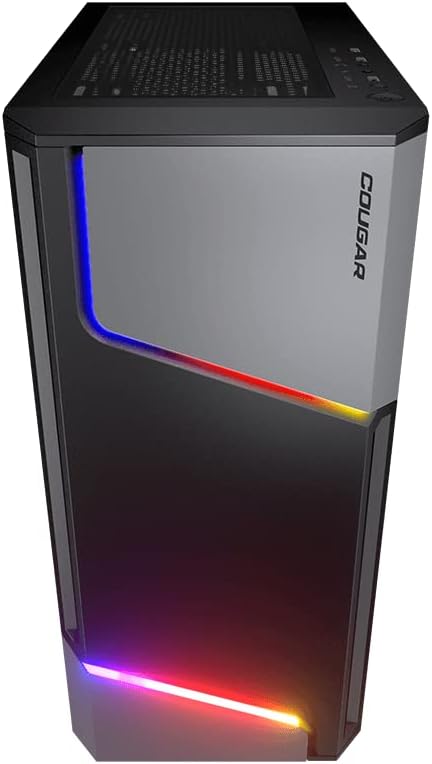
Slika 4.2: Prednja strana view of the COUGAR MX360 RGB case, highlighting the integrated ARGB LED strips.
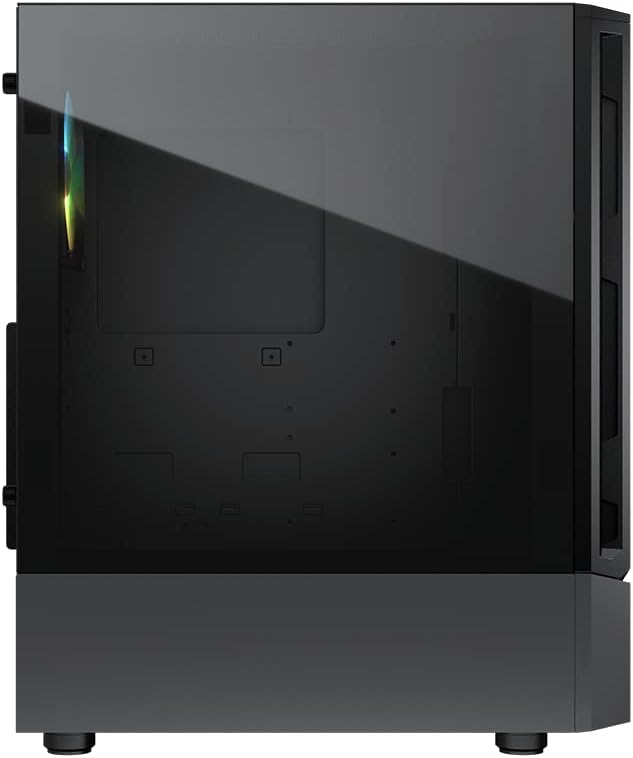
Slika 4.3: Bočna strana view of the COUGAR MX360 RGB case, featuring the tempered glass panel.

Slika 4.4: Kutni prednji dio view of the COUGAR MX360 RGB case, showcasing its design and ARGB elements.
5. Postavljanje i instalacija
Follow these steps to install your components into the COUGAR MX360 RGB case.
5.1 Priprema slučaja
- Postavite kućište na ravnu, stabilnu površinu.
- Remove the tempered glass side panel by unscrewing the thumb screws at the rear of the case and carefully sliding the panel off.
- Remove the opposite metal side panel by unscrewing the thumb screws and sliding it off.
5.2 Instalacija matične ploče
- Install the I/O shield (if not pre-installed on your motherboard) into the rear opening of the case.
- Ensure the correct standoffs are installed for your motherboard form factor (ATX, Micro-ATX, Mini-ITX). Adjust or add standoffs as needed.
- Pažljivo postavite matičnu ploču na odstojnike, poravnavajući rupe za vijke.
- Pričvrstite matičnu ploču priloženim vijcima.
5.3 Instalacija jedinice za napajanje (PSU)
- Locate the PSU shroud at the bottom of the case.
- Umetnite napajanje u za to predviđeni odjeljak sa stražnje strane kućišta.
- Pričvrstite napajanje vijcima sa stražnje strane kućišta.
- Route necessary cables through the cutouts in the PSU shroud for cable management.
5.4 Instalacija pogona za pohranu
The MX360 RGB supports various storage configurations.
- 3.5" tvrdi diskovi: Install into the drive cage located under the PSU shroud.
- 2.5" SSDs/HDDs: Mount onto the dedicated trays or mounting points behind the motherboard tray.
5.5 Instalacija grafičke kartice (GPU)
- Uklonite potrebne poklopce PCIe utora sa stražnje strane kućišta.
- Umetnite grafičku karticu u odgovarajući PCIe utor na matičnoj ploči.
- Secure the graphics card with screws. The case supports graphics cards up to 315mm in length.
5.6 Cooling System Installation (Fans/Radiators)
The case supports up to six fans and a 360mm water cooling radiator.
- Ispred: Supports up to 3 x 120mm or 2 x 140mm fans, or a 240/280/360mm radiator.
- Vrh: Supports up to 2 x 120mm or 2 x 140mm fans, or a 240/280mm radiator.
- straga: Podržava 1 x 120 mm ventilator.
Install fans or radiators using the provided screws, ensuring proper airflow direction.
5.7 Priključci prednje ploče
Connect the front panel cables (USB, Audio, Power, Reset, LED) to their corresponding headers on your motherboard. Refer to your motherboard manual for exact header locations.
5.8 ARGB Lighting Connection
The integrated ARGB LED strips on the front panel connect via a 5V/3Pin ARGB connector. Connect this cable to a compatible 5V/3Pin ARGB header on your motherboard to synchronize lighting effects with your system.
6. Upravljanje kućištem
Once all components are installed and connected, replace the side panels. Power on your system using the power button on the top I/O panel. The ARGB lighting will illuminate, controlled by your motherboard's software or a dedicated ARGB controller if you have one installed.
7. Održavanje
Redovito održavanje pomaže u osiguravanju optimalnih performansi i dugovječnosti komponenti vašeg računala.
- Filteri za prašinu: The MX360 RGB includes removable dust filters (e.g., top, bottom). Periodically remove and clean these filters with compressed air or water (ensure they are completely dry before reinstallation).
- Čišćenje interijera: Use compressed air to remove dust from internal components like fans, heatsinks, and the motherboard.
- Vanjsko čišćenje: Obrišite vanjske površine mekom, damp tkanina. Izbjegavajte abrazivna sredstva za čišćenje.
8. Rješavanje problema
Ako naiđete na probleme, pogledajte sljedeće uobičajene korake za rješavanje problema:
- Bez napajanja: Ensure all power cables (24-pin ATX, 8-pin CPU, GPU power) are securely connected. Check the PSU switch is in the 'ON' position. Verify front panel power button connection to the motherboard.
- ARGB rasvjeta ne radi: Confirm the 5V/3Pin ARGB connector is correctly plugged into a compatible motherboard header. Check your motherboard's RGB software for control settings.
- Pregrijavanje: Ensure all case fans are spinning and oriented correctly for optimal airflow. Check for dust buildup on filters and components. Verify CPU cooler and GPU cooler are properly installed.
- Labavi spojevi: Re-seat all components (RAM, GPU, storage drives) and check all power and data cables.
9. Specifikacije
| Značajka | Specifikacija |
|---|---|
| Marka | COUGAR |
| Naziv modela | MX360 RGB |
| Broj modela artikla | CGR-5CC6G-RGB |
| Vrsta kućišta | Srednji toranj |
| Dimenzije (DxŠxV) | 14.88 x 8.27 x 18.11 inča (378 x 210 x 460 mm) |
| Težina artikla | 10.56 funti (4.8 kilograma) |
| Materijal | Tempered Glass, Fine Metal |
| Boja | Crna |
| Podrška za matičnu ploču | Mini ITX / Micro ATX / ATX |
| Maks. Duljina grafičke kartice | 315 mm |
| Maks. Visina CPU hladnjaka | 170 mm |
| PSU podrška | Standardni ATX PS2 |
| Metoda hlađenja | Zrak / Voda |
| Podrška radijatora | Front: 360mm / 280mm / 240mm / 140mm / 120mm Top: 280mm / 240mm / 140mm / 120mm Stražnji: 120 mm |
| Podrška obožavatelja | Prednja strana: 3 x 120 mm / 2 x 140 mm Vrh: 2 x 120 mm / 2 x 140 mm Straga: 1 x 120 mm |
| Drive Bays | 3.5" HDD: 2 2.5" SSD: 2+2 (converted from 3.5" drive bays) |
| I/O ploča | USB 3.0 x 2, USB 2.0 x 1, Mic x 1, Audio x 1, RGB Button |
| Posebna značajka | ARGB LED Strips, Full-length PSU Cover for Cable Hiding and Improved Airflow |
10. Jamstvo i podrška
COUGAR products are designed and manufactured to the highest quality standards. For warranty information, please refer to the warranty card included with your product or visit the official COUGAR webstranicu. Sačuvajte dokaz o kupnji za slučaj reklamacije.
For technical support or further assistance, please visit the official COUGAR website or contact their customer service department. You can find more information and resources on the COUGAR Store on Amazon.