
1. Uvod
Thank you for choosing the Aigo AC SE 120 Water Cooler. This All-in-One (AIO) liquid cooling system is designed to provide efficient thermal management for your CPU, ensuring stable performance and extended component lifespan. This manual provides detailed instructions for installation, operation, maintenance, and troubleshooting.
Please read this manual thoroughly before installation and use to ensure proper setup and to prevent any damage to your system.
2. Sigurnosne informacije
- Uvijek isključite napajanje računala prije instaliranja ili održavanja bilo koje komponente.
- Pažljivo rukujte komponentama kako biste izbjegli oštećenja.
- Nosite antistatičku narukvicu kako biste spriječili oštećenje osjetljivih komponenti uzrokovano elektrostatičkim pražnjenjem (ESD).
- Do not open the sealed liquid cooling loop. Tampering with the unit may cause leaks and void your warranty.
- Ensure all cables are properly connected and routed to avoid interference with moving parts (e.g., fan blades).
- Čuvati izvan dohvata djece.
3. Sadržaj paketa
Verify that all components are present and in good condition before proceeding with installation.
- Aigo AC SE 120 Water Cooler Unit (Pump, Radiator, Fan pre-installed)
- Mounting Hardware for Intel Sockets (LGA 2066/ 2011-v3 / 2011 / 1700 / 1366 / 1200 / 115X)
- Mounting Hardware for AMD Sockets (FM1 / FM2 / FM2+ / AM2 / AM2+ / AM3 / AM3+ / AM4)
- Termalna pasta (unaprijed nanesena ili u tubi)
- korisnički priručnik

Image: Aigo AC SE 120 Water Cooler unit with its fan, radiator, pump, and various mounting brackets and screws for different CPU sockets.
4. Specifikacije
| Socket Compatibility (Intel) | LGA 2066/ 2011-v3 / 2011 / 1700 / 1366 / 1200 / 115X |
| Socket Compatibility (AMD) | FM1 / FM2 / FM2+ / AM2 / AM2+ / AM3 / AM3+ / AM4 |
| Dimenzije vodenog bloka | 71 x 66.5 x 45 mm |
| Dimenzije hladnjaka | 154 x 120 x 27 mm |
| Dimenzije ventilatora | 120 x 120 x 25 mm |
| Brzina pumpe | 3200 ± 10% okretaja u minuti |
| Brzina ventilatora | 800 ~ 1800 o / min |
| Strujanje zraka | 64.05 CFM |
| TDP (Termalna projektirana snaga) | 165 W |
| Razina buke | 30 dBA ± 10% |
| Statički tlak | 1.85 mmH2O |
| Vrsta ležaja | Keramika |
| Ocijenjeno svtage | 12 V |
| Metoda hlađenja | Tekućina (voda) |
| Kompatibilni uređaji | Radna površina |
5. Postavljanje i instalacija
This section outlines the general steps for installing your Aigo AC SE 120 Water Cooler. Specific steps may vary slightly depending on your motherboard and PC case. Always refer to your motherboard and case manuals for detailed instructions.
5.1 Priprema utičnice procesora
- Intel utičnice: Attach the correct Intel backplate to the rear of your motherboard. Secure the standoffs through the motherboard holes from the front.
- AMD utičnice: The cooler typically uses the existing AMD backplate. Remove the plastic retention clips from the stock AMD cooler mount, leaving the backplate in place. Install the appropriate AMD standoffs.
- Ensure the CPU is correctly seated in its socket.
- Očistite površinu procesora izopropilnim alkoholom kako biste uklonili staru termalnu pastu ili ostatke.
- Apply a thin, even layer of thermal paste to the center of the CPU's integrated heat spreader (IHS). If thermal paste is pre-applied to the water block, skip this step.
5.2 Install the Radiator and Fan
- Determine the optimal mounting location for the 120mm radiator in your PC case. Common locations include the rear exhaust or top exhaust.
- Mount the 120mm fan to the radiator using the provided screws. Ensure the fan is oriented to push or pull air in the desired direction (e.g., exhaust air out of the case).
- Secure the radiator assembly to your PC case using the appropriate screws.

Slika: Bočno view of the Aigo AC SE 120 Water Cooler, showing the radiator with a white fan attached, and the pump/water block unit.
5.3 Montirajte vodeni blok
- Attach the correct mounting brackets to the water block/pump unit.
- Pažljivo postavite vodeni blok na procesor, poravnavajući rupe za montažu s odstojnicima.
- Pričvrstite vodeni blok priloženim vijcima ili maticama, zatežući ih dijagonalno dok ne budu čvrsto. Nemojte previše zategnuti.
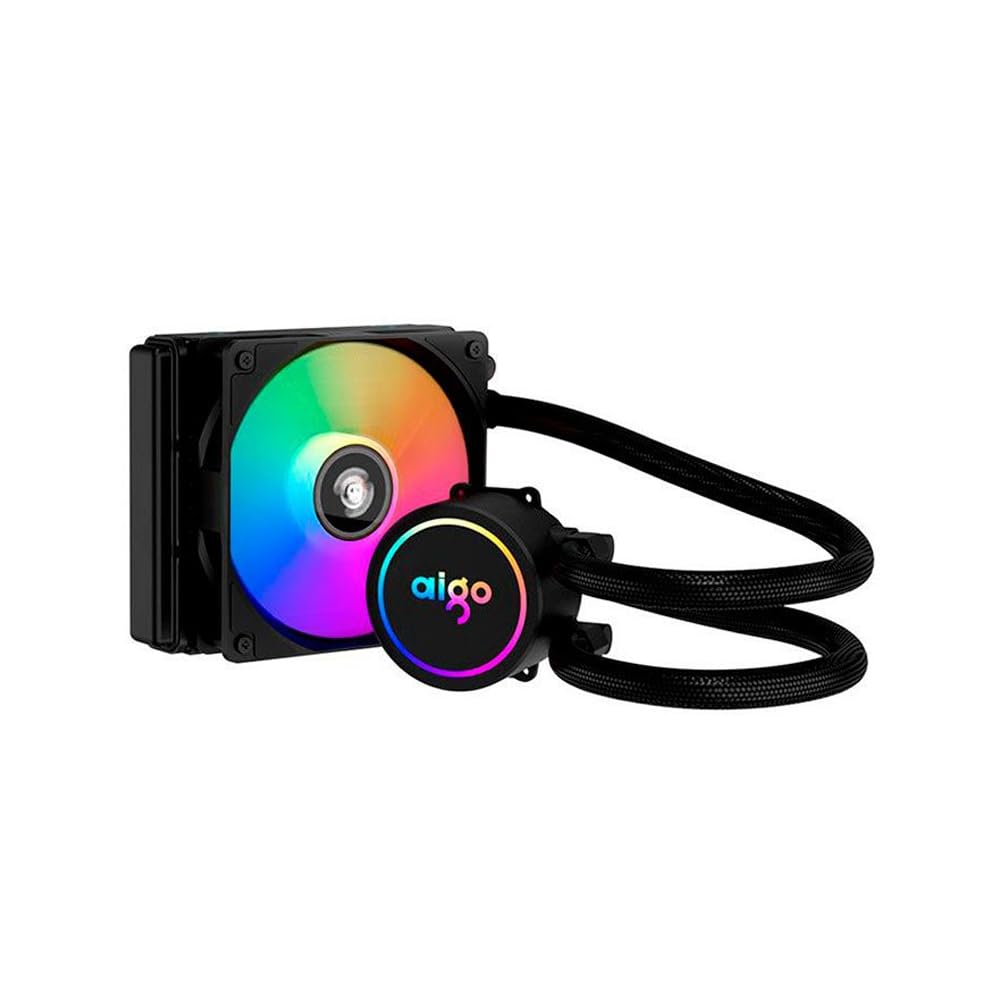
Image: The Aigo AC SE 120 Water Cooler showing the pump unit with an illuminated Aigo logo and a rainbow-colored fan on the radiator.
5.4 Spojite kabele
- Connect the pump power cable to a dedicated AIO_PUMP or CPU_FAN header on your motherboard. If your motherboard has neither, use a SYS_FAN header and ensure it is set to run at full speed in the BIOS.
- Connect the fan power cable to the CPU_FAN header on your motherboard. If your motherboard has multiple fan headers, consult your motherboard manual for the recommended CPU fan header.
- If your cooler has RGB lighting, connect the RGB cable to a compatible RGB header on your motherboard (e.g., 3-pin ARGB or 4-pin RGB, depending on the cooler's connector type).
- Route all cables neatly to avoid obstructing airflow or interfering with other components.
6. Upute za rad
Once installed, the Aigo AC SE 120 Water Cooler operates automatically based on your motherboard's fan control settings.
- Početno uključivanje: After installation, power on your computer. The pump and fan should start operating.
- Postavke BIOS-a/UEFI-ja: Access your motherboard's BIOS/UEFI settings to ensure the CPU_FAN and AIO_PUMP headers are configured correctly. It is recommended to set the pump header to run at full speed (100%) for optimal cooling performance. Fan speeds can be adjusted based on temperature curves for a balance of cooling and noise.
- RGB osvjetljenje: If connected to an RGB header, the lighting effects can typically be controlled via your motherboard's RGB software (e.g., ASUS Aura Sync, MSI Mystic Light, Gigabyte RGB Fusion, ASRock Polychrome Sync).
- Praćenje: Use system monitoring software to check CPU temperatures and ensure the cooler is functioning effectively.

Slika: Od vrha prema dolje view of the Aigo AC SE 120 Water Cooler, highlighting the illuminated Aigo logo on the pump and the rainbow lighting of the fan.
7. Održavanje
Regular maintenance helps ensure optimal performance and longevity of your water cooler.
- Čišćenje prašine: Povremeno čistite rebra hladnjaka i lopatice ventilatora kako biste spriječili nakupljanje prašine, koja može ometati protok zraka i smanjiti učinkovitost hlađenja. Koristite komprimirani zrak ili meku četku.
- Inspekcija ventilatora: Check the fan for any signs of wear, damage, or excessive noise. Replace if necessary.
- Pregled crijeva: Visually inspect the hoses for any kinks, cracks, or signs of leakage. While AIOs are sealed, regular checks are recommended.
- Termalna pasta: The thermal paste typically lasts for several years. If you notice a significant increase in CPU temperatures over time, consider reapplying fresh thermal paste. This requires carefully removing the water block, cleaning both surfaces, and applying new paste.
8. Rješavanje problema
If you encounter issues with your Aigo AC SE 120 Water Cooler, refer to the following common problems and solutions:
| Problem | Mogući uzrok | Otopina |
|---|---|---|
| Visoke temperature procesora |
|
|
| Ventilator se ne okreće |
|
|
| Pump Not Running / Unusual Noise |
|
|
| RGB rasvjeta ne radi |
|
|
9. Jamstvo i podrška
The Aigo AC SE 120 Water Cooler comes with a Jamstvo 12 mjeseci od datuma kupnje. Ovo jamstvo pokriva proizvodne nedostatke i kvarove u normalnim uvjetima upotrebe.
Jamstvo ne pokriva:
- Damage caused by improper installation, misuse, abuse, or neglect.
- Oštećenja uzrokovana neovlaštenim izmjenama ili popravcima.
- Štete uzrokovane elementarnim nepogodama ili nesrećama.
For technical support, warranty claims, or further assistance, please contact your retailer or the Aigo customer service department. Please have your proof of purchase and product model number (ACSE120-BK) ready when contacting support.