
1. Proizvod je gotovview
The Cudy GS108D is an 8-port Gigabit Ethernet Network Switch designed for expanding your network connectivity. It offers high-speed data transfer for devices such as computers, IPTVs, printers, NAS, game consoles, and routers. Featuring a plug-and-play design, fanless operation, and energy-efficient technology, this switch provides a reliable and quiet solution for both home and office networks.

Slika: prednja strana view of the Cudy GS108D switch, highlighting its 8 Gigabit Ethernet ports and LED indicators.
Ključne karakteristike:
- 8 gigabitnih Ethernet priključaka: Provides high-speed wired connections for multiple devices.
- Plug and Play: Requires no software installation or configuration for immediate use.
- Dizajn bez ventilatora: Ensures quiet operation, suitable for any environment.
- Energetski učinkovito: Compliant with IEEE802.3az standard, saving power when ports are idle.
- Svestrana montaža: Podržava i postavljanje na stol i montažu na zid.
2. Sadržaj paketa
Provjerite sadrži li vaš paket sljedeće stavke:
- Cudy GS108D 8-Port Gigabit Ethernet Network Switch
- Adapter napajanja
- Upute za uporabu (ovaj dokument)
- Ethernet Cable (may vary by region/package)

Image: Contents of the Cudy GS108D package, showing the switch, power adapter, and an Ethernet cable.
3. Fizički opis
Prednja ploča:
The front panel features eight 10/100/1000 Mbps RJ45 ports. Each port has an associated LED indicator to show link/activity status.
- LED za napajanje: Pokazuje status napajanja prekidača.
- LED diode za povezivanje/djelovanje (1-8):
- Stalno zeleno: A device is connected and the link is active.
- Trepere zeleno: Podaci se prenose ili primaju na portu.
- isključeno: No device is connected or the link is inactive.

Slika: Detaljna view of the Cudy GS108D's front panel, showing the 8 RJ45 ports and their corresponding LED indicators.
Stražnji panel:
Stražnja ploča obično sadrži priključak za napajanje.
Dimenzije:
The compact design of the GS108D allows for flexible placement. Approximate dimensions are 138mm (5.43") L x 61.5mm (2.42") W x 24mm (0.94") H.
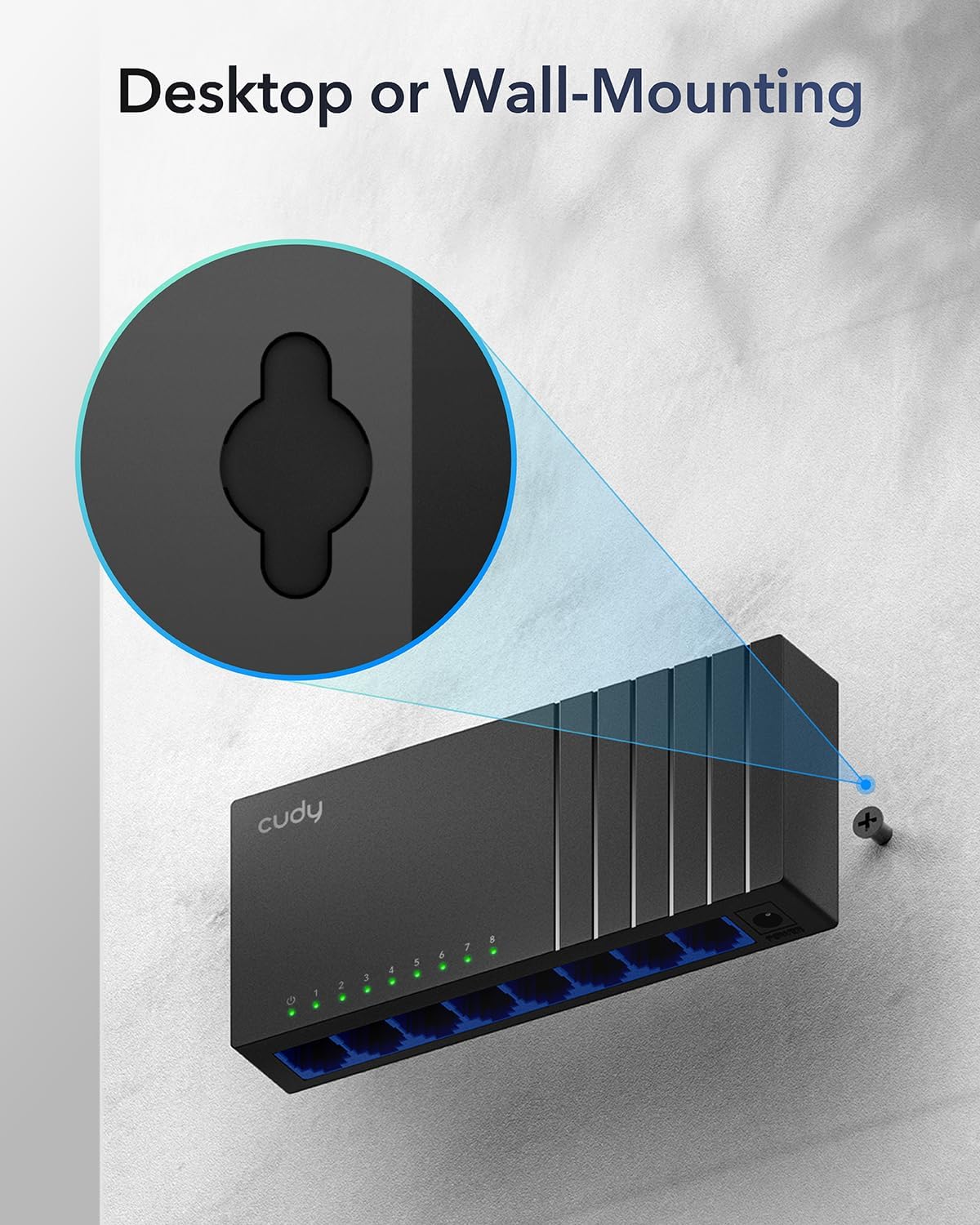
Image: The Cudy GS108D switch with its compact dimensions clearly indicated.
4. Upute za postavljanje
The Cudy GS108D switch is designed for simple plug-and-play installation. No complex configuration is required.
Korak 1: Priključak na napajanje
- Connect one end of the provided power adapter to the power port on the rear panel of the GS108D switch.
- Drugi kraj adaptera za napajanje priključite u standardnu električnu utičnicu.
- Provjerite svijetli li LED lampica napajanja na prednjoj ploči, što ukazuje na to da prekidač prima napajanje.

Image: The Cudy GS108D switch with its power adapter connected and ready for use.
Korak 2: Povezivanje uređaja
- Connect your network devices (e.g., computer, router, NAS, game console) to any of the 8 RJ45 ports on the front panel using standard Ethernet cables (Cat5e or higher recommended for Gigabit speeds).
- Ensure the Link/Act LED for each connected port illuminates, indicating a successful connection. If the LED is flashing, data is being transmitted.

Image: A laptop being connected to the Cudy GS108D switch with an Ethernet cable, demonstrating a typical setup.
Korak 3: Mogućnosti montaže
The GS108D supports both desktop placement and wall mounting.
- Položaj na radnoj površini: Simply place the switch on a flat, stable surface.
- Montaža na zid: The switch features mounting slots on its underside. Use appropriate screws (not included) to secure the switch to a wall.

Image: The Cudy GS108D switch shown with its wall-mounting slots, illustrating how it can be securely attached to a wall.
5. Upute za rad
Once connected, the Cudy GS108D operates automatically without further user intervention.
Auto-pregovaranje
Each port on the switch automatically detects the network speed (10/100/1000 Mbps) and duplex mode (Half/Full Duplex) of the connected device and adjusts accordingly for optimal performance.
Optimizacija prometa
The switch features a 4 Mbit packet buffer to ensure stable and efficient data forwarding, reducing packet loss and improving overall network performance, especially during high traffic loads.
Energy Efficiency (IEEE 802.3az)
The GS108D incorporates energy-efficient Ethernet technology. It automatically adjusts power consumption based on cable length and network traffic, reducing energy usage when ports are idle or when connected devices are turned off.

Image: Visual representation of the power-saving feature, showing reduced energy consumption when ports are idle.
Prijenos na velike udaljenosti
The switch supports long-distance Ethernet cable runs, allowing for reliable data transmission up to 170 meters (557 feet) with Cat5e or higher Ethernet cables.

Image: Illustration of the Cudy GS108D's capability for long-distance transmission, up to 170 meters, requiring Cat5e or higher cables.
6. Održavanje
To ensure optimal performance and longevity of your Cudy GS108D switch, follow these maintenance guidelines:
- Plasman: Prekidač postavite na hladno i suho mjesto, dalje od izravne sunčeve svjetlosti, izvora topline i prekomjerne vlage. Osigurajte odgovarajuću ventilaciju oko uređaja.
- Čišćenje: Za čišćenje vanjske strane prekidača koristite meku, suhu krpu. Nemojte koristiti tekuća ili aerosolna sredstva za čišćenje.
- Vlast: Koristite samo priloženi adapter za napajanje. Isključite adapter za napajanje tijekom grmljavine ili kada se ne koristi dulje vrijeme.
- Kabeli: Ensure all Ethernet cables are securely connected and free from damage.
7. Rješavanje problema
If you encounter issues with your Cudy GS108D switch, refer to the following common troubleshooting steps:
Nema snage
- Provjerite je li adapter za napajanje sigurno spojen i na prekidač i na ispravnu električnu utičnicu.
- Provjerite je li utičnica ispravna tako da u nju priključite drugi uređaj.
- Verify that the Power LED on the switch is illuminated. If not, try a different power outlet.
No Link/Activity on a Port
- Provjerite je li Ethernet kabel sigurno priključen i u priključak preklopnika i u spojeni uređaj.
- Try using a different Ethernet cable to rule out cable damage.
- Spojite uređaj na drugi priključak na preklopniku.
- Verify that the connected device (e.g., computer, router) is powered on and its network adapter is enabled.
- If connecting to a router, ensure the router's port is active.
Spora brzina mreže
- Ensure you are using Cat5e or higher Ethernet cables for Gigabit speeds. Older Cat5 cables may limit speed.
- Check the Link/Act LED for the port. A solid green light indicates a Gigabit connection. If it's amber or off, there might be a speed mismatch or connection issue.
- Verify that the connected devices also support Gigabit Ethernet.
- Smanjite zagušenje mreže ograničavanjem istovremenih aktivnosti s velikom propusnošću.
8. Specifikacije
| Značajka | Opis |
|---|---|
| Marka | Cudy |
| Broj modela | GS108D |
| Broj priključaka | 8 |
| Sučelje | RJ45 |
| Brzina prijenosa podataka | 1000 megabita u sekundi (gigabit) |
| Tip prekidača | Ethernet prekidač |
| Kompatibilni uređaji | Camera, Desktop, Laptop, Router |
| Voltage | 28 Volts (Input for power adapter) |
| Radna temperatura | 40°F do 104°F (4.4°C do 40°C) |
| Case Material Type | Plastični |
| Dimenzije predmeta (D x Š x V) | 7.87" x 5.91" x 5.91" (Product packaging dimensions, actual device is smaller) |
| Težina artikla | 200 gram |
9. Jamstvo i podrška
Informacije o jamstvu:
The Cudy GS108D 8-Port Gigabit Ethernet Network Switch comes with a 2-godišnje jamstvo od datuma kupnje. Molimo sačuvajte dokaz o kupnji za reklamacije. Ovo jamstvo pokriva nedostatke u materijalu i izradi pri normalnoj uporabi.
Tehnička podrška:
For technical assistance, troubleshooting, or further inquiries, please visit the official Cudy website or contact Cudy customer support. Cudy is committed to delivering high-performance, user-friendly communication technology and provides resources to help you with your product.
Često možete pronaći resurse za podršku, često postavljana pitanja i kontaktne podatke na Cudy Store on Amazon or the main Cudy webmjesto.