
Uvod
Welcome to the JONR ED12 Cordless Wet Dry Vacuum Cleaner user manual. This guide provides detailed instructions for the safe and efficient operation, maintenance, and troubleshooting of your new appliance. Please read this manual thoroughly before first use and keep it for future reference.
Proizvod gotovview
The JONR ED12 is a versatile 2-in-1 cordless wet dry vacuum cleaner designed for efficient cleaning of hard floors. It combines vacuuming and mopping functions, features self-cleaning capabilities, and offers enhanced edge cleaning for comprehensive floor care.

Image: The JONR ED12 Cordless Wet Dry Vacuum Cleaner, showcasinsvojim elegantnim dizajnom i integriranim spremnicima za vodu.
Važne sigurnosne upute
Uvijek slijedite osnovne sigurnosne mjere pri korištenju električnih uređaja kako biste smanjili rizik od požara, strujnog udara ili ozljeda.
- Pročitajte sve upute prije uporabe uređaja.
- Koristite samo kako je opisano u ovom priručniku.
- Nemojte uranjati uređaj u vodu ili druge tekućine.
- Držite kosu, široku odjeću, prste i sve dijelove tijela dalje od otvora i pokretnih dijelova.
- Use only JONR recommended attachments.
- Ne koristite s oštećenim kabelom ili utikačem.
- Do not use to pick up flammable or combustible liquids.
- Ne skupljajte ništa što gori ili se dimi, poput cigareta, šibica ili vrućeg pepela.
- Isključite utikač iz utičnice kada ga ne koristite i prije servisiranja.
- Čuvati u zatvorenom na suhom mjestu.
Postavljanje i montaža
Raspakiranje
Pažljivo izvadite sve komponente iz pakiranja. Provjerite jesu li prisutni svi navedeni dijelovi.
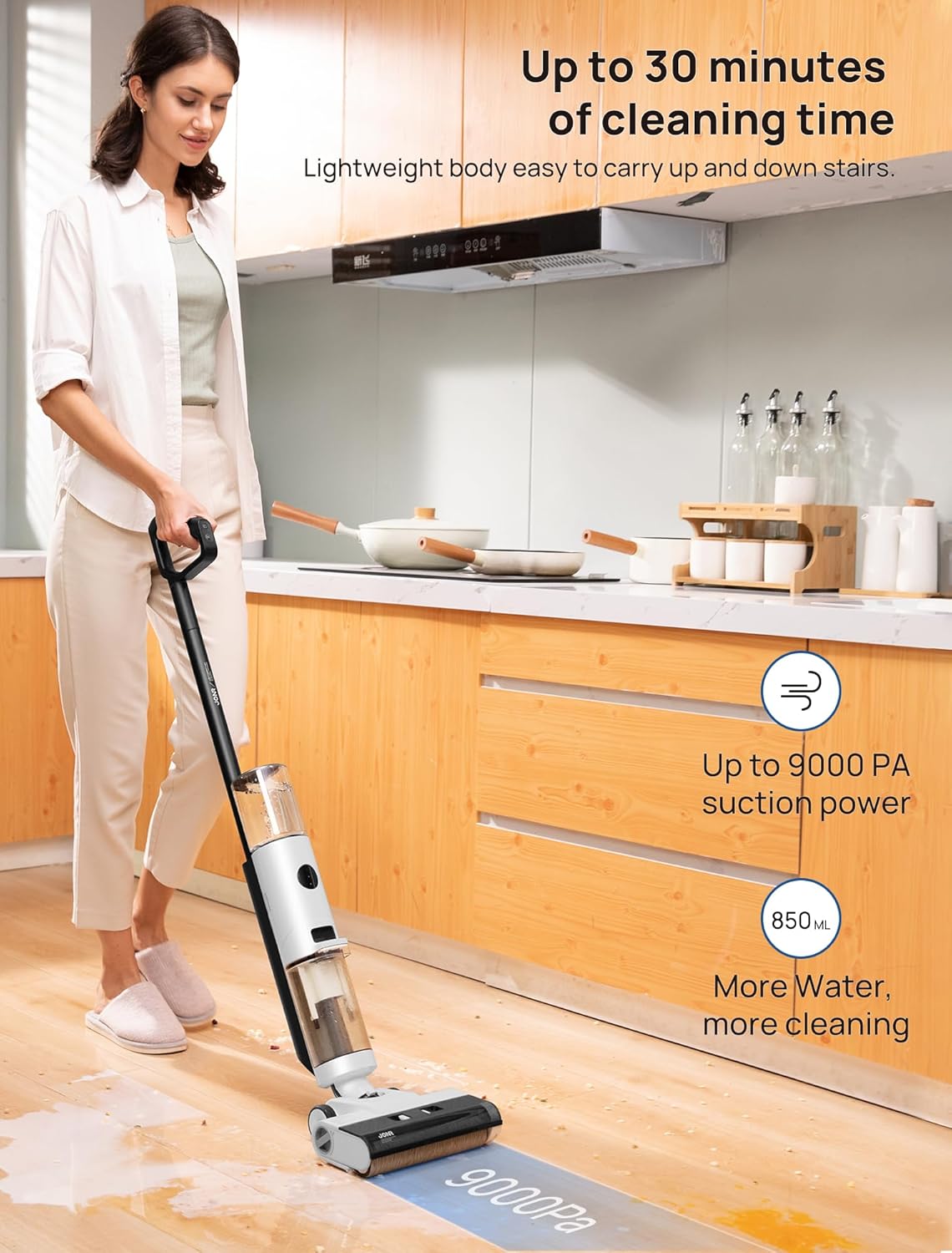
Image: All components of the JONR ED12 package, including the main vacuum unit, charging dock, spare roller brush, adapter, and user manual.
Skupština
Follow these steps to assemble your JONR ED12 vacuum cleaner:
- Attach the handle to the main body until it clicks into place.
- Ensure the clean water tank and dirty water tank are securely installed.
Video: Official product instructions demonstrating how to assemble the JONR ED12 Wet Dry Vacuum Cleaner, including attaching the handle and tanks.
Upute za rad
Punjenje spremnika čiste vode
Gently rotate the clean water tank and pull it outwards to detach it. Remove the cover, fill the tank with clean water, and add a cleansing tablet if desired. Securely reattach the tank to the vacuum cleaner. The clean water tank has an 850ml capacity.

Slika: Krupni plan view of the JONR ED12's clean water tank (850ml) and dirty water tank (450ml), illustrating their capacities.
Powering On and Cleaning Modes
To start cleaning, gently step on the switch located on the brush cover and tilt the vacuum backward. Press the power button on the handle to turn on the device.
The JONR ED12 offers two cleaning modes:
- Automatski način rada: Ideal for basic cleaning and everyday messes like spilled oatmeal or milk.
- Max Mode (9000PA): Provides powerful suction for particle stains and stubborn messes.

Image: The JONR ED12 demonstrating its "Auto Mode" for light cleaning and "Max Mode" for heavier dirt and spills.
Čišćenje ruba
The unique narrow edge design allows for deep cleaning along wall edges and corners, ensuring no dirt is left behind.

Image: The JONR ED12 showcasing its edge cleaning feature, reaching close to walls and corners for thorough cleaning.
Self-Propelled Design
The self-propelled design and lightweight build (8.2 pounds) ensure effortless maneuverability, even when cleaning stairs.

Image: A woman easily carrying the JONR ED12 up a staircase, illustrating its lightweight and self-propelled design for convenient use.
Runtime
The JONR ED12 provides up to 30 minutes of continuous cleaning on a single charge, thanks to its 850ml clean water tank.
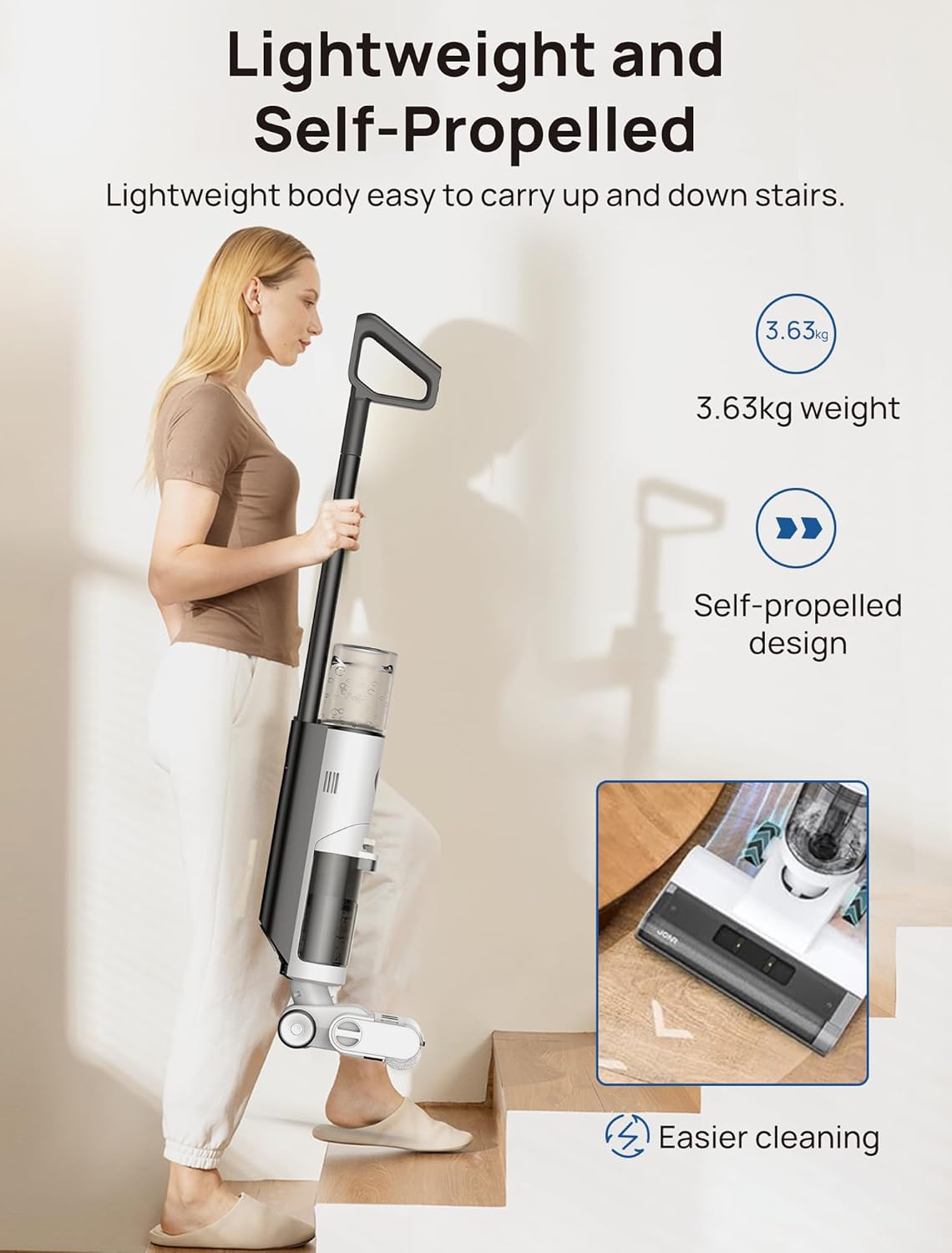
Image: A woman using the JONR ED12 in various cleaning scenarios, emphasizing its long runtime of up to 30 minutes.
Održavanje
Funkcija samočišćenja
The self-cleaning function requires adequate water in the clean tank and a minimum of 15% battery power to activate. Simply place the vacuum on its base and press the Mode Switch Button. The self-cleaning cycle will flush out internal pipes and the brush roll in 35 seconds.
Video: Official product instructions demonstrating the self-cleaning feature of the JONR ED12 Wet Dry Vacuum, showing the automatic cleaning cycle.
Cleaning the Dirty Water Tank and Brush Roll
After each use, it is recommended to empty and rinse the dirty water tank and clean the brush roll.
- Press the release button and gently pull the dirty water tank outward to detach it.
- Pull out the tank cover, then empty and rinse the used water tank and sponge filter under running water.
- Press the release buttons located at both ends inward to remove the brush cover.
- Rotate the end cap knob, move the entire roller brush to the left, and take out the roller brush. Rinse the roller brush thoroughly.
- Clean the tube and wipe away any debris around the inlet with a damp krpom ili četkom za čišćenje.
- Insert the entire brush into the left side, and tighten the end cap knob to complete the installation.
- Reinstall the water tank for the next use.
Video: Official product instructions demonstrating how to maintain the JONR ED12 Wet Dry Vacuum, including cleaning the dirty water tank and brush roll.
Rješavanje problema
Machine Pauses and Flashes Red (4 times)
This usually indicates two main problems: the dirty water tank is too full, or there's water and grime on the upper latch of the tank.
To fix: Empty and clean the dirty water tank. Wipe the metal piece of the tank with a paper towel.
Video: Instructions on how to fix the JONR vacuum mop auto turning off, addressing issues with the dirty water tank.
Machine Pauses and Flashes Red (5 times)
This indicates debris entangled in the brush roll or a low battery.
To fix: Start by clearing any debris from the brush roll. Then, recharge the unit to ensure it has enough power.
Video: Instructions on how to fix the JONR vacuum mop auto turning off, addressing issues with the brush roll and battery.
Opći savjeti za rješavanje problema
- Ensure the clean water tank is filled and the dirty water tank is empty before use.
- Provjerite ima li blokada u usisnom putu.
- Fully charge the battery before extended cleaning sessions.
- Refer to the official JONR support for further assistance if issues persist.
Tehnički podaci
| Značajka | Specifikacija |
|---|---|
| Marka | JONR |
| Naziv modela | JONR ED12 |
| Posebna značajka | 75db&8 bl Lightweight, 850ml Water Tank&450ml Dirty Water Tank, Up to 30 minutes long runtime, Cordless&Vacuum and Mop, Edge Cleaning&SSelf Cleaning |
| Vrsta filtra | Pjena |
| Uključene komponente | Dock za punjenje |
| Je li bežični? | Da |
| Kapacitet spremnika čiste vode | 850 mililitara |
| Kapacitet spremnika za prljavu vodu | 450 mililitara |
| Runtime | 30 minuta |
| Vrijeme punjenja | 4 sata |
| Preporučena upotreba | Tvrdi podovi |
| Form Factor | Stick |
| Boja | Bijelo crno |
| Dimenzije proizvoda | 13.78 cm D x 12.92 cm Š x 21.66 cm V |
| Vrsta baterije | Litij-ionski |
| Razina buke | 75 dB |
| Težina artikla | 8.2 funti |
Jamstvo i podrška
The JONR ED12 wet and dry vacuum cleaner is backed by a 1-year limited warranty. For warranty claims or technical support, please contact JONR customer service.
Za više informacija posjetite JONR Store.
Each purchase includes a roller brush, charge base, and filter assembly.
Image: The complete package contents, including accessories and charging base, provided with the JONR ED12.