
1. Uvod
This manual provides essential information for the installation, operation, and maintenance of your Phillips MX7053 Digital Deadbolt PCD-360. Please read these instructions carefully before installation and use to ensure proper function and longevity of the product.
The Phillips MX7053 Digital Deadbolt is designed for interior wood or metal doors, offering secure keyless entry via a numeric keypad or traditional key access. It features a light indicator for status updates and supports up to 50 unique user codes.
2. Značajke proizvoda
- Jednostavna instalacija: Designed for straightforward installation using basic tools.
- Svestrana montaža: Features an interior mounting plate that can be screwed or welded.
- Numerička tipkovnica: Exterior keypad supports 4 to 10-digit codes for up to 50 users.
- Indikator statusa: Integrated light indicator shows lock/unlock status and alerts for incorrect code entries.
- Dual Access: Keyless entry via keypad or traditional high-security key access.
- Radi na baterije: Requires 4 AA batteries (not included), eliminating the need for electrical wiring.
3. Sadržaj paketa
Prije početka instalacije provjerite jesu li sve komponente prisutne:
- Phillips MX7053 Digital Deadbolt (Exterior Keypad Unit)
- Interior Thumb Turn Unit
- Montažna ploča
- High-Security Keys (Quantity may vary)
- Installation Screws and Hardware
- Upute za uporabu (ovaj dokument)

Slika 3.1: Packaging of the Phillips MX7053 Digital Deadbolt, illustrating the included components and highlighting the 1-year warranty.
4. Specifikacije
| Proizvođač | Phillips |
| Broj modela | MX7053 |
| Boja | Crna |
| Završiti | Četkana |
| Materijal | Metal, Plastika |
| Vrsta brave | zasun |
| Posebne značajke | Touch keypad, Keyless entry |
| Izvor napajanja | 4 AA baterija (nisu uključene) |
| Težina | 1.12 kilogram |
| Dimenzije (D x Š x V) | 21.01 x 11 x 23.01 cm |
5. Sigurnosne informacije
- Do not expose the lock to extreme temperatures or direct moisture.
- Koristite samo određene AA alkalne baterije. Nemojte miješati stare i nove baterije ili različite vrste baterija.
- Keep keys in a secure location away from the lock.
- Regularly check battery levels and replace batteries when indicated to prevent lock-out.
- Avoid using abrasive cleaners or solvents on the lock's surface.
6. Instalacija
The Phillips MX7053 Digital Deadbolt is designed for surface-mount installation on interior wood or metal doors. It is compatible with both left and right-opening doors.
6.1 Potreban alat
- Odvijač (preporučuje se križni odvijač)
- Bušilica (ako su potrebne nove rupe)
- Mjerna traka ili ravnalo
- Olovka
6.2 Koraci instalacije
- Pripremite vrata: Ensure the door is clean and free of obstructions. If replacing an existing lock, remove it.
- Ugradite zasun zasuna: Insert the deadbolt latch into the door edge. Ensure the latch is oriented correctly for your door's handing (left or right).
- Mount the Exterior Keypad: Position the exterior keypad unit on the outside of the door, aligning it with the deadbolt latch.
- Ugradite unutarnju montažnu ploču: On the inside of the door, attach the interior mounting plate. Secure it with the provided screws. This plate can be screwed directly or welded for added security.
- Connect the Interior Unit: Connect the cable from the exterior keypad to the interior thumb turn unit. Carefully tuck any excess cable into the door cavity.
- Secure the Interior Unit: Attach the interior thumb turn unit to the mounting plate using the remaining screws. Ensure it is flush against the door.
- Testna operacija: Before closing the door, test the deadbolt's operation using both the thumb turn and the key. Ensure the deadbolt extends and retracts smoothly.
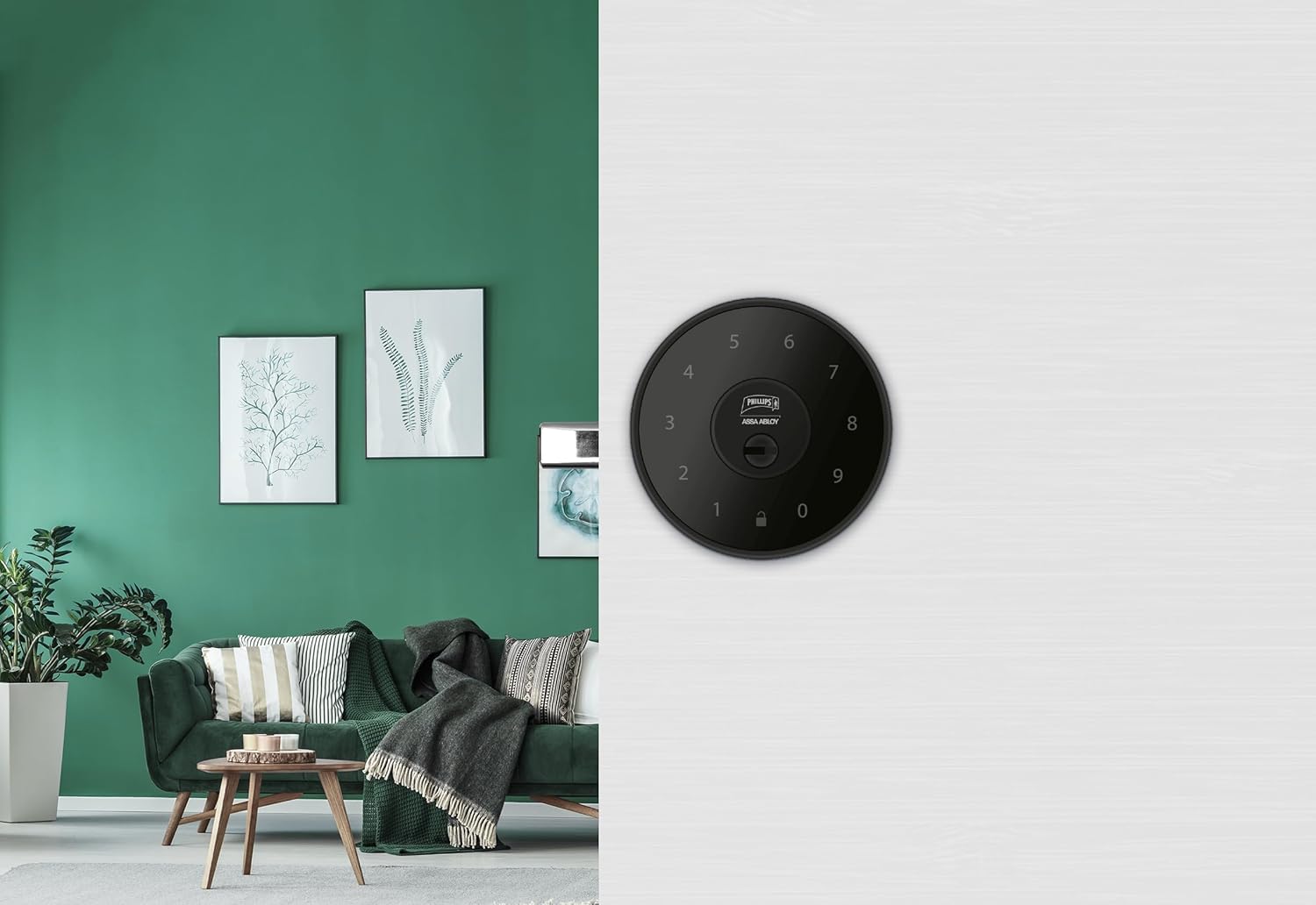
Slika 6.1: An installed Phillips MX7053 Digital Deadbolt, showcasing its exterior keypad on a door.

Slika 6.2: Krupni plan sprijeda view of the exterior keypad, highlighting the numeric interface and keyhole.
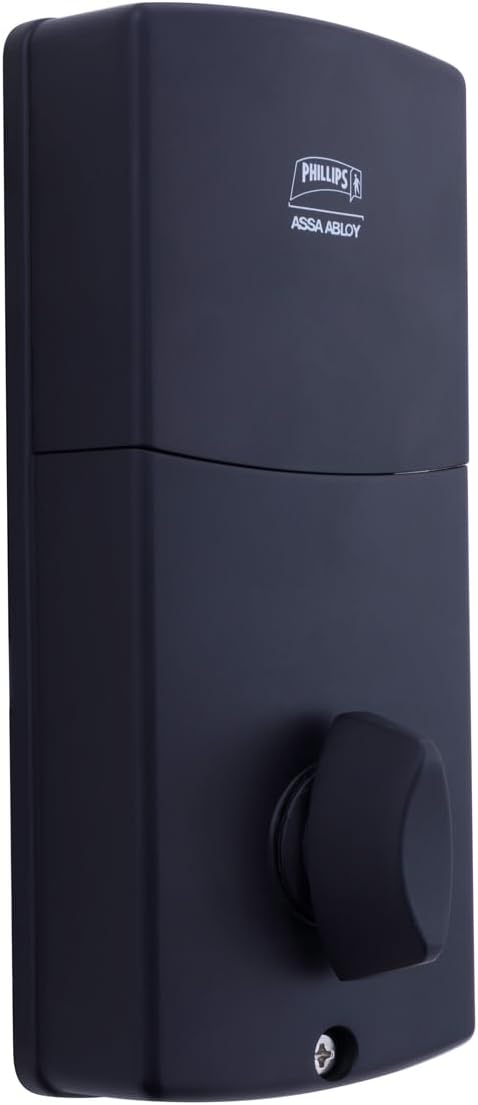
Slika 6.3: Stražnji view of the interior unit, which houses the battery compartment and the thumb turn for manual locking/unlocking.
7. Ugradnja i zamjena baterije
The Phillips MX7053 Digital Deadbolt requires 4 AA alkaline batteries for operation. Batteries are not included.
- Pristup odjeljku za baterije: Locate the battery cover on the interior thumb turn unit. Slide or unclip the cover to open the compartment.
- Umetnite baterije: Umetnite 4 nove AA alkalne baterije, pazeći na ispravan polaritet (+/-) kako je naznačeno unutar odjeljka.
- Zatvori odjeljak: Replace the battery cover, ensuring it is securely closed.
- Test: After installing batteries, the lock should emit a beep and the keypad lights may illuminate briefly, indicating power.
Bilješka: Replace all four batteries simultaneously. Do not mix old and new batteries or different battery types. Low battery indication will typically be a series of beeps or a specific light pattern when operating the lock.
8. Operacija
8.1 Otključavanje vrata
- Korištenje koda: Enter your 4 to 10-digit user code on the exterior keypad. The light indicator will confirm successful entry, and the deadbolt will retract.
- Korištenje ključa: Insert the high-security key into the keyhole on the exterior keypad and turn it to unlock the deadbolt.
- Iznutra: Turn the thumb turn on the interior unit to retract the deadbolt.
8.2 Zaključavanje vrata
- Izvana: Press any key on the keypad or simply wait for the auto-lock feature (if enabled) to engage the deadbolt.
- Korištenje ključa: Insert the high-security key into the keyhole on the exterior keypad and turn it to extend the deadbolt.
- Iznutra: Turn the thumb turn on the interior unit to extend the deadbolt.
9. Programiranje korisničkih kodova
The lock supports up to 50 unique user codes, each 4 to 10 digits long. Refer to the specific programming instructions included with your lock for detailed steps on adding, deleting, or modifying user codes. Generally, this involves entering a master code followed by a sequence of commands and the desired user code.
Važno: Keep your master code confidential and do not share it. It is essential for managing all other user codes.
10. Održavanje
- Čišćenje: Obrišite površinu brave mekom krpomamp tkanina. Ne koristite jake kemikalije ili abrazivna sredstva za čišćenje.
- Provjera baterije: Odmah zamijenite baterije kada se pojavi indikator slabe baterije.
- Mehanička provjera: Periodically check that all screws are tight and the lock operates smoothly. Lubricate the deadbolt mechanism with a silicone-based lubricant if necessary.
11. Rješavanje problema
- Brava ne reagira: Check battery installation and replace batteries if necessary. Ensure the keypad is clean and free of debris.
- Deadbolt Not Extending/Retracting: Verify that the door frame strike plate is properly aligned with the deadbolt. Check for any obstructions in the door jamb.
- Incorrect Code Entry: If the light indicator flashes or beeps after entering a code, re-enter the code carefully. Ensure you are using a valid, programmed user code.
- Tipkovnica se ne pali: This may indicate very low batteries or a power issue. Replace batteries.
12. Jamstvo i podrška
The Phillips MX7053 Digital Deadbolt PCD-360 comes with a Jamstvo 1 godine od datuma kupnje, pokrivajući nedostatke u proizvodnji. Molimo sačuvajte dokaz o kupnji za potrebe jamstva.
For technical assistance, troubleshooting beyond this manual, or warranty inquiries, please contact Phillips customer support. Refer to the contact information provided on the product packaging or Phillips' official webmjesto.
Additional protection plans may be available from third-party providers for extended coverage.