
1. Uvod
This manual provides detailed instructions for the installation, operation, maintenance, and troubleshooting of your XPG CORE Reactor II VE 650W Power Supply Unit (PSU). Please read this manual thoroughly before using the product to ensure proper functionality and safety.
2. Sigurnosne informacije
- Always disconnect the power cord from the wall outlet before installing, removing, or cleaning the PSU.
- Ne otvarajte napajanje casing. Visoki volumentages are present inside, which can cause electric shock. The warranty will be void if the casing je otvoren.
- Postavite napajanje u dobro prozračenom prostoru, dalje od izvora topline, izravne sunčeve svjetlosti i vlage.
- Ensure all cables are securely connected. Loose connections can cause damage to components.
- Use only the modular cables provided with this PSU. Using third-party cables may cause damage and void the warranty.
- This product is designed for use in computer systems only. Do not use it for any other purpose.
3. Sadržaj paketa
Provjerite jesu li sve dolje navedene stavke prisutne u pakiranju vašeg proizvoda:
- XPG CORE Reactor II VE 650W Power Supply Unit
- Modular Cable Set (including 12V-2x6 cable)
- AC kabel za napajanje
- Montažni vijci
- Kratki vodič za početak

Image: The XPG CORE Reactor II VE 650W power supply unit shown with its retail box, modular cables, AC power cord, and quick start guide.
4. Proizvod je gotovview
The XPG CORE Reactor II VE 650W is an 80 PLUS Gold certified power supply compliant with Intel's ATX 3.1 specifications. It features a fully modular design and an FDB (Fluid Dynamic Bearing) fan for efficient and quiet operation.

Slika: Prednja strana view of the XPG CORE Reactor II VE 650W power supply, showcasing its fan grille and XPG branding.

Image: The rear panel of the XPG CORE Reactor II VE 650W power supply, featuring the AC power inlet and the main power switch.

Image: A close-up of the modular cable connection panel on the XPG CORE Reactor II VE 650W PSU, showing labeled ports for Motherboard, CPU & VGA, 12V-2x6, and SATA & Molex connectors.
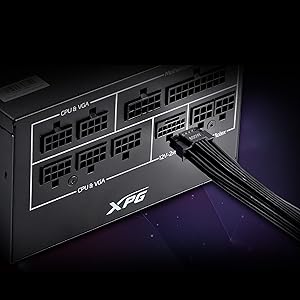
Slika: Detaljna view of the 12V-2x6 connector port on the XPG CORE Reactor II VE 650W PSU, designed for next-generation graphics cards.
5. Postavljanje i instalacija
Follow these steps to properly install your XPG CORE Reactor II VE 650W PSU into your computer system:
- Pripremite svoj sustav: Ensure your computer is completely powered off and unplugged from the wall outlet. Open your computer case.
- Uklonite stari PSU (ako je primjenjivo): Disconnect all cables from your old PSU and remove it from the case.
- Montiranje novog napajanja: Insert the XPG CORE Reactor II VE 650W PSU into the designated PSU bay in your computer case. Secure it with the provided mounting screws.
- Spojite bitne kablove:
- Spojite 24-pinski ATX kabel na matičnu ploču.
- Connect the 4+4-pin or 8-pin EPS/CPU cable(s) to your motherboard's CPU power connector(s).
- Connect the appropriate PCI-E (6+2-pin) or 12V-2x6 cable(s) to your graphics card(s).
- Connect SATA power cables to your storage drives (HDDs, SSDs) and optical drives.
- Connect Molex cables to any peripherals requiring them.
Ensure all modular cables are firmly seated into both the PSU and the respective components.
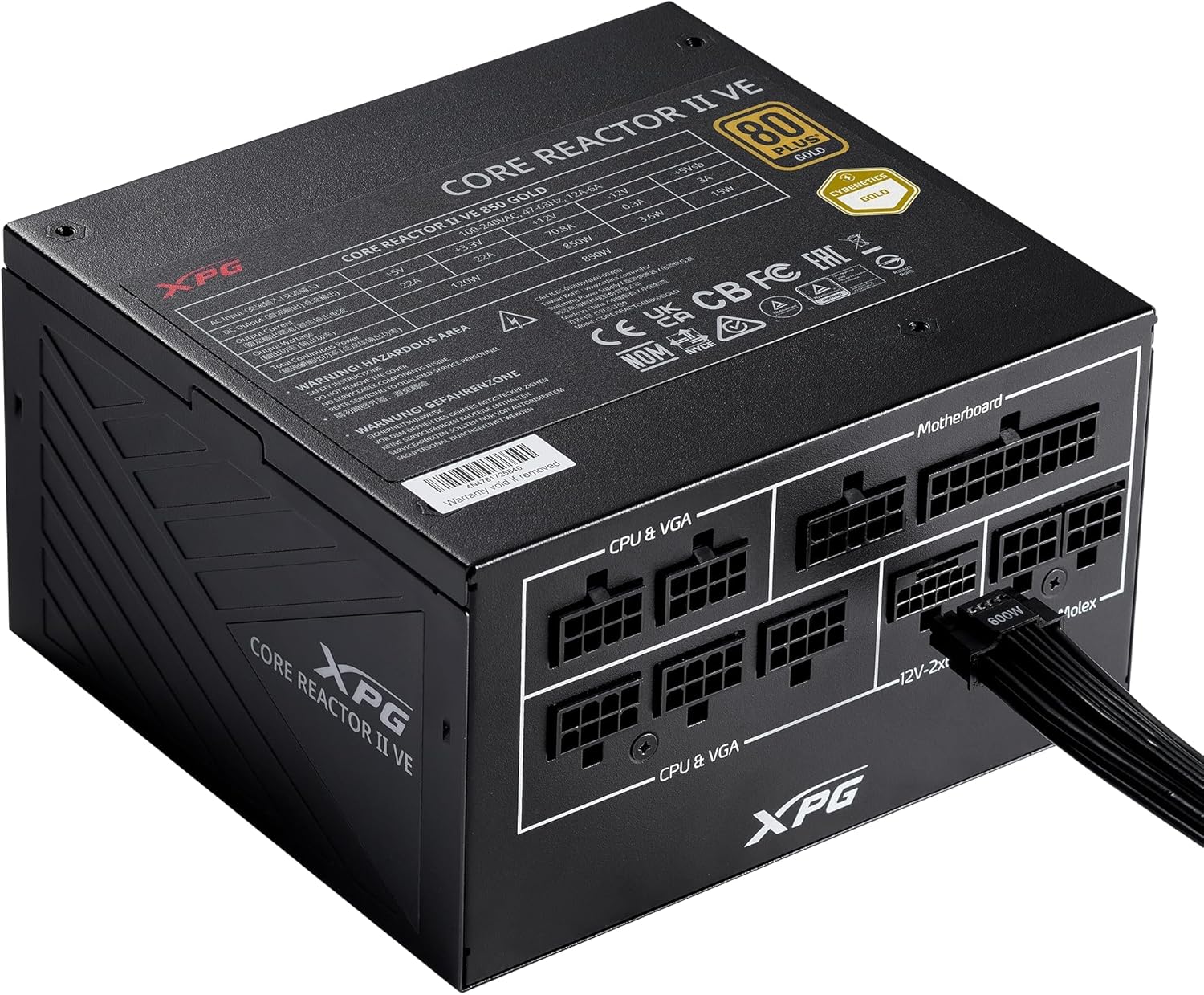
Image: The XPG CORE Reactor II VE 650W power supply with a 12V-2x6 cable connected to its modular port, illustrating a typical cable connection.
- Uprava za kabele: Uredno usmjerite kablove kako biste poboljšali protok zraka i estetiku unutar kućišta.
- Zatvorite kućište i spojite napajanje: Close your computer case. Connect the AC power cord to the PSU's inlet and then to a wall outlet.
- Uključivanje: Flip the power switch on the back of the PSU to the 'ON' position and power on your computer.
6. Upute za rad
The XPG CORE Reactor II VE 650W PSU operates automatically once installed and powered on. It features an FDB fan with intelligent fan control, which adjusts its speed based on the PSU's temperature and load to maintain optimal cooling and minimize noise.
The PSU is designed to provide stable and reliable power to your system. No user intervention is typically required during normal operation.
7. Održavanje
To ensure the longevity and optimal performance of your XPG CORE Reactor II VE 650W PSU, consider the following maintenance tips:
- Uklanjanje prašine: Periodically clean the fan grille and the interior of your computer case to prevent dust buildup. Dust can impede airflow and lead to overheating. Use compressed air for this purpose, ensuring the system is powered off and unplugged.
- Provjera kabela: Occasionally check all modular cable connections to ensure they remain secure.
- Okruženje: Operate the PSU in a clean, dry, and well-ventilated environment.
8. Rješavanje problema
If you encounter issues with your XPG CORE Reactor II VE 650W PSU, refer to the following common troubleshooting steps:
- Bez napajanja:
- Provjerite je li kabel za napajanje izmjeničnom strujom sigurno spojen i na napajanje i na zidnu utičnicu.
- Check that the power switch on the back of the PSU is in the 'ON' position.
- Provjerite je li zidna utičnica funkcionalna tako da u nju priključite drugi uređaj.
- Confirm that the 24-pin ATX and 4+4-pin/8-pin EPS/CPU cables are correctly and firmly connected to the motherboard.
- Nestabilnost sustava/Nasumična isključenja:
- Ensure all power cables to components (motherboard, CPU, GPU, drives) are securely connected.
- Check for proper ventilation within your computer case. Overheating can cause instability.
- If you have recently added new components, ensure the 650W output is sufficient for your total system load.
- Ventilator se ne vrti:
- The FDB fan features intelligent control and may not spin at low loads or temperatures. This is normal operation.
- If the fan does not spin under heavy load and the PSU feels excessively hot, contact support.
- Neuobičajeni zvukovi:
- A slight coil whine can sometimes occur under specific loads; this is generally not indicative of a fault.
- If you hear grinding or scraping noises, power off the system immediately and contact support.
Ako ovi koraci ne riješe vaš problem, za dodatnu pomoć pogledajte odjeljak Jamstvo i podrška.
9. Specifikacije
Key technical specifications for the XPG CORE Reactor II VE 650W PSU:
| Značajka | Specifikacija |
|---|---|
| Broj modela | COREREACTORIIVE650G-BKCUS |
| Izlaz Wattage | 650 vata |
| Certifikacija učinkovitosti | 80 PLUS Gold, CYBENETICS Gold |
| ATX standard | ATX 3.1 / EPS v2.92 |
| Form Factor | ATX |
| Metoda hlađenja | Air (FDB 120mm Fan) |
| Dizajn napajanja | Potpuno modularni |
| Dimenzije proizvoda (D x Š x V) | 5.86 x 5.9 x 3.38 inča (140x150x86 mm) |
| Težina artikla | 5.07 funti |
| Vrste konektora | ATX, Molex, PCI Express, SATA, 12V-2x6 |
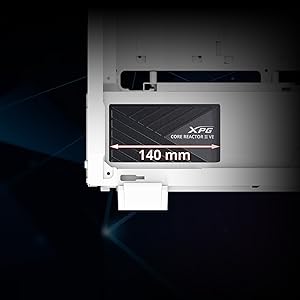
Image: A diagram illustrating the compact 140mm length of the XPG CORE Reactor II VE power supply, highlighting its compatibility with various PC cases.

Image: Visual representation of the multiple protection mechanisms integrated into the PSU, including OPP (Over Power Protection), OVP (Over Voltage Protection), SIP (Surge & Inrush Protection), SCP (Short Circuit Protection), UVP (Under Voltage Protection), OCP (Over Current Protection), OTP (Over Temperature Protection), and NLO (No Load Operation).
10. Jamstvo i podrška
For warranty information, technical support, or service inquiries regarding your XPG CORE Reactor II VE 650W PSU, please visit the official XPG website or contact their customer support directly. Details can typically be found on the product packaging or the manufacturer's official support pages.
Čuvajte svoj dokaz o kupnji za jamstvene zahtjeve.