
CelsusSound S800C
CelsusSound S800C Bone Conduction Headphones User Manual
Model: S800C | Brand: CelsusSound
Uvod
Thank you for choosing CelsusSound S800C Bone Conduction Headphones. These open-ear Bluetooth headphones are designed to provide high-fidelity audio while maintaining situational awareness, making them ideal for sports and daily activities. This manual provides detailed instructions for setup, operation, and maintenance to ensure optimal performance and longevity of your device.

Image: CelsusSound S800C Bone Conduction Headphones, orange and black design.
Što je u kutiji
- 1 x Bone Conduction Headphones (S800C)
- 1 x magnetni kabel za punjenje
- 1 x korisnički priručnik

Image: The contents of the product packaging, including the headphones, charging cable, and user manual.
Proizvod gotovview
The CelsusSound S800C headphones feature an ergonomic design for comfortable wear and intuitive controls for easy operation.

Image: A diagram illustrating the location and function of the three independent control buttons on the headphone unit: Magnetic charging port, Volume up/Next song, Power on/off/Play/Pause, and Volume down/Previous song.
Ključne karakteristike:
- Dizajn s otvorenim ušima: Omogućuje svijest o okolini.
- Bluetooth 5.3: Stable and fast connection.
- IPX7 vodootporan: Suitable for workouts and light rain.
- Dugo trajanje baterije: Up to 8-10 hours of playback.
- Flexible Titanium Frame: Durable and comfortable fit.
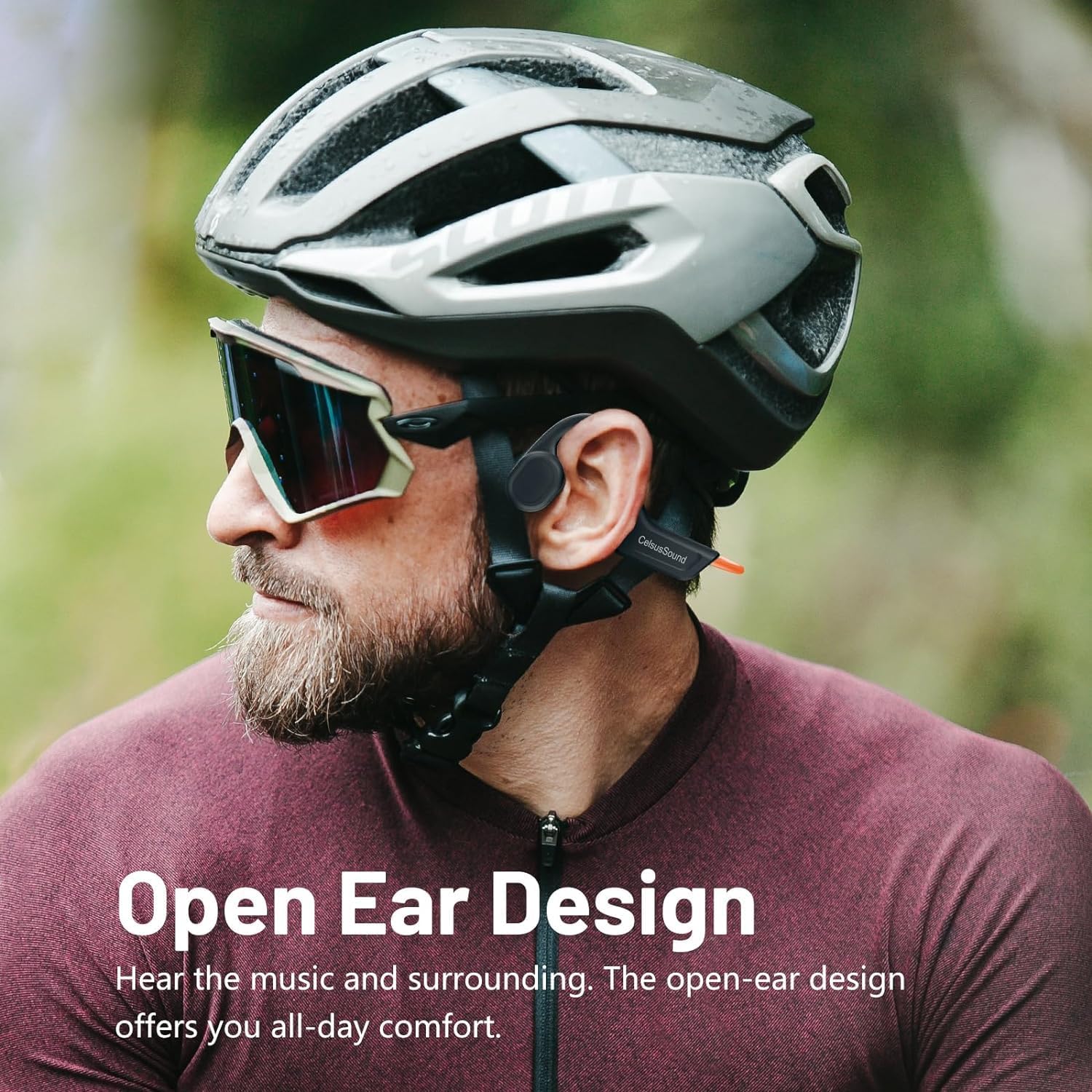
Image: A person wearing the CelsusSound S800C headphones, highlighting the open-ear design that allows ambient sound awareness.
Postavljanje
1. Punjenje slušalica
Before first use, fully charge your headphones. Use the provided magnetic charging cable. Connect the magnetic end to the charging port on the headphones and the USB end to a compatible power source (e.g., computer USB port, USB wall adapter).
- Vrijeme punjenja: Otprilike 1.5 sata za potpuno punjenje.
- Indikator baterije: Refer to the LED indicator on the headphones for charging status.

Slika: Krupni plan view of the magnetic charging connection point on the headphones.
2. Uključivanje/isključivanje
- Uključivanje: Long press the Power button for 3 seconds until the LED indicator lights up and you hear a power-on prompt.
- Isključivanje: Long press the Power button for 3 seconds until the LED indicator turns off and you hear a power-off prompt.
3. Bluetooth uparivanje
Za spajanje slušalica na uređaj:
- Provjerite jesu li slušalice isključene.
- Dugo pritisnite gumb za uključivanje/isključivanje 3 sekunde za uključivanje. Slušalice će automatski ući u način uparivanja, što će biti naznačeno trepćućim LED svjetlom.
- Na svom uređaju (pametnom telefonu, tabletu, računalu) omogućite Bluetooth i potražite dostupne uređaje.
- Select "S800C" from the list of found devices to connect.
- Once connected, the LED indicator will stop flashing, and you will hear a connection confirmation.
Your headphones are now ready for use.
Video: A demonstration on how to operate the CelsusSound S800C Bluetooth Headphones, including powering on, connecting via Bluetooth, and basic music controls.
Upute za rad
Reprodukcija glazbe
- Reproduciraj/pauziraj: Click the Power button once.
- Pojačati: Click the "+" button once.
- Smanjivanje glasnoće: Click the "-" button once.
- Sljedeća pjesma: Dugo pritisnite tipku "+" 2 sekundi.
- prethodna pjesma: Dugo pritisnite tipku "-" 2 sekundi.

Image: A visual guide detailing the functions of each button for music playback and call management, including single clicks and long presses.
Upravljanje pozivima
- Odgovori/prekini poziv: Click the Power button once.
- Odbiti poziv: Dugo pritisnite tipku za napajanje 2 sekunde.
Održavanje
- Čišćenje: Obrišite slušalice mekom, damp cloth. Do not use abrasive cleaners or immerse in water for cleaning.
- Vodootpornost: The headphones are IPX7 water-resistant, meaning they can withstand splashes, rain, and sweat. They are not suitable for swimming or prolonged submersion. Ensure the charging port is dry before charging.
- Skladištenje: Store the headphones in a cool, dry place away from direct sunlight and extreme temperatures. The flexible design allows for easy storage.

Image: A person holding the CelsusSound S800C headphones with water splashing, demonstrating their IPX7 waterproof and sweatproof capabilities.
Rješavanje problema
| Problem | Mogući uzrok | Otopina |
|---|---|---|
| Ne može se uključiti | Low battery; Not pressing button long enough. | Charge the headphones fully. Long press the Power button for 3 seconds. |
| Nije moguće upariti uređaj | Bluetooth is off; Headphones not in pairing mode; Device too far. | Ensure Bluetooth is enabled on your device. Power on headphones to enter pairing mode. Keep devices within 10 meters. |
| Nema zvuka ili je mala glasnoća | Volume too low; Not connected; Audio source issue. | Povećajte glasnoću na slušalicama i uređaju. Ponovno uparite slušalice. Provjerite postavke audio izlaza na uređaju. |
| Problemi s kvalitetom zvuka | Smetnje; Uređaj predaleko; Slaba baterija. | Move closer to the device. Charge headphones. Avoid strong electromagnetic interference. |
Tehnički podaci
- Model: S800C
- Tehnologija povezivanja: Bluetooth 5.3
- Raspon Bluetooth: 15 metara
- Vrsta audio upravljačkog programa: Pogonski sklop za koštanu vodljivost
- Kapacitet baterije: 230 mAh
- Vrijeme punjenja: 1.5 sata
- Vrijeme reprodukcije: 8-10 sata
- Vrijeme pripravnosti: 150 sata
- Razina vodootpornosti: IPX7 vodootporan
- Materijal: legura titana
- Težina artikla: 1 Ounce (approx. 33g)
- Dimenzije proizvoda: 6.1 x 2.17 x 5.39 inča
- Frekvencijski raspon: 20 Hz - 20 000 Hz
- Metoda kontrole: Dodir/gumb
Jamstvo i podrška
CelsusSound is committed to the quality of its products. We offer:
- Doživotna tehnička podrška.
- A 12-month worry-free warranty.
- 24-hour customer service.
For any questions or assistance, please contact CelsusSound customer service.
Ask a question about this manual
Ask about setup, troubleshooting, compatibility, parts, safety, or missing instructions. Manuals+ will review the question and use this page’s manual context to help answer it.