
VOSOCO T03-L
VOSOCO Karaoke Machine T03-L
korisnički priručnik
Uvod
Thank you for choosing the VOSOCO T03-L Portable Bluetooth Karaoke Speaker. This all-in-one entertainment system is designed to provide a high-quality audio experience with versatile connectivity and dynamic LED lighting. This manual will guide you through the setup, operation, and maintenance of your new karaoke machine.
Ključne značajke uključuju:
- Built-in speaker with upgraded 15W 6.5-inch full-frequency audio.
- Two wireless microphones for duets and enhanced vocal performance.
- Easy volume control for main music, microphone, and echo effects.
- Flashing LED lights with multiple modes to create a vibrant atmosphere.
- Support for Micro TF card, Flash USB, FM radio, and AUX connectivity.
- Portable design with a leather carry handle and shoulder strap for easy transport.
- Long-lasting battery providing 4-6 hours of continuous play.
Što je u kutiji
Molimo provjerite sadržaj paketa kako biste bili sigurni da su svi artikli prisutni:
- Karaoke stroj x1
- Bežični mikrofoni x2
- Remen za rame x1
- Kabel za punjenje x1

Image: The VOSOCO T03-L Karaoke Machine, showcasing the main unit, two wireless microphones, a charging cable, and a shoulder strap, all included in the package.
Postavljanje
1. Charging the Karaoke Machine
Before first use, fully charge the karaoke machine. Connect the provided charging cable to the USB Type C port on the unit and to a compatible USB power adapter (not included). The charging indicator will show the charging status. A full charge typically takes 3-6 hours and provides 4-8 hours of play time.

Image: The VOSOCO T03-L Karaoke Machine with a visual representation of its charging process and extended battery life.
2. Umetanje baterija u mikrofon
Each wireless microphone requires batteries (not included). Open the battery compartment on each microphone and insert the required batteries, ensuring correct polarity. Close the compartment securely.
3. Uključivanje
Locate the power switch on the karaoke machine and slide it to the "ON" position. The display will light up, and the unit will enter Bluetooth pairing mode by default.
4. Bluetooth uparivanje
To connect your device (smartphone, tablet, laptop) via Bluetooth:
- Ensure the karaoke machine is powered on and in Bluetooth mode (indicated by "BLUE" on the display).
- Na svom uređaju idite na Bluetooth postavke i potražite dostupne uređaje.
- Select "VOSOCO T03-L" from the list.
- Nakon povezivanja, čut ćete zvučnu potvrdu iz zvučnika.
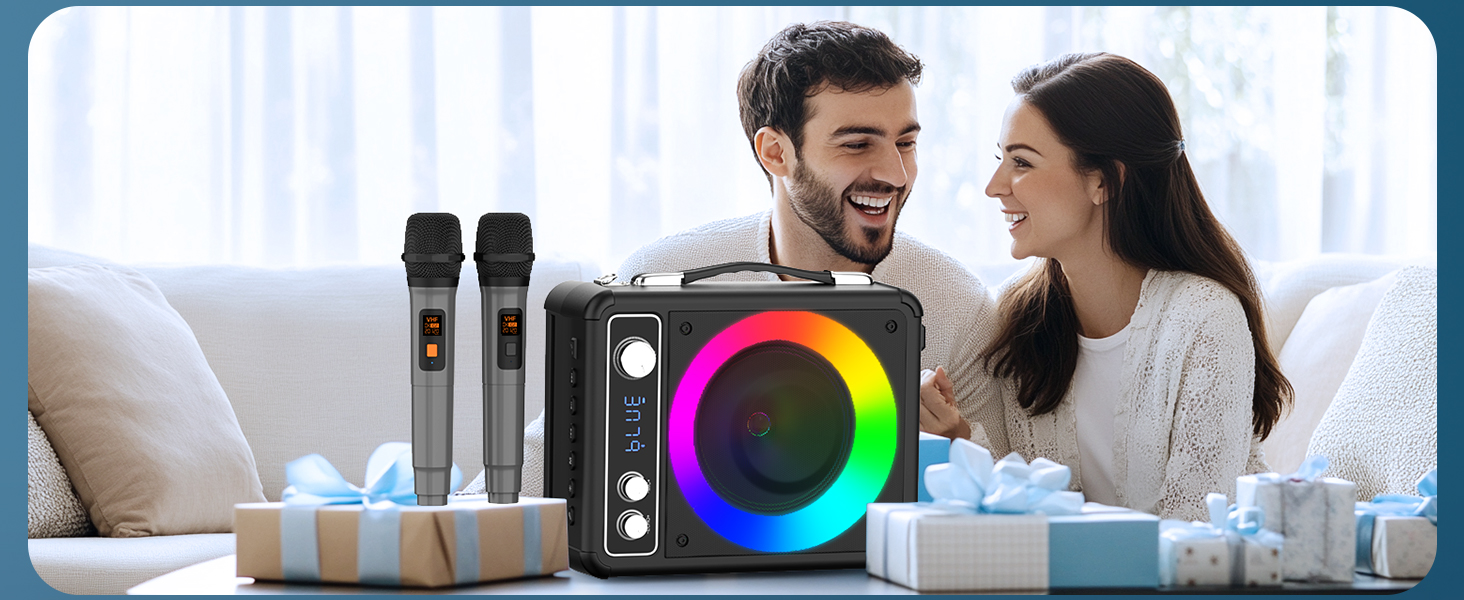
Image: The VOSOCO T03-L Karaoke Machine with a tablet in its integrated stand, demonstrating the ease of one-click Bluetooth connection for seamless music streaming.
Upute za rad
Upravljačka ploča gotovaview

Slika: Detaljna view of the VOSOCO T03-L Karaoke Machine's top control panel, highlighting the Echo, Mic Volume, and Music Volume knobs, as well as playback and mode selection buttons.
- ECHO +/-: Podešava efekt jeke za mikrofone.
- MIC GOL +/-: Controls the volume of the microphones.
- MUSIC VOL +/-: Adjusts the main music volume.
- Gumb MODE: Cycles through input modes (Bluetooth, FM, AUX, USB, TF).
- Gumb PLAY/PAUSE: Reproducira ili pauzira reprodukciju zvuka.
- PREVIOUS/NEXT Buttons: Preskače na prethodnu ili sljedeću pjesmu.
- LIGHT tipka: Changes the LED light modes.
- Gumb PRIORITET MIKROFONA: Daje prioritet zvuku mikrofona nad glazbom.
Odabir načina rada
Pritisnite tipku NAČIN RADA button to switch between available input sources:
- Bluetooth način rada: Za bežično strujanje zvuka s uparenog uređaja.
- Način FM radija: For listening to FM radio stations. Use the PREVIOUS/NEXT buttons to tune.
- AUX način rada: Connect an external audio device using a 3.5mm AUX cable (not included).
- Način USB/TF kartice: Insert a USB flash drive or TF card into the respective port for direct audio playback.
Korištenje mikrofona
The two wireless microphones automatically connect to the karaoke machine when powered on. Adjust the MIC VOL knob to control microphone volume and the ODJEK knob for vocal effects. Press the MIRSKI PRIORITET button to lower the music volume automatically when speaking or singing into the microphone.
Video: This video demonstrates the VOSOCO T03-L karaoke machine in use, highlighting its Bluetooth connectivity and the functionality of the wireless microphones for an engaging karaoke experience.
LED svjetlosni show
Pritisnite tipku SVJETLO button to cycle through the various LED light modes. The lights synchronize with the music, creating a dynamic visual display for your party or performance.

Image: A row of VOSOCO T03-L Karaoke Machines, each showcasing a different vibrant LED light effect, illustrating the variety of lighting modes available.
Održavanje
- Čišćenje: Za čišćenje vanjske strane uređaja koristite meku, suhu krpu. Nemojte koristiti abrazivna sredstva za čišćenje ili otapala.
- Skladištenje: Karaoke uređaj čuvajte na hladnom i suhom mjestu, dalje od izravne sunčeve svjetlosti i ekstremnih temperatura kada se ne koristi.
- Njega baterije: If the unit will not be used for an extended period, fully charge it every 3 months to maintain battery health. Remove batteries from microphones if storing for long durations.
- Izbjegavajte vodu: Keep the device away from water or excessive moisture to prevent damage.
Rješavanje problema
If you encounter any issues with your VOSOCO T03-L, please refer to the table below for common problems and their solutions.
| Problem | Mogući uzrok | Otopina |
|---|---|---|
| Nema struje | Baterija je prazna; Isključeno napajanje | Charge the unit; Ensure power switch is ON. |
| Nema zvuka iz zvučnika | Glasnoća je preniska; Odabran pogrešan način rada; Uređaj nije spojen | Increase MUSIC VOL; Select correct input mode; Re-pair Bluetooth device or check AUX/USB/TF connection. |
| Mikrofon ne radi | Microphone batteries low/incorrectly installed; MIC VOL too low; Microphone not paired | Replace/reinstall microphone batteries; Increase MIC VOL; Power cycle microphones and unit to re-pair. |
| Bluetooth veza nestabilna | Device too far; Interference; Low battery | Move device closer to the unit (within 10m); Avoid obstacles; Charge the unit. |
| LED svjetla ne rade | Light mode off; Unit malfunction | Press the LIGHT button to activate/change modes; Contact customer support if issue persists. |
Tehnički podaci
| Značajka | Detalj |
|---|---|
| Marka | VOSOCO |
| Broj modela | T-03 |
| Vrsta montaže | Tabletop, Floor Standing |
| Izvor napajanja | Napajanje na baterije |
| Vrsta konektora | USB tipa C, USB |
| Izlaz Wattage | 15 vata |
| Broj kanala | 2 |
| Audio ulaz | AUX |
| Dimenzije proizvoda (D x Š x V) | 9 x 5.11 x 11.81 inča |
| Težina artikla | 6.65 funti |
| Tehnologija povezivanja | Bluetooth |
| Boja | Crna |
| Preporučena upotreba | Dom |
Jamstvo i podrška
VOSOCO is committed to providing high-quality products and excellent customer service. Your T03-L Karaoke Machine comes with the following:
- 12 Months Quality Guarantee: Enjoy peace of mind with our product quality assurance.
- 30-Days Free Returns: Ako niste zadovoljni, proizvod možete vratiti u roku od 30 dana.
- Doživotna tehnička podrška: Our dedicated support team is available to assist you with any technical queries throughout the product's lifespan.
- Brza podrška 24/7: Get quick assistance whenever you need it.
For further assistance or to learn more about VOSOCO products, please visit the official VOSOCO Store: VOSOCO Store on Amazon.
Ask a question about this manual
Ask about setup, troubleshooting, compatibility, parts, safety, or missing instructions. Manuals+ will review the question and use this page’s manual context to help answer it.