
1. Uvod
Thank you for choosing the EVOLAND Vibration Platform Fitness machine. This manual provides essential information for the safe and effective operation, maintenance, and troubleshooting of your new fitness equipment. Please read this manual thoroughly before use and keep it for future reference.
2. Sigurnosne smjernice
WARNING: Consult your physician before starting any new exercise program, especially if you have pre-existing medical conditions. Do not use if pregnant, have a pacemaker, or suffer from severe osteoporosis, epilepsy, or acute thrombosis.
- Ensure the platform is placed on a stable, level surface.
- Držite djecu i kućne ljubimce dalje od stroja tijekom rada.
- Ne prekoračujte maksimalnu nosivost od 150 kg (330 lbs).
- Always hold onto a stable support if you feel unsteady during exercise.
- Isključite stroj iz električne utičnice kada ga ne koristite ili prije čišćenja.
- Nemojte koristiti stroj ako je strujni kabel ili utikač oštećen.
3. Sadržaj paketa
Molimo označite okvir za sljedeće stavke:
- 1 x EVOLAND Vibration Platform
- 2 x trake otpora
- 1 x daljinski upravljač
- 1 x kabel napajanja
- 1 x korisnički priručnik
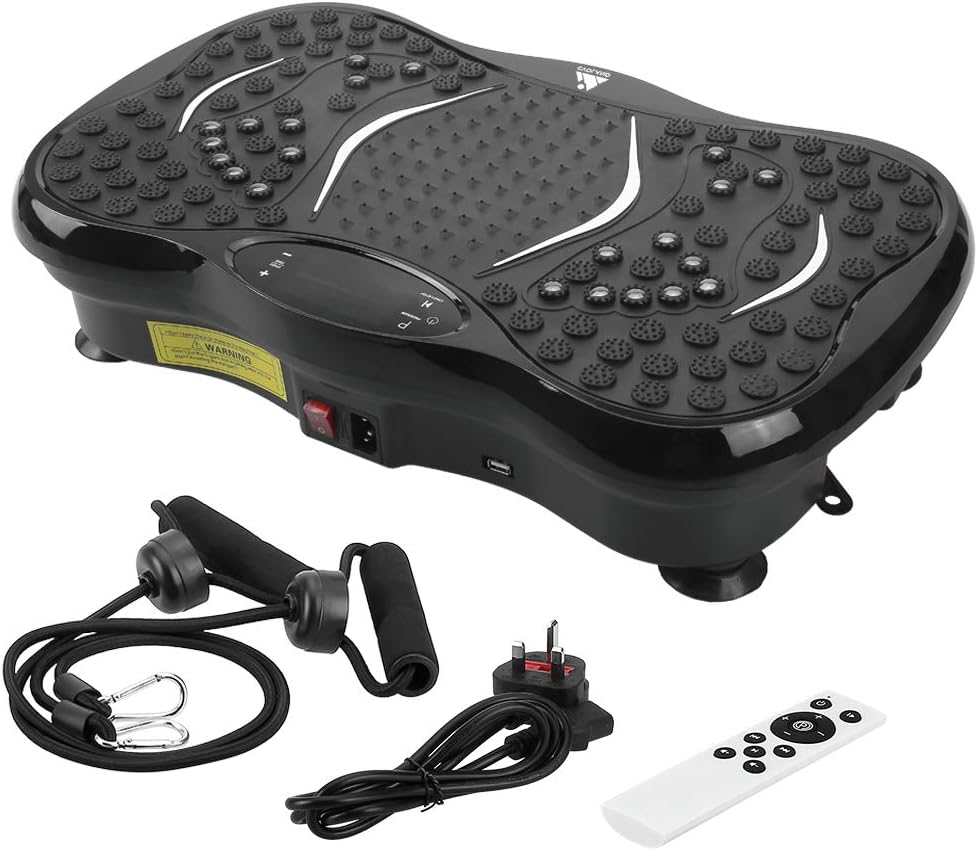
Image: All components included in the EVOLAND Vibration Platform package.
4. Proizvod je gotovview i komponente
Familiarize yourself with the main parts of your vibration platform:
- Vibration Platform: Main unit with textured surface for foot placement.
- LCD zaslon: Shows time, speed, program, and Bluetooth status.
- Upravljačka ploča: Buttons for power, program selection, speed adjustment.
- Prekidač za napajanje: Located on the side of the unit.
- Ulaz za napajanje: Za spajanje kabela za napajanje.
- Resistance Band Attachment Points: Rings on the bottom for resistance bands.
- Bluetooth zvučnik: Integrated for audio playback.

Image: Close-up of the control panel, power switch, and USB port on the vibration platform.

Slika: Prekoview of the vibration platform showing its dimensions and included accessories like the remote control, power plug, and resistance bands.
5. Postavljanje
Follow these steps to set up your EVOLAND Vibration Platform:
- Pričvrstite trake otpora: If desired, fasten the two resistance bands to the rings located on the bottom of the platform.
- Priključite napajanje: Plug the power cord into the power inlet on the platform, then plug the other end into a standard wall outlet.
- Uključi: Locate the main power switch on the side of the unit and flip it to the 'ON' position. The LCD display will illuminate.

Image: Visual guide demonstrating how to attach resistance bands, connect the power cord, and turn on the unit.
6. Upute za rad
6.1. Osnovni rad
- Uključivanje/isključivanje: Use the main power switch on the side or the power button on the remote/control panel.
- Start/Stop: Press the 'START/STOP' button on the control panel or remote to begin or pause vibration.
- Podesite brzinu: Use the '+' and '-' buttons to increase or decrease the vibration intensity (99 levels available).
- Postavi vrijeme: The machine has an automatic timer (1-15 minutes adjustable).
6.2. Programs and Modes
The platform offers 5 pre-set programs (P1-P5) and a manual mode:
- Ručni način rada: Allows you to manually adjust speed and time.
- Unaprijed postavljeni programi (P1-P5): Each program offers a unique combination of vibration patterns and intensity changes. Press the 'PROGRAM' button to cycle through them.
6.3. Bluetooth povezivanje
Za povezivanje uređaja putem Bluetootha:
- Ensure the vibration platform is powered on.
- Omogućite Bluetooth na svom pametnom telefonu, tabletu ili nekom drugom uređaju.
- Tražiti 'EVOLAND' or a similar device name in your device's Bluetooth settings.
- Pair with the platform. Once connected, you can play music through the integrated speaker.
6.4. Korištenje daljinskog upravljača
The remote control provides convenient access to all functions:
- Uključivanje/isključivanje
- Start/Stop
- Odabir programa
- Podešavanje brzine (+/-)
- Music Playback Controls (if applicable)

Slika: Prekoview of the LCD display and the remote control, highlighting various functions and buttons.
7. Smjernice za vježbanje
The EVOLAND Vibration Platform can be used for various exercises to target different muscle groups. A typical session of 10-15 minutes is recommended.
- Stojeći: Stand with feet shoulder-width apart, knees slightly bent. Adjust foot position for different intensity levels (wider stance for more intense vibration).
- Čučnjevi: Perform squats while standing on the platform to engage leg and glute muscles.
- Sklekovi: Place hands on the platform for an intensified upper body workout.
- Korištenje traka otpora: Attach the bands and perform exercises like bicep curls, tricep extensions, or shoulder presses while standing on the platform.
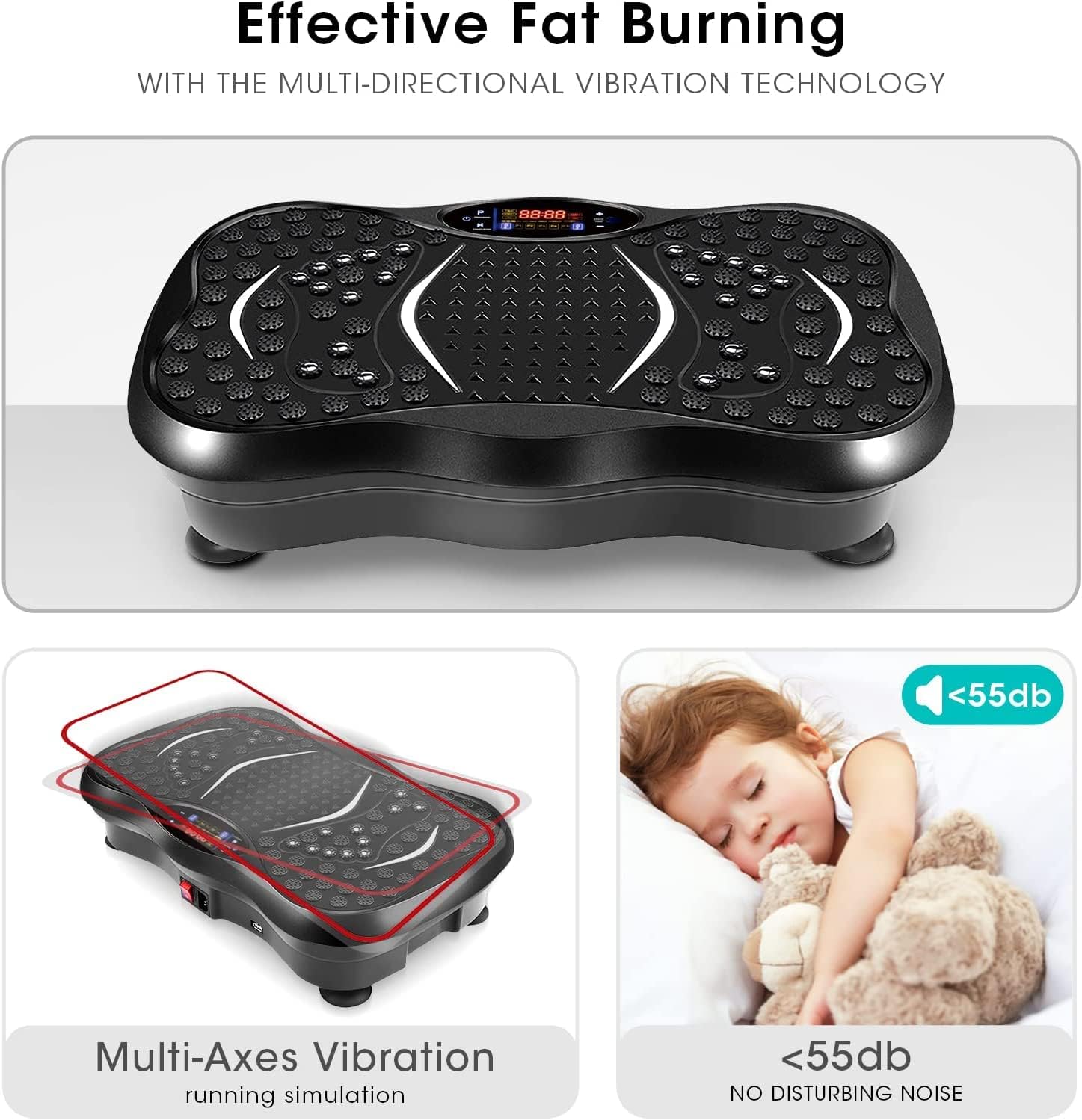
Image: A user demonstrating an exercise on the vibration platform while utilizing the included resistance bands for an upper body workout.
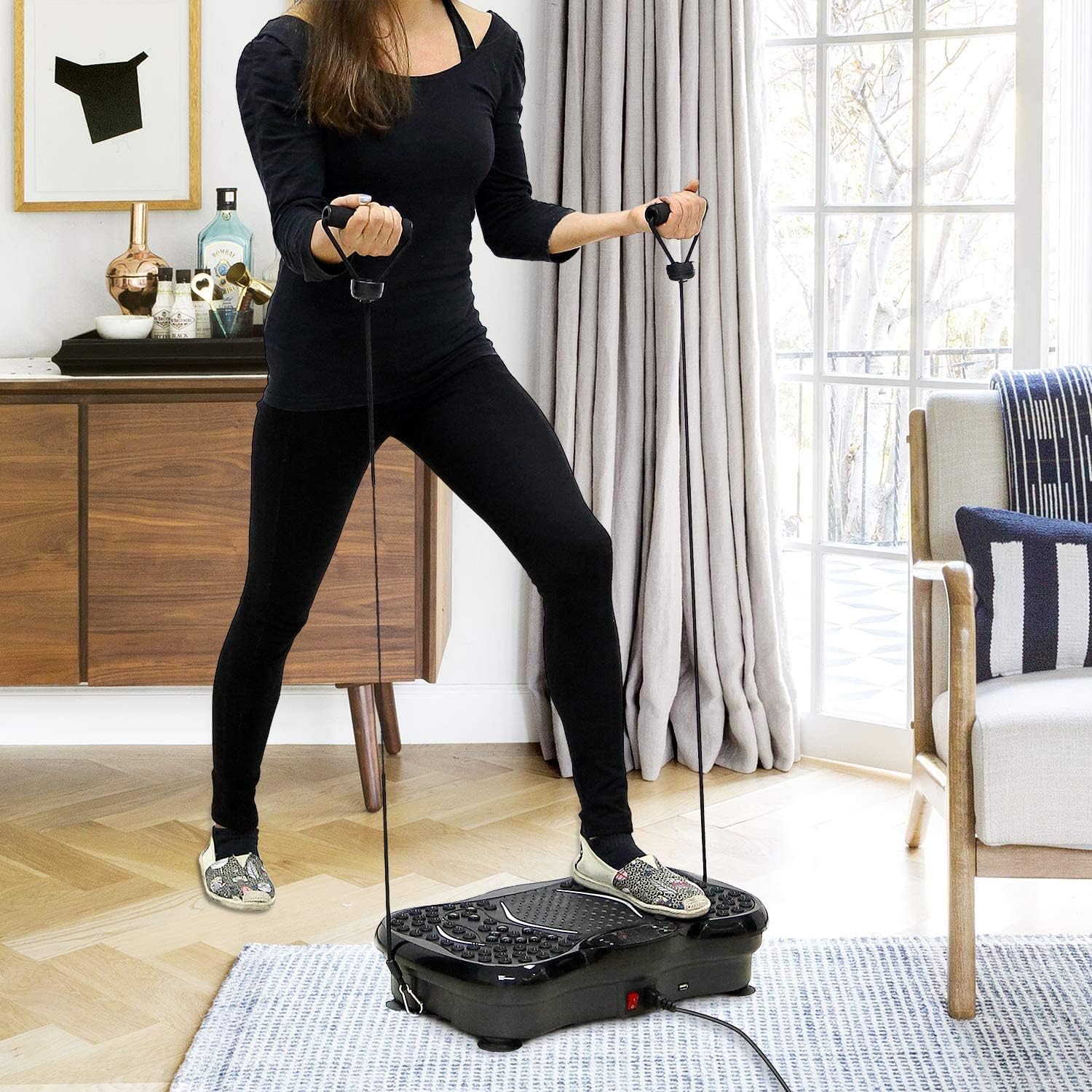
Image: Illustrates the potential benefits of using the vibration platform, comparing 15 minutes of vibration to the equivalent of other common exercises like riding, swimming, running, yoga, push-ups, and sit-ups.
8. Održavanje
- Čišćenje: Wipe the surface of the platform with a soft, damp cloth. Do not use abrasive cleaners or solvents. Ensure the machine is unplugged before cleaning.
- Skladištenje: Čuvajte stroj na hladnom i suhom mjestu daleko od izravne sunčeve svjetlosti i vlage.
- Inspekcija: Povremeno provjeravajte kabel za napajanje i sve spojeve na znakove istrošenosti ili oštećenja.
9. Rješavanje problema
If you encounter any issues, refer to the table below:
| Problem | Mogući uzrok | Otopina |
|---|---|---|
| Stroj se ne uključuje | Power cord not properly connected; Main power switch off; Power outlet issue. | Ensure power cord is securely plugged in; Flip main power switch to 'ON'; Test power outlet with another device. |
| Bez vibracija | Machine is paused; Program not selected; Speed set to 0. | Press 'START/STOP'; Select a program or adjust speed using '+' button. |
| Bluetooth se ne povezuje | Bluetooth on device is off; Incorrect device selected. | Ensure Bluetooth is enabled on your device; Select the correct 'EVOLAND' device from the list. |
| Neuobičajena buka tijekom rada | Loose components; Uneven surface. | Check for any loose parts; Ensure the platform is on a flat, stable surface. If noise persists, discontinue use and contact support. |

Image: Highlights the multi-axes vibration technology and the quiet operation (below 55dB) of the EVOLAND Vibration Platform, indicating a smooth user experience.
10. Specifikacije
| Marka | EVOLAND |
| Model | B0CCXMG7XT |
| Vrsta zaslona | LCD |
| Vrsta materijala | Akrilonitril butadien stiren (ABS), metal |
| Uključene komponente | Vibracijska platforma |
| Dimenzije proizvoda (D x Š x V) | 57.4 x 41.91 x 16.51 cm (22.6 x 16.5 x 6.5 inča) |
| Težina | 8.54 kg (18.8 lbs) |
| Boja | Crna |
| Preporuka za maksimalnu težinu | 150 kg (330 lbs) |
| Vrsta kontrole | Daljinski upravljač |
| Vlast | 200 W |
| Voltage | 220 V |
| Razine brzine | 1-99 |
| Načini rada | Automatic + 5 Manual Programs |
| Automatsko mjerenje vremena | Podesivo 1-15 minuta |
11. Jamstvo i podrška
EVOLAND products are manufactured to high-quality standards. For warranty information or technical support, please refer to the contact details provided with your purchase documentation or visit the official EVOLAND website. Please have your model number (B0CCXMG7XT) ready when contacting support.