
Thomson 24HA2S13C
THOMSON 24HA2S13C 24-inčni 12V HD pametni Android TV Korisnički priručnik
Model: 24HA2S13C
Važne sigurnosne informacije
Read all instructions before operating the TV. Keep this manual for future reference. Follow all warnings and instructions marked on the product.
- Ne blokirajte otvore za ventilaciju.
- Ne postavljajte u blizini izvora topline.
- Zaštitite kabel za napajanje od gaženja ili prignječenja.
- Koristite samo dodatke/dodatke koje je naveo proizvođač.
- Isključite tijekom grmljavinske oluje ili ako se ne koristite dulje vrijeme.
- Sve servise prepustite kvalificiranom servisnom osoblju.
Proizvod gotovview
The THOMSON 24HA2S13C is a 24-inch HD Smart Android TV designed for versatile use, including camping with its 12V power supply. It features Google Assistant, Wi-Fi, Bluetooth, Dolby Digital audio, and a triple-tuner for various signal reception.

Slika: prednja strana view of the THOMSON 24HA2S13C 24-inch Smart Android TV, showing the screen displaying streaming service logos and a family enjoying the TV in a camppostavljanje.
Sadržaj paketa
Provjerite jesu li svi artikli uključeni u paket:
- THOMSON 24HA2S13C Smart Android TV
- Daljinski upravljač
- Power Adapter (12V compatible)
- TV stalci (2)
- Vijci za TV stalke
- Korisnički priručnik (ovaj dokument)
- Kratki vodič za početak
Postavljanje
1. Pričvršćivanje TV postolja
- Pažljivo postavite televizor licem prema dolje na meku, ravnu površinu kako biste spriječili oštećenje zaslona.
- Align the TV stands with the mounting holes on the bottom of the TV.
- Pričvrstite stalke pomoću priloženih vijaka. Pazite da su čvrsto zategnuti.

Image: The THOMSON 24HA2S13C TV showing two possible stand positions for different furniture widths. The image highlights the flexibility in stand placement.
2. Povezivanje struje
Connect the 12V power adapter to the TV's power input and then to a suitable power source. For camping or mobile use, connect to a 12V DC power outlet.

Image: The THOMSON 24HA2S13C TV mounted in a caravan, with a 12V power adapter shown, illustrating its suitability for mobile use.
3. Spajanje vanjskih uređaja
Televizor nudi razne priključke za spajanje vanjskih uređaja:
- HDMI: For high-definition audio and video devices (e.g., game consoles, Blu-ray players).
- USB: Za spajanje USB uređaja za pohranu podataka za reprodukciju medija.
- LAN: Za žičanu internetsku vezu.
- Antena/Satelit: Za prijem emitiranih signala.
- AV IN: Za starije analogne uređaje.
- Audio izlaz (optički): Za spajanje na vanjske zvučne sustave.
- CI+: Za module uvjetnog pristupa.

Slika: Stražnja strana view of the THOMSON 24HA2S13C TV, detailing the various input and output ports available for connectivity.
Rukovanje televizorom
1. Čarobnjak za početno postavljanje
Prilikom prvog uključivanja, televizor će vas voditi kroz postupak početnog postavljanja. To uključuje:
- Odabir jezika.
- Mrežna veza (Wi-Fi ili Ethernet).
- Prijava na Google račun (nije obavezno, ali se preporučuje za sve značajke Smart TV-a).
- Channel scanning (for DVB-T2/C/S2).
2. Funkcije daljinskog upravljača
The included remote control provides access to all TV functions. It features backlit buttons for use in low light and a dedicated "Favorite" button for quick access to your preferred app.

Image: The remote control for the THOMSON 24HA2S13C TV, highlighting its ergonomic design, backlit buttons, and voice control capabilities.
3. Značajke pametnog televizora (Android TV)
This TV runs on Android TV, providing access to a wide range of applications and services:
- Usluge strujanja: Access Netflix, Prime Video, YouTube, Disney+, and more.
- Google pomoćnik: Use voice commands to search for content, control playback, and get information. Activate by pressing the Google Assistant button on the remote.
- Ugrađeni Chromecast: Cast content from compatible smartphones, tablets, or computers directly to your TV.
- Trgovina Google Play: Preuzmite dodatne aplikacije i igre.

Image: The THOMSON 24HA2S13C TV screen showing the Android TV home interface with popular streaming applications and content recommendations.
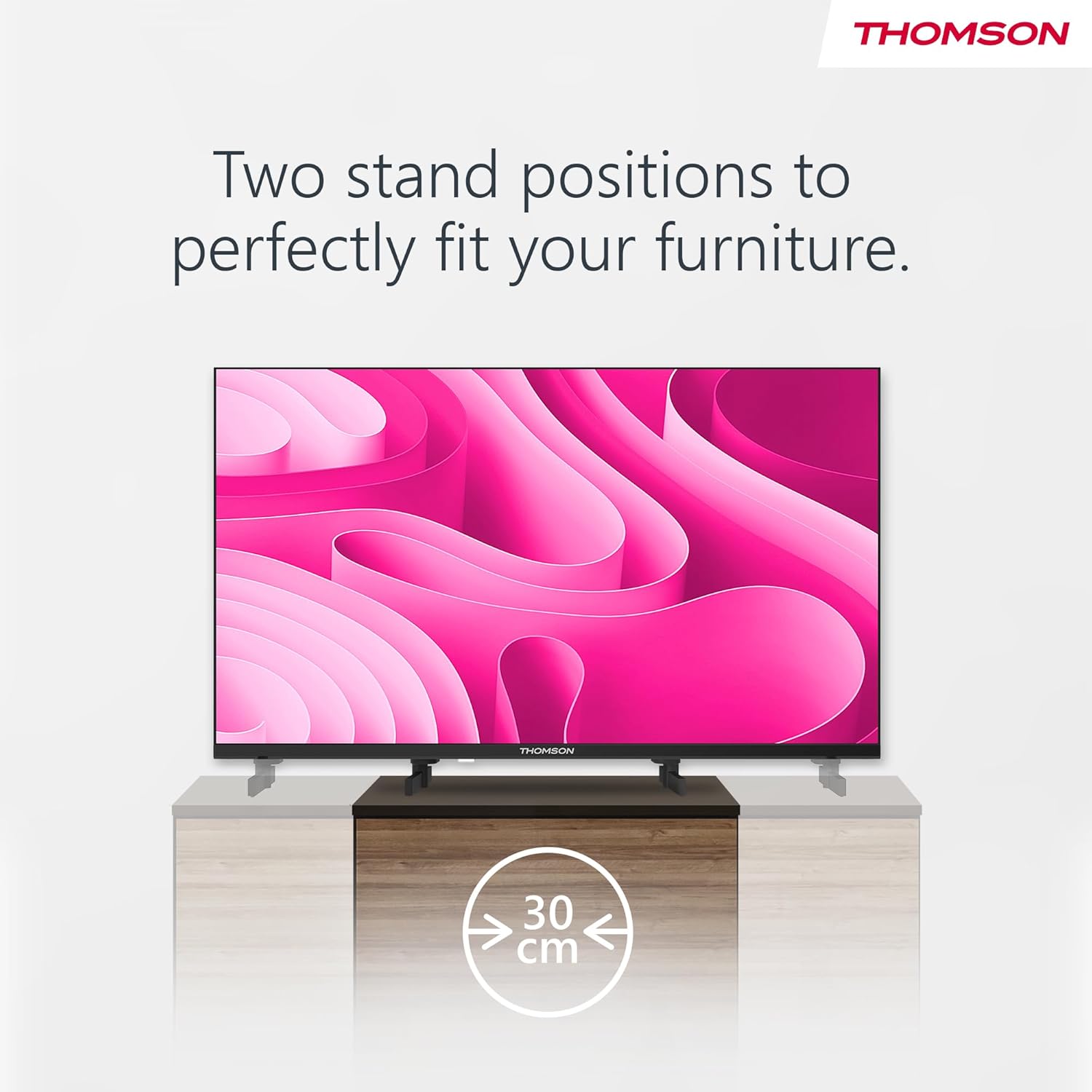
Image: A person using the voice control feature of the THOMSON TV remote, demonstrating interaction with Google Assistant.
Održavanje
Čišćenje TV-a
- Uvijek isključite televizor iz struje prije čišćenja.
- Use a soft, dry cloth to wipe the screen and cabinet. Do not use liquid cleaners or aerosol sprays.
- Za tvrdokorne mrlje, lagano dampen a microfiber cloth with water and gently wipe. Avoid excessive moisture.
Ažuriranja softvera
The TV may receive software updates to improve performance and add new features. Ensure your TV is connected to the internet to receive these updates. You can usually check for updates in the TV's settings menu.
Rješavanje problema
| Problem | Mogući uzrok | Otopina |
|---|---|---|
| Nema struje | Kabel za napajanje nije spojen; utičnica nije aktivna. | Provjerite priključak kabela za napajanje. Isprobajte utičnicu s drugim uređajem. |
| Nema slike, ali je zvuk prisutan | Odabran pogrešan ulazni izvor; problem s pozadinskim osvjetljenjem. | Press the "Input" button on the remote to select the correct source. Contact support if issue persists. |
| Nema zvuka, ali je slika prisutna | Volume too low or muted; audio cables loose. | Increase volume. Check mute status. Ensure audio cables are securely connected. |
| Daljinski upravljač ne radi | Baterije su prazne; prepreka između daljinskog upravljača i televizora. | Zamijenite baterije. Uklonite sve prepreke. Provjerite je li daljinski upravljač usmjeren prema IR senzoru televizora. |
| Ne mogu se spojiti na Wi-Fi | Netočna lozinka; problemi s usmjerivačem; TV previše udaljen od usmjerivača. | Provjerite lozinku za Wi-Fi. Ponovno pokrenite usmjerivač. Približite televizor usmjerivaču ili upotrijebite žičanu vezu. |
Tehnički podaci
| Značajka | Detalj |
|---|---|
| Marka | Thomson |
| Model | 24HA2S13C |
| Veličina zaslona | 24 inča (60 cm) |
| Tehnologija zaslona | LED |
| Rezolucija | 1366 x 768 (HD) |
| Operativni sustav | Android TV |
| Posebne značajke | Google Assistant, Chromecast Built-in, 12V Power Supply, Dolby Audio, Triple Tuner (DVB-T2/C/S2) |
| Povezivost | Wi-Fi, Bluetooth, HDMI (x3), USB (x2), LAN, Optical Audio Out, AV In, CI+ |
| Voltage | 12 volti (DC) |
| Dimenzije proizvoda (Š x D x V) | 53.5 x 15.1 x 35.3 cm (s postoljem) |
| Težina | 3.5 kg |
Za detaljne informacije o energetskoj učinkovitosti, molimo pogledajte bazu podataka EU EPREL: https://eprel.ec.europa.eu/qr/1456673

Image: The EU Energy Label for the THOMSON 24HA2S13C TV, showing an energy efficiency rating of E and power consumption of 18 kWh/1000h.
Jamstvo i podrška
This Thomson TV comes with a 3-year guarantee. For technical support, warranty claims, or service inquiries, please contact your local Thomson service provider or refer to the manufacturer's webmjesto.
Manufacturer: STREAMVIEW GMBH
Webstranica: www.streamview.com
Email: kontakt@streamview.com
Službeni video proizvoda
Pogledajte ovaj video za vizualni pregledview of the Thomson 24-inch Easy TV.
Video: Kratak pregledview of the Thomson 24-inch Easy TV, showcasing its design and features. This video is provided by the vendor Streamview GmbH.
Ask a question about this manual
Ask about setup, troubleshooting, compatibility, parts, safety, or missing instructions. Manuals+ will review the question and use this page’s manual context to help answer it.