
Oštrija slika 1213014311
Sharper Image Toy Remote Control Xtreme Airwave Drone User Manual
Brand: Sharper Image | Model: 1213014311
Uvod
Discover the thrill of drone flying with the Sharper Image X-Treme Airwave Drone. This high-performance remote control drone is designed for both beginners and advanced users, offering easy control and exciting stunt capabilities. This manual provides essential information for setup, operation, maintenance, and troubleshooting to ensure a safe and enjoyable flying experience.
Važne sigurnosne informacije
Choking Hazard - Small Part. Not for Children under 3 years. Colors and styles may vary. Adult supervision required.
- Dron uvijek koristite na otvorenim, čistim područjima, dalje od ljudi, životinja i prepreka.
- Do not fly near power lines, trees, or water.
- Ensure the drone's battery is fully charged before each flight.
- Never attempt to modify or repair the drone or its components.
- Keep fingers, hair, and loose clothing away from rotating propellers.
- Store the drone and remote control in a cool, dry place when not in use.
Sadržaj paketa

The package includes all necessary components for immediate use, except for the remote control batteries. Please verify that all items listed below are present and in good condition upon unboxing.
- 1x Sharper Image X-Treme Airwave Drone
- 1x Bežični daljinski upravljač
- 4x Replacement Rotor Blades
- 1x USB-C kabel za punjenje
- 1x Built-in 3.7V 200mAh Li-Po Rechargeable Battery (non-replaceable)
Bilješka: Daljinski upravljač zahtijeva 3 AAA 1.5V baterije (nisu uključene).
This image illustrates the drone, its remote, and the included accessories, along with a note about the required AAA batteries for the remote control.
Vodič za postavljanje
1. Punjenje baterije drona
The drone is equipped with a built-in rechargeable Li-Po battery. Before first use, fully charge the drone.
- Connect the small end of the included USB-C charging cable to the drone's charging port.
- Connect the large end of the USB-C charging cable to a USB power source (e.g., computer USB port, USB wall adapter).
- The charging indicator light on the cable will illuminate during charging and turn off when charging is complete.
- Punjenje obično traje otprilike 60-90 minuta. Nemojte prepuniti.
Važno: Disconnect the charging cable once the battery is fully charged to prevent damage.
2. Instaliranje baterija daljinskog upravljača
Daljinski upravljač zahtijeva 3 AAA 1.5V baterije (nisu uključene).
- Pronađite odjeljak za baterije na stražnjoj strani daljinskog upravljača.
- Pomoću malog križnog odvijača otvorite poklopac odjeljka za baterije.
- Umetnite 3 AAA baterije, pazeći na ispravan polaritet (+ i -).
- Vratite poklopac odjeljka za baterije i pričvrstite ga vijkom.
3. Uparivanje drona i daljinskog upravljača
Follow these steps to establish a connection between the drone and its remote control:
- Dron postavite na ravnu, ravnu površinu.
- Turn on the drone by sliding the power switch (usually located on the underside or side of the drone). The drone's LED lights will begin to flash.
- Turn on the remote control by pressing the power button. The remote's indicator light will flash.
- Push the left joystick (throttle) all the way up, then pull it all the way down.
- The drone's LED lights and the remote's indicator light will turn solid, indicating successful pairing.
- The drone is now ready for flight.
Upute za rad
Osnovne kontrole

The remote control features a 2.4 GHz frequency for long-range flights and intuitive controls.
- Lijeva upravljačka palica (gas): Kontrolira visinu (gore/dolje) i rotaciju (lijevo/desno).
- Desna upravljačka palica (smjerna): Upravlja kretanjem naprijed/natrag i lijevo/desno.
- One-Button Take-Off/Landing: Pokreće automatsko polijetanje ili slijetanje.
- Gumb za brzinu: Toggles between beginner and expert flight modes.
- Stunt Button: Activates stunt maneuvers.
- Gumbi za obrezivanje: Used to fine-tune drone stability if it drifts.
This image displays the drone alongside its remote control, highlighting the ergonomic design and button layout for easy understanding of the basic controls.
One-Button Take-Off and Landing
The X-Treme Airwave Drone features an easy one-button operation for take-off and landing.
- To Take-Off: After pairing, press the One-Button Take-Off/Landing button. The drone will automatically ascend to a stable hovering height.
- To Land: During flight, press the One-Button Take-Off/Landing button again. The drone will slowly descend and land automatically.
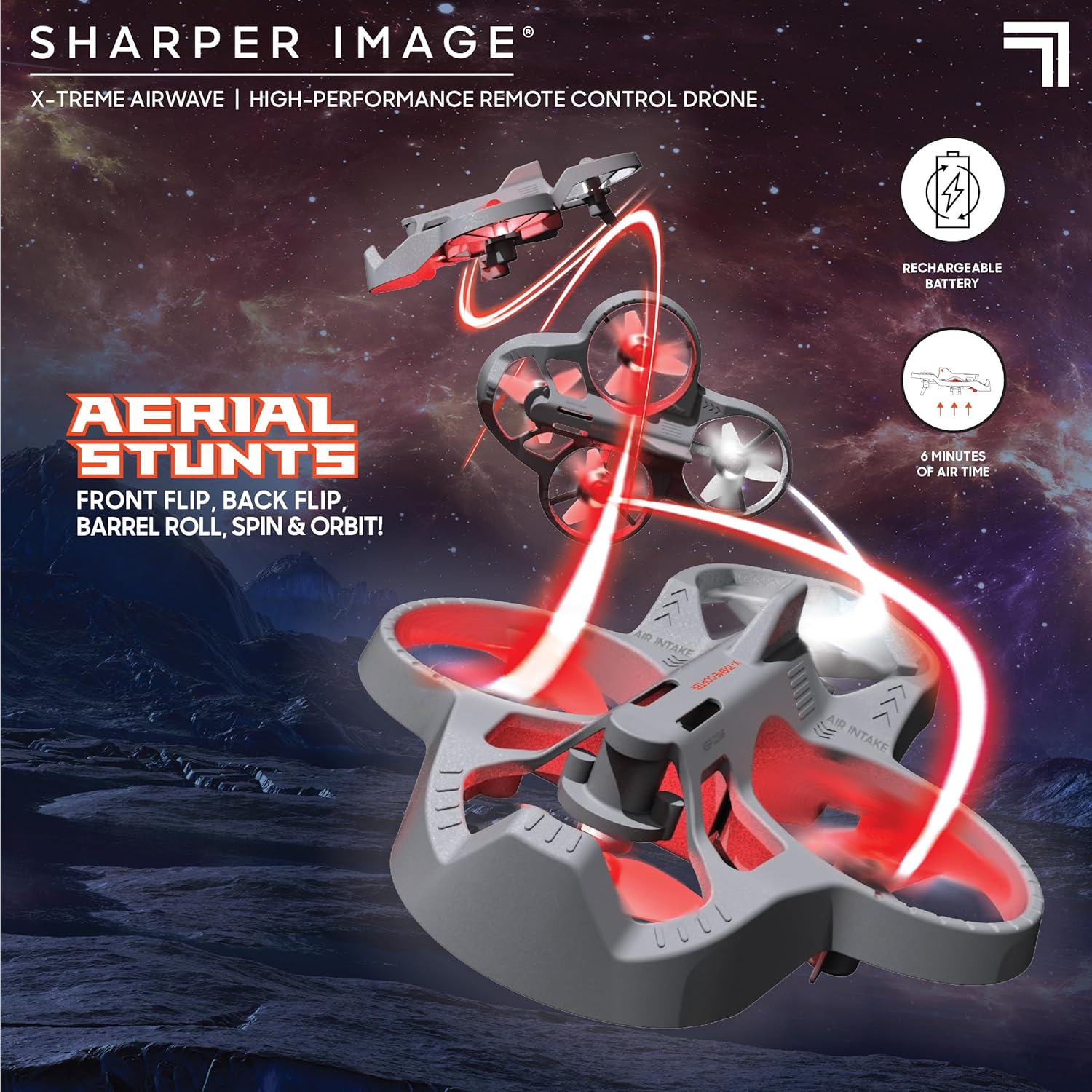
This image demonstrates the drone's agility, showcasing it in mid-air performing various aerial maneuvers, emphasizing its stunt capabilities.
Flight Modes (Beginner & Expert)
The drone offers two distinct flight modes to accommodate different skill levels:
- Način rada za početnike: Ideal for new pilots, offering more stable and less responsive controls for easier learning.
- Stručni način rada: Provides increased responsiveness and agility for experienced pilots to perform more dynamic maneuvers.
Pritisnite tipku Gumb za brzinu on the remote control to switch between these modes. The remote will typically indicate the current mode (e.g., with a beep or light change).
Performing Stunts
Elevate your piloting skills with impressive stunts:
- Flips (Front, Back, Left, Right): While flying, press the Gumb za stunt once, then quickly push the right joystick in the desired flip direction (forward, backward, left, or right).
- Barrel Rolls: Similar to flips, but often involves a more continuous rotation. Consult the specific instructions for your model if it has a dedicated barrel roll function.
- Spins and Orbits: These advanced maneuvers may require specific joystick combinations or dedicated buttons. Practice in an open area.
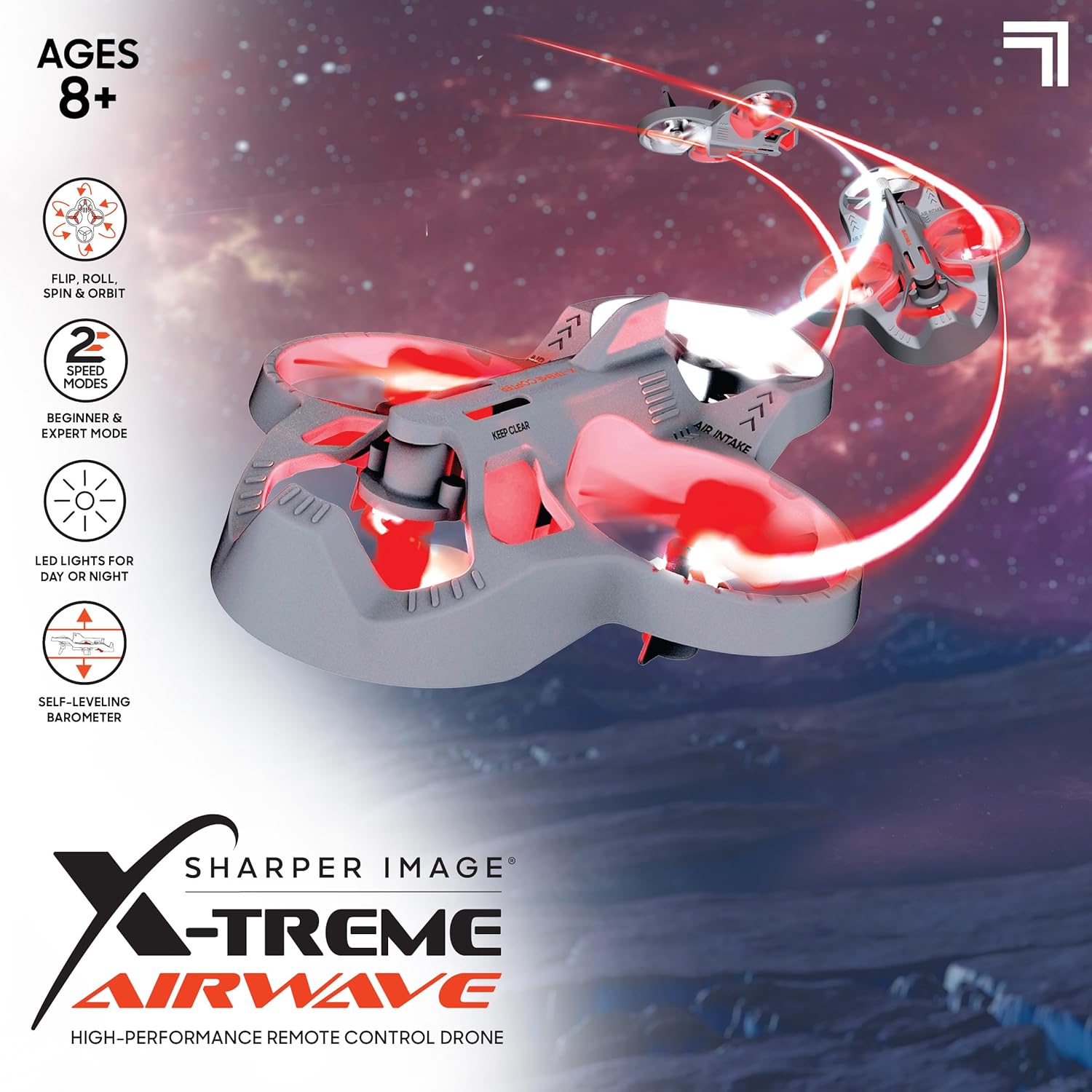
This image visually details the drone's key features, such as its ability to perform flips, rolls, spins, and orbits, along with its two speed modes and LED lights for enhanced visibility.
LED prednja svjetla
The drone is equipped with bright LED headlights, allowing for exciting nighttime play and enhanced visibility during flight. These lights typically activate automatically when the drone is powered on.
Održavanje
Čišćenje
- Gently wipe the drone's body with a clean, dry cloth to remove dust and debris.
- Avoid using water or liquid cleaners, as they can damage electronic components.
- Ensure propellers are free of hair, dust, or other obstructions.
Zamjena propelera
If a propeller is damaged, replace it with one of the included spare blades.
- Carefully remove the damaged propeller by gently pulling it upwards from its motor shaft.
- Note the orientation of the propeller (some may be marked 'A' or 'B' and correspond to specific motor positions).
- Press the new propeller firmly onto the motor shaft until it is secure.
- Ensure the new propeller spins freely without obstruction.
Održavanje i skladištenje baterije
- Uvijek potpuno napunite bateriju drona prije svakog leta.
- Ne ostavljajte bateriju da se puni bez nadzora dulje vrijeme.
- If the drone will not be used for a long time, store the battery with a partial charge (around 50%) to prolong its lifespan.
- Store the drone and remote control in a cool, dry environment, away from direct sunlight and extreme temperatures.
Rješavanje problema
| Problem | Mogući uzrok | Otopina |
|---|---|---|
| Dron ne reagira na daljinski upravljač. | Not paired; Remote batteries low; Drone battery low. | Re-pair drone and remote; Replace remote batteries; Charge drone battery. |
| Dron se zanosi tijekom leta. | Needs calibration; Uneven surface at take-off; Propeller damage. | Perform calibration (refer to specific remote instructions); Take off from a level surface; Check and replace damaged propellers. |
| Drone has short flight time. | Baterija nije potpuno napunjena; Stara baterija. | Ensure full charge before flight; Battery lifespan decreases over time. |
| Propellers are not spinning. | Obstruction; Motor issue; Not powered on. | Check for obstructions; Ensure drone is powered on and paired. |
Tehnički podaci
| Naziv modela | Xtreme Airwave |
| Broj modela | 1213014311 |
| Dimenzije proizvoda | 26.67 x 14.22 x 7.11 cm; 340 g |
| Vrsta materijala | Plastični |
| Drone baterija | Built-in 3.7V 200mAh Li-Po (Rechargeable) |
| Baterija za daljinski upravljač | 3 AAA 1.5 V baterije (nisu uključene) |
| Vrsta daljinskog upravljača | Radio kontrola 2.4 GHz |
| Preporučena dob | 8 - 15 godina (preporučuje proizvođač) |
| Posebne značajke | Weather resistant, shock resistant, LED lights, One-button take-off/landing, Self-leveling barometer |

This image provides a visual reference for the drone's compact size, specifically highlighting its approximate 4-inch width.
Jamstvo i podrška
Za informacije o jamstvu i korisničku podršku, pogledajte službene stranice tvrtke Sharper Image webweb-mjesto ili se obratite njihovoj službi za korisnike. Sačuvajte račun kao dokaz o kupnji.
- Proizvođač: THREE SIXTY GROUP
- Trgovina robne marke: Visit the Sharper Image Store on Amazon
- For further assistance, please contact the retailer or manufacturer directly.
Ask a question about this manual
Ask about setup, troubleshooting, compatibility, parts, safety, or missing instructions. Manuals+ will review the question and use this page’s manual context to help answer it.