
1. Uvod
Thank you for choosing the Trust Halyx 5-in-1 USB-C Hub. This manual provides essential information for the proper setup, operation, and maintenance of your device. This hub is designed to expand the connectivity of your PC, laptop, or MacBook Pro by adding four USB-C data ports and one USB-C Power Delivery (PD) port.
2. Proizvod je gotovview
The Trust Halyx 5-in-1 USB-C Hub (Model 25136) features a durable aluminum housing and a compact design. It connects to your host device via an integrated 10cm USB-C cable.
2.1 Ključne značajke
- 5-Port Connectivity: Adds 4 USB-C data ports and 1 USB-C Power Delivery port.
- 100W USB-C PD Power Port: Allows pass-through charging for your laptop (additional charger required).
- Prijenos podataka velike brzine: Supports data transfer speeds up to 5 Gbps.
- Izdržljiv dizajn: Constructed with an aluminum housing for enhanced durability.
- Plug and Play: Za većinu operativnih sustava nisu potrebni upravljački programi.
2.2 Sadržaj paketa
- Trust Halyx 5-in-1 USB-C Hub
- Korisnički priručnik (ovaj dokument)

Image: The Trust Halyx 5-in-1 USB-C Hub showing its five convenient ports and integrated USB-C cable.

Slika: Detaljna view of the five USB-C ports on the Trust Halyx hub, including the Power Delivery port.
3. Upute za postavljanje
Follow these steps to set up your Trust Halyx 5-in-1 USB-C Hub:
- Povezivanje s glavnim uređajem: Plug the integrated USB-C cable of the hub into an available USB-C port on your PC, laptop, or MacBook Pro.
- Priključak za napajanje (opcionalno): If you wish to charge your laptop through the hub, connect your laptop's USB-C power adapter to the dedicated 100W USB-C PD port on the hub. Note: An additional charger is required for pass-through charging.
- Povežite periferne uređaje: Plug your USB-C devices (e.g., external drives, keyboards, mice, other USB-C accessories) into the four USB-C data ports on the hub.
- Provjerite vezu: Your operating system should automatically detect the hub and connected devices. No additional drivers are typically needed.

Image: The Trust Halyx hub connected to a laptop, demonstrating how to plug in additional USB-C devices.

Image: The 100W USB-C Power Delivery port on the Trust Halyx hub, with a power cable connected for laptop charging.
4. Upute za rad
Once connected, the Trust Halyx hub operates as a direct extension of your computer's USB-C capabilities.
4.1 Povezivanje uređaja
- Simply plug your USB-C peripherals into any of the four available USB-C data ports.
- The hub supports data transfer speeds of up to 5 Gbps, suitable for most external storage devices, keyboards, mice, and other accessories.
4.2 Power Delivery Functionality
- The dedicated USB-C PD port allows you to charge your laptop while using the hub. Connect your laptop's original USB-C power adapter to this port.
- The hub supports up to 100W pass-through power delivery. Ensure your power adapter is compatible with your laptop's charging requirements.

Image: A complete workstation setup utilizing the Trust Halyx hub to connect various peripherals to a laptop and external monitor.
5. Održavanje i njega
To ensure the longevity and optimal performance of your Trust Halyx USB-C Hub, follow these guidelines:
- Čišćenje: Za čišćenje glavčine koristite meku, suhu krpu. Izbjegavajte tekuća sredstva za čišćenje ili abrazivne materijale.
- Skladištenje: Spremite hub na hladnom i suhom mjestu kada ga ne koristite. Njegova kompaktna veličina čini ga prikladnim za putovanja.
- Rukovanje: Avoid dropping the hub or subjecting it to strong impacts. Do not bend the integrated cable excessively.
- Temperatura: Operate the hub within normal room temperatures. Avoid extreme heat or cold.
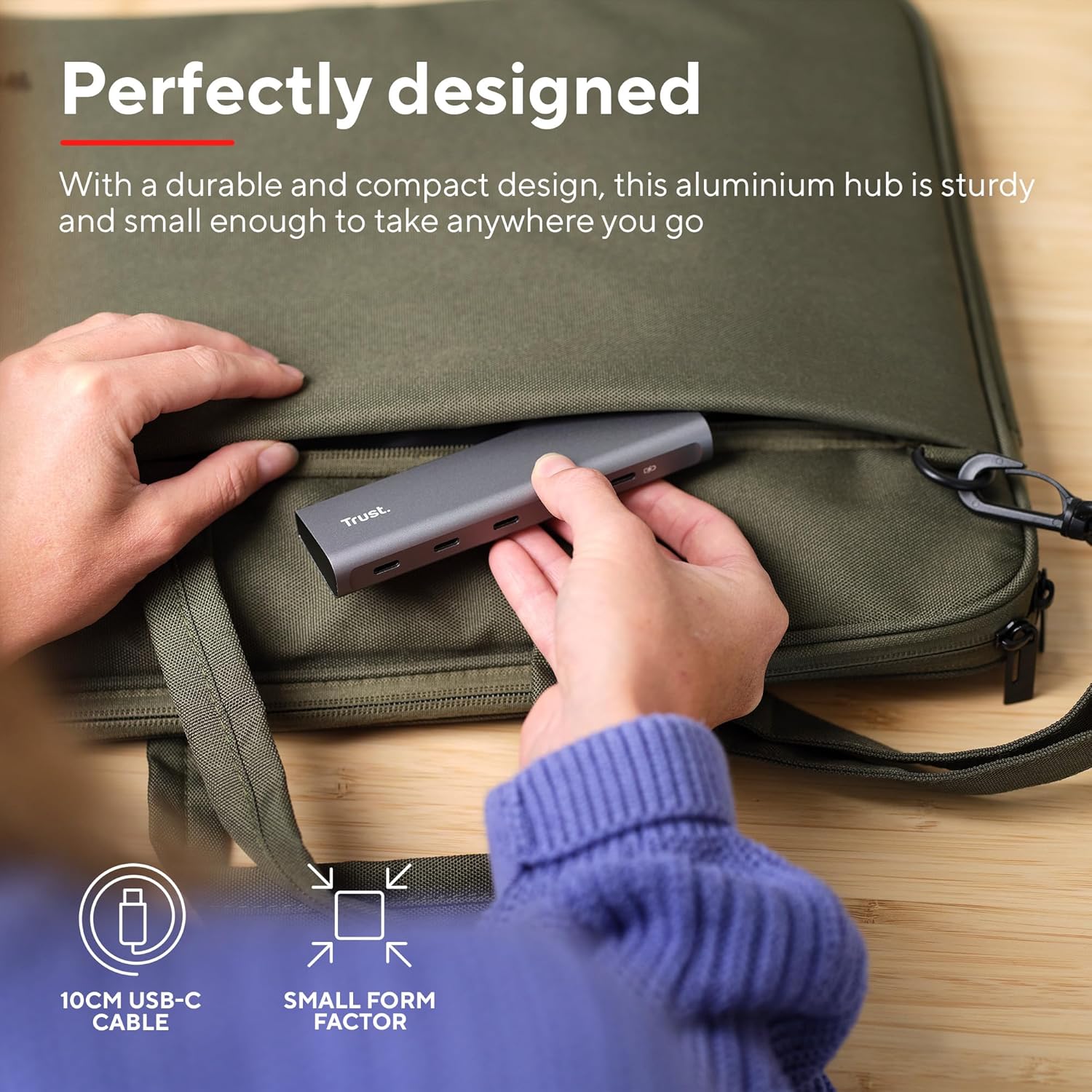
Image: The compact and durable design of the Trust Halyx hub, shown being placed into a laptop bag for portability.
6. Rješavanje problema
If you encounter issues with your Trust Halyx USB-C Hub, refer to the following common solutions:
6.1 Devices Not Detected
- Provjerite veze: Ensure the hub's USB-C cable is securely plugged into your host device and that peripherals are firmly connected to the hub.
- Restart Host Device: Sometimes, a simple restart of your computer can resolve detection issues.
- Test Peripherals Directly: Connect the peripheral directly to your computer's USB-C port (if available) to confirm it is functioning correctly.
- Isprobajte drugi port: If your computer has multiple USB-C ports, try connecting the hub to a different one.
6.2 Charging Not Working
- Provjerite strujni adapter: Ensure your USB-C power adapter is correctly connected to the hub's PD port and is capable of providing sufficient power for your laptop.
- Check Laptop Compatibility: Confirm your laptop supports USB-C Power Delivery for charging.
- Integritet kabela: Ensure the USB-C cable from your power adapter to the hub is not damaged.
6.3 Spori prijenos podataka
- Kompatibilnost uređaja: Ensure the connected peripheral supports USB 3.0 (5 Gbps) speeds. Older USB 2.0 devices will operate at their native slower speeds.
- Host Port Speed: Verify that the USB-C port on your computer supports USB 3.0 or higher data transfer rates.
- Izbjegavajte preopterećenje: While the hub provides multiple ports, extremely demanding devices might perform better when connected directly to the host device if possible.
7. Specifikacije
| Značajka | Detalj |
|---|---|
| Broj modela | 25136 |
| Marka | Povjerenje |
| Povezivost | 1x USB-C Host Connector (integrated cable), 4x USB-C Data Ports, 1x USB-C Power Delivery Port |
| Brzina prijenosa podataka | Do 5 Gbps (USB 3.0) |
| Isporuka energije | Up to 100W pass-through charging |
| Materijal kućišta | Aluminij |
| Duljina kabela | 10 cm |
| Dimenzije (DxŠxV) | 1.26 x 5 x 0.63 inča (32 x 127 x 16 mm) |
| Težina | 2.86 unci (81 grama) |
| Kompatibilni operativni sustavi | Chrome OS, Windows 10 or 11, macOS 11, 12 or 13 |
8. Jamstvo i podrška
Za informacije o jamstvu i tehničku podršku obratite se službenom Trustu webweb-mjesto ili se izravno obratite njihovoj korisničkoj službi. Sačuvajte dokaz o kupnji za slučaj zahtjeva za jamstvo.
Mrežna podrška: www.trust.com/support