
Uvod
Hvala na kupnjiasing the Emerson EPD-1001 Portable 10-inch DVD Player. This manual provides essential information for setting up, operating, and maintaining your device. Please read these instructions carefully before use to ensure proper functionality and to maximize your viewiskustvo.
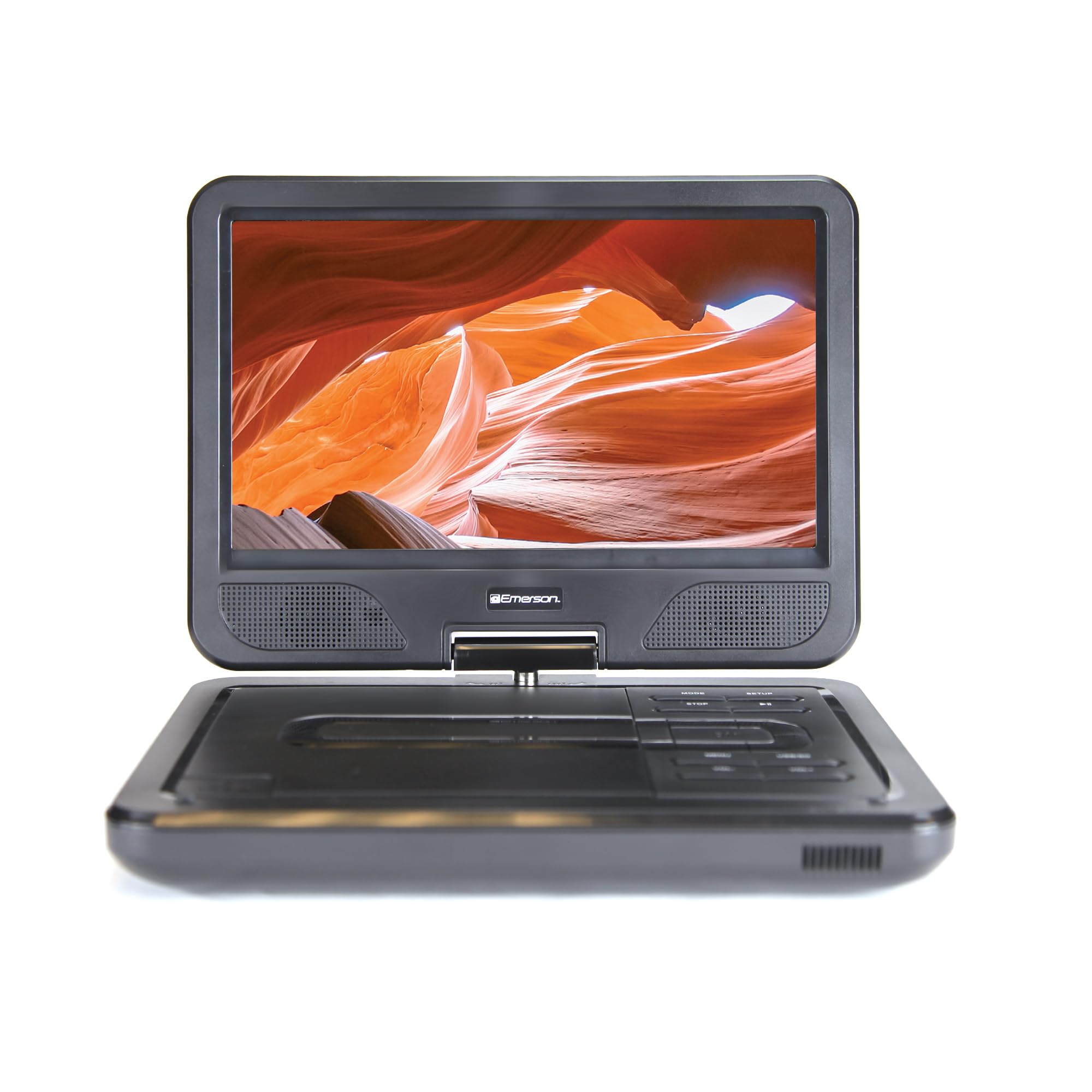
Image: The Emerson EPD-1001 Portable 10-inch DVD Player shown with its screen open, displaying a vibrant image.
Što je u kutiji
Provjerite jesu li svi artikli prisutni u pakiranju:
- Emerson EPD-1001 Portable 10-inch DVD Player
- Daljinski upravljač
- AC adapter za napajanje
- DC kabel za automobil
- AV kabel
- Korisnički priručnik (ovaj dokument)
- Jamstveni list

Image: The Emerson EPD-1001 Portable 10-inch DVD Player displayed alongside its remote control.
Značajke proizvoda
- 10-inch Swivel Screen: The large 10-inch screen swivels 180 degrees, allowing for flexible viewing kutova.
- Ugrađeni zvučnik: Integrated speaker provides clear audio for an immersive experience.
- Punjiva baterija: Enjoy portable viewing with the built-in rechargeable battery, offering hours of playback.
- Daljinski upravljač: Navigate menus and control playback effortlessly with the included remote.
- Kompaktan dizajn: Lightweight and compact for easy transport during travel.
- Kompatibilnost s više formata: Supports a wide range of DVD formats, as well as media from USB flash drives and SD cards.
Video: A 360-degree product overview of the Emerson EPD-1001 Portable DVD Player, showcasinnjegov dizajn i značajke iz različitih kutova.
Postavljanje
- Raspakiranje: Pažljivo izvadite sve komponente iz ambalaže. Sačuvajte ambalažu za buduće skladištenje ili slanje.
- Punjenje baterije: Before first use, fully charge the internal rechargeable battery. Connect the AC power adapter to the DC IN 9-12V port on the DVD player and plug it into a standard wall outlet. The charging indicator light will illuminate. A full charge typically takes several hours.
- Snaga automobila (opcionalno): For in-car use, connect the DC car cord to the DC IN 9-12V port and plug the other end into your vehicle's 12V accessory socket.
- External Display Connection (Optional): To connect to an external display (e.g., TV), use the provided AV cable. Connect the AV OUT port on the DVD player to the corresponding AV IN ports on your television.

Image: A hand plugging a 12V car adapter into a vehicle's power outlet, demonstrating how to power the DVD player on the go.
Upute za rad
Uključivanje/isključivanje
- Za uključivanje pritisnite i držite VLAST tipku dok se ekran ne osvijetli.
- Za isključivanje pritisnite i držite tipku VLAST ponovno pritisnite tipku dok se zaslon ne isključi.
Inserting and Playing a DVD
- Open the disc cover by gently lifting the OTVORITI zasun.
- Place a DVD disc onto the spindle with the label side facing up. Gently press the center of the disc to secure it.
- Zatvorite poklopac diska.
- The player will automatically detect the disc and begin playback. If not, press the REPRODUCIRAJ/PAUZIRAJ dugme.
Korištenje okretnog zaslona
The screen can be rotated up to 180 degrees. Gently swivel the screen to your desired viewing angle. You can also fold the screen flat against the base for a tablet-like viewiskustvo.

Image: A woman using the Emerson EPD-1001 Portable DVD Player, demonstrating the swivel screen feature for comfortable viewing.
Media Playback (USB/SD Card)
- Umetnite USB flash pogon u USB port or an SD card into the SD KARTICA utor.
- Koristite NAČIN RADA button on the player or remote to select the appropriate input (USB or SD).
- Navigacija kroz medije files using the arrow buttons and press ENTER igrati se.

Image: A hand inserting a USB flash drive into the side port of the portable DVD player, illustrating media playback from external storage.
Korištenje daljinskog upravljača
Point the remote control directly at the infrared sensor on the DVD player. The remote allows access to functions such as Play, Pause, Stop, Fast Forward, Rewind, Chapter Skip, Volume Control, Menu Navigation, and Input Selection.
Audio izlaz
- Ugrađeni zvučnici: Audio will play automatically through the integrated speakers. Adjust volume using the GLASNOST+ i VOL- gumbi.
- Priključak za slušalice: For private listening, plug standard 3.5mm headphones into the SLUŠALICA jack. This will mute the built-in speakers.
Održavanje
- Čišćenje: Use a soft, dry cloth to clean the exterior of the DVD player. For the screen, use a soft, lint-free cloth specifically designed for electronics screens. Do not use liquid cleaners or abrasive materials.
- Njega diska: Handle discs by their edges. Keep discs clean and free of scratches. Use a soft, lint-free cloth to wipe discs from the center outwards if cleaning is necessary.
- Njega baterije: To prolong battery life, avoid fully discharging the battery frequently. If storing the device for an extended period, charge the battery to approximately 50% and store in a cool, dry place. Recharge every few months to prevent deep discharge.
- Skladištenje: Store the DVD player in a cool, dry environment away from direct sunlight, extreme temperatures, and excessive dust.
Rješavanje problema
| Problem | Mogući uzrok | Otopina |
|---|---|---|
| Player se ne uključuje. | Baterija je prazna ili adapter za napajanje nije spojen. | Connect the AC power adapter and allow the battery to charge. Ensure the power button is pressed and held. |
| Nema slike na ekranu. | Disc is dirty/scratched, incorrect input selected, or screen is folded incorrectly. | Clean the disc. Ensure the screen is properly opened and swiveled. If connected to an external display, verify AV cable connections and TV input selection. |
| Nema zvuka. | Volume is too low, headphones are connected, or disc has no audio track. | Increase the volume. Disconnect headphones if using built-in speakers. Check disc for audio content. |
| Disk se ne reproducira ili preskače. | Disk je prljav, izgreban ili nekompatibilnog formata. | Clean the disc thoroughly. Try a different disc. Ensure the disc format is supported by the player. |
| Daljinski upravljač ne radi. | Batteries are dead or remote is not pointed at sensor. | Replace remote control batteries. Ensure direct line of sight to the player's IR sensor. |
Tehnički podaci
| Značajka | Detalj |
|---|---|
| Marka | Emerson |
| Broj modela | EPD-1001 |
| Veličina zaslona | 10 inča |
| Vrsta zaslona | LCD |
| Izvorna razlučivost | 1280x720 |
| Tehnologija povezivanja | USB |
| Kompatibilni uređaji | Mobile Phone, Television (via AV out) |
| Vrsta medija | DVD, CD, MP3, USB, SD Card |
| Dimenzije predmeta (D x Š x V) | 10 cm D x 1.8 cm Š x 7.35 cm V |
| Težina artikla | 2.2 funti |
| Boja | Crna |
| Mogućnosti napajanja | Built-in rechargeable battery, AC adapter, 12V car adapter |

Image: A diagram illustrating the dimensions (length, width, height) and weight of the Emerson EPD-1001 Portable DVD Player.
Jamstvo i podrška
The Emerson EPD-1001 Portable 10-inch DVD Player comes with a warranty covering 1 Year for Parts i 90 Days for Labor od datuma kupnje.
For technical support, warranty claims, or service inquiries, please contact the manufacturer, Naxa Electronics, Inc. Refer to the warranty card included in your product packaging for specific contact details and procedures.
Molimo sačuvajte dokaz o kupnji radi potvrde jamstva.