
1. Proizvod je gotovview
The THINKCAR THINKSCAN 641 is a wireless OBD2 diagnostic tool designed for comprehensive vehicle system analysis. It provides diagnostic functions for Engine, Transmission, ABS, and SRS Airbag systems, along with full OBD2 modes and 10 essential maintenance reset services. The device features a touchscreen interface and connects wirelessly via Bluetooth to the vehicle's OBD-II port.
1.1 Sadržaj paketa
- THINKCAR THINKSCAN 641 OBD2 Scanner (x1)
- Bluetooth Connector (x1)
- Product Manual (x1)
1.2 Komponente uređaja
Familiarize yourself with the main components of your THINKSCAN 641 device:

Image: THINKCAR THINKSCAN 641 device layout with labeled buttons and ports.
- 4.8-inčni zaslon osjetljiv na dodir: Main display for navigation and data viewing.
- Tipka za napajanje/zaključavanje zaslona: Pritisnite i držite 3 sekunde za uključivanje ili isključivanje.
- Gumb za potvrdu: Used to select options or confirm actions.
- Preklopna tipka gore, dolje, lijevo, desno: For navigating menus and options.
- Povratni ključ: To go back to the previous screen or menu.
- Utor za TF kartice: Za proširivu pohranu.
- Priključak za punjenje: Za spajanje kabela za punjenje.
- OBD sučelje: Port for the Bluetooth connector.
2. Postavljanje
2.1 Početno povezivanje
To begin using your THINKSCAN 641, follow these steps to establish a connection with your vehicle:
- Pronađite OBD-II priključak vašeg vozila, koji se obično nalazi ispod armaturne ploče na vozačevoj strani.
- Plug the included Bluetooth 5.0 VCI Dongle into the vehicle's OBD-II port.
- Turn on the vehicle's ignition (engine off, key on).
- Power on the THINKSCAN 641 handheld unit by pressing and holding the Power/Screen Lock Button for 3 seconds.
- The device will automatically attempt to connect via Bluetooth. A stable connection should be established within 3 seconds.
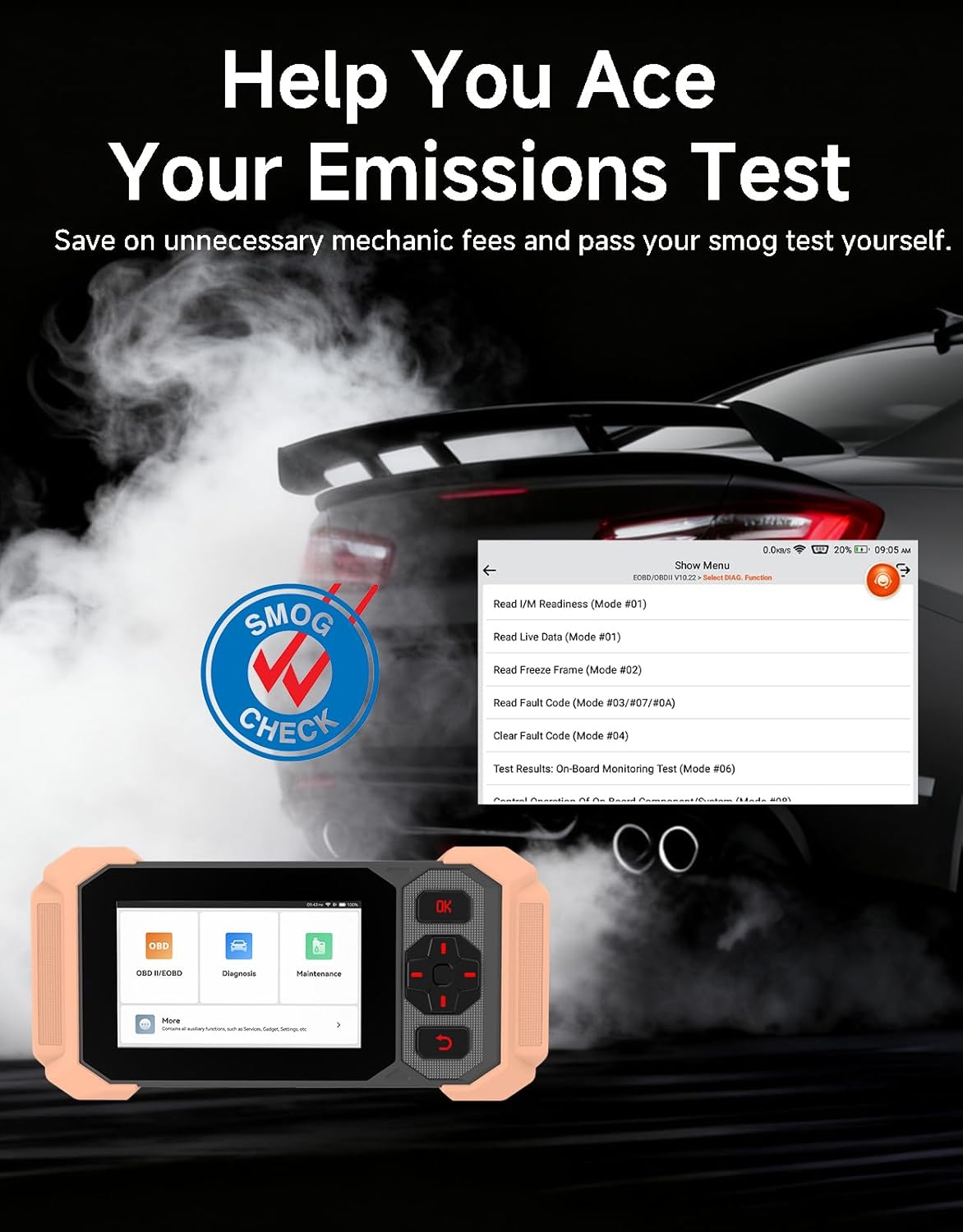
Image: Bluetooth VCI Dongle connected to the vehicle's OBD-II port.
2.2 Automatska identifikacija vozila (AutoVIN)
The THINKSCAN 641 supports AutoVIN functionality, which automatically identifies your vehicle's information upon connection. If AutoVIN fails for your specific vehicle model, you can manually enter the vehicle information to proceed with diagnostics.
2.3 Ažuriranja softvera
The device supports lifetime free software updates via Wi-Fi. Ensure your device is connected to a stable Wi-Fi network to download and install the latest software versions, which include new vehicle models and improved functionalities.

Image: Lifetime Free Update icon.
2.4 Instructional Video: How to Use
Video: This video demonstrates the basic steps for connecting and using the THINKCAR THINKSCAN 641 diagnostic tool, including menu navigation and initiating a scan.
3. Upute za rad
3.1 4-Dijagnostika sustava
The THINKSCAN 641 provides in-depth diagnostics for four core vehicle systems:
- Sustav motora: Čita i briše kodove grešaka motora, views live data, and performs various engine-related tests.
- Sustav protiv blokiranja kotača (ABS): Dijagnosticira probleme s ABS-om, čita i briše ABS kodove grešaka te vrši odzračivanje ABS-a.
- Dodatni sustav zaštite (SRS/zračni jastuk): Detects and clears airbag system fault codes, and performs SRS resets.
- Prijenosni sustav: Analyzes transmission performance, reads and clears transmission fault codes.

Slika: Prekoview of 4-System Diagnostic capabilities.
3.2 Potpuni OBD2 načini rada
The device supports all 10 OBD2 test modes, offering comprehensive diagnostic capabilities:
- Pročitajte kodove: Prikazuje dijagnostičke kodove grešaka (DTC).
- Brisanje kodova: Briše DTC-ove i resetira monitore.
- Podaci uživo: Shows real-time data stream from vehicle sensors.
- Zamrzni sliku: Stores a snapshot of vehicle operating conditions when an emission-related fault occurs.
- I/M spremnost: Provjerava status monitora povezanih s emisijama.
- Test O2 senzora: Dohvaća rezultate ispitivanja monitora O2 senzora.
- Test ugrađenog monitora: Dohvaća rezultate za komponente i sustave pogonskog sklopa povezane s emisijama.
- Ispitivanje EVAP sustava: Pokreće ispitivanje sustava za kontrolu emisija isparavanjem.
- Podaci o vozilu: Dohvaća identifikacijski broj vozila (VIN), ID kalibracije i broj za provjeru kalibracije (CVN).
- Traženje DTC-a: Provides detailed explanations for diagnostic trouble codes.

Image: Full OBD2 Modes functions display.
3.3 10 Maintenance Reset Functions
The THINKSCAN 641 includes 10 specialized maintenance and reset functions:
- Krvarenje iz ABS-a: Bleeds air from the brake system.
- Airbag (SRS) Reset: Resets the airbag system after repairs.
- Usklađivanje baterija: Registrira novu bateriju u ECU vozila.
- Resetiranje kočionih pločica: Resetira vijek trajanja kočionih pločica nakon zamjene.
- Regeneracija DPF-a: Pokreće proces regeneracije filtera dizelskih čestica.
- Electronic Throttle Adaptation: Ponovno uči položaj kućišta leptira za gas.
- Kodiranje injektora: Kodira nove brojeve injektora u ECU.
- Resetiranje servisa ulja: Resetira lampicu za servis ulja nakon izmjene ulja.
- Resetiranje kuta upravljanja: Resetira senzor kuta upravljanja.
- TPMS resetiranje: Resetira sustav za nadzor tlaka u gumama.

Image: 10 Maintenance Reset Functions.
3.4 Live Data Graphing
The device allows for real-time graphing of multiple sensor readings simultaneously, aiding in the diagnosis of intermittent issues and performance analysis.

Image: Live Data Stream icon.
3.5 Kompatibilnost vozila
The THINKSCAN 641 is compatible with all OBDII-compliant vehicles manufactured in 1996 or later, covering over 118 automotive brands. It also supports the CAN FD protocol and FCA AutoAuth certification. Note that access to FCA AutoAuth requires a separate purchase and is currently supported for Renault, Nissan, and Chrysler brands.

Image: Wide compatibility with various car brands and regions.
4. Održavanje
4.1 Routine Maintenance Resets
Utilize the 10 maintenance reset functions to perform routine service tasks and clear corresponding indicator lights after repairs. This includes tasks such as oil service resets, brake pad replacements, and battery registrations.
4.2 Ažuriranja softvera
Regularly check for and install software updates via Wi-Fi to ensure your device has the latest vehicle coverage and diagnostic capabilities. Updates are provided free for life.
5. Rješavanje problema
5.1 Brisanje kodova grešaka
When a fault code is detected, it is crucial to diagnose and fix the underlying issue before clearing the code. Clearing codes without addressing the root cause will likely result in the fault code reappearing.
Image: Reminder to fix vehicle faults before clearing codes.
5.2 AutoVIN Failure
If the AutoVIN feature does not automatically identify your vehicle, proceed by manually entering the vehicle's information (make, model, year) to continue with the diagnostic process.
5.3 Navigacija korisničkim sučeljem
While the device is designed for ease of use, some advanced functions may require familiarity with diagnostic procedures. Refer to the built-in DTC Lookup Library for code definitions and consult the online customer service for further assistance if needed.
6. Specifikacije
| Značajka | Specifikacija |
|---|---|
| Marka | MISLI NA AUTO |
| Broj modela | THINKSCAN 641 |
| Izvor napajanja | Napajanje na baterije |
| Operativni sustav | Android 8.1 |
| Veličina zaslona | 4.3 inča |
| Jezik | English (supports 23 languages) |
| Automobilska vrsta | Univerzalno pristajanje |
| Težina artikla | 0.9 funti |
| Povezivost | Bluetooth 5.0 (bežični) |
| Ažuriranja | Lifetime Free Updates via Wi-Fi |
| Podržani protokoli | OBDII, CAN FD, FCA AutoAuth (separate purchase for specific brands) |
7. Jamstvo i podrška
7.1 Jamstvo proizvođača
The THINKCAR THINKSCAN 641 comes with a 3-year manufacturer's warranty, ensuring coverage for potential defects or malfunctions.
7.2 Tehnička podrška
Lifetime free technical support is provided for the THINKSCAN 641. For assistance, you can access the built-in online customer service feature directly from the device. This allows for direct communication with professional support staff to resolve any queries or issues.

Image: Timely Online Feedback and Support.