
Uvod
This manual provides comprehensive instructions for the setup, operation, and maintenance of your SYLVOX Smart Outdoor TV. Designed for outdoor use, this television features 4K Ultra HD resolution, Dolby Atmos sound, and an IP55 waterproof rating, ensuring year-round entertainment in various weather conditions. It is powered by the Google TV platform, offering a wide range of applications and smart features.

Ispred view of the SYLVOX Smart Outdoor TV, highlighting its display and branding.
Što je u kutiji
Provjerite jesu li svi sljedeći artikli uključeni u vaš paket:
- 43 inch Outdoor Smart TV
- Glasovni daljinski upravljač
- Korisnički priručnik
- Jamstveni list
- Kabel za napajanje

An illustration showing the television's dimensions and all included accessories in the packaging.
Postavljanje
Fizička instalacija
Mogućnosti montaže
The SYLVOX Outdoor TV is designed for versatile installation, including wall mounting or placement on a mobile stand. Ensure the mounting solution is compatible with VESA standards.

Bočni profesionalacfile of the television, showing its robust metal casing.

Stražnji view of the television, showing the mounting points and sealed back panel.
Povezivanje perifernih uređaja
The TV features a sealed back panel to protect ports from outdoor elements. To access the ports, carefully unscrew the back cover.
| Vrsta priključka | Opis |
|---|---|
| HDMI | 3 HDMI Inputs (HDMI1, HDMI2, HDMI3) for connecting external devices like gaming consoles, Blu-ray players, or streaming sticks. |
| RJ45 | Ethernet priključak za žičanu mrežnu vezu. |
| Optički izlaz | Digital audio output for connecting to soundbars or audio receivers. |
| Koaksijalni | Antenna/Cable input for receiving broadcast signals. |
| USB | 2 USB-A ports for connecting USB devices (e.g., flash drives for media playback). |

Krupni plan view of the TV's sealed back panel, showing the various input and output ports.
Initial Power On & Network Setup
Upon first power-on, follow the on-screen prompts to connect to your Wi-Fi network and complete the initial Google TV setup. This includes signing into your Google account for personalized content and app access.
Upravljanje televizorom
Google TV OS Overview
Your SYLVOX Outdoor TV runs on the upgraded Google TV platform, providing a user-friendly interface with personalized recommendations and easy access to a vast library of apps.

A visual comparison highlighting the user interface and features of Google TV compared to Android TV.
Službeni video prikaz proizvodaasing the smart features and outdoor capabilities of the Sylvox Deck Pro 2.0 TV.
Funkcije daljinskog upravljanja
The included voice remote control uses Bluetooth for seamless operation and features dedicated buttons for popular streaming services and Google Assistant.

Detaljan view of the voice remote control, showing its buttons for power, volume, channel, and quick access to streaming apps.
Postavke slike i zvuka
Adjust picture modes (Standard, Dynamic, Movie, ECO, Gentle, Vivid, Sport, Game, Personal) and sound settings, including Dolby Atmos, to optimize your viewiskustvo.
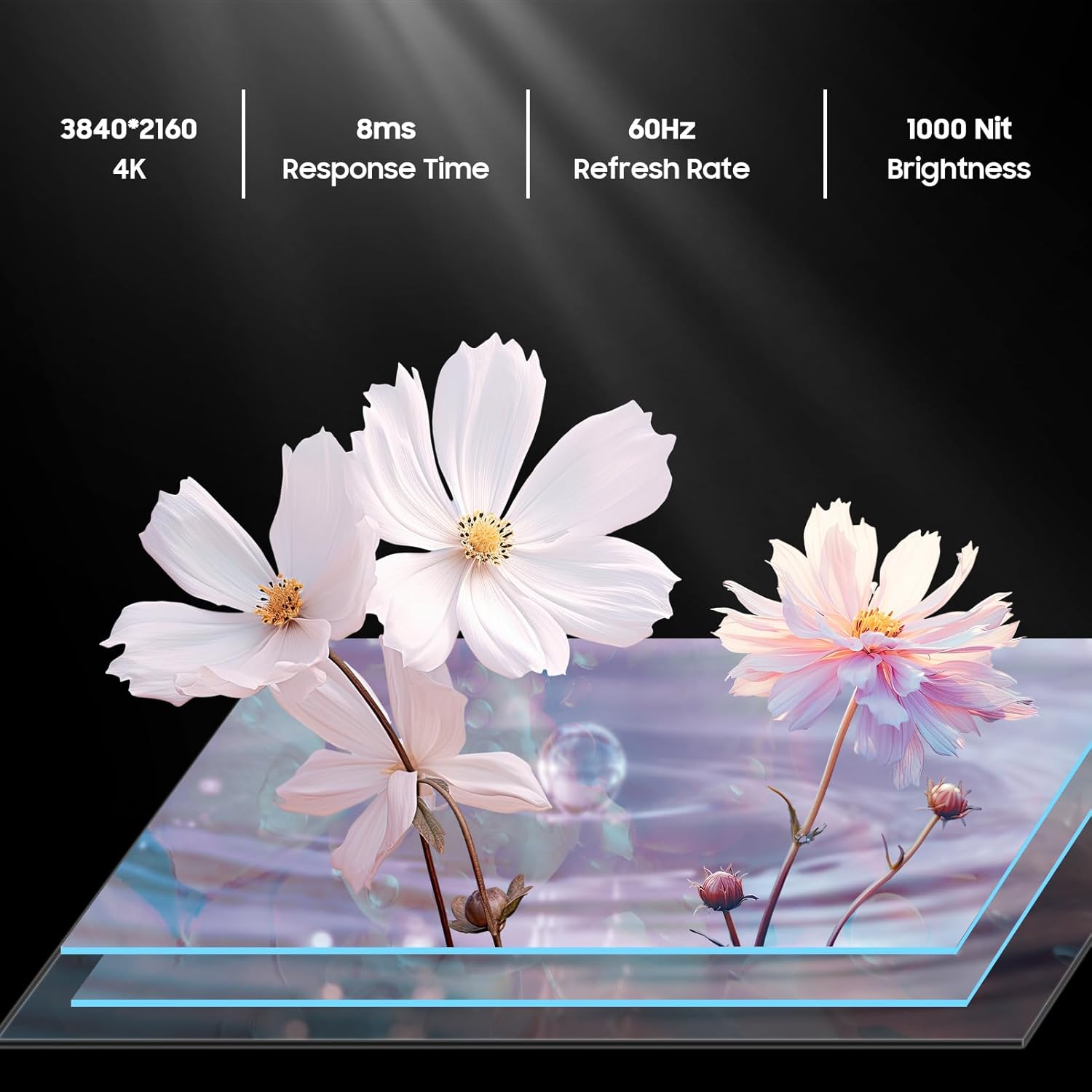
An image detailing the display specifications including 4K resolution, 8ms response time, 60Hz refresh rate, and 1000 nit brightness.
Casting & Screen Mirroring
Utilize the built-in Chromecast feature to easily stream content from your mobile devices directly to the TV.

An image demonstrating the Chromecast Built-in feature, showing content being streamed from a smartphone to the TV.
Official product video highlighting the smart features of the Sylvox Google Outdoor TV, including app access and voice control.
Održavanje
Otpornost na vremenske uvjete
The SYLVOX Deck Pro 2.0 is built with a durable all-metal casing and an IP55 waterproof rating, making it suitable for year-round outdoor use. It can withstand various weather conditions including rain and snow.

The TV mounted outdoors during a rain shower, illustrating its IP55 waterproof capability.
Čišćenje
Za čišćenje zaslona i casing, koristite meko, damp cloth. Avoid harsh chemicals or abrasive materials that could damage the finish or screen coating.
Rješavanje problema
Nema snage
- Provjerite je li kabel za napajanje sigurno spojen i na televizor i na ispravnu utičnicu.
- Provjerite je li utičnica funkcionalna.
Nema signala
- Check all HDMI or coaxial cable connections.
- Ensure the connected device (e.g., cable box, gaming console) is powered on and set to the correct input source on the TV.
Problemi s mrežnom vezom
- Verify your Wi-Fi router is on and functioning correctly.
- Ponovno pokrenite televizor i usmjerivač.
- Provjerite je li televizor unutar dometa vašeg Wi-Fi signala.
Tehnički podaci
| Značajka | Detalj |
|---|---|
| Naziv marke | SYLVOX |
| Težina artikla | 53.8 funti |
| Dimenzije proizvoda | 3.45 x 38.4 x 22.56 inča |
| Baterije | Potrebne 2 AAA baterije. (uključeno) |
| Naziv boje | Crna |
| Posebne značajke | IP55 vodootporan |
| Veličina prikaza stajaćeg zaslona | 43 inča |
| Omjer slike | 16:9 |
| Veličina zaslona | 43 inča |
| Tehnologija zaslona | LED |
| Rezolucija | 4K |
| Brzina osvježavanja | 60 Hz |
| Uključene komponente | Voice Remote Control, Power Cord, Warranty Card, User's Manual, 43 inch Outdoor Smart TV |
| Tehnologija povezivanja | Ethernet,Wireless,Bluetooth,WiFi,HDMI,USB |
Jamstvo i podrška
The SYLVOX Smart Outdoor TV comes with a one-year warranty. For technical assistance or customer service, please contact SYLVOX customer support, available 24/7.
Detaljan korisnički priručnik (PDF) također je dostupan za preuzimanje: Korisnički priručnik (PDF)