
1. Proizvod je gotovview
The TP-Link Deco X1500 is a Wi-Fi 6 Mesh System designed to provide seamless, whole-home Wi-Fi coverage. This 3-pack system utilizes advanced Wi-Fi 6 technologies to deliver faster speeds, connect more devices, and reduce latency for a superior network experience. It creates a unified network that automatically selects the best connection as you move throughout your home.

Image: A single TP-Link Deco X1500 Mesh WiFi 6 unit, showcasing its compact white cylindrical design.
Ključne karakteristike:
- Faster Connections: Wi-Fi 6 achieves speeds up to 1,500 Mbps: 1,201 Mbps on 5 GHz and 300 Mbps on 2.4 GHz.
- Povežite više uređaja: OFDMA and MU-MIMO technologies quadruple capacity for simultaneous transmission to multiple devices.
- Enhanced Seamless Coverage: Achieve perfect whole-home coverage with a clearer and stronger Wi-Fi signal generated by Wi-Fi 6.
- Ultraniska latencija: Reduced latency enables more responsive gaming and video chats.
- Unified Network: Multiple units form a whole-home network that automatically selects the best connection as you move around your home.
- Robust Parental Controls: Ograničite vrijeme na mreži i blokirajte neprikladno websites based on unique profilekreiran za svakog člana obitelji.
- Pojednostavljeno postavljanje: The Deco app guides you step-by-step through the setup process.
2. Sadržaj paketa
Provjerite jesu li svi artikli prisutni u vašem paketu:
- 3 x Deco X1500 jedinice
- 1 x RJ45 Ethernet kabel
- 3 x strujni adapteri
- 1 x Vodič za brzu instalaciju
3. Upute za postavljanje
Setting up your Deco X1500 Mesh System is straightforward using the TP-Link Deco app. Follow these steps for initial installation:
- Preuzmite Deco aplikaciju: Tražiti 'TP-Link Deco' in the App Store (iOS) or Google Play Store (Android) and download the application.
- Registriraj se ili Prijavi se: Open the Deco app and sign up for a TP-Link ID. If you already have one, log in.
- Spojite glavnu Deco jedinicu:
- Isključite modem.
- Spojite jednu Deco jedinicu na svoj modem pomoću priloženog Ethernet kabela.
- Power on your modem, then power on the Deco unit.
- Slijedite upute u aplikaciji: The Deco app will automatically detect your Deco unit and guide you through the process of creating your Wi-Fi network name and password.
- Dodajte dodatne Deco jedinice: Once the main Deco is set up, the app will prompt you to add the remaining Deco units. Place them strategically throughout your home for optimal coverage. The app will provide guidance on ideal placement.
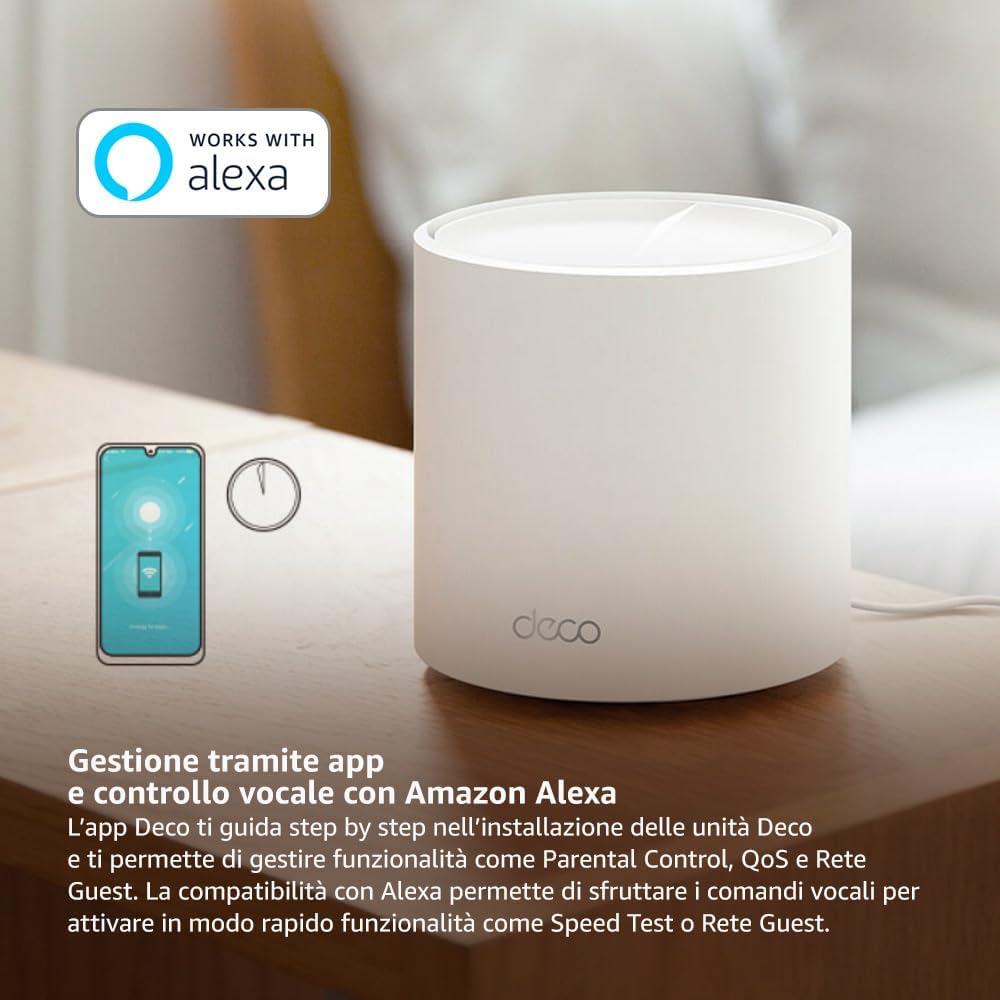
Image: A smartphone screen displaying the TP-Link Deco app, illustrating the step-by-step setup process for the mesh system.
4. Upute za rad
The Deco X1500 system is managed primarily through the TP-Link Deco app, offering various features to control and optimize your home network.
Using the Deco App:
- Upravljanje mrežom: View connected devices, monitor network status, and manage Wi-Fi settings.
- Roditeljski nadzor: Stvorite profiles for family members, set time limits, and block inappropriate content.
- Kvaliteta usluge (QoS): Dajte prioritet uređajima ili aktivnostima za optimalne performanse.
- Mreža gostiju: Stvorite zasebnu Wi-Fi mrežu za goste i tako osigurajte svoju glavnu mrežu.
- Antivirusni program: Utilize built-in HomeShield features for network protection.
Glasovno upravljanje s Amazon Alexom:
The Deco X1500 is compatible with Amazon Alexa. Link your TP-Link Deco account to your Alexa account to use voice commands for network functions, such as:
- Enabling or disabling the Guest Network.
- Running a speed test.
- Pausing Wi-Fi for specific profiles.

Slika: Stražnji dio view of a Deco X1500 unit, showing two Gigabit LAN/WAN auto-sensing Ethernet ports and the power input.
5. Održavanje
Regular maintenance ensures optimal performance and longevity of your Deco X1500 system.
Ažuriranja firmvera:
- The Deco app will notify you of available firmware updates. It is recommended to keep your Deco units updated to the latest firmware for improved performance, security, and new features.
- Follow the in-app instructions to perform firmware updates. Do not power off the units during an update.
Čišćenje i postavljanje:
- Clean the Deco units with a soft, dry cloth. Do not use liquid cleaners or aerosols.
- Place Deco units in open areas, away from obstructions like large metal objects, thick walls, or other electronic devices that may cause interference.
- Ensure adequate ventilation around each unit to prevent overheating.
6. Rješavanje problema
If you encounter issues with your Deco X1500 system, refer to the following common troubleshooting steps.
Nema internetske veze:
- Provjerite modem: Ensure your modem is powered on and has an active internet connection.
- Kabelske veze: Provjerite je li Ethernet kabel koji spaja glavnu Deco jedinicu s modemom sigurno priključen.
- Ponovno pokretanje uređaja: Power cycle your modem and all Deco units. Wait a few minutes for them to restart and re-establish connections.
- Status Deco aplikacije: Check the Deco app for network status and any error messages.
Slab Wi-Fi signal ili mrtve zone:
- Položaj jedinice: Adjust the placement of your Deco units. Try to place them equidistant from each other and the main Deco, avoiding physical obstructions.
- smetnje: Move Deco units away from other electronics (microwaves, cordless phones, Bluetooth devices) that might cause wireless interference.
- Dodaj još jedinica: For very large homes or those with multiple floors, consider adding more Deco units to expand coverage.
Device Cannot Connect to Wi-Fi:
- Ispravna lozinka: Provjerite jeste li unijeli ispravnu lozinku za Wi-Fi.
- Kompatibilnost uređaja: Verify that your device supports the Wi-Fi standards used by the Deco system (802.11ax/ac/n/a/g/b).
- Ponovno pokrenite uređaj: Ponovno pokrenite uređaj koji pokušava povezati.
- Check Blacklist: Ensure the device has not been accidentally blacklisted in the Deco app.
7. Specifikacije
| Značajka | Specifikacija |
|---|---|
| Marka | TP-Link |
| Naziv modela | Deco X1500 |
| Posebna značajka | Wi-Fi 6 |
| Klasa frekvencijskog pojasa | Dual-Band |
| Standard bežične komunikacije | 802.11ax |
| Kompatibilni uređaji | Računalo, pametni telefon, tablet |
| Preporučena uporaba | Dom |
| Tehnologija povezivanja | RJ45 |
| Boja | Bijela |
| Sigurnosni protokol | WPA3 |
| Number of Ports (per unit) | 2 x Gigabit LAN/WAN (auto-sensing) |
| Metoda kontrole | aplikacija |
| Brzina prijenosa podataka | 1500 megabita u sekundi |
| LAN Port Bandwidth | 1000 Mbps |
| Voltage | 110.0 V |
| Max Upstream Data Transfer Rate | 1201 megabita u sekundi |
| Broj antena | Interni |
| Kompatibilnost s pametnim domom | Da |
| Wi-Fi generacija | Wi-Fi 6 |
| Pokrivenost (pakiranje od 3 komada) | Do 520 četvornih metara |
| Težina artikla | 1.8 kilogram |
8. Informacije o jamstvu
The TP-Link Deco X1500 Mesh System comes with a Jamstvo na proizvod 3 godina. This warranty covers defects in materials and workmanship under normal use. For specific terms and conditions, please refer to the warranty card included in your package or visit the official TP-Link webmjesto.
9. Podrška
For further assistance, technical support, or to access additional resources, please visit the official TP-Link support webstranica:
You can also find FAQs, updated manuals, and community forums on the support page.