
1. Proizvod je gotovview
The Roku 40" Select Series 1080p Full HD Smart RokuTV offers a seamless entertainment experience with its integrated Roku platform. Enjoy bright, full HD picture quality and clear audio. The customizable home screen provides quick access to streaming apps, inputs, and free live TV. This model features a bezel-less design and comes with a voice remote for easy navigation.
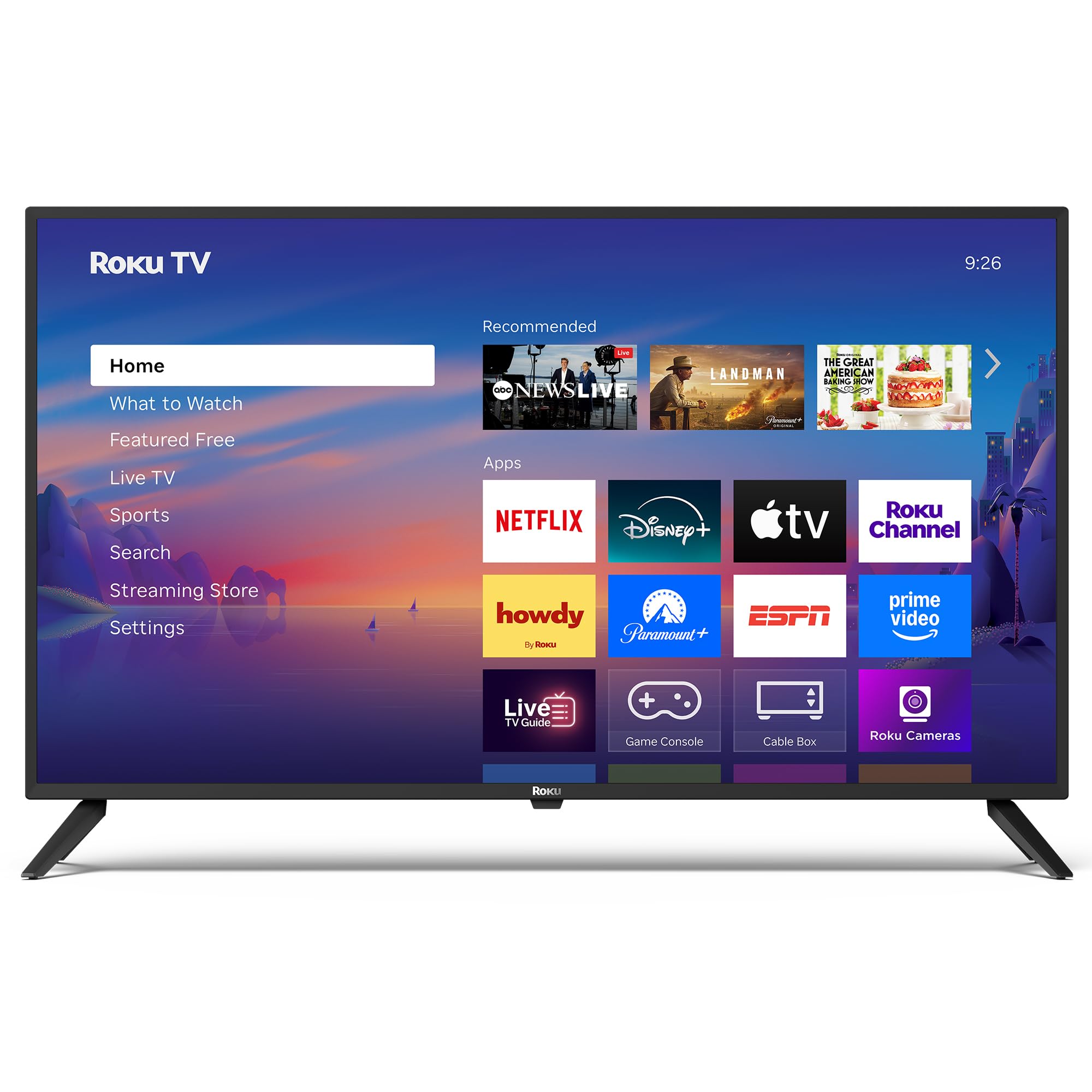
Slika: prednja strana view of the Roku 40" Select Series Full HD Smart TV.
2. Što je u kutiji
- Roku 40” Select Series Full HD Smart TV
- Roku voice remote with batteries
- TV stalci (2)
- Stand screws (4)
- Korisnički priručnik (ovaj dokument)

Image: Diagram illustrating the components included in the Roku TV package.
3. Vodič za postavljanje
3.1 Pričvršćivanje TV postolja
- Pažljivo postavite televizor zaslonom prema dolje na meku, čistu površinu kako biste spriječili ogrebotine.
- Poravnajte svaki TV stalak s odgovarajućim otvorima za vijke na dnu televizora.
- Insert the provided screws into the holes and tighten them securely with a screwdriver.
- Ensure both stands are firmly attached before proceeding.
3.2 Spajanje napajanja i početno postavljanje
- Connect the power cord to the TV and then to a standard electrical outlet (100-240 VAC, 50-60 Hz).
- Insert the AAA batteries into the Roku voice remote.
- Pritisnite gumb za napajanje na daljinskom upravljaču da biste uključili televizor.
- Slijedite upute na zaslonu za odabir jezika, povezivanje s Wi-Fi mrežom i aktivaciju Roku računa.
- The TV will guide you through adding your preferred streaming apps and setting up any connected devices.

Slika: Krupni plan view of the TV's side panel, showing various input ports like HDMI, USB, and antenna connection.
4. Operating Your Roku TV
4.1 Navigacija na početnom zaslonu
The Roku home screen provides a centralized hub for all your entertainment. Easily access streaming apps, connected devices (like game consoles or cable boxes), and free live TV channels. The interface is designed for quick and intuitive navigation using your Roku voice remote.

Image: The Roku TV home screen, showing a grid of streaming applications and input selections.
4.2 Korištenje glasovnog daljinskog upravljača
The included voice remote simplifies your TV experience. Use voice commands to search for movies, shows, or songs across thousands of streaming apps. Dedicated shortcut buttons provide instant access to popular services like Netflix, Disney+, and Apple TV. Volume controls are conveniently located on the side of the remote.

Image: Close-up of the Roku voice remote, highlighting the voice command button and dedicated app shortcuts.
4.3 Postavke slike i zvuka
The Roku TV delivers a bright, full HD picture with exceptional clarity. It features direct LED backlighting for better brightness and uniformity. Enhanced audio output is provided by built-in speakers. You can adjust picture modes, screen brightness, and other advanced settings through the TV's menu to optimize your viewiskustvo.
4.4 Integracija pametnog doma
The Roku TV is compatible with various smart home ecosystems, including Apple AirPlay 2, Apple Home, Alexa, and Google Home. This allows for integrated control and seamless interaction with your existing smart devices.

Image: Icons representing compatibility with various smart home platforms.
5. Održavanje
To ensure the longevity and optimal performance of your Roku TV, follow these maintenance guidelines:
- Čišćenje ekrana: Use a soft, lint-free cloth specifically designed for electronics. Gently wipe the screen to remove dust and smudges. Avoid harsh chemicals or abrasive materials.
- Čišćenje eksterijera: Wipe the TV's exterior with a soft, dry cloth. Do not use liquid cleaners directly on the TV.
- Ventilacija: Pazite da ventilacijski otvori televizora nisu blokirani kako biste spriječili pregrijavanje. Osigurajte dovoljno prostora oko televizora za cirkulaciju zraka.
- Upravljanje napajanjem: Isključite televizor iz električne utičnice tijekom grmljavine ili kada će biti ostavljen bez nadzora dulje vrijeme.
6. Rješavanje problema
If you encounter issues with your Roku TV, try the following basic troubleshooting steps:
- Bez napajanja: Ensure the power cord is securely plugged into both the TV and the electrical outlet. Check if the outlet is functioning by plugging in another device.
- Nema slike/zvuka: Verify that the correct input source is selected on the TV. Check all cable connections (HDMI, AV, etc.) for looseness.
- Daljinski ne reagira: Replace the batteries in the remote. Ensure there are no obstructions between the remote and the TV. Re-pair the remote if necessary (refer to the on-screen instructions during initial setup or the Roku support site).
- Problemi s mrežnom vezom: Restart your Wi-Fi router and modem. Go to the TV's network settings to reconnect to your Wi-Fi network.
- Zamrzavanje/rušenje aplikacije: Restart the specific app. If the issue persists, restart the TV by unplugging it from the power outlet for 30 seconds and then plugging it back in.
For more detailed troubleshooting or persistent issues, visit the official Roku support webmjesto.
7. Specifikacije
| Značajka | Detalj |
|---|---|
| Veličina zaslona | 40 inča |
| Marka | Roku |
| Broj modela | 40R2A5R |
| Tehnologija zaslona | LED |
| Rezolucija | 1080p Full HD |
| Brzina osvježavanja | 60 Hz |
| Operativni sustav | Roku OS |
| Posebne značajke | Bezel-Less Design, Voice Remote |
| Tehnologija povezivanja | HDMI, USB, Wi-Fi |
| Ukupno HDMI priključaka | 3 |
| Total USB 3.0 Ports | 1 |
| Način audio izlaza | Poboljšano |
| Metoda kontrole | App Control, Remote Control, Voice Control |
| Screen Mirroring Technology | AirPlay 2, Miracast |
| Dimenzije proizvoda (D x Š x V) | 8.7"D x 35.5"Š x 22.6"V |
| Item Weight Without Stand | 11.2 funti |
| VESA standard za montažu | 200 x 100 mm |
8. Jamstvo i podrška
8.1 Ograničeno jamstvo
Roku warrants the hardware of this device against defects in materials and workmanship under normal use for a period of one (1) year from the date of purchase ("Warranty Period"), provided it is used in accordance with the provided documentation. If a hardware defect is determined during the Warranty Period, Roku's sole obligation and your exclusive remedy will be to either repair or replace the unit with a new or rebuilt device, at Roku's option.
Important information about warranty returns and replacements is available on the Roku support site.
8.2 Povrat proizvoda
You may return a device for any reason, subject to the terms of the applicable return policy:
- Within thirty (30) days from the date of purchase from Roku.
- Within the applicable return period if purchased from an authorized reseller or distributor.
Additional details regarding product returns can be found on the Roku support site.