
1. Uvod
Thank you for choosing the FIREBAT MN56 Mini PC. This manual provides essential information for setting up, operating, and maintaining your device. Please read it thoroughly before use and keep it for future reference.
The FIREBAT MN56 is a compact and powerful mini desktop computer designed for various applications, including business, education, gaming, multimedia, and photo/video editing. It features an AMD Ryzen 7 8745HS processor, high-speed DDR5 memory, and a PCIe 4.0 SSD for exceptional performance.
2. Sadržaj paketa
Molimo provjerite jesu li svi artikli prisutni u paketu:
- 1 x FIREBAT MN56 AMD Ryzen 7 8745HS Mini PC
- 1 x US Power Supply (19V 6.32A 120W)
- 1 x Vertical Bracket
- 1 x HDMI kabel
- 1 x Korisnički priručnik (ovaj dokument)

Image: The FIREBAT MN56 Mini PC shown with its power adapter, HDMI cable, and vertical stand.
3. Proizvod je gotovview i značajke
3.1. Specifikacije
| komponenta | Detalj |
|---|---|
| Model | MN56 |
| Dimenzije | 13 cm x 13 cm x 5.4 cm (5 x 5 x 2 inča) |
| Težina | 0.53kg (1 pound) |
| CPU | AMD Ryzen 7 8745HS (8 jezgri, 16 niti, do 4.9 GHz) |
| Grafika | AMD Radeon 780M (2600MHz GPU) |
| Memorija | 32GB DDR5 5600MHz (2x16GB), expandable up to 96GB (48GBx2) |
| Skladištenje | 1TB PCIe 4.0 M.2 SSD, expandable up to 4TB |
| Bežično povezivanje | Wi-Fi 6 (802.11ax), Bluetooth 5.2 |
| LAN | 2 x 2.5Gbps RJ45 |
| Video izlaz | 1 x HDMI 2.1, 1 x DP 1.4, 1 x USB-C 4.0 (supports DP Alt Mode) |
| USB priključci | 2 x USB 2.0 Type-A, 2 x USB 3.2 Type-A, 1 x USB-C 4.0 (PD/DP/DATA), 1 x USB-C IN |
| Audio | 1 x 3.5 mm audio priključak |
| ostalo | RGB kontrola |
3.2. Ključne značajke
- Snažan procesor: Equipped with AMD Ryzen 7 8745HS for high performance in demanding tasks.
- Integrirana grafika: AMD Radeon 780M provides strong graphics performance, suitable for gaming and multimedia.
- Brza memorija i pohrana: Dual-channel DDR5 5600MHz RAM and PCIe 4.0 SSD ensure fast data access and multitasking.
- Izlaz za trostruki prikaz: Supports 4K triple display output via HDMI 2.1, DP 1.4, and USB-C 4.0 for enhanced productivity.
- Dual 2.5G RJ45 Ports: Offers high-speed network connectivity, ideal for work, gaming, and web surfanje.
- Napredno povezivanje: Features Wi-Fi 6 and Bluetooth 5.2 for robust wireless connections.
- Proširivi kapacitet: Memory and storage are upgradeable to meet future needs.
- Učinkovito hlađenje: Dual fans with high-efficiency thermal grease ensure stable performance and heat dissipation.
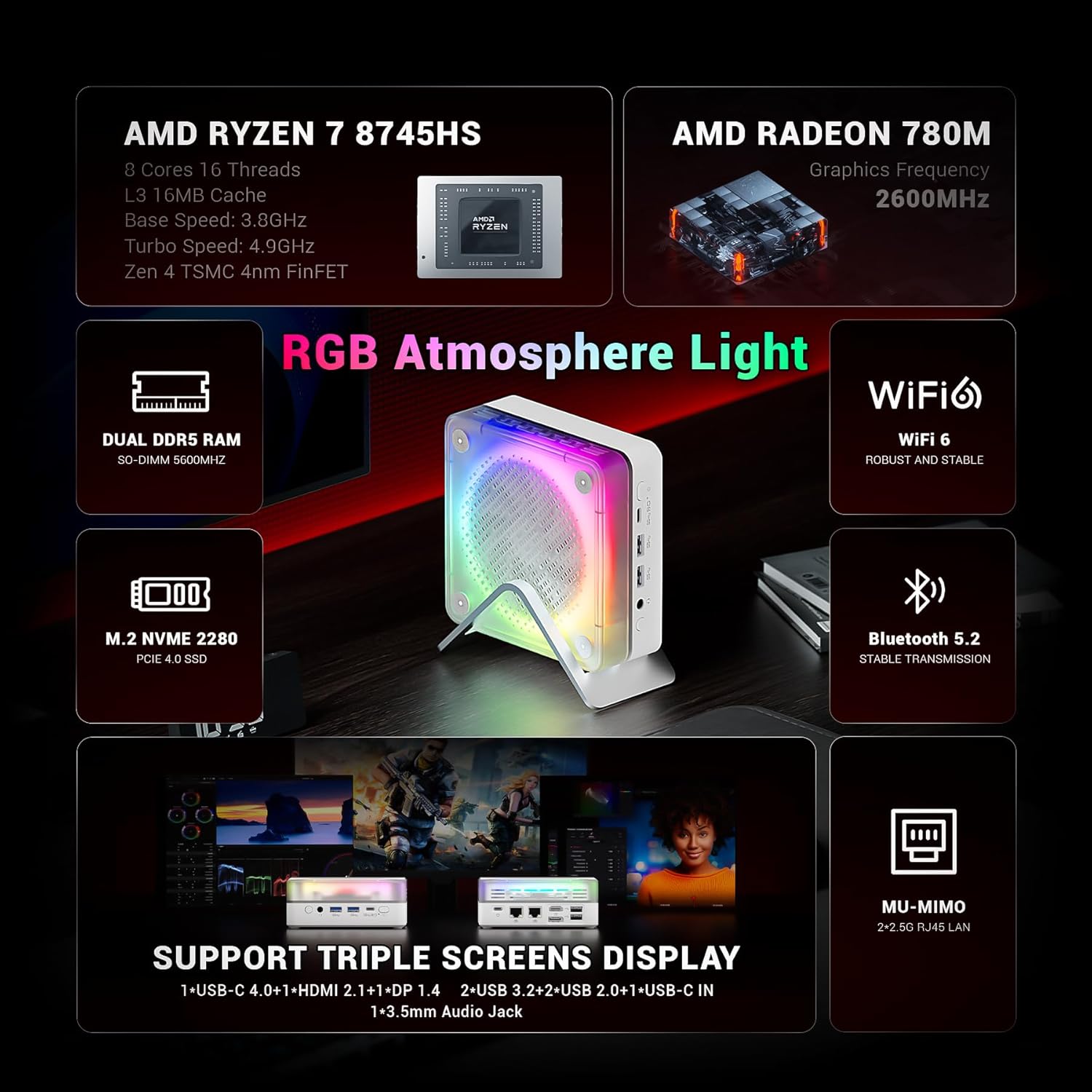
Slika: Prekoview of the FIREBAT MN56's key features, highlighting its AMD Ryzen 7 8745HS processor, Radeon 780M graphics, DDR5 RAM, PCIe 4.0 SSD, Wi-Fi 6, Bluetooth 5.2, and various ports.

Image: A graphic illustrating the performance of the Ryzen 7 8745HS CPU compared to other processors.
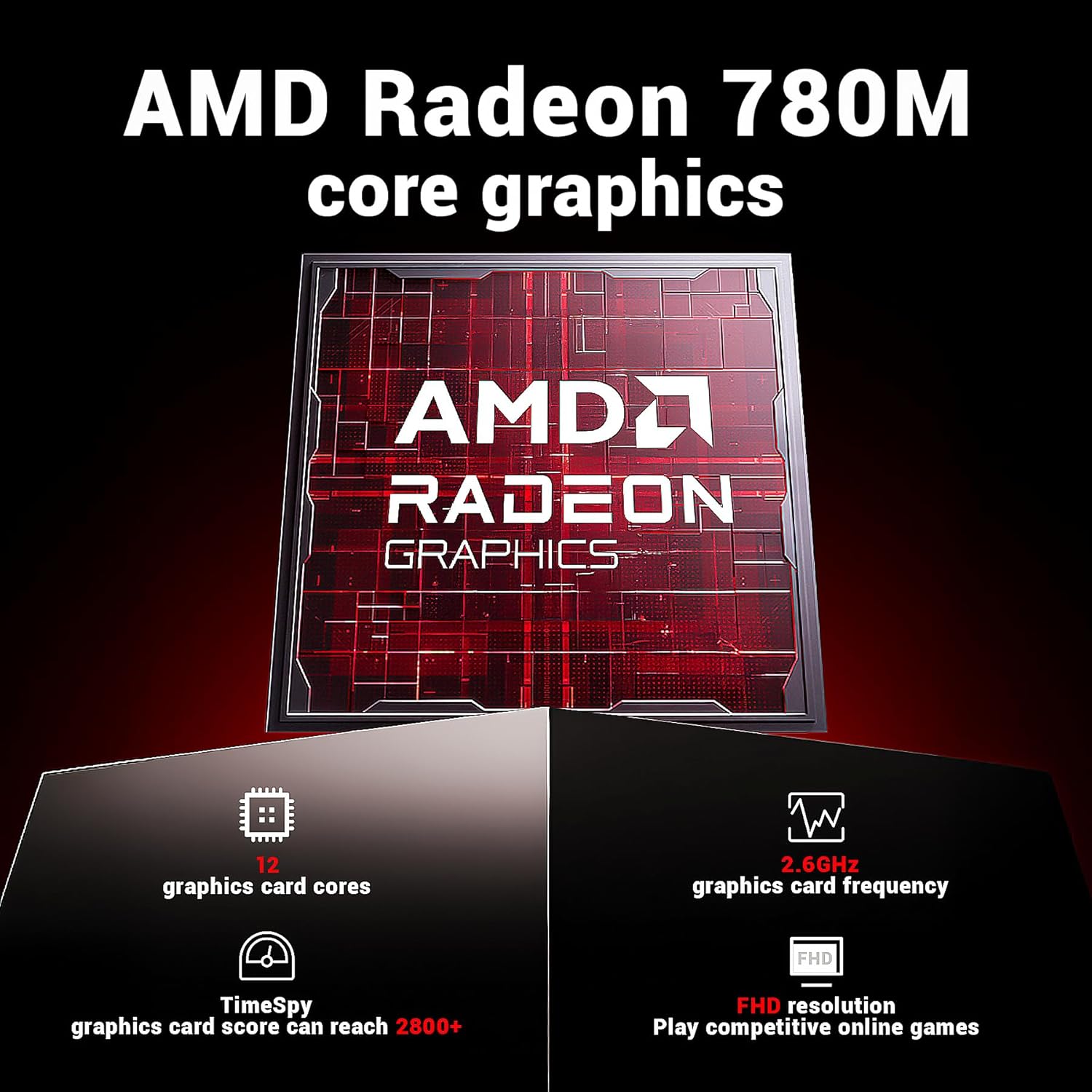
Image: Details on the AMD Radeon 780M integrated graphics, including its 12 graphics card cores and 2.6GHz frequency.

Image: The Mini PC connected to a display, emphasizing its ultra-fast startup and smooth operation.
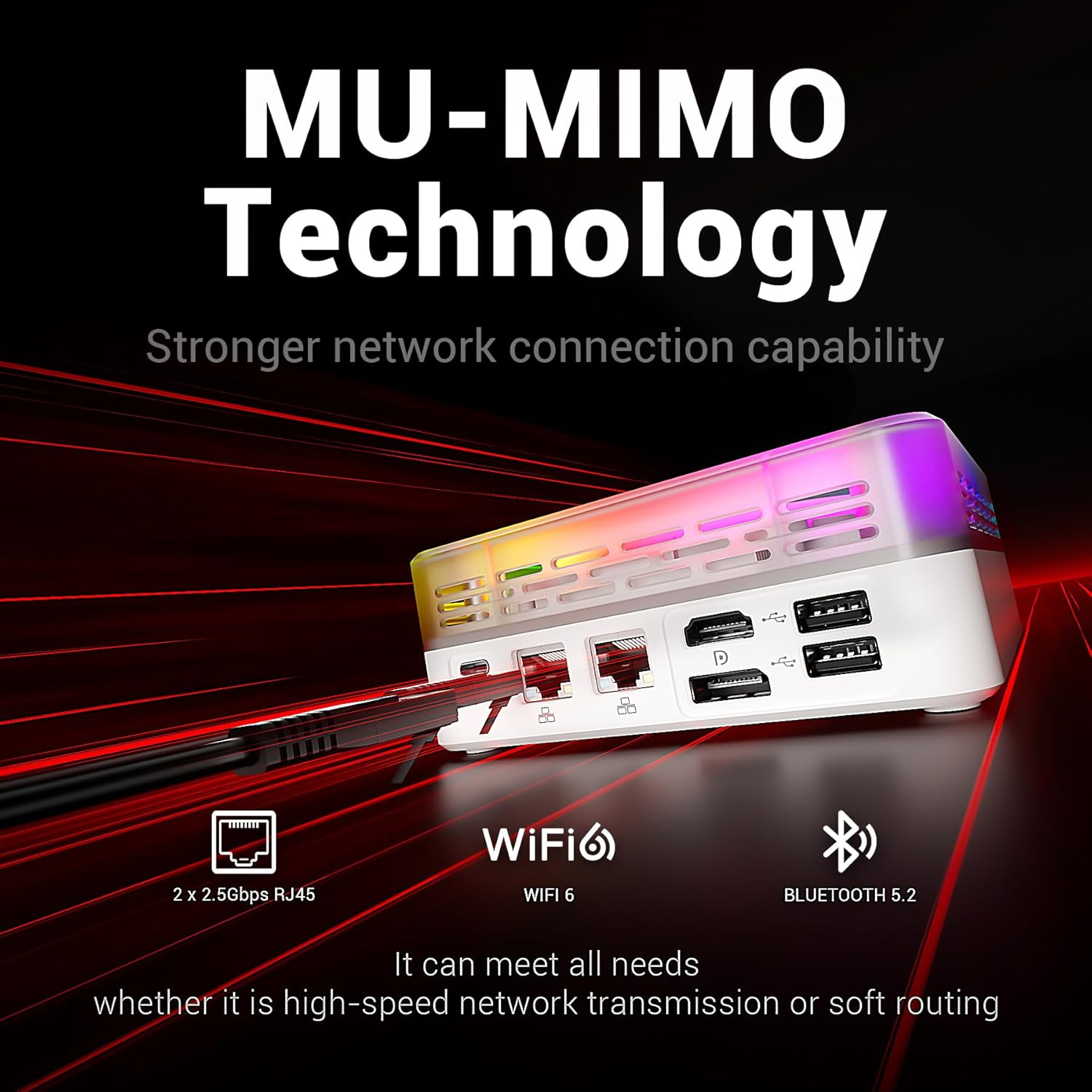
Image: Highlighting the MU-MIMO technology and dual 2.5Gbps RJ45 ports for stronger network connection capability.
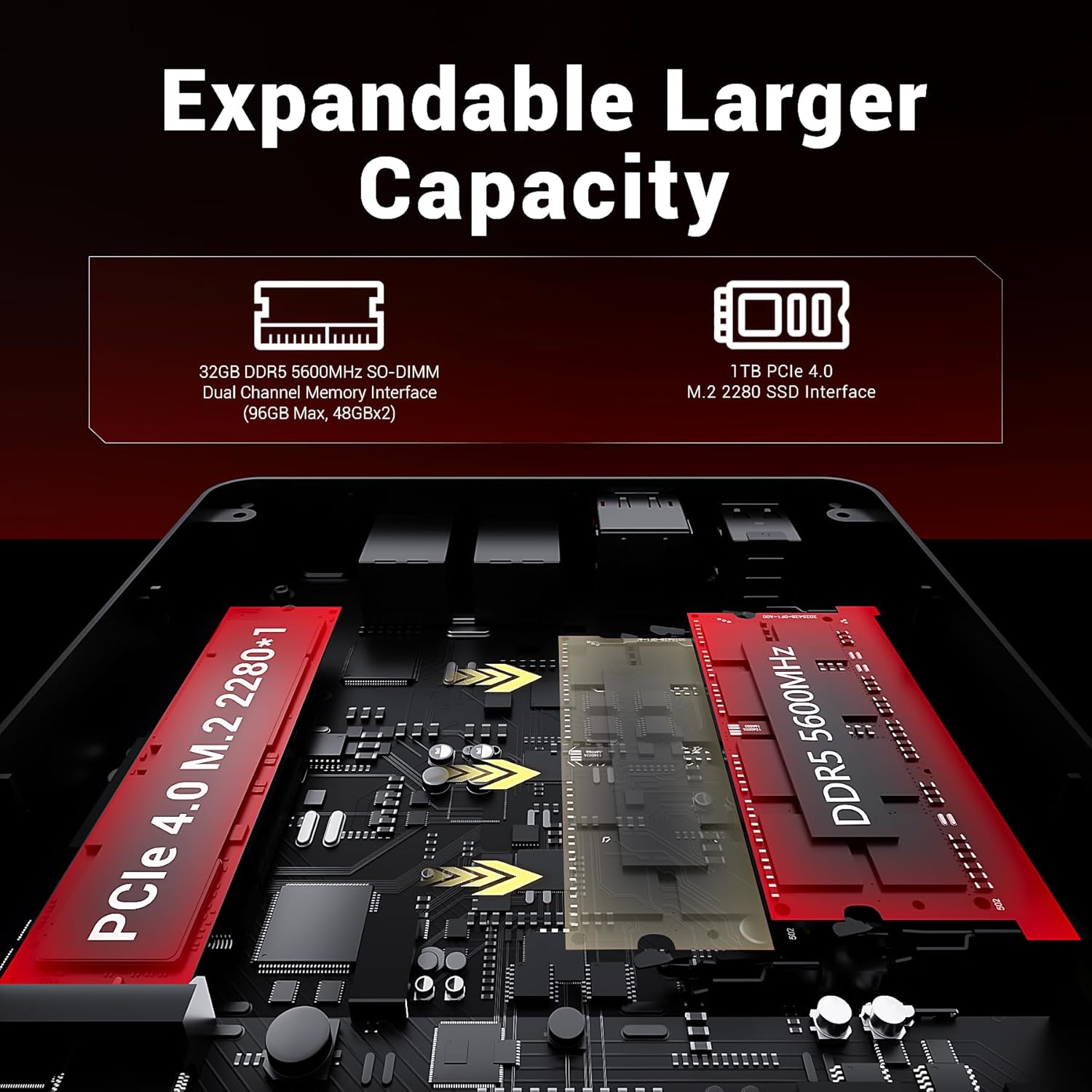
Image: An internal diagram showing the DDR5 SO-DIMM and M.2 2280 SSD slots for expandable capacity.

Image: A diagram illustrating the dual-fan cooling system and high-efficiency thermal grease for optimal heat dissipation.

Slika: Detaljna view of the Mini PC's front and rear ports, including USB, HDMI, DP, LAN, and audio jacks.
4. Vodič za postavljanje
4.1. Spajanje na napajanje
- Connect the power adapter to the "USB-C IN" port on the Mini PC.
- Uključite strujni adapter u zidnu utičnicu.
4.2. Spajanje na zaslon
The MN56 supports up to three displays simultaneously.
- Connect one end of the HDMI cable (included) to the HDMI 2.1 port on the Mini PC.
- Connect the other end of the HDMI cable to an HDMI input on your monitor or TV.
- For additional displays, use the DP 1.4 port or the USB-C 4.0 port (with a compatible USB-C to DisplayPort/HDMI adapter, not included).
4.3. Povezivanje perifernih uređaja
- Tipkovnica i miš: Connect your USB keyboard and mouse to any of the USB 2.0 or USB 3.2 Type-A ports.
- Mreža: For wired internet, connect an Ethernet cable from your router/modem to either of the 2.5Gbps RJ45 LAN ports. For wireless, the device supports Wi-Fi 6.
- Audio: Spojite slušalice ili zvučnike na 3.5 mm audio priključak.
4.4. Prvo pokretanje
- Provjerite jesu li svi potrebni kabeli spojeni.
- Pritisnite gumb za napajanje koji se nalazi na prednjoj strani Mini PC-a.
- Follow the on-screen instructions to complete the operating system setup.
5. Upute za rad
5.1. Upravljanje napajanjem
- Uključivanje: Pritisnite gumb za napajanje.
- Stanje mirovanja: Briefly press the power button while the PC is on, or select "Sleep" from the operating system's power options.
- Zatvoriti: Select "Shut Down" from the operating system's power options. Do not unplug the power adapter directly without proper shutdown to prevent data loss.
- Ponovno pokretanje: Odaberite "Ponovno pokretanje" iz opcija napajanja operativnog sustava.
5.2. Upravljanje RGB rasvjetom
The Mini PC features customizable RGB atmosphere lighting. Use the dedicated RGB control port or software (if available) to adjust lighting effects and colors.
5.3. Pristup BIOS-u/UEFI-ju
Za pristup postavkama BIOS-a/UEFI-ja, uključite Mini PC i više puta pritisnite Del or F2 key (key may vary, refer to on-screen prompts during boot) immediately after pressing the power button.
6. Održavanje
6.1. Čišćenje
- Prije čišćenja provjerite je li uređaj isključen i izvučen iz struje.
- Za brisanje vanjske strane koristite meku, suhu krpu.
- For dust accumulation in vents, use compressed air. Do not insert any objects into the vents.
- Izbjegavajte korištenje tekućih sredstava za čišćenje ili abrazivnih materijala.
6.2. Skladištenje i rukovanje
- Store the Mini PC in a cool, dry place away from direct sunlight and extreme temperatures.
- Izbjegavajte postavljanje teških predmeta na vrh uređaja.
- Ne izlažite uređaj vodi ili prekomjernoj vlazi.
6.3. Upgrading Memory and Storage
The FIREBAT MN56 allows for memory and storage upgrades. For detailed instructions on how to open the chassis and install components, please refer to the official FIREBAT support website or contact customer service. Ensure the device is powered off and unplugged before performing any internal upgrades.
7. Rješavanje problema
| Problem | Mogući uzrok | Otopina |
|---|---|---|
| Nema napajanja/Ne uključuje se | Power adapter not connected properly; Power outlet issue; Faulty power adapter. | Ensure power adapter is securely connected to both the PC and the wall outlet. Try a different outlet. Test with another compatible power adapter if available. |
| Nema prikaza na monitoru | Display cable loose or incorrect; Monitor input not selected; Faulty monitor/cable. | Check HDMI/DP/USB-C cable connections. Ensure the monitor is set to the correct input source. Try a different cable or monitor. |
| Nema internetske veze (žične) | Ethernet cable loose; Router/modem issue; Network driver issue. | Ensure Ethernet cable is securely connected. Restart your router/modem. Check network settings in the operating system. Update network drivers. |
| Nema Wi-Fi veze | Wi-Fi disabled; Incorrect password; Router issue; Driver issue. | Ensure Wi-Fi is enabled in the operating system. Verify Wi-Fi password. Restart your router. Update Wi-Fi drivers. |
| System slow or unresponsive | Too many applications running; Low storage space; Overheating; Malware. | Close unnecessary applications. Free up disk space. Ensure proper ventilation. Run antivirus scans. Consider upgrading RAM/SSD if frequently slow. |
If you encounter issues not listed here or if the problem persists, please contact FIREBAT customer support.
8. Jamstvo i podrška
FIREBAT products come with a standard manufacturer's warranty. Please refer to the warranty card included with your product or visit the official FIREBAT webstranicu za detaljne uvjete jamstva.
For technical support, product inquiries, or warranty claims, please contact FIREBAT customer service:
- Email: support@firebatpc.com
- Webstranica: www.firebatpc.com
Please have your product model (MN56) and purchase information ready when contacting support.