
Uvod
Thank you for choosing the LIORQUE S7509 Projection Alarm Clock. This manual provides detailed instructions for setting up and operating your new device. Please read it carefully to ensure proper use and to fully utilize all features.
Sadržaj paketa
Prilikom raspakiranja, molimo provjerite jesu li prisutni svi sljedeći predmeti:
- LIORQUE S7509 Projection Alarm Clock
- Adapter napajanja
- USB kabel za napajanje
- korisnički priručnik

Image: The LIORQUE S7509 Projection Alarm Clock, its power adapter, USB cable, and user manual are displayed next to the product box. Product dimensions are indicated as 18cm (7.1in) width, 9.8cm (3.9in) height, and 5cm (2in) depth.
Značajke proizvoda završeneview
The LIORQUE S7509 Projection Alarm Clock is designed to enhance your daily routine with its versatile features:
- 180° Rotatable Projection: Project the time onto your ceiling or wall with adjustable brightness.
- Veliki LED zaslon: Clear time display with 4 adjustable brightness levels.
- Dvostruki alarmi: Set two separate alarms for different schedules.
- FM radio: Enjoy your favorite radio stations with 15 preset memory slots and 15 adjustable volume levels.
- Odgoda funkcija: Provides an extra 9 minutes of sleep.
- Isključivanje vremena: Automatically turns off the radio after a set duration (5-90 minutes).
- 12/24 satni format: Easily switch between time formats.
- Ugrađena baterija: Za rezervno napajanje tijekom vanjsketages.

Image: The LIORQUE S7509 Projection Alarm Clock is shown with its digital display set to 22:30. Surrounding icons highlight key features including 12/24 hour time, adjustable brightness, FM radio, snooze function, dual alarms, time projection, built-in battery, and a sleep timer.
Upute za postavljanje
1. Priključak za napajanje
Connect the provided USB power cable to the alarm clock and plug the adapter into a standard wall outlet. The display will light up, indicating the device is powered on.

Image: The LIORQUE S7509 Projection Alarm Clock is shown on a bedside table, connected to a wall outlet via its power adapter. The clock displays 8:30, illustrating its readiness for use after power connection.
2. Početno podešavanje vremena
- Pritisnite i držite POSTAVLJENO VRIJEME button (usually labeled with a clock icon) for 3 seconds to enter time setting mode.
- Koristite SAT i MINUTA buttons (often labeled with '+' and '-' or arrows) to adjust the current time.
- Pritisnite POSTAVLJENO VRIJEME ponovno za potvrdu i izlaz.
3. Format 12/24 sata
While in time setting mode, or by a dedicated button (refer to specific button labels on your device), you can toggle between 12-hour (with AM/PM indicator) and 24-hour formats.
Upute za rad
1. Postavljanje alarma
Sat podržava dva neovisna alarma (Alarm 1 i Alarm 2).
- Pritisnite i držite ALARM 1 or ALARM 2 button for 3 seconds. The alarm time will flash.
- Koristite SAT i MINUTA tipke za postavljanje željenog vremena alarma.
- Pritisnite tipku ALARM ponovno pritisnite gumb za potvrdu vremena.
- You can then select the alarm sound (buzzer or FM radio) and alarm volume.
- Pritisnite tipku ALARM button one more time to save settings and activate the alarm. An alarm icon will appear on the display.

Image: Two LIORQUE S7509 Projection Alarm Clocks are displayed side-by-side. One shows an alarm set for 8:30, labeled 'Workday', and the other shows 10:00, labeled 'Weekend', demonstrating the dual alarm capability.
2. Funkcija projekcije
The projector allows you to display the time on your ceiling or wall.
- Aktiviraj/deaktiviraj: Pritisnite tipku PROJEKCIJA button (often labeled with a projection icon) to turn the projection on or off.
- Podešavanje svjetline: Uzastopno pritisnite PROJEKCIJA button to cycle through 3 brightness levels (Low, Medium, High) or turn it off.
- Zakreni projekciju: The projector lens can be physically rotated 180° to adjust the angle of the projected time.

Image: The LIORQUE S7509 Projection Alarm Clock is shown in a bedroom, projecting the time '22:30' onto the ceiling. Below, three smaller images illustrate the three adjustable brightness levels for the projection.

Image: The LIORQUE S7509 Projection Alarm Clock is depicted with its projection arm extended, casting the time '12:45' onto a nearby surface. This image demonstrates the adjustable angle and direction of the projection feature.
3. Svjetlina zaslona
Adjust the main display brightness to your preference.
- Pritisnite tipku DIMER button (or similar, often labeled with a sun icon) to cycle through 4 levels of display brightness.
- The levels typically range from brightest to off, allowing for comfortable viewdanju ili noću.

Image: The LIORQUE S7509 Projection Alarm Clock shows the time 22:30. Below, four distinct panels illustrate the four adjustable levels of screen brightness, ranging from completely off to maximum illumination, allowing users to select the appropriate brightness for night vision.
4. FM radio
Slušajte svoje omiljene FM radio stanice.
- Uključivanje/isključivanje: Pritisnite tipku RADIO gumb za uključivanje ili isključivanje FM radija.
- Automatsko skeniranje: Pritisnite i držite RADIO button for 3 seconds to automatically scan and save up to 15 FM stations.
- Promjena stanica: Koristite PRETHODNO/Sljedeće buttons (or '+' and '-') to switch between saved stations.
- Podešavanje glasnoće: Koristite VOLUMEN +/- buttons to adjust the radio volume through 15 levels.

Image: The LIORQUE S7509 Projection Alarm Clock displays 'FM 7.84' on its screen, surrounded by graphic representations of radio waves indicating different FM frequencies (e.g., FM90.2, FM95.6, FM96.8, FM97.5, FM98.5). The image also highlights that the device can store 15 favorite radio stations and has 15 adjustable volume levels.
5. Funkcija odgode alarma
Kada se oglasi alarm, pritisnite veliki SNOOZE / SVJETLO button on top of the clock. The alarm will pause for 9 minutes and then sound again.
6. Mjerač vremena za spavanje
Mjerač vremena za spavanje omogućuje radiju da svira određeno vrijeme prije automatskog isključivanja.
- Dok radio svira, pritisnite tipku SPAVATI gumb (ili slično).
- Uzastopno pritisnite SPAVATI button to cycle through preset sleep times (e.g., 5, 10, 15, 30, 60, 90 minutes).
- Radio će se automatski isključiti nakon odabranog vremena.
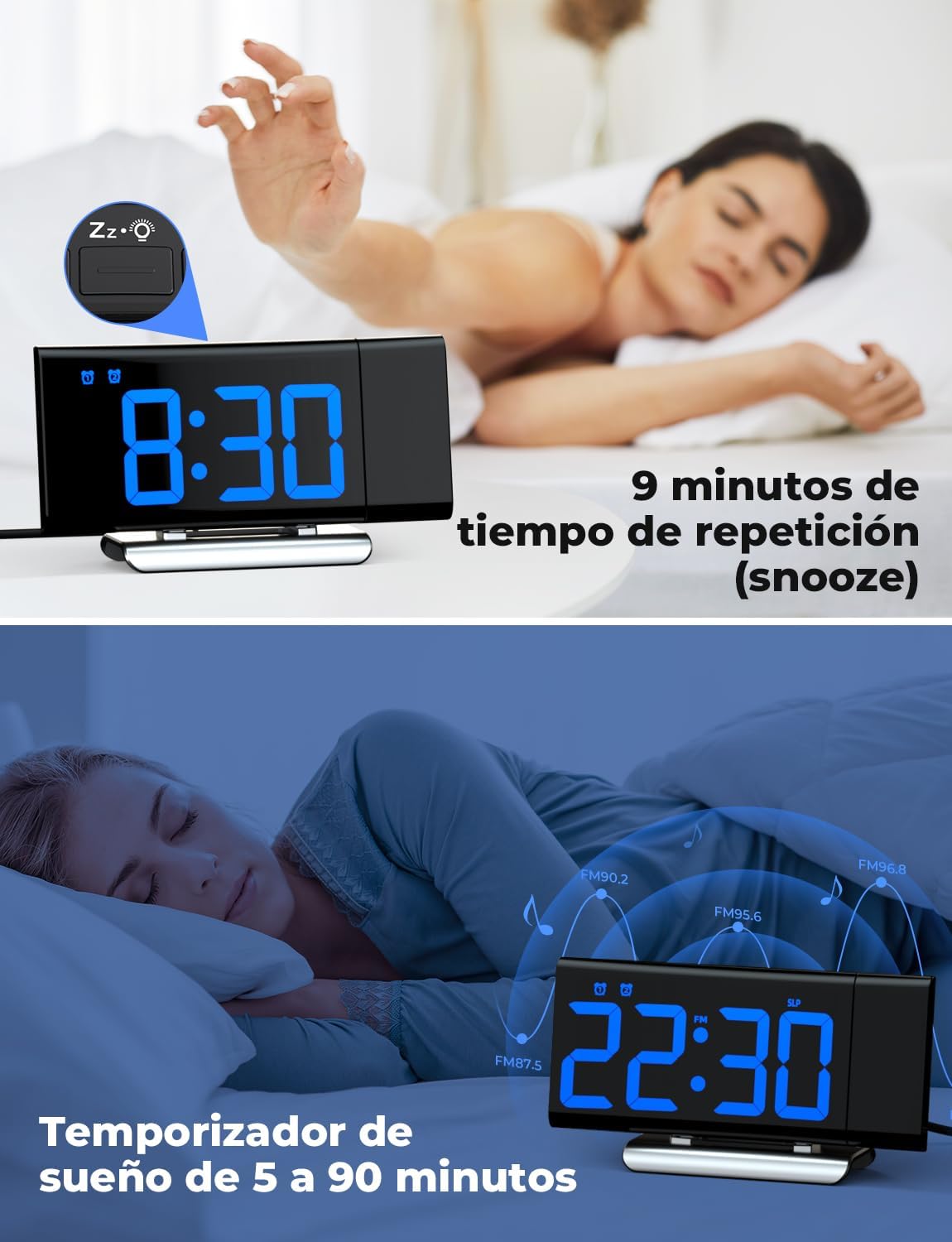
Image: The top section shows a person reaching for the snooze button on the LIORQUE S7509 Projection Alarm Clock, which displays 8:30, indicating a 9-minute snooze period. The bottom section features the clock displaying 22:30 with radio waves, illustrating the sleep timer function which can be set from 5 to 90 minutes, with a person sleeping peacefully in the background.
Održavanje
To ensure the longevity and optimal performance of your LIORQUE S7509 Projection Alarm Clock, follow these simple maintenance guidelines:
- Čišćenje: Use a soft, dry cloth to wipe the surface of the clock. Do not use abrasive cleaners, solvents, or chemical sprays, as these can damage the finish and electronic components.
- Uklanjanje prašine: Gently wipe the projector lens with a soft, lint-free cloth to maintain clear projection quality.
- Plasman: Postavite sat na stabilnu, ravnu površinu, dalje od izravne sunčeve svjetlosti, izvora topline i prekomjerne vlage.
- Vlast: Always use the provided power adapter. If the clock is not used for an extended period, you may unplug it. The built-in battery will retain settings for a short duration.
Rješavanje problema
If you encounter any issues with your alarm clock, please refer to the following common problems and solutions:
| Problem | Mogući uzrok | Otopina |
|---|---|---|
| Prikaz sata je prazan. | Nema snage ili strujetage. | Ensure the power adapter is securely plugged into the clock and a working outlet. Check if the display brightness is set to 'off'. |
| Projekcija je mutna ili nejasna. | Incorrect focus or distance. | Adjust the distance of the clock from the projection surface. Ensure the projector lens is clean. |
| Alarm se ne oglašava. | Alarm nije aktiviran ili je glasnoća preniska. | Verify that the alarm icon is displayed on the screen. Check the alarm volume setting. Ensure the alarm time is correctly set. |
| Slab FM radio prijem. | Weak signal or antenna position. | Extend the FM antenna fully. Reposition the clock to improve reception. |
| Gumbi ne reagiraju. | Privremeni softverski kvar. | Unplug the power adapter for a few seconds, then plug it back in to reset the device. |
Tehnički podaci
| Značajka | Detalj |
|---|---|
| Dimenzije proizvoda | 10.5 x 3.81 x 6.2 cm; 340 g |
| Broj modela | S7509 |
| Marka | LIORQUE |
| Boja | Plava |
| Vrsta zaslona | Digitalni |
| Izvor napajanja | Both: Battery and AC power (with adapter) |
| Oblik | Pravokutan |
| Korištenje | Zatvoreni |
| Materijal okvira | Metal |
| Baterije uključene | Da |
| Vrsta montaže | Stolna ploča |
| Budilnik | Da |
| Broj stavki | 1 |
Jamstvo i podrška
The LIORQUE S7509 Projection Alarm Clock comes with a manufacturer's warranty. For specific details regarding warranty coverage and duration, please refer to the warranty card included in your package or contact LIORQUE customer support.
If you require further assistance, have questions, or encounter issues not covered in this manual, please contact LIORQUE customer support. Contact information can typically be found on the product packaging, the official LIORQUE webweb-mjestu ili putem vašeg prodavača.