
1. Uvod
Thank you for choosing the VXE Dragon Fly R1 PRO MAX Gaming Mouse. This manual provides detailed instructions for setting up, operating, and maintaining your new wireless gaming mouse. Please read this manual thoroughly before use to ensure optimal performance and longevity of your device.

Image 1: The VXE Dragon Fly R1 PRO MAX Gaming Mouse. This image displays the sleek, black design of the mouse from a top-down perspective.
2. Sadržaj paketa
Provjerite jesu li svi artikli prisutni u vašem paketu:
- VXE Dragon Fly R1 PRO MAX Gaming Mouse
- USB-A Wireless Dongle
- USB-C na USB-A kabel za punjenje/podatkovni kabel
- Grip Tape (pre-cut for mouse sides and buttons)
- Extra PTFE Mouse Skates/Sliders

Image 2: Contents of the VXE Dragon Fly R1 PRO MAX package. This image shows the black mouse, its USB-A wireless dongle, the braided USB-C charging cable, and sheets of grip tape and extra mouse feet.
3. Proizvod je gotovview i značajke
The VXE Dragon Fly R1 PRO MAX is engineered for high-performance gaming and productivity, featuring a lightweight design and versatile connectivity options.
Ključne karakteristike:
- Ultra lagani dizajn: Weighing approximately 48 grams, minimizing wrist fatigue during extended use.
- Ergonomski oblik: Dizajniran za udoban hvat i kontrolu.
- 5 programabilnih gumba: Left click, right click, clickable scroll wheel, and two side buttons.
- Svestrana povezivost: Supports 2.4G wireless (via dongle), Bluetooth, and wired (USB-C) modes.
- Visoka stopa glasanja: Up to 4K polling rate for ultra-responsive tracking (requires separate 4K receiver).
- Dugo trajanje baterije: Up to 75 hours of wireless usage on a single charge.
- Trajni premaz: Features a 'Delicate Ice Feeling Coating' for a smooth, dirt-resistant, and easy-to-clean surface.

Slika 3: Eksplodirani view of the VXE Dragon Fly R1 PRO MAX mouse, highlighting its internal components such as the PAW3395/SE sensor, Kaihua GE Upgrade/TTC Silver Wheel, and Kaihua White Blade switches, along with its lightweight design and 2.4G storage. The image also indicates the weight of different R1 series models.
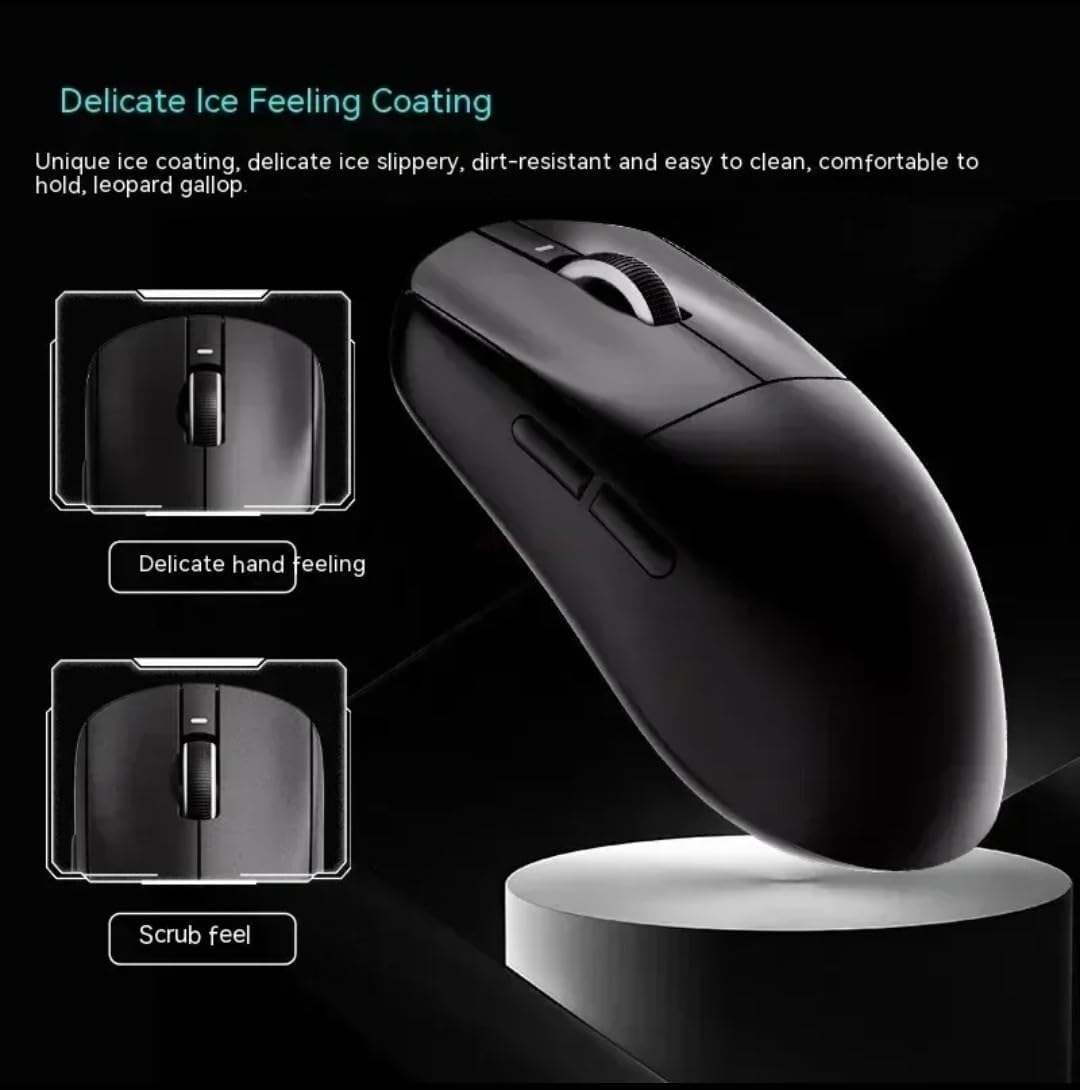
Image 4: Close-up of the VXE Dragon Fly R1 PRO MAX mouse, illustrating the 'Delicate Ice Feeling Coating' for a smooth, slippery, and dirt-resistant feel, alongside a 'Scrub feel' option.
4. Postavljanje
4.1 Uključivanje/isključivanje
Locate the power switch on the underside of the mouse. Slide it to the 'ON' position to power on the mouse. To power off, slide it to the 'OFF' position.
4.2 Mogućnosti povezivanja
Your mouse supports three connection modes:
- 2.4G bežični način rada:
- Remove the USB-A wireless dongle from its storage compartment on the underside of the mouse.
- Uključite adapter u dostupan USB-A priključak na računalu.
- Slide the power switch on the mouse to the '2.4G' position. The mouse should connect automatically.
- Bluetooth način rada:
- Slide the power switch on the mouse to the 'Bluetooth' position.
- Na računalu idite na postavke Bluetootha i potražite nove uređaje.
- Select 'VXE Dragon Fly R1' (or similar) from the list of available devices to pair.
- Ožičeni način:
- Connect the provided USB-C to USB-A cable to the USB-C port on the front of the mouse and to a USB-A port on your computer.
- Miš će raditi u žičanom načinu rada i istovremeno se puniti.
4.3 Podešavanje DPI
The mouse features a DPI adjustment button on its underside. Press this button to cycle through different DPI settings. An indicator light will change color to show the current DPI level (e.g., 400, 800, 1600, 3200 DPI). For more precise control, use the dedicated software.

Image 5: This image illustrates the 2K and 4K polling rate capabilities of the VXE Dragon Fly R1 PRO MAX mouse, indicating its high responsiveness for gaming.
5. Upravljanje mišem
5.1 Funkcije gumba
The mouse has 5 buttons:
- Lijevi klik: Standard primary function.
- Desni klik: Standard secondary function.
- Kotačić za pomicanje: Pomiče se gore/dolje i djeluje kao srednja tipka.
- Bočni gumbi: Default to forward/backward navigation in web browsers. These can be customized using the VXE software.
5.2 Upravljanje baterijom
The mouse features a built-in rechargeable battery. When the battery is low, the LED indicator may change color or flash. Connect the USB-C cable to charge the mouse. You can continue to use the mouse in wired mode while it charges.
6. Održavanje
- Održavajte miš čistim brisanjem mekom, suhom krpom.
- Izbjegavajte izlaganje miša ekstremnim temperaturama, vlazi ili izravnoj sunčevoj svjetlosti.
- Ne rastavljajte miš, jer to može poništiti jamstvo.
- Ensure the mouse feet are clean for optimal gliding performance. Replace extra PTFE mouse skates as needed.
7. Rješavanje problema
- Miš ne reagira: Ensure the mouse is powered on and correctly connected via 2.4G dongle, Bluetooth, or USB-C cable. Check battery level.
- Kašnjenje ili prekid veze: Ensure the wireless dongle is close to the mouse and not obstructed. Avoid interference from other wireless devices. For Bluetooth, ensure your computer's Bluetooth is enabled and the mouse is paired.
- DPI se ne mijenja: Press the DPI button firmly. If using software, ensure settings are applied correctly.
- Problemi s punjenjem: Ensure the USB-C cable is securely connected to both the mouse and the computer/charger.
8. Specifikacije
| Značajka | Specifikacija |
|---|---|
| Marka | VXE |
| Boja | Crna |
| Tehnologija povezivanja | USB, Wireless (2.4G, Bluetooth) |
| Tehnologija detekcije pokreta | Optički ili laserski |
| Broj gumba | 5 |
| Kompatibilni uređaji | Osobno računalo |
| Operativni sustav | Windows |
| Hardverska platforma | PC |
| Raspon | 10.0 metara |
| Jesu li baterije uključene | No (Rechargeable internal battery) |
| Proizvođač | VXE |
| Proizv. broj dijela | VEX R1 |
| Broj jedinica | 1.0 Broj |
9. Jamstvo i podrška
For warranty information, technical support, or further assistance, please refer to the official VXE webweb-mjesto ili se izravno obratite njihovoj korisničkoj službi. Sačuvajte račun za slučaj reklamacije.