
ThermoPro TP60S
ThermoPro TP60-3 digitalni bežični termometar i higrometar za unutarnju/vanjsku upotrebu. Upute za uporabu.
1. Uvod
The ThermoPro TP60-3 is a digital wireless indoor/outdoor thermometer and hygrometer designed to monitor temperature and humidity levels in various environments. This device provides accurate readings for both indoor and outdoor conditions, featuring a long wireless range and the ability to connect with multiple remote sensors. It is suitable for use in homes, baby rooms, nurseries, cellars, basements, warehouses, and greenhouses to ensure optimal environmental control.
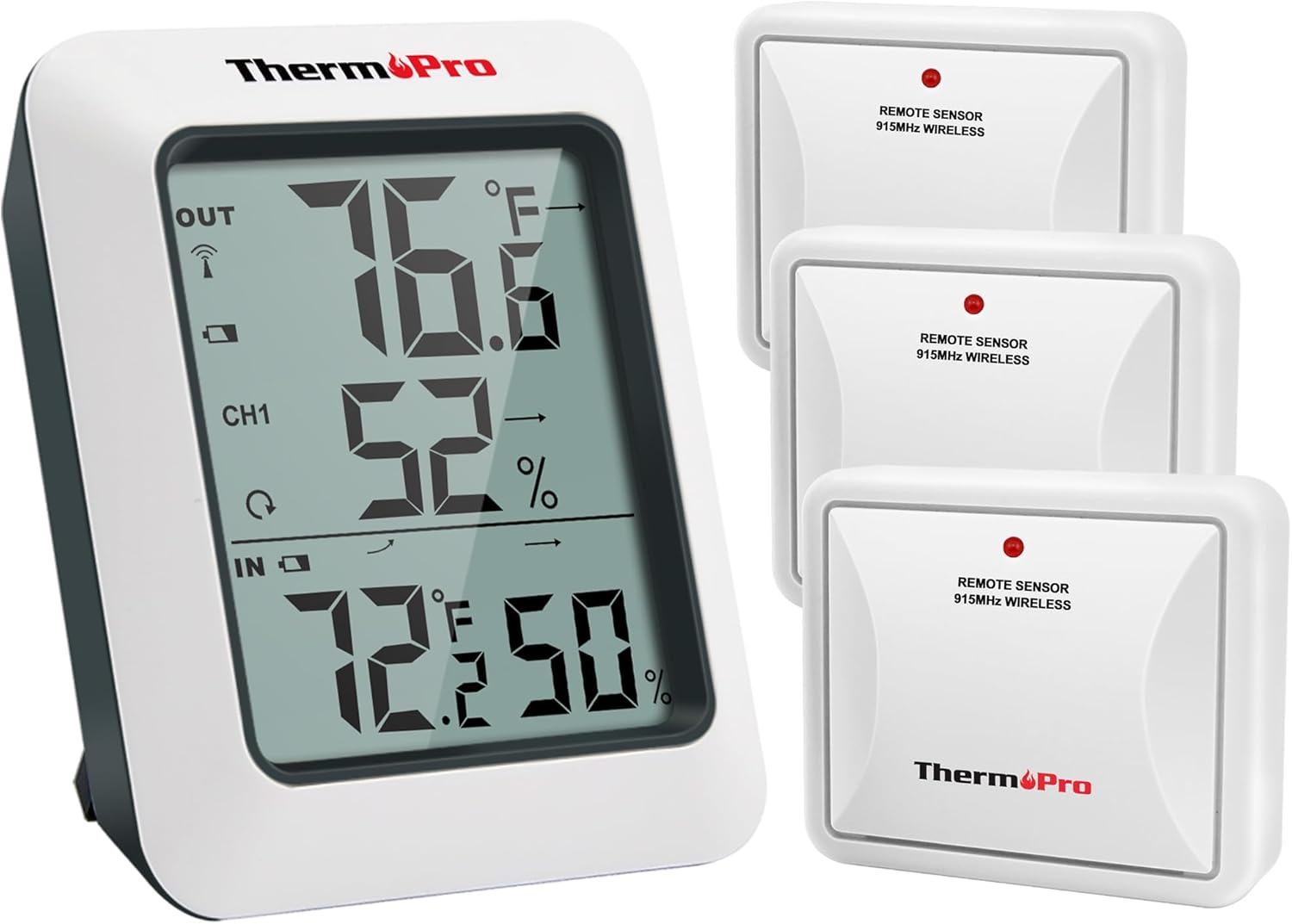
Image: The ThermoPro TP60-3 main display unit and three remote wireless sensors, illustrating the complete product package.
2. Što je u kutiji
- 1 x Main Receiver Unit
- 3 x Remote Transmitter Sensors
- 8 x AAA baterije
3. Proizvod je gotovview
3.1 Main Receiver Unit
The main receiver unit features a large, easy-to-read LCD screen that displays indoor and outdoor temperature and humidity percentages. It also shows temperature and humidity trend indicator arrows, and daily high/low information. The unit is designed for tabletop placement with a built-in stand or can be wall-mounted.

Image: Close-up of the main display unit showing outdoor temperature and humidity, channel indicator, and indoor temperature and humidity with trend arrows.
3.2 Remote Transmitter Sensors
The remote sensors transmit temperature and humidity data wirelessly to the main unit. Each sensor is designed for outdoor use and should be placed in a location protected from direct sunlight and rain. The system supports up to three remote sensors, allowing monitoring of different locations simultaneously.

Image: Diagram showing the main unit receiving data from three remote sensors placed in a bedroom, storage room, and garden, highlighting multi-location monitoring.
4. Postavljanje
4.1 Ugradnja baterije
- Open the battery compartment on the back of both the main receiver unit and each remote sensor.
- Insert the provided AAA Batteries, ensuring correct polarity (+/-).
- Čvrsto zatvorite pretince za baterije.
4.2 Synchronization Process
After installing batteries, the main unit and remote sensors should automatically synchronize. The RF signal icon on the upper left of the main unit's display will flash during synchronization. If connection is lost or batteries are replaced, follow these steps:
- Provjerite jesu li baterije ispravno umetnute u oba uređaja.
- Press the TX button on the remote sensor(s) to re-establish connection.
4.3 Smjernice za postavljanje
- Glavna jedinica: Place the main unit indoors on a tabletop using its built-in stand or mount it on a wall.
- Daljinski senzori:
- Place sensors in an open area, avoiding wall obstructions.
- Keep sensors away from routers and other electronic devices to prevent high-frequency signal interference.
- Avoid direct sunlight exposure, as this can lead to inaccurate temperature readings.
- Always place sensors upright to prevent rain from entering through vent holes.
- The wireless range is up to 500ft/150m in open areas.

Image: The main unit shown on a tabletop and a remote sensor mounted on an exterior wall, demonstrating flexible placement options.
5. Upute za rad
5.1 Značajke zaslona
- Vanjska temperatura i vlažnost: Displayed at the top of the screen.
- Pokazatelj kanala: Shows which remote sensor's data is currently displayed (CH1, CH2, CH3).
- Unutarnja temperatura i vlažnost: Displayed at the bottom of the screen.
- Strelice trenda: Indicate whether temperature and humidity are rising, falling, or remaining stable.
- MAX/MIN zapisi: Shows the highest and lowest temperature and humidity readings recorded over the last 24 hours or all-time since the last reset.
5.2 Unit Selection (°F/°C)
To switch between Fahrenheit (°F) and Celsius (°C), press the °F/°C button located on the back of the main receiver unit.
5.3 Viewing MAX/MIN Records
Press the MAX/MIN button on the back of the main unit to cycle through the 24-hour and all-time high and low records for temperature and humidity. To clear the records, press and hold the CLEAR button.
5.4 Odabir kanala
If using multiple remote sensors, press the CHANNEL button on the back of the main unit to switch between the different sensor channels (CH1, CH2, CH3) and view their respective outdoor readings.
6. Održavanje
- Čišćenje: Obrišite mekom, damp tkanina. Ne uranjati u vodu.
- Zamjena baterije: Replace batteries when the low battery indicator appears on the display. Ensure correct polarity.
- Skladištenje: Ako uređaj skladištite dulje vrijeme, izvadite baterije kako biste spriječili curenje.
7. Rješavanje problema
- Nema zaslona/slaba baterija: Provjerite ugradnju baterije i zamijenite je ako je potrebno.
- No Remote Sensor Reading:
- Ensure remote sensor is within range (500ft/150m).
- Press the TX button on the remote sensor to re-sync.
- Provjerite ima li smetnji od drugih elektroničkih uređaja.
- Replace remote sensor batteries.
- Netočna očitanja:
- Ensure remote sensor is not in direct sunlight or exposed to rain.
- Verify proper placement away from heat sources or vents.
8. Specifikacije
| Marka | ThermoPro |
| Naziv modela | TP60S |
| Raspon unutarnje temperature | -4°F do 158°F (-20°C do 70°C) |
| Raspon vanjske temperature | -4°F do 158°F (-20°C do 70°C) |
| Raspon vlage | 10% do 99% |
| Bežični raspon | Up to 500ft/150m (in open area) |
| Tehnologija povezivanja | Radio Frequency (RF) - ASK 433Mhz |
| Izvor napajanja | Napajanje baterijama (AAA) |
| Vrsta zaslona | Digitalni LCD |
| Materijal | Plastični |
9. Jamstvo i podrška
For warranty information, technical support, or further assistance, please visit the official ThermoPro website or contact their customer service. Details can typically be found in the product packaging or on the manufacturer's webmjesto.
Možete posjetiti ThermoPro Store za više proizvoda i informacija.
Povezani dokumenti - TP60S
 |
ThermoPro TP60S bežični termometar-higrometar za unutarnju/vanjsku upotrebu - korisnički priručnik Sveobuhvatni korisnički priručnik za bežični monitor vlažnosti i temperature ThermoPro TP60S za unutarnju/vanjsku upotrebu. Saznajte više o postavljanju, radu, značajkama, specifikacijama i rješavanju problema. |
 |
ThermoPro TP60S LCD digitalni higrometar: Monitor temperature i vlažnosti u zatvorenom/vanjskom prostoru ThermoPro TP60S je bežični digitalni higrometar i monitor temperature za unutarnju/vanjsku upotrebu s velikim LCD zaslonom, indikatorima trendova i zapisima visokih/niskih temperatura. Nudi točna mjerenja i fleksibilno postavljanje s dometom do 60 m. |
 |
ThermoPro TP-55 Priručnik za uporabu unutarnjeg monitora vlažnosti i temperature Upute za uporabu za ThermoPro TP-55 monitor vlažnosti i temperature u zatvorenom prostoru, s detaljnim opisom značajki, rada, specifikacija, sigurnosti, jamstva i smjernica za odlaganje. |
 |
ThermoPro TP393 Bluetooth unutarnji termometar i higrometar Korisnički priručnik Sveobuhvatan vodič za ThermoPro TP393, pametni Bluetooth unutarnji termometar i higrometar. Obuhvaća značajke, specifikacije, korištenje aplikacije, postavljanje i informacije o jamstvu. |
 |
ThermoPro TP-50 Priručnik za uporabu unutarnjeg monitora vlažnosti i temperature Upute za uporabu za ThermoPro TP-50 monitor vlažnosti i temperature u zatvorenom prostoru, koje obuhvaćaju sigurnosna upozorenja, upute za uporabu, specifikacije, smjernice za odlaganje i informacije o jamstvu. |
 |
ThermoPro TP358 Bluetooth unutarnji termometar i higrometar Korisnički priručnik Sveobuhvatni korisnički priručnik za ThermoPro TP358 Bluetooth unutarnji termometar i higrometar, s detaljnim opisom njegovih značajki, specifikacija, postavljanja, upotrebe, jamstva i korisničke podrške. |
Ask a question about this manual
Ask about setup, troubleshooting, compatibility, parts, safety, or missing instructions. Manuals+ will review the question and use this page’s manual context to help answer it.