
symcode 1D Laser Pink
Symcode USB 1D Barcode Scanner User Manual
Model: 1D Laser Pink
1. Uvod
This user manual provides detailed instructions for the Symcode USB 1D Barcode Scanner. Please read this manual carefully before using the product to ensure proper operation and to maximize its lifespan. This device is designed for efficient and accurate scanning of 1D barcodes in various environments such as warehouses, libraries, supermarkets, and POS systems.
2. Sadržaj paketa
- 1 x Symcode CCD Barcode Scanner
- 1 x USB kabel
- 1 x Korisnički priručnik (ovaj dokument)
3. Proizvod je gotovview
The Symcode 1D Barcode Scanner is a handheld, wired device featuring CCD image scanning technology. Its ergonomic and lightweight design ensures comfortable use for extended periods.
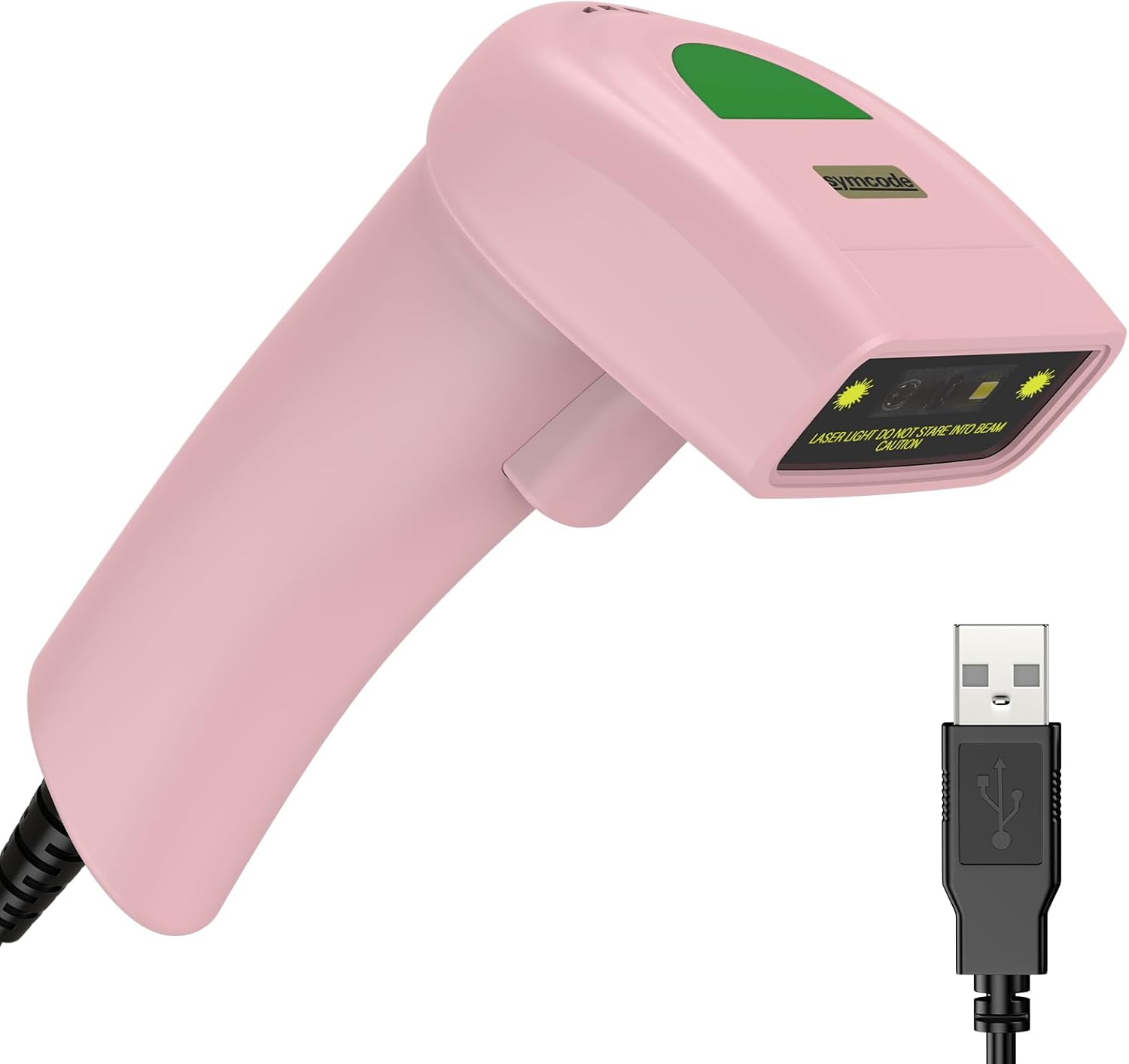
Figure 3.1: Symcode USB 1D Barcode Scanner (Pink) with its USB cable.

Figure 3.2: The scanner's compact dimensions (1.97in/5cm width, 2.76in/7cm depth, 5.5in/14cm height) are shown in comparison to a mobile phone, highlighting its portability. The scanner weighs only 181g (excluding the wire).

Figure 3.3: The scanner's light and streamlined design (left) offers comfort and ease of use, contrasting with a heavier, bulkier design (right) that can be more laborious.
4. Postavljanje
4.1 Spajanje skenera
The Symcode 1D Barcode Scanner is a plug-and-play device, requiring no driver installation for most operating systems.
- Locate an available USB port on your computer (Desktop or Laptop).
- Insert the USB connector of the scanner's cable into the USB port.
- The scanner will emit a beep, indicating successful connection and readiness for use.

Figure 4.1: The USB cable serves as both a power source and a data transmission cable, enabling simple plug-and-play functionality.
5. Upute za rad
5.1 Osnovno skeniranje
To scan a barcode, aim the scanner's laser beam at the center of the barcode and press the trigger button. A successful scan will be indicated by a beep and a light confirmation.

Figure 5.1: The scanner is capable of reading 1D barcodes from both printed labels and digital screens.
5.2 Načini skeniranja
Skener podržava tri glavna načina skeniranja:
- Način okidanja ključa: Press the trigger button to initiate each scan.
- Auto-Induction Mode: Skener automatski detektira barkod unutar svog polja view and scans it without requiring a trigger press.
- Kontinuirani način rada: The scanner continuously emits its laser, scanning any barcode that passes through its beam.
5.3 Mogućnosti prilagodbe
5.3.1 Adding Prefix and Suffix
The scanner allows for customization of scanned data by adding prefixes or suffixes. This feature is useful for data organization and integration with various software systems. Refer to the programming barcodes in the included user manual for specific instructions on how to configure these options.

Slika 5.2: Npramples demonstrating how prefixes (e.g., RL123456789), suffixes (e.g., 123456789RL), or middle insertions (e.g., 12345RL6789) can be added to scanned barcode data.
5.3.2 Kontrola zvuka
The scanner's sound (beep) can be turned on or off according to user preference. This is typically done by scanning specific configuration barcodes found in the full user manual.

Figure 5.3: Visual representation of turning the scanner's sound on or off using dedicated configuration barcodes.
6. Supported Barcodes
The Symcode 1D Barcode Scanner is equipped with advanced CCD sensor technology, enabling it to accurately read a wide range of 1D barcodes, including those that are smudged, damaged, fuzzy, or reflective. It supports 180 configurable options for prefix, suffix, and termination strings.
Supported 1D Barcode Symbologies include:
- EAN-8/13
- UPC-A/E
- Code 39/93/128
- EAN-128
- Codabar
- Industrijski 2 od 5
- Interleave 2 of 5
- Matrica 2 od 5
- MSI
- RSS variants
- Kineski 2 od 5

Figure 6.1: The scanner's super decoding ability is demonstrated with examples of various 1D barcodes, including standard ones like ŠIFRA 128 i UPC A, as well as challenging ones like Frauded Barcode, profesionalacfiled Crtični kod, Folded Barcode, i Color Barcode.
7. Održavanje
Proper maintenance ensures the longevity and optimal performance of your barcode scanner.
- Čišćenje: Za čišćenje vanjske strane skenera koristite meku, suhu krpu. Za prozor za skeniranje upotrijebite krpu koja ne ostavlja dlačice lagano obrisanu.ampOčistite neabrazivnim sredstvom za čišćenje. Izbjegavajte jake kemikalije ili abrazivne materijale.
- Skladištenje: Skener čuvajte na hladnom i suhom mjestu, dalje od izravne sunčeve svjetlosti i ekstremnih temperatura.
- Rukovanje: While the scanner is designed to be durable (withstands drops from 2m), avoid unnecessary drops or impacts to prevent damage to internal components.
8. Rješavanje problema
| Problem | Mogući uzrok | Otopina |
|---|---|---|
| Skener se ne uključuje. | USB kabel nije pravilno spojen ili je USB priključak neispravan. | Ensure the USB cable is securely plugged into both the scanner and the computer. Try a different USB port. |
| Skener ne čita barkodove. | Barcode is damaged, poorly printed, or not a supported symbology. Scanner is not in the correct scanning mode. | Ensure the barcode is clear and undamaged. Verify the barcode symbology is supported. Check the scanning mode (Key Trigger, Auto-Induction, Continuous) and adjust if necessary. |
| Skenirani podaci su netočni ili nepotpuni. | Incorrect prefix/suffix settings or data formatting issues. | Refer to the customization section (5.3) and the full user manual for programming barcodes to reset or adjust prefix/suffix settings. |
| No sound from scanner. | Zvuk je isključen. | Scan the "Turn on Sound" configuration barcode (refer to section 5.3.2 and the full user manual). |
9. Specifikacije
| Značajka | Detalj |
|---|---|
| Dimenzije | 165 x 63 x 87 mm (6.5 x 2.48 x 3.43 inča) |
| Težina | 156 g (5.9 unci) |
| Izvor svjetlosti | 650nm~670nm Visible Laser |
| Brzina skeniranja | 100 skeniranja/sek |
| Read Preciseness | 0.1 mm (4 mil) |
| Kontrast ispisa | 30% min |
| Dubina polja | 0~600mm (0.33mm, PCS 90%) |
| Scan Scope | 10mm~250mm |
| Udaljenost čitanja | 2.5~600mm (100% UPC/EAN) |
| Bit Error Rate | 1/5 milijuna |
| Trenutni | 85mA (working), 36mA (storage) |
| Sučelje | USB |
| Radna temperatura | 0℃~45℃ (32°F~113°F) |
| Temperatura skladištenja | -20 ℃ ~ 60 ℃ (-4 ° F ~ 140 ° F) |
| Vlažnost | 5%~95% bez kondenzacije |
| Materijal | ABS+PC |
| Kompatibilni uređaji | Stolno računalo, Prijenosno računalo |
| Izvor napajanja | Električni na kabel |
10. Jamstvo i podrška
Symcode products are manufactured to high quality standards. For warranty information and technical support, please refer to the contact details provided with your purchase or visit the official Symcode webstranicu. Sačuvajte račun kao dokaz o kupnji za slučaj reklamacije.
For further assistance, please contact Symcode customer service.
Ask a question about this manual
Ask about setup, troubleshooting, compatibility, parts, safety, or missing instructions. Manuals+ will review the question and use this page’s manual context to help answer it.