
1. Uvod
Thank you for choosing the OSALO Desktop Calculator OS-8812T. This 12-digit desktop calculator is designed for both home and office use, offering a large display, comfortable keys, and essential functions including a tax calculation feature. This manual provides detailed instructions for setup, operation, maintenance, and troubleshooting to ensure optimal performance and longevity of your device.
2. Ključne značajke
- Tax Rate Calculator Function: Simplifies tax calculations with integrated tax rate adjustments (TAX+, TAX-).
- Veliki 12-znamenkasti LCD zaslon: High-resolution display for clear and easy readability, tilted at 15 degrees for improved viewin udobnost.
- Ergonomic Concave Round Buttons: Designed for comfortable and accurate input, adapting to your fingertips.
- Osjetljive tipke: Ensures quick and precise typing.
- Dvostruki izvor napajanja: Operates on solar energy and a single LR44 battery (included), providing reliable power and energy efficiency.
- Dizajn protiv klizanja: Features anti-slip mats for stability during use.
3. Proizvod je gotovview i Dimenzije
Familiarize yourself with the calculator's layout and physical specifications.

Slika: Prednja i bočna view of the OSALO Desktop Calculator OS-8812T, illustrating its dimensions (189mm length, 140mm width, 31mm height, 15-degree display tilt).

Slika: Detaljna view of the OSALO Desktop Calculator OS-8812T with key functions labeled, including Operation Symbol Display, Grand Total (GT), Memory Plus/Minus (M+, M-), Back Space, All Clear (AC), Tax Rate Settings (TAX+, TAX-), Memory Load/Clear (MRC), and Root (√).
4. Postavljanje
4.1 Izvor napajanja
The OSALO OS-8812T calculator operates using a dual power system: solar energy and a single LR44 battery. The calculator will automatically switch to battery power in low light conditions.
Ugradnja/zamjena baterije:
- Provjerite je li kalkulator isključen.
- Pronađite odjeljak za baterije na stražnjoj strani kalkulatora.
- Upotrijebite mali odvijač za otvaranje poklopca baterije.
- Insert one LR44 battery, ensuring the correct polarity (+/-).
- Vratite poklopac baterije i učvrstite ga.

Image: The underside of the OSALO Desktop Calculator, highlighting the battery compartment and the anti-slip mats at each corner.
4.2 Početna upotreba
Pritisnite tipku AC (All Clear) button to clear any previous calculations and ensure the display shows '0'. The calculator is now ready for use.
5. Upute za rad
5.1 Osnovne aritmetičke operacije
Perform addition, subtraction, multiplication, and division using the respective keys (+, -, ×, ÷) and the equals (=) key.
5.2 Tax Calculation Function
The calculator features dedicated keys for tax calculations (TAX+, TAX-). This function simplifies adding or subtracting a predefined tax rate.
Određivanje porezne stope:
- Pritisnite AC za brisanje zaslona.
- Pritisnite tipku STOPA dugme.
- Enter the desired tax rate (e.g., 8 for 8%).
- Pritisnite STOPA again to save the tax rate. The display will show the set rate.
Using Tax Functions:
- POREZ+: To add tax to an amount, enter the amount, then press POREZ+. The display will show the amount including tax.
- POREZ-: To subtract tax from an amount, enter the amount, then press POREZ-. The display will show the amount excluding tax.
- PODSJETITI: To check the currently set tax rate, press PODSJETITI.

Image: A table demonstrating the purpose, operation, and result for various tax functions, including setting an 8% tax rate, calculating total amount after tax, and total amount before tax.
5.3 Funkcije memorije
- M+: Dodaje prikazanu vrijednost u memoriju.
- M-: Oduzima prikazanu vrijednost iz memorije.
- MRC: Recalls the memory content. Pressing it twice clears the memory.
- GT (ukupni zbroj): Accumulates the results of all calculations. Pressing it twice clears the grand total.
5.4 Ostale funkcije
- %: Percentage ključ.
- √: Square root key.
- Back Space (►): Deletes the last entered digit.
- C/CE: Clear Entry. Clears the last entry without clearing the entire calculation.
5.5 Ergonomski dizajn
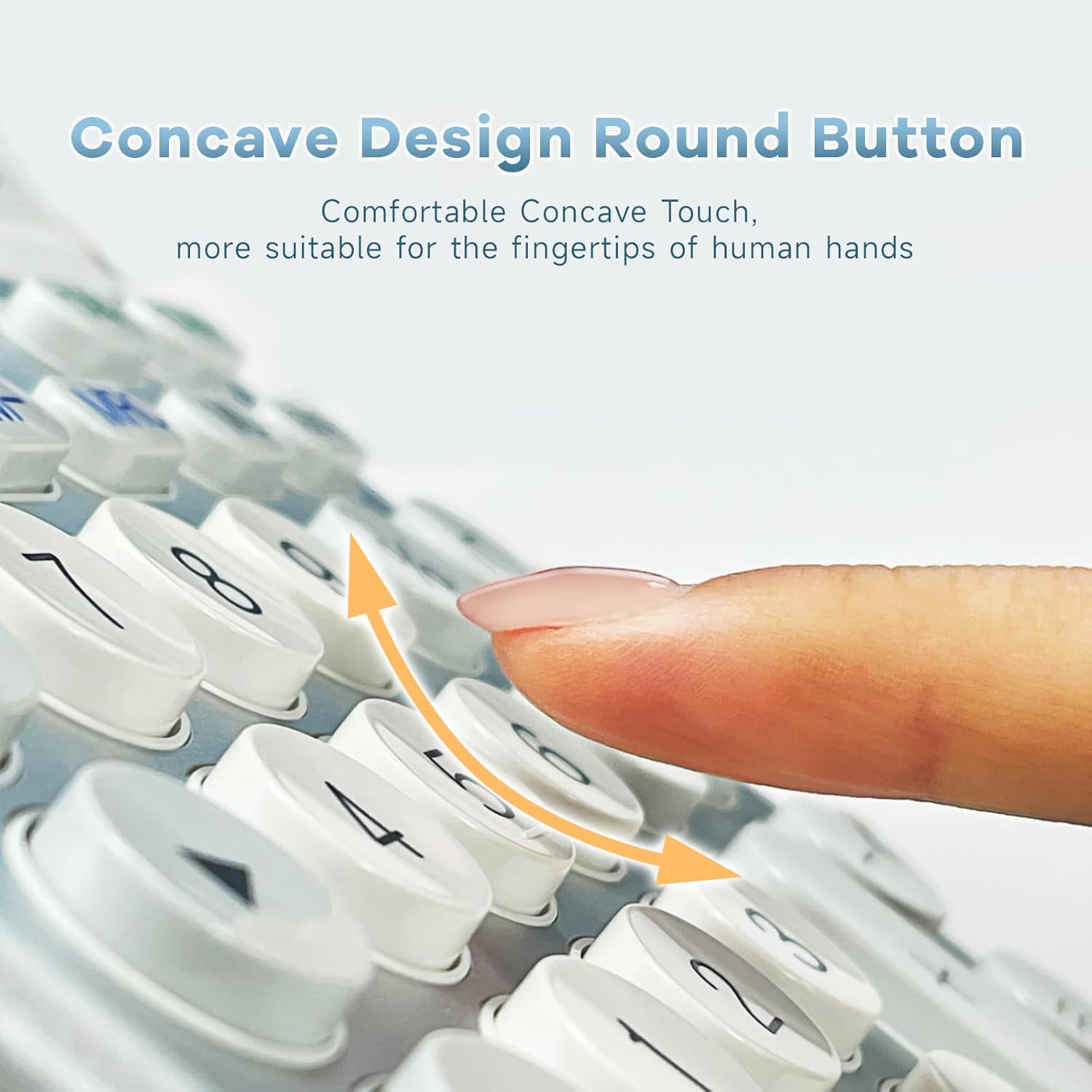
Slika: Krupni plan view of the calculator's concave round buttons, designed for comfortable and precise finger placement during operation.

Image: A diagram illustrating the 30-degree ergonomic tilt of the calculator, showing how it provides an optimal viewing angle for users at a desk.
5.6 Instrukcijski videozapisi
Video: This video demonstrates the OSALO Desktop Calculator's large display, comfortable buttons, and solar power feature, showcasing its quick response and suitability for office and financial tasks.
Video: This video highlights the OSALO Calculator's large display, large buttons, and solar power capabilities, emphasizing its ease of use for various calculations.
6. Održavanje
6.1 Čišćenje
Za čišćenje kalkulatora, nježno obrišite površinu mekom, suhom krpom. Za tvrdokornu prljavštinu, laganoampen the cloth with water and mild soap, then wipe dry immediately. Avoid using abrasive cleaners, solvents, or spraying liquids directly onto the calculator.
6.2 Njega baterija
If the calculator will not be used for an extended period, it is recommended to remove the LR44 battery to prevent leakage and potential damage to the device.
6.3 Skladištenje
Store the calculator in a cool, dry place away from direct sunlight, extreme temperatures, and high humidity. Keep it away from strong magnetic fields.
7. Rješavanje problema
- Zaslon je prazan ili taman:
- Ensure sufficient light for solar power.
- Check if the LR44 battery is correctly installed and not depleted. Replace if necessary.
- Pritisnite AC resetirati.
- Incorrect calculations:
- Pritisnite AC to clear all previous operations and memory.
- Verify the input sequence and numbers.
- Check if any memory functions (M+, M-, GT) are active and affecting the result.
- Tipke ne reagiraju:
- Ensure the calculator is powered on.
- Očistite oko tipki kako biste uklonili sve ostatke.
- If the issue persists, try replacing the battery.
8. Specifikacije
| Značajka | Specifikacija |
|---|---|
| Marka | OSALO |
| Naziv modela | OS 8812T |
| Vrsta zaslona | LCD |
| Veličina zaslona | 12 Centimeter (approx. 4.7 inches) |
| Broj znamenki | 12 |
| Izvor napajanja | Solarni i baterijski |
| Vrsta baterije | 1 x LR44 (uključeno) |
| Vrsta materijala | Metal, Plastika |
| Dimenzije proizvoda | 18.9 x 14 x 0.1 cm (7.44 x 5.5 x 0.04 inča) |
| Težina | 240 g |
| Boja | Bijelo i srebrno |
9. Sigurnosne informacije
- Ne pokušavajte rastavljati ili modificirati kalkulator.
- Keep the calculator away from water and other liquids to prevent damage.
- Izbjegavajte ispuštanje kalkulatora ili izlaganje jakim udarcima.
- Držite baterije izvan dohvata djece. Ako se proguta, odmah potražite liječničku pomoć.
10. Jamstvo i podrška
For warranty information and customer support, please refer to the documentation provided with your purchase or contact OSALO customer service directly. Keep your proof of purchase for any warranty claims.