
1. Uvod
This manual provides detailed instructions for the assembly, operation, and maintenance of your ErGear EGESD63B electric standing desk. Please read this manual thoroughly before assembly and use to ensure proper function and safety. Keep this manual for future reference.

Image 1.1: The ErGear EGESD63B electric standing desk in a typical office setup.
2. Sigurnosne informacije
Kako biste osigurali siguran rad i spriječili ozljede ili štetu, molimo vas da se pridržavate sljedećih sigurnosnih uputa:
- Do not exceed the weight limit of 250 pounds (113 kg) on the desktop.
- Ensure the desk is properly anchored to the floor to prevent tipping, especially when at maximum height.
- Avoid use near water or in humid conditions to prevent electrical hazards.
- Držite djecu i kućne ljubimce podalje od stola tijekom rada.
- Pazite da nema prepreka na putu stola tijekom podešavanja visine.
- Koristite samo priloženi adapter za napajanje i komponente.
3. Sadržaj paketa
Verify that all components are present and undamaged before beginning assembly. If any parts are missing or damaged, contact ErGear customer service.
- Desktop (One-piece)
- Noge za stol (2)
- Crossbar/Frame
- Upravljačka ploča
- Strujni adapter i kabel
- Ladica za držanje kabela
- Hardware Kit (screws, bolts, washers)
- Alati za sastavljanje
- Detaljan priručnik s uputama
4. Postavljanje i sastavljanje
Assembly requires one person and includes all necessary tools. Follow these general steps for setup:
- Raspakirajte komponente: Pažljivo izvadite sve dijelove iz pakiranja i položite ih na čistu, meku površinu kako biste spriječili ogrebotine.
- Sastavljanje okvira stola: Attach the desk legs to the crossbar according to the diagrams in the detailed manual. Ensure all screws are tightened securely.
- Priloži radnu površinu: Place the one-piece desktop upside down on the soft surface. Carefully align the assembled frame with the pre-drilled holes on the desktop and secure it using the provided screws. The one-piece desktop design simplifies this step, allowing for faster installation.
- Install Control Panel and Cable Management: Mount the control panel to the underside of the desktop in the designated area. Attach the cable management tray.
- Spojite ožičenje: Spojite kabele motora s nogu na upravljačku kutiju, a zatim spojite upravljačku ploču na upravljačku kutiju. Na kraju, spojite adapter za napajanje na upravljačku kutiju i uključite ga u utičnicu.
- Početno uključivanje i kalibracija: Refer to the detailed manual for initial power-on and calibration steps, which typically involve pressing and holding a button to reset the desk to its lowest position.
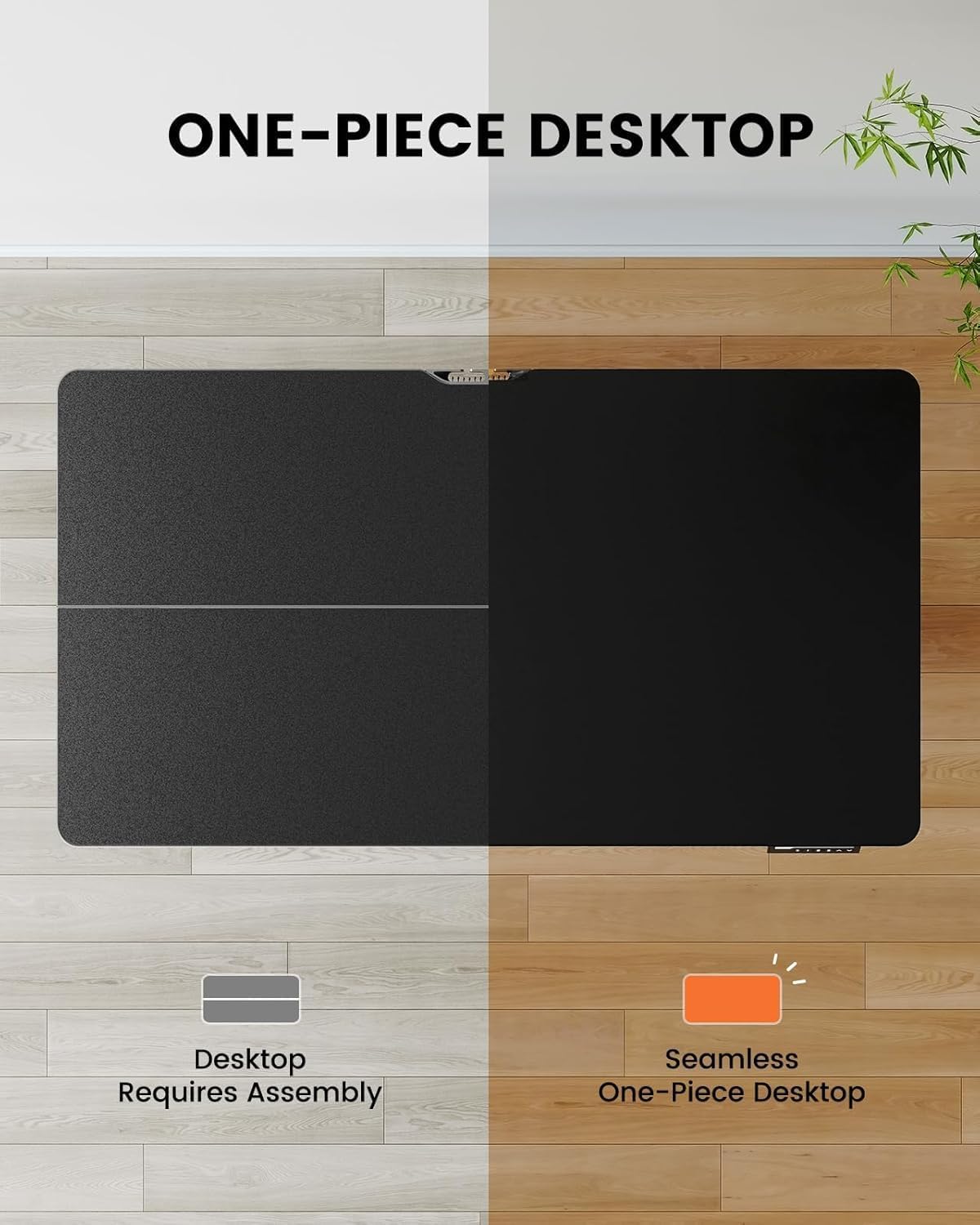
Image 4.1: Hassle-free assembly with the one-piece desktop.

Image 4.2: The ErGear EGESD63B features a seamless one-piece desktop for easier setup.
5. Upute za rad
Your ErGear EGESD63B electric standing desk is designed for easy height adjustment to switch between sitting and standing positions.
5.1. Podešavanje visine
- Gumbi gore/dolje: Use the ▲ (Up) and ▼ (Down) buttons on the control panel to smoothly raise or lower the desk to your desired height. The desk adjusts from 27.9 inches to 46.9 inches.
5.2. Unaprijed postavljene postavke memorije
The control panel features three memory preset buttons (1, 2, 3) to store and recall your preferred sitting and standing heights.
- Za postavljanje unaprijed postavljene postavke: Adjust the desk to your desired height using the Up/Down buttons. Press the 'M' button, then immediately press one of the number buttons (1, 2, or 3) to save the current height to that preset. The display will show 'S-' followed by the number to confirm.
- Za pozivanje unaprijed postavljene postavke: Jednostavno pritisnite odgovarajuću numeričku tipku (1, 2 ili 3). Stol će se automatski pomaknuti na spremljenu visinu.

Image 5.1: Adjust the desk for sit and stand comfort.
6. Održavanje
Regular maintenance helps ensure the longevity and smooth operation of your standing desk.
- Čišćenje: Obrišite radnu površinu i okvir mekom krpomamp krpom. Izbjegavajte jake kemikalije ili abrazivna sredstva za čišćenje.
- Provjerite veze: Periodically check all screws and electrical connections to ensure they are secure. Tighten any loose screws.
- Uprava za kabele: Ensure cables are neatly organized within the cable management tray to prevent snagging during height adjustments.
7. Rješavanje problema
If you encounter issues with your ErGear EGESD63B desk, refer to the following common troubleshooting steps:
- Stol se ne miče:
- Provjerite je li kabel za napajanje sigurno priključen i u stol i u zidnu utičnicu.
- Pazite da nema prepreka koje sprječavaju kretanje.
- Perform a reset: Unplug the power for 10 seconds, then plug it back in. Press and hold the 'Down' button until the desk reaches its lowest point and slightly rebounds.
- Kodovi grešaka na zaslonu:
- If an error code appears, refer to the detailed manual for specific code meanings and solutions. Often, a reset (as described above) can resolve minor errors.
- Neravnomjerno kretanje:
- Provjerite je li stol na ravnoj površini.
- Check that all frame connections are tight.
If problems persist after attempting these steps, contact ErGear customer support for assistance.
8. Specifikacije
| Značajka | Specifikacija |
|---|---|
| Marka | ErGear |
| Model | EGESD63B |
| Dimenzije radne površine (D x Š) | 40 x 24 inča (101.6 x 61 cm) |
| Raspon podešavanja visine | 27.9 - 46.9 inča (70.9 - 119.1 cm) |
| Kapacitet težine | 250 lbs (113 kg) |
| Vrsta motora | Električni motor |
| Broj položaja visine | 3 (Memory Presets) |
| Materijal za radnu površinu | Konstruirano drvo |
| Materijal okvira | Nehrđajući čelik |
| Boja | Crna |
| Potrebna montaža | Da, s uključenim alatima |

Image 8.1: Product dimensions of the ErGear EGESD63B desk.
9. Jamstvo i podrška
ErGear provides a comprehensive warranty for your EGESD63B electric standing desk:
- 2-godišnje ograničeno jamstvo: Covers the motor, controller, and cables.
- 5-godišnje ograničeno jamstvo: Covers the desktop, frame, and other parts.
For warranty claims, technical support, or any questions regarding your product, please contact ErGear customer service through their official website or the retailer where the product was purchased. Please have your model number (EGESD63B) and proof of purchase ready.