
1. Uvod
The LEAUDIO Topping D70 PRO OCTO is a high-fidelity Digital-to-Analog Converter (DAC) designed to deliver exceptional audio performance. Featuring 8 Cirrus Logic CS43198 chips, Bluetooth 5.1 with LDAC support, and a full-color Aurora UI, this device offers advanced audio decoding capabilities up to PCM768kHz/32bit and DSD512. This manual provides detailed instructions for setting up, operating, and maintaining your D70 PRO OCTO to ensure optimal performance.
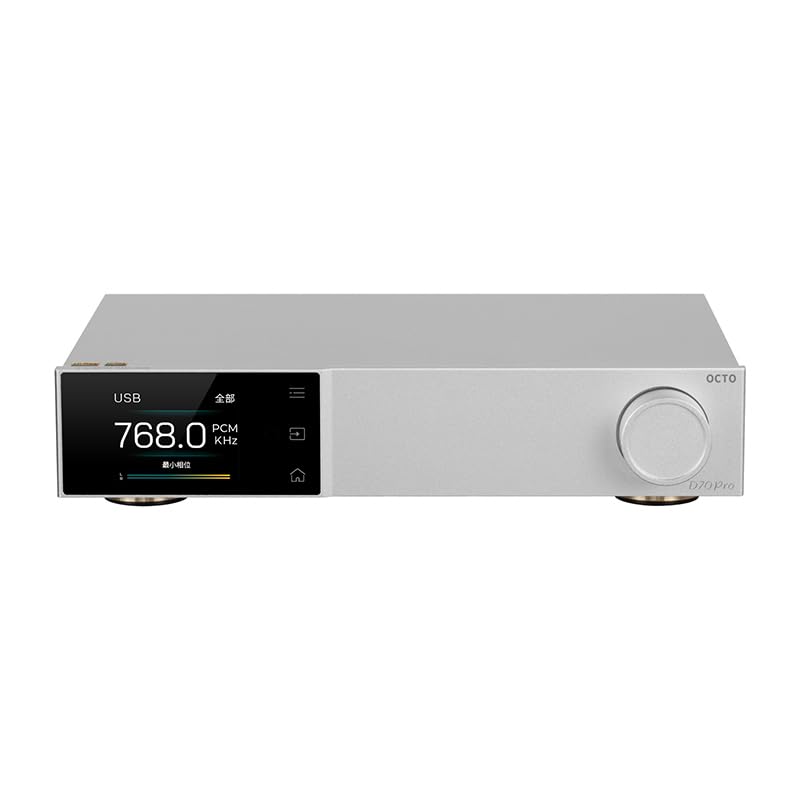
Slika 1: Prednja strana view of the Topping D70 PRO OCTO HiFi DAC.
2. Sadržaj paketa
Molimo pažljivo provjerite paket za sljedeće stavke:
- Topping D70 PRO OCTO Unit
- Daljinski upravljač
- USB kabel
- Kabel za izmjeničnu struju
- Bluetooth antena
- Kratki vodič za početak
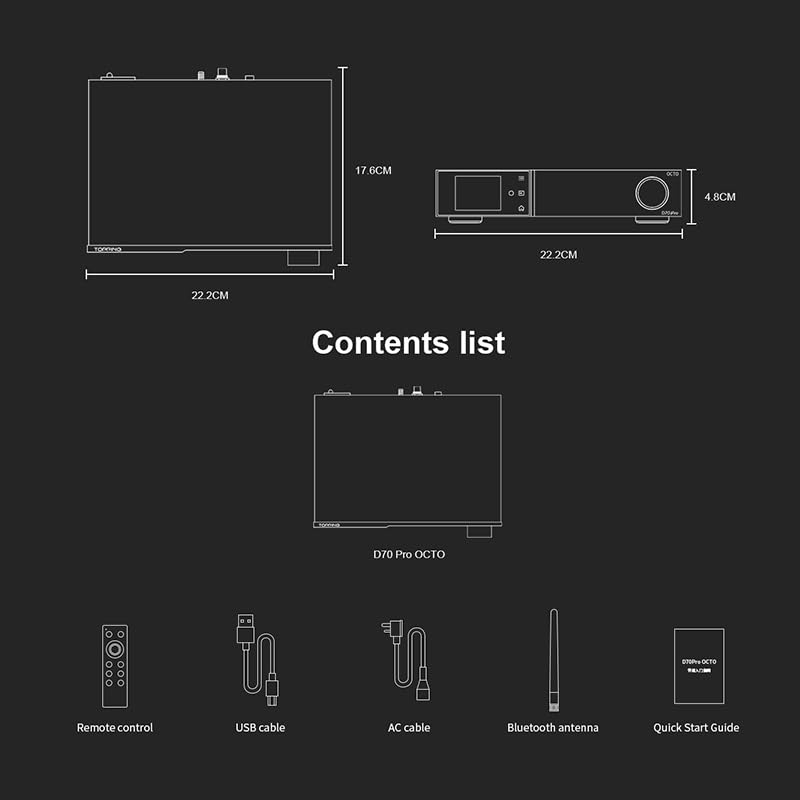
Figure 2: Included accessories: Remote control, USB cable, AC cable, Bluetooth antenna, and Quick Start Guide.
3. Proizvod je gotovview
The D70 PRO OCTO features a clear layout for easy connectivity and control.
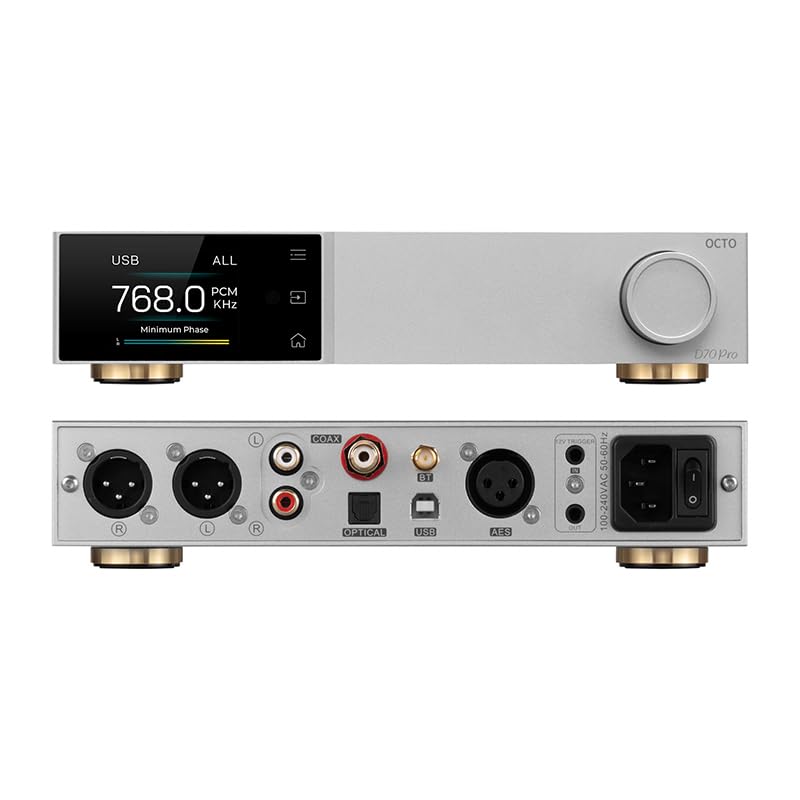
Figure 3: Front panel (top) with display and control knob, and rear panel (bottom) with various input/output ports.
Prednja ploča
- Zaslon zaslona: Prikazuje trenutni status, unos, sample rate, and UI information.
- Kontrolna tipka: For navigation, volume adjustment, and menu selection.
- Gumbi na dodir: Three touch buttons for intuitive control of the Aurora UI.
Stražnja ploča
- USB ulaz: Connect to a computer for audio playback.
- Koaksijalni ulaz: Digitalni audio ulaz.
- Optički ulaz: Digitalni audio ulaz.
- Bluetooth Antenna Connector: For wireless Bluetooth reception.
- USB-C (Power): Ulazna snaga.
- RCA izlaz (L/R): Unbalanced analog audio output.
- XLR Output (L/R): Balanced analog audio output.
- 12V okidač: Za sinkroniziranu kontrolu napajanja s drugim uređajima.
- Prekidač za napajanje: Uključivanje/isključivanje glavnog napajanja.
4. Postavljanje
4.1 Početno povezivanje
- Connect the Bluetooth antenna to the designated connector on the rear panel.
- Connect the D70 PRO OCTO to a power source using the provided AC power cable.
- Connect your audio source (e.g., computer, CD player) to the appropriate input on the D70 PRO OCTO (USB, Coaxial, or Optical).
- Connect the D70 PRO OCTO's output (RCA or XLR) to your amplifier ili aktivni zvučnici.
- Turn on the D70 PRO OCTO using the power switch on the rear panel.
4.2 Instalacija upravljačkog programa (Windows)
For Windows operating systems, a specific driver is required for optimal performance, especially for ASIO playback. The D70 PRO OCTO utilizes an XMOS XU316 and Thesycon custom driver. This driver can typically be downloaded from the manufacturer's official website. Other operating systems like Mac, Linux, iOS, and Android are generally driver-free and support plug-and-play functionality.

Figure 4: The D70 PRO OCTO offers wide compatibility with various operating systems, with specific driver requirements for Windows.
5. Operacija
5.1 Osnovne kontrole
- Uključivanje/isključivanje: Koristite glavni prekidač za napajanje na stražnjoj ploči.
- Podešavanje glasnoće: Rotate the control knob on the front panel to adjust the output volume.
- Odabir unosa: Press the control knob or use the remote control to cycle through available inputs (USB, Coaxial, Optical, Bluetooth).
5.2 Aurora UI and Display Modes
The D70 PRO OCTO features a full-color Aurora UI with three touch buttons for an enhanced user experience. The display can show various playback information, including sample rate, volume, and input source. You can also switch between different display modes such as FFT (Fast Fourier Transform) and VU (Volume Unit) meters according to your preference.

Figure 5: The Aurora UI offers a full-color screen, touch buttons, customizable functions via the volume knob, and language switching options.
5.3 Bluetooth 5.1 Transmission
The D70 PRO OCTO supports Bluetooth 5.1 with advanced audio encoding protocols including LDAC, aptX-Adaptive, aptX HD, aptX, AAC, and SBC. This allows for high-quality wireless audio streaming from compatible devices.
- Select Bluetooth as the input source on the D70 PRO OCTO.
- Omogućite Bluetooth na izvornom uređaju (npr. pametnom telefonu, tabletu).
- Tražiti "D70 PRO OCTO" in your device's Bluetooth settings and pair.
- Once paired, audio will be streamed wirelessly to the DAC.

Figure 6: The D70 PRO OCTO supports Bluetooth 5.1 for high-quality wireless audio transmission.
6. Ključne značajke
- 8x CS43198 DAC Chips: Equipped with eight Cirrus Logic flagship CS43198 chips for superior audio conversion.
- Podrška za audio visoke rezolucije: Supports PCM up to 768kHz/32bit and DSD512 audio decoding.
- Aurora UI: Full-color screen and three touch buttons for intuitive control and display.
- Svestrani načini prikaza: Switch between playback information, FFT, and VU meters.
- Bluetooth 5.1: Supports LDAC, aptX-Adaptive, aptX HD, aptX, AAC, and SBC for high-quality wireless streaming.
- Low Distortion and High Dynamic Range: Achieves THD+N <0.00007% and a dynamic range of 134dB for accurate sound reproduction.
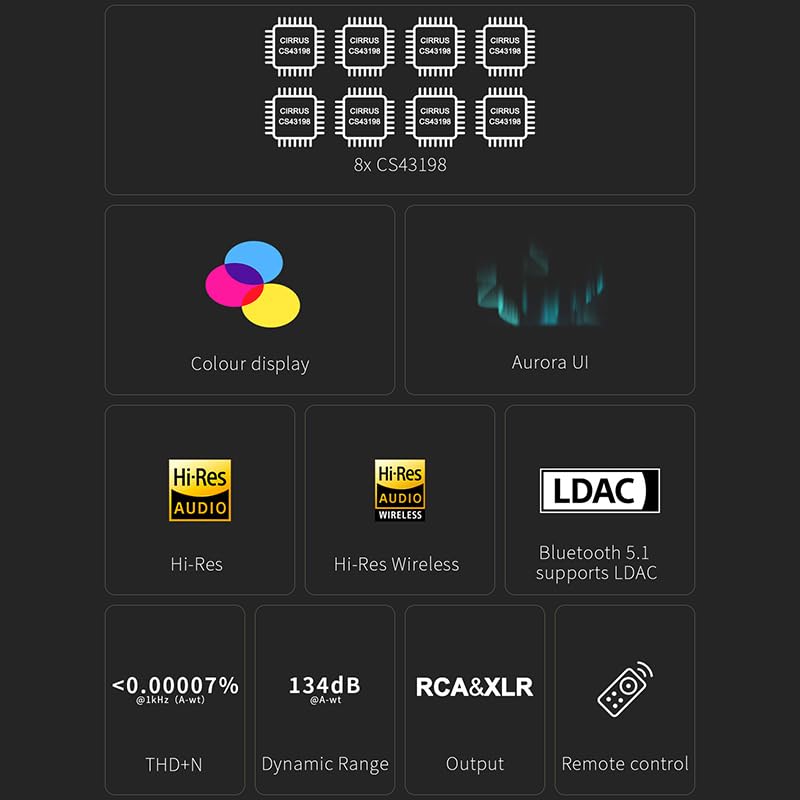
Figure 7: Visual representation of key features including 8x CS43198 chips, color display, Aurora UI, Hi-Res Audio, LDAC, and performance metrics.

Figure 8: Detailed audio performance metrics including THD+N, SNR, DNR, and Noise levels, demonstrating the DAC's high fidelity.
7. Specifikacije
| Značajka | Detalj |
|---|---|
| DAC čip | 8x Cirrus Logic CS43198 |
| PCM Decoding | Do 768 kHz/32 bita |
| DSD dekodiranje | Do DSD512 |
| Bluetooth verzija | 5.1 |
| Bluetooth kodeci | LDAC, aptX-Adaptive, aptX HD, aptX, AAC, SBC |
| THD+N (RCA) | <0.00008% @ 1kHz (A-wt) |
| THD+N (XLR) | <0.00007% @ 1kHz (A-wt) |
| Dynamic Range (RCA) | 128dB @ 1kHz (A-wt) |
| Dynamic Range (XLR) | 134dB @ 1kHz (A-wt) |
| Output Impedance (RCA) | 50Ω |
| Output Impedance (XLR) | 100Ω |
| Unosi | USB, Coaxial, Optical, Bluetooth |
| Izlazi | RCA, XLR |
| Dimenzije | Otprilike 14.41 x 9.49 x 3.43 inča (pakiranje) |
| Težina artikla | cca. 4.29 funte |
| Ulazna snaga | USB-C (DC 15 V) |
8. Održavanje
To ensure the longevity and optimal performance of your D70 PRO OCTO, follow these maintenance guidelines:
- Čišćenje: Use a soft, dry cloth to clean the exterior of the device. Avoid using abrasive cleaners, solvents, or chemical sprays, as they may damage the finish.
- Plasman: Uređaj postavite na stabilnu, ravnu površinu, dalje od izravne sunčeve svjetlosti, izvora topline i prekomjerne vlage. Osigurajte odgovarajuću ventilaciju oko uređaja.
- Vlast: Always use the provided power adapter. Disconnect the power cable during lightning storms or when the unit is unused for extended periods.
- Rukovanje: Izbjegavajte ispuštanje ili izlaganje uređaja jakim udarcima.
9. Rješavanje problema
If you encounter any issues with your D70 PRO OCTO, please refer to the following common problems and solutions:
| Problem | Mogući uzrok | Otopina |
|---|---|---|
| Nema struje | Kabel za napajanje nije spojen ili je utičnica neispravna. | Ensure the power cable is securely connected and the outlet is functional. Check the power switch on the rear panel. |
| Nema zvuka | Nepravilan odabir ulaza/izlaza, preniska glasnoća ili neispravni kabeli. | Verify the correct input source is selected on the DAC. Check volume levels on both the DAC and connected amplifier/speakers. Ensure audio cables are securely connected and not damaged. |
| Problemi s Bluetooth vezom | Uređaj nije u načinu uparivanja, izvan je dometa ili ima smetnje. | Ensure the DAC is in Bluetooth input mode. Place the source device closer to the DAC. Try unpairing and re-pairing the devices. Avoid sources of strong electromagnetic interference. |
| Iskrivljeni zvuk | Input signal too high, faulty cables, or incorrect settings. | Reduce the volume on the source device. Check audio cables for damage. Ensure the DAC's settings (e.g., filter modes) are appropriate for your audio. |
| Windows PC not recognizing DAC | Missing or incorrect USB driver. | Download and install the latest USB driver from the LEAUDIO or Topping official website. Restart your computer and the DAC. |
Ako problem i dalje postoji nakon isprobavanja ovih rješenja, obratite se korisničkoj podršci.
10. Jamstvo i podrška
The LEAUDIO Topping D70 PRO OCTO is covered by a manufacturer's warranty. Please refer to the warranty card included in your package or visit the official LEAUDIO/Topping webstranicu za detaljne uvjete jamstva.
For technical support, service, or further inquiries, please contact your retailer or the manufacturer directly. Keep your purchase receipt and product serial number handy when seeking support.