
1. Uvod
Thank you for choosing the LEVOIT LPF-R432-WEU Pedestal Fan. This fan is designed to provide powerful and efficient air circulation, ensuring a comfortable environment in your home or office. With its quiet operation, versatile oscillation, and smart features, it offers a superior cooling experience. Please read this manual thoroughly before use to ensure proper operation and maintenance.
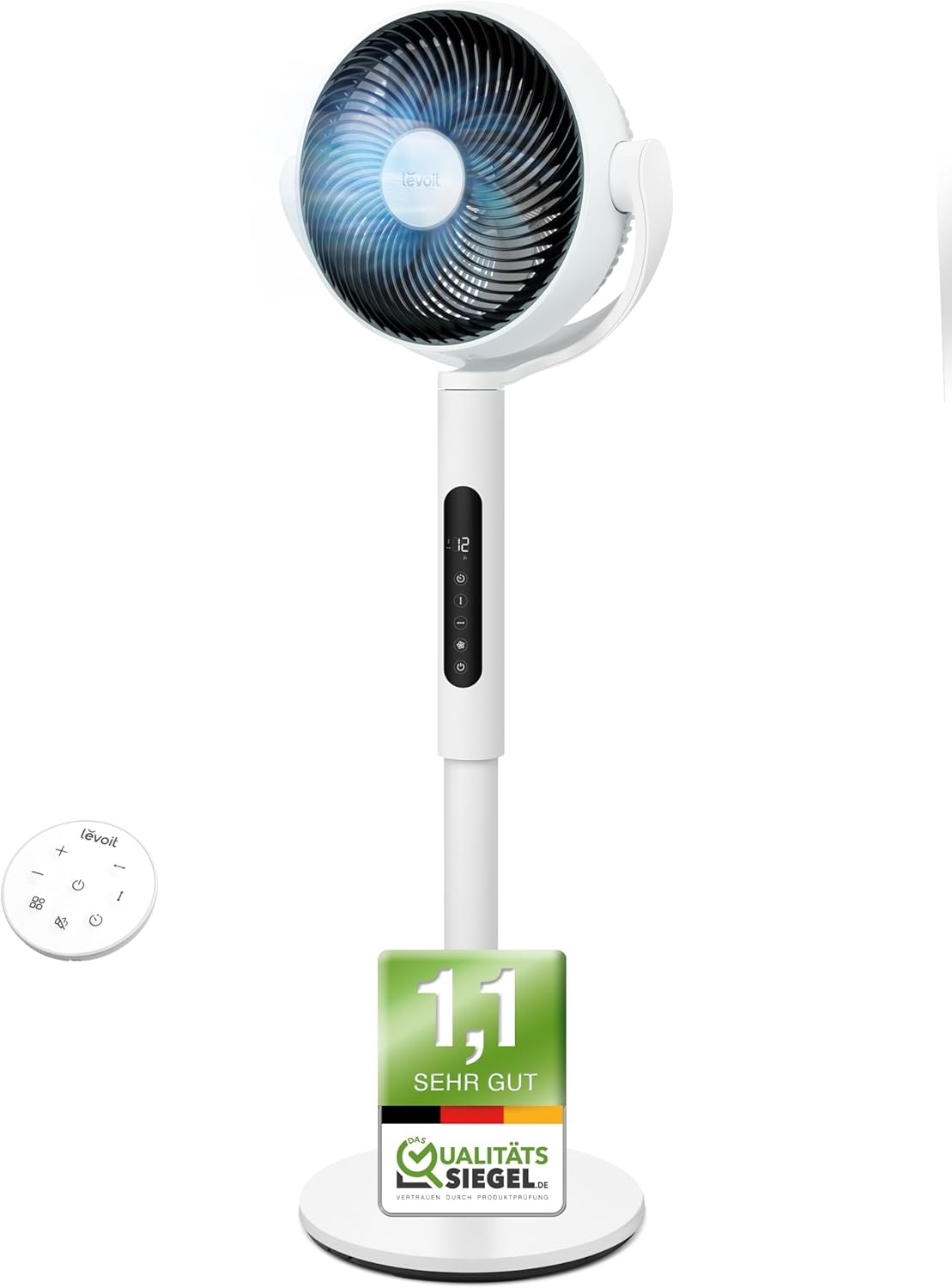
Image: The LEVOIT LPF-R432-WEU Pedestal Fan, showcasing its sleek white design and integrated remote control.
2. Važne sigurnosne upute
Kako biste smanjili rizik od požara, strujnog udara ili ozljede, molimo vas da se pridržavate sljedećih sigurnosnih mjera opreza:
- Uvijek isključite ventilator iz električne utičnice prije čišćenja, održavanja ili kada ga ne koristite.
- Ne koristite ventilator s oštećenim kabelom ili utikačem. Ako je kabel ili utikač oštećen, obratite se korisničkoj podršci.
- Kabel za napajanje držite dalje od zagrijanih površina.
- Nemojte uranjati ventilator u vodu ili druge tekućine.
- Ne stavljajte prste ili strane predmete u bilo koji otvor ventilatora.
- Pazite da ventilator bude postavljen na stabilnu, ravnu površinu kako biste spriječili njegovo prevrtanje.
- Ovaj uređaj nije namijenjen za korištenje od strane osoba (uključujući djecu) sa smanjenim fizičkim, osjetilnim ili mentalnim sposobnostima, ili nedostatkom iskustva i znanja, osim ako nisu pod nadzorom ili su dobili upute o korištenju uređaja od strane osobe odgovorne za njihovu sigurnost.
- Djecu treba nadzirati kako bi se osiguralo da se ne igraju s uređajem.
- Ne koristite ventilator na otvorenom ili u vlažnim prostorima.
3. Sadržaj paketa
Molimo provjerite paket za sljedeće stavke:
- LEVOIT Pedestal Fan (Main Unit)
- Sklop baze
- Daljinski upravljač
- Kabel za napajanje
- Korisnički priručnik (ovaj dokument)
4. Postavljanje i sastavljanje
The LEVOIT Pedestal Fan requires minimal assembly. Follow these steps to set up your fan:
- Pažljivo izvadite sve komponente iz pakiranja.
- Attach the main fan unit to the base assembly. Ensure it clicks securely into place.
- Postavite ventilator na čvrstu, ravnu površinu.
- Connect the power cord to the fan and then plug it into a standard electrical outlet.

Image: Diagram illustrating the simple assembly process of the LEVOIT Pedestal Fan, showing the main unit connecting to the base.
5. Upute za rad
Your LEVOIT Pedestal Fan offers various settings for optimal comfort.
5.1. Uključivanje/isključivanje
Pritisnite gumb za uključivanje/isključivanje na upravljačkoj ploči ventilatora ili na daljinskom upravljaču kako biste uključili ili isključili ventilator.
5.2. Postavke brzine
Adjust the fan speed using the '+' and '-' buttons on the control panel or remote. The fan features 12 adjustable speed levels to suit your preference, from a gentle breeze to powerful air circulation.
5.3. Oscilacija
Activate the oscillation feature to distribute air across a wider area. The fan supports both horizontal (up to 90°) and vertical (up to 120°) oscillation for comprehensive room coverage.

Image: Visual representation of the LEVOIT Pedestal Fan's automatic oscillation capabilities, showing 90° horizontal and 120° vertical movement for wide air distribution.
5.4. Funkcija odbrojavanja
Set the fan to automatically turn off after a specified period using the timer button. This is useful for energy saving or for use during sleep.
5.5. Noćni način rada
For undisturbed sleep, activate the Night Mode. In this mode, the fan operates at a very low noise level (as low as 20 dB) and the display lights can be turned off.

Image: The LEVOIT Pedestal Fan operating in a bedroom setting, illustrating its quiet 20 dB operation and screen dimming feature for peaceful sleep.
5.6. Pametni senzor
The integrated smart sensor can automatically adjust the fan speed based on the room's temperature, optimizing comfort and energy consumption.
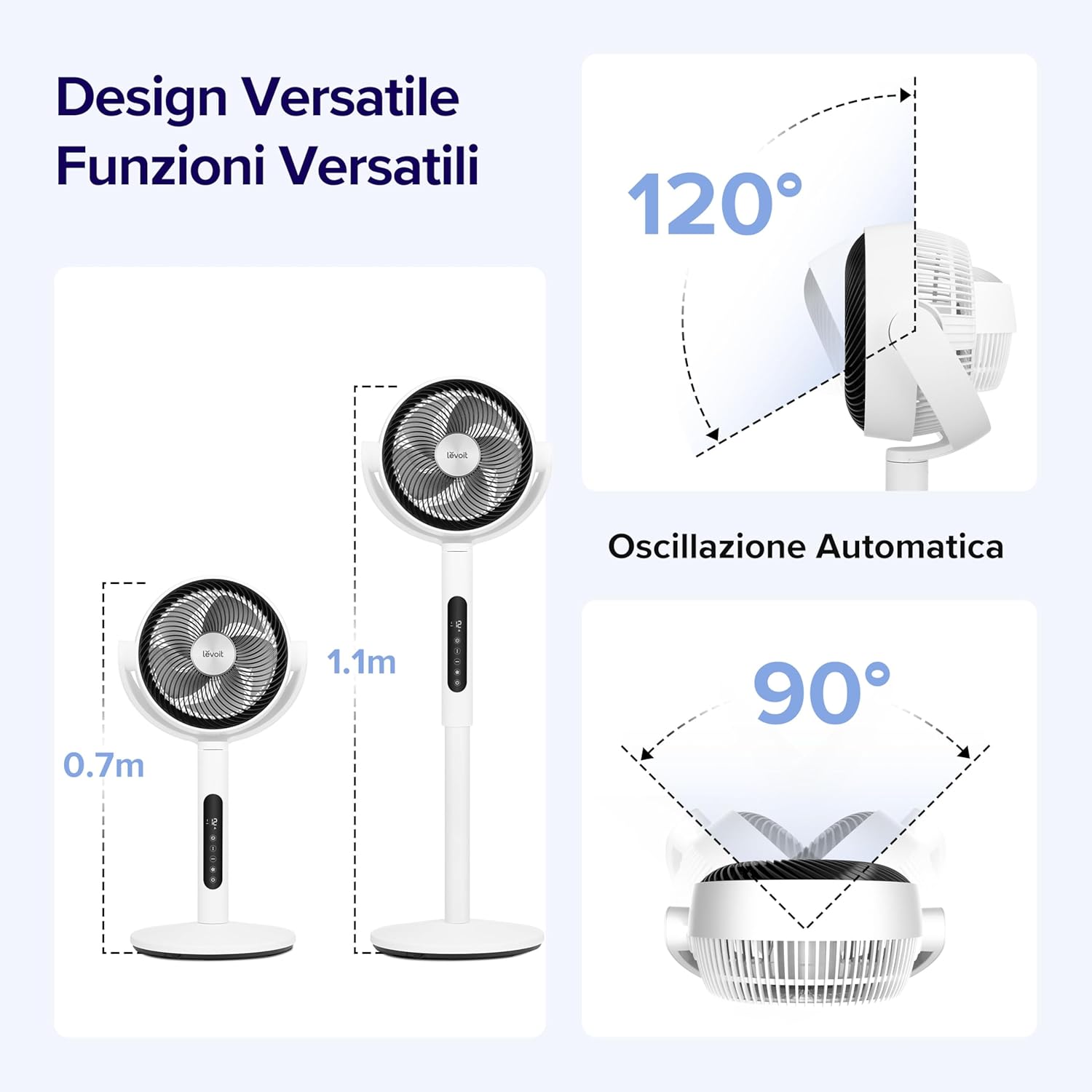
Image: A visual demonstrating the smart sensor technology of the LEVOIT Pedestal Fan, which intelligently adjusts fan speed according to ambient room temperature for energy efficiency.
5.7. Daljinski upravljač
The fan comes with a convenient remote control for easy operation from a distance. The remote control is magnetic and can be stored securely on the fan unit itself.

Slika: Krupni plan view of the magnetic remote control for the LEVOIT Pedestal Fan, showing it being attached to the fan for convenient storage.
6. Održavanje
Redovito čišćenje i održavanje pomoći će produžiti vijek trajanja vašeg ventilatora i osigurati optimalne performanse.
6.1. Čišćenje ventilatora
- Uvijek isključite ventilator prije čišćenja.
- Obrišite vanjski dio ventilatora mekom,amp tkanina. Nemojte koristiti abrazivna sredstva za čišćenje ili otapala.
- For thorough cleaning, the front grille and fan blades can be easily detached. Rotate the front grille to unlock and remove it.
- Wash the detached grille and blades with mild soap and water. Ensure they are completely dry before reattaching.
- Reassemble the fan by aligning the components and rotating the grille back into its locked position.

Image: Illustration showing the ease of disassembling the LEVOIT Pedestal Fan's front grille and blades for cleaning, emphasizing the simple rotation and washing process.
6.2. Skladištenje
Kada se ventilator ne koristi dulje vrijeme, čuvajte ga na hladnom i suhom mjestu, po mogućnosti u originalnom pakiranju, kako biste ga zaštitili od prašine i oštećenja.
7. Rješavanje problema
Ako naiđete na bilo kakve probleme s ventilatorom, pogledajte sljedeće uobičajene probleme i rješenja:
| Problem | Mogući uzrok | Otopina |
|---|---|---|
| Ventilator se ne uključuje. | Nije uključeno; Utičnica ne radi; Gumb za napajanje nije pritisnut. | Provjerite je li ventilator sigurno uključen u ispravnu utičnicu. Pritisnite gumb za napajanje. |
| Slab protok zraka. | Fan speed too low; Air intake/outlet blocked; Fan blades dirty. | Increase fan speed. Ensure no obstructions. Clean fan blades and grilles. |
| Ventilator je bučan. | Fan not on a level surface; Loose parts; Obstruction. | Place fan on a stable, level surface. Check for any loose components or foreign objects. |
| Daljinski upravljač ne radi. | Batteries dead; Obstruction between remote and fan. | Zamijenite baterije daljinskog upravljača. Osigurajte jasan pogled na prijemnik ventilatora. |
8. Specifikacije
| Značajka | Detalj |
|---|---|
| Marka | Levoit |
| Broj modela | LPF-R432-WEU |
| Boja | Bijela |
| Dimenzije (D x Š x V) | 31.75 x 36.83 x 111 cm |
| Težina | 7.5 kilogram |
| Vlast | 21 vata |
| Voltage | 120.0 volti |
| Materijal | Plastični |
| Razina buke | 20 dB (minimalno) |
| Posebne značajke | Portable, Lightweight, Oscillating, Timer, Remote Controlled, Smart Sensor |
| Oscilacija | Up to 90° Horizontal, Up to 120° Vertical |
| Izvor napajanja | Električni na kabel |
9. Jamstvo i podrška
For warranty information and customer support, please refer to the warranty card included with your product or visit the official LEVOIT website. Do not attempt to repair the fan yourself, as this may void the warranty.