
1. Uvod
Thank you for choosing the GEEKOM Mechanical Keyboard and Mouse Set. This manual provides detailed instructions for setting up, operating, and maintaining your new peripheral devices. Please read this manual thoroughly before use to ensure optimal performance and longevity of your product.
2. Sadržaj paketa
Please check the package contents upon unboxing. If any items are missing or damaged, please contact GEEKOM customer support.
- GEEKOM Mechanical Keyboard
- GEEKOM Mouse
- USB Receiver (for wireless connection, if applicable)
- USB-C Charging Cable (for keyboard/mouse, if rechargeable)
- Korisnički priručnik (ovaj dokument)
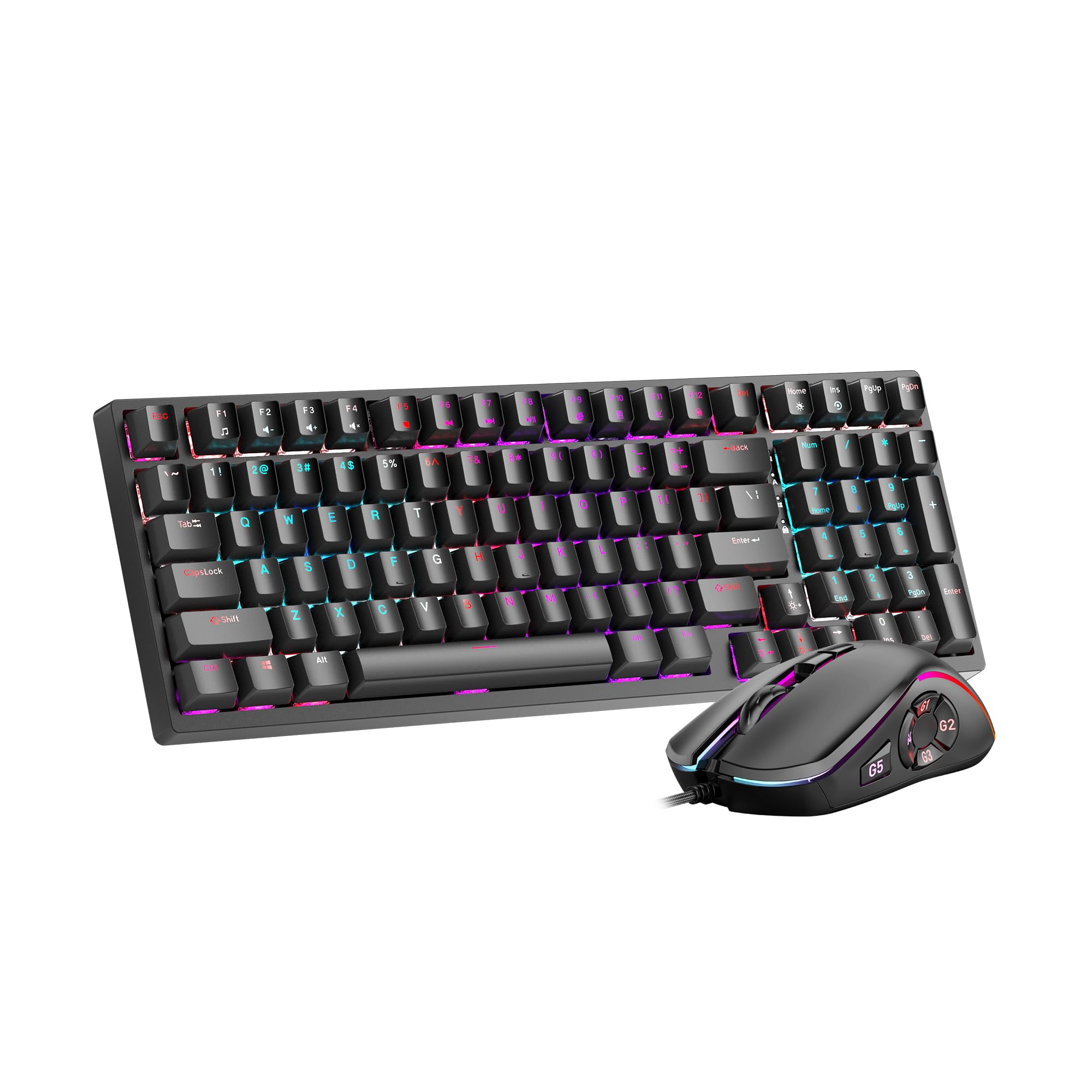
Image 1: GEEKOM Mechanical Keyboard and Mouse Set components.
3. Postavljanje
3.1 Spajanje tipkovnice i miša
The GEEKOM Mechanical Keyboard and Mouse Set can be connected via a 2.4GHz wireless USB receiver or a wired USB connection, depending on the model variant. Please refer to your specific product's connection type.
3.1.1 Wireless Connection (2.4GHz USB Receiver)
- Locate the USB receiver, usually stored in a compartment on the mouse or keyboard.
- Priključite USB prijamnik u slobodni USB priključak na računalu.
- Turn on the keyboard and mouse using their respective power switches. The devices should automatically connect to the receiver.
- If connection fails, press the pairing button (if available) on the keyboard/mouse and the receiver simultaneously.
3.1.2 Wired Connection (USB Cable)
- Spojite USB-C kraj priloženog kabela na tipkovnicu/miš.
- Spojite USB-A kraj kabela na dostupni USB priključak na računalu.
- The devices will be recognized by your operating system automatically.
3.2 Instalacija upravljačkog programa
The GEEKOM Mechanical Keyboard and Mouse Set is typically plug-and-play, requiring no additional driver installation for basic functionality. For advanced features or customization, please visit the official GEEKOM website to download any optional software or drivers.
4. Upute za rad
4.1 Funkcije tipkovnice
The mechanical keyboard offers a responsive typing experience. Specific functions may vary by model, but common features include:
- Standardni ključevi: All standard alphanumeric and symbol keys.
- Funkcijske tipke (F1-F12): Often combined with the Fn key for multimedia controls (volume, play/pause, etc.) or system shortcuts. Refer to the keycap legends for specific functions.
- Pozadinsko osvjetljenje: Many mechanical keyboards feature adjustable backlighting. Use Fn + [tipka] combinations (e.g., Fn + Arrow keys, Fn + Ins/Del/Home/End) to change brightness, mode, or color.
- N-Key Rollover (NKRO): Allows multiple key presses to be registered simultaneously, crucial for fast typing and gaming.
4.2 Funkcije miša
The mouse provides precise tracking and comfortable use. Key features typically include:
- Lijevi/Desni klik: Standard primary and secondary click functions.
- Kotačić za pomicanje: For vertical scrolling and often acts as a middle click button.
- Gumb DPI: (Dots Per Inch) Allows adjustment of mouse sensitivity on the fly. Press to cycle through different DPI settings.
- Bočni gumbi: Often programmable for forward/backward navigation in web browsers or custom functions in software.
5. Održavanje
Proper maintenance ensures the longevity and performance of your GEEKOM Mechanical Keyboard and Mouse Set.
5.1 Čišćenje
- Tipkovnica:
- Odspojite tipkovnicu s računala.
- Use a can of compressed air to blow out dust and debris from between the keycaps.
- Wipe the keycaps and surface with a soft, slightly damp, krpa koja ne ostavlja dlačice. Izbjegavajte prekomjernu vlagu.
- For deeper cleaning, keycaps can often be carefully removed using a keycap puller (not included) and cleaned separately. Ensure they are completely dry before reattaching.
- Miš:
- Odspojite miš s računala.
- Obrišite površinu mekom, laganoamp, krpa koja ne ostavlja dlačice.
- Clean the optical sensor on the underside with a dry cotton swab to ensure accurate tracking.
5.2 Skladištenje
Kada se tipkovnica i miš ne koriste dulje vrijeme, pohranite ih na suhom i hladnom mjestu, dalje od izravne sunčeve svjetlosti i ekstremnih temperatura.
6. Rješavanje problema
If you encounter issues with your GEEKOM Mechanical Keyboard and Mouse Set, please refer to the following common solutions:
| Problem | Mogući uzrok | Otopina |
|---|---|---|
| Keyboard/Mouse not responding (Wireless) | Slaba baterija; USB prijemnik nije spojen; Problem s uparivanjem. | Charge devices; Ensure receiver is firmly plugged in; Re-pair devices (refer to Section 3.1.1). |
| Keyboard/Mouse not responding (Wired) | Loose cable connection; Faulty USB port. | Ensure cable is firmly connected; Try a different USB port; Test with a different cable if possible. |
| Tipke se ne registriraju ili se tipkaju dvaput | Dust/debris under keycap; Switch malfunction. | Clean under keycaps with compressed air (refer to Section 5.1); If issue persists, contact support. |
| Kursor miša je nepravilan ili se ne pomiče | Prljav optički senzor; Neprikladna površina; Slaba baterija. | Clean optical sensor (refer to Section 5.1); Use on a clean, opaque mouse pad; Charge mouse. |
| Pozadinsko osvjetljenje ne radi | Backlight turned off; Software issue. | Adjust backlight settings using Fn key combinations; Check for software updates. |
7. Specifikacije
The following are general specifications for the GEEKOM Mechanical Keyboard and Mouse Set. Specific details may vary slightly by production batch.
- Marka: GEEKOM
- Model: Set mehaničke tipkovnice i miša
- Povezivost: 2.4GHz Wireless (via USB Receiver) / Wired USB
- Tipkovnica: Mehanički
- Senzor miša: Optički
- DPI Settings (Mouse): Adjustable (e.g., 800/1200/1600/2400 DPI)
- Baterija: Rechargeable Lithium-ion (for wireless models)
- Kompatibilnost operativnog sustava: Windows, macOS, Linux (basic functionality)
- Dimenzije paketa: 50 x 15 x 5 cm
- Težina paketa: 1 kg
- ASIN: B0CTSVD82J
- UPC/GTIN: 850055043657
8. Jamstvo i podrška
GEEKOM products are designed for reliability and performance. This product comes with a standard manufacturer's warranty. For detailed warranty terms and conditions, please refer to the warranty card included in your package or visit the official GEEKOM webmjesto.
For technical support, troubleshooting assistance, or warranty claims, please contact GEEKOM customer service through their official webweb-mjesto ili kontaktne podatke navedene u dokumentaciji proizvoda.
Official GEEKOM Webstranica: www.geekom.nl (Napomena: Ovo je rezervirano mjesto URL. Please refer to your product packaging for the correct support webmjesto.)